
其他
完整应用

deepseek-harness
deepseek-ai
DeepSeek Harness: Everything is a Plugin.
PROJECT TOPICS
PROJECT README
One installable DeepSeek Harness plugin for managing Workspace → Task → Session collaboration.
This plugin treats a Task as the long-lived collaboration boundary. Sessions assigned to the same Task receive a bounded snapshot of its objective and retained updates on their next model step. Agents can publish durable findings and search older retained updates without copying raw transcripts.
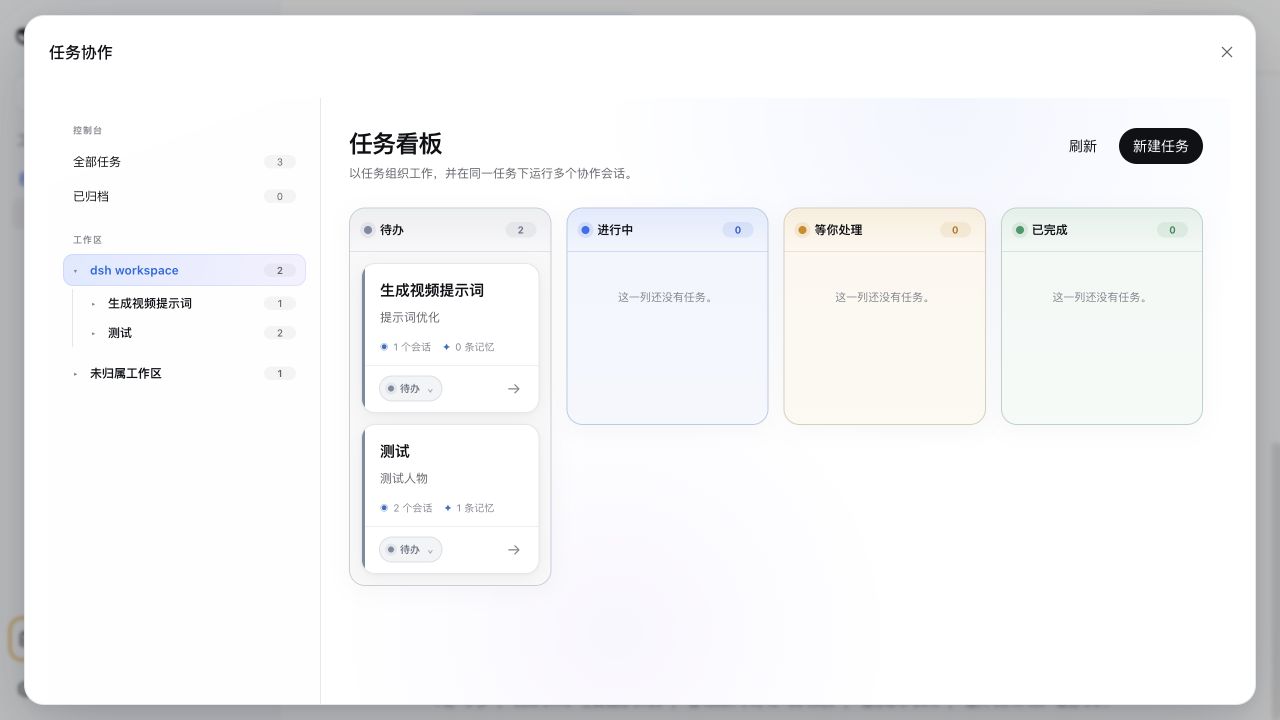
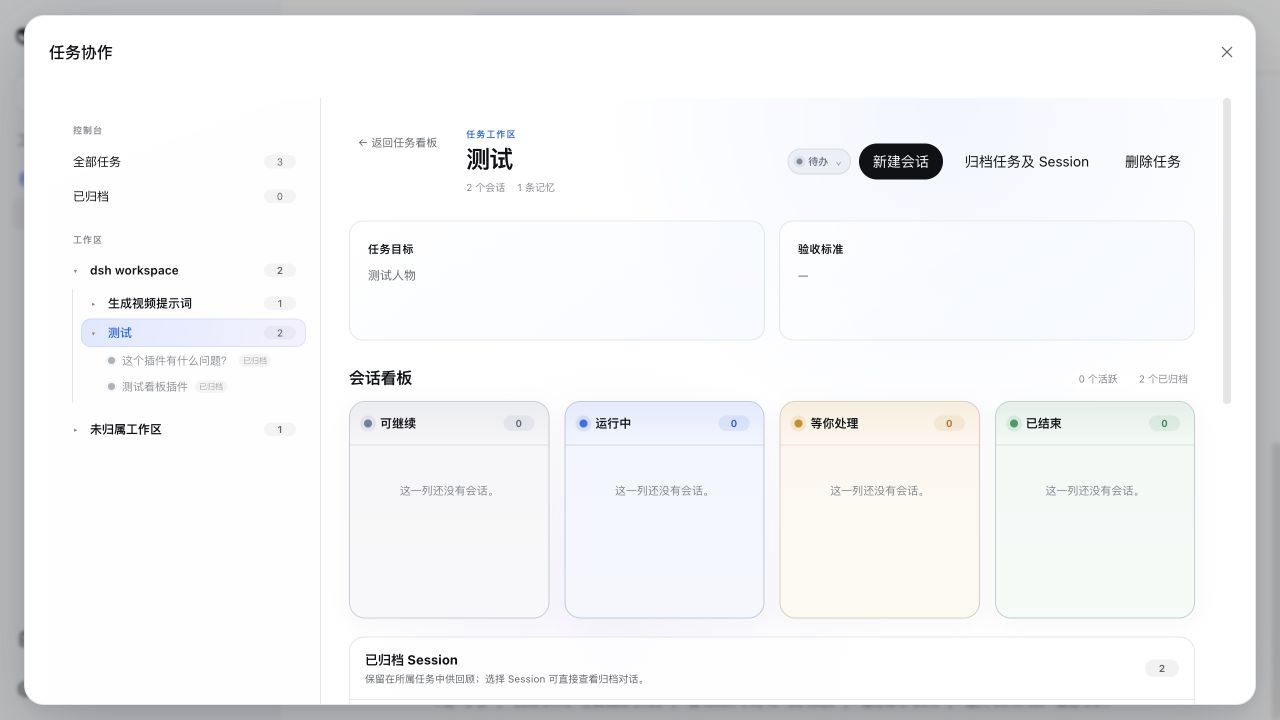
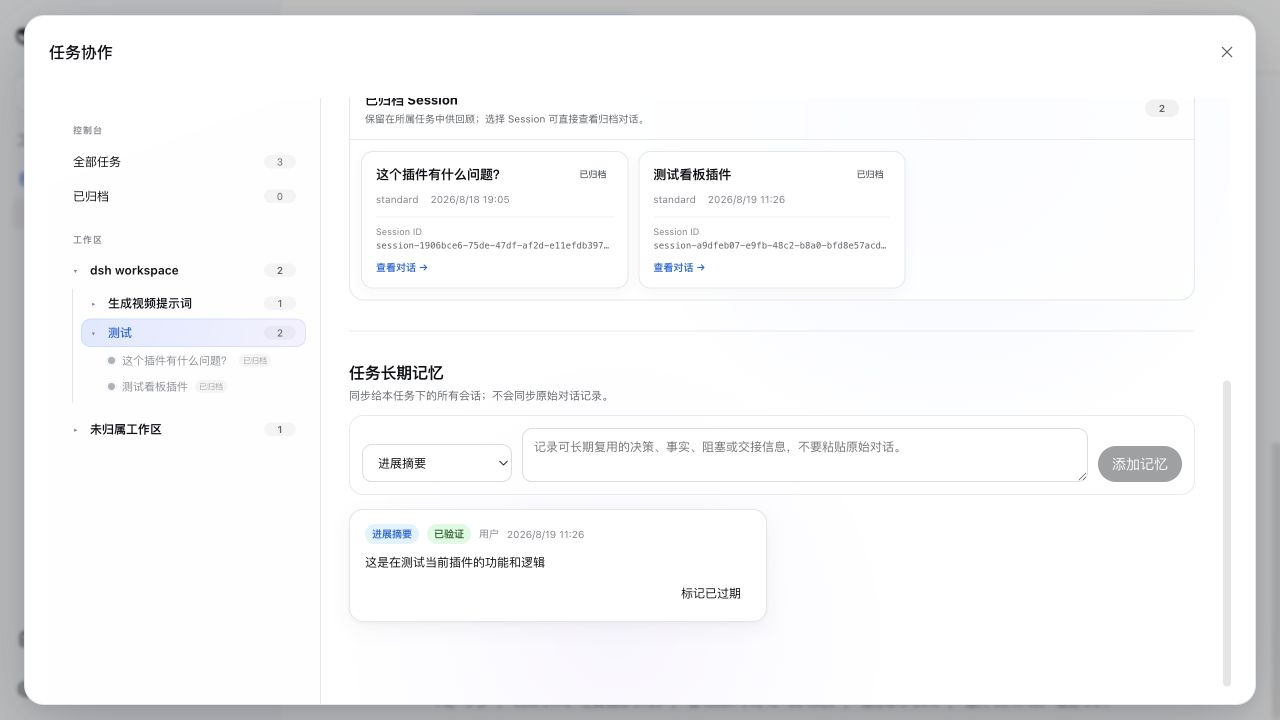
task_context_publish and bounded task_context_searchInstalling the package into the web profile is all it takes. The browser picks up the client bundle through the harness plugin scanner and adds one Task Control Center entry to the sidebar. No DeepSeek Harness source patch or manual UI wiring is required.
0.1.0-rc.7 or newer compatible release^22.19.0 or >=24 — the plugin ships stage-3 decorators in its
compiled artefacts (Typert @Remote markers) that Node parses natively only
in these versions; Node 23 will refuse to load the entries with
SyntaxError: Invalid or unexpected token.web profile, whose storage services back Task persistenceRun this from the plugin directory:
pnpm install
pnpm run build
dsh plugin --profile web add .
Then start DeepSeek Harness normally:
dsh webTo remove it:
dsh plugin --profile web remove dsh-task-notice-boardAfter the repository is published:
dsh plugin --profile web add github:SLin-code/dsh-task-notice-boardGit-hosted installation runs the package prepare script. pnpm may first require you to allow the reviewed tsdown build in the profile's pnpm-workspace.yaml; follow the exact key printed by DSH and repeat the install.
The npm package exposes one Cordis plugin entry. Internally that entry composes three implementation seats:
dsh-task-notice-board/task owns Task records, Task context, and Session assignments.dsh-task-notice-board/task-context-sync projects bounded Task memory into the next model step.dsh-task-notice-board/tool-task-context exposes publish and search tools to assigned Sessions.The browser reuses native DSH Workspace and Session services. Task creation never creates a second workspace model, and opening a Session always returns to the native DSH conversation surface.
Archived conversation history is read from DSH's durable Session log only when the user selects a Session inside its Task. It is not copied into Task long-term memory, and restoring the Task is not required to read it.
MIT. The initial implementation is derived from DeepSeek Harness conventions and APIs; see the repository history for changes.
CLASSIFICATION EVIDENCE
系统优先读取 GitHub Topics,再与站内分类词典和词根规则比对。当前命中: 无有效分类标签。
deepseek-ai
DeepSeek Harness: Everything is a Plugin.

anywhere-labs
为 DeepSeek Harness (DSH) 插件生态打造的现代化桌面端解决方案。万物皆「插件」,桌面本身也是「插件」。

walkinglabs
Harness engineering beginner tutorial, from 0 to 1