
模型与 MCP
待识别

rea
morluto
Reverse engineer anything with agents, from app behavior down to native binaries.
PROJECT TOPICS
INSTALL REFERENCE
dsh plugin --profile web add github:Ryuu-64/dsh-find-all
该命令指向仓库当前默认分支;尚无绑定当前 commit 的完整验证结果。
PROJECT README
English | 简体中文
npm: @ryuu-64/dsh-find-all · Maintained by Ryuu-64.
Search conversation titles and saved messages across workspaces in DeepSeek Harness (DSH), or press ⌘F / Ctrl+F to find text in the current conversation.
Remember discussing offline export but can't remember which conversation? Search for 离线导出 (offline export) and use the message excerpts to find it.
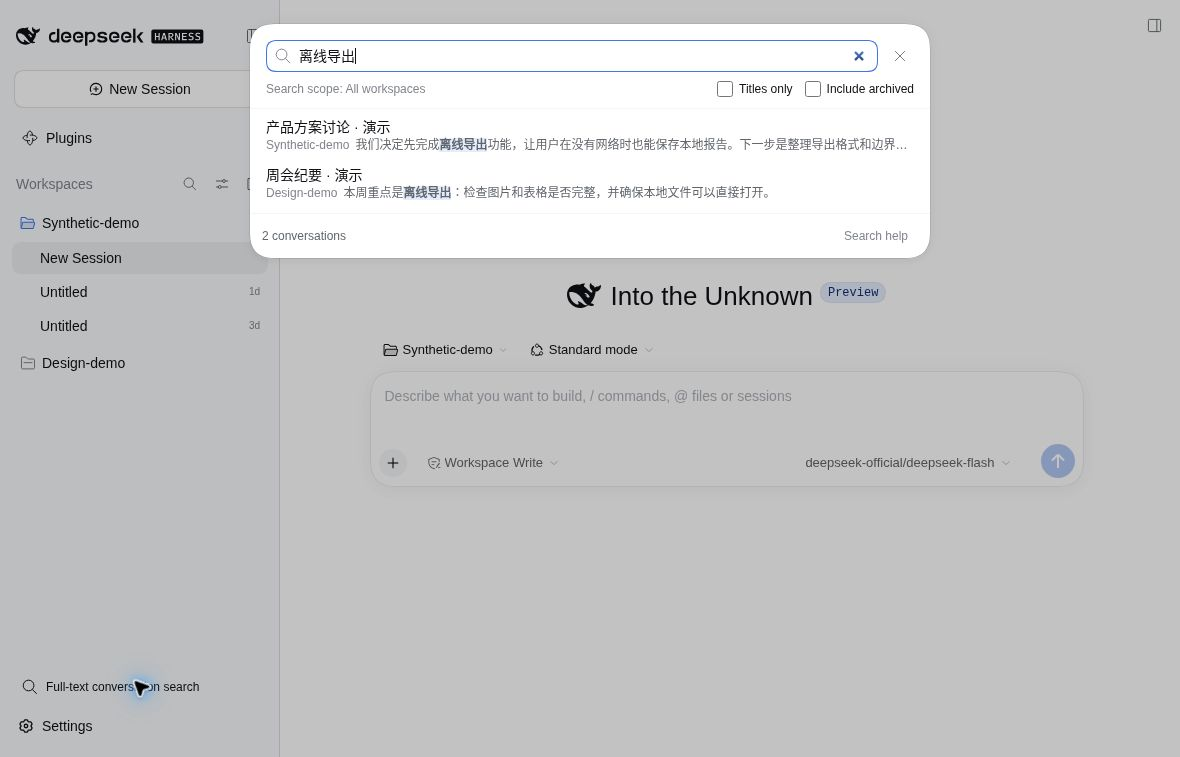
The Chinese interface shows one matching conversation from each of two workspaces.
Ask an AI assistant that can operate your computer to install the plugin.
Install this plugin in my DSH setup, check compatibility, and confirm it is enabled: https://github.com/Ryuu-64/dsh-find-all
If you have dsh-find-bar installed, remove it first to avoid a shortcut conflict.
离线导出. The results show titles, workspaces, and message excerpts.2, and press Enter to jump to the second match. Back to search results restores your query and position in the list.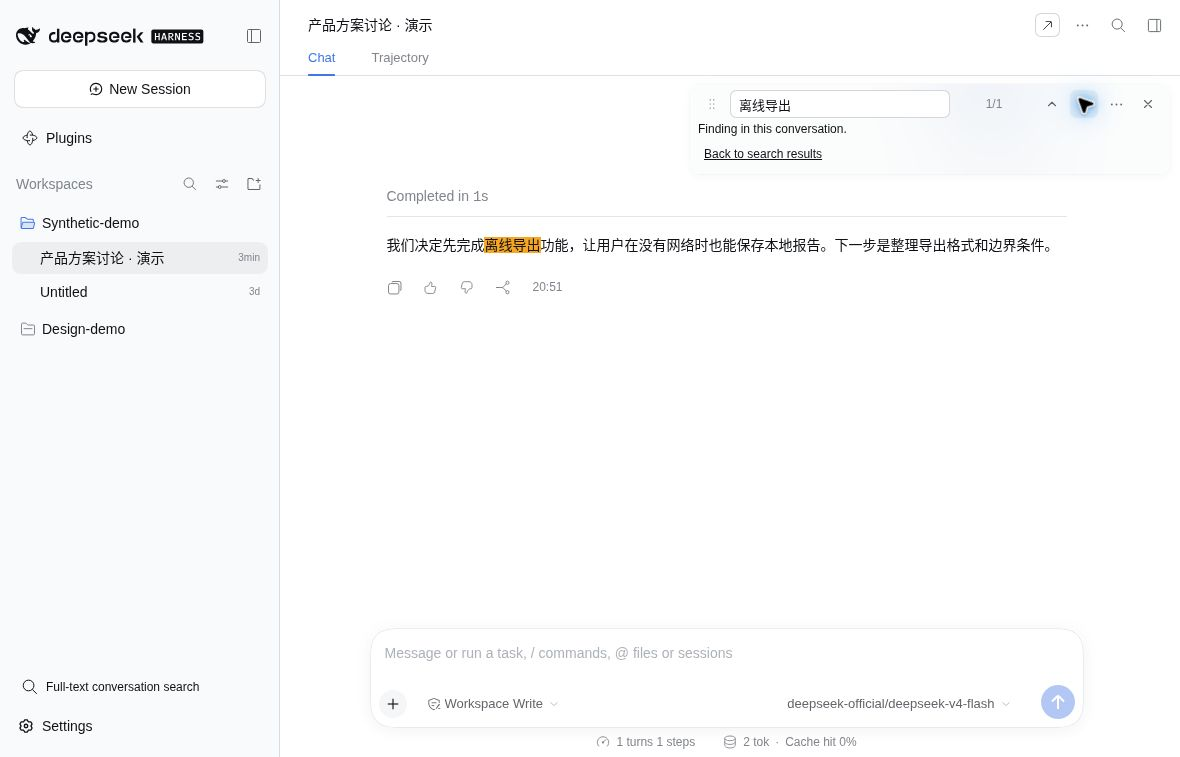
If the conversation is already open, press ⌘F / Ctrl+F. Use Enter or Shift+Enter to move between matches and Esc to close the find bar.
Enter in the search field to rerun the search after conversations change.⋯ to choose Whole conversation or Loaded content, or add content types such as reasoning and tool calls. Use Loaded content when whole-conversation search is unavailable.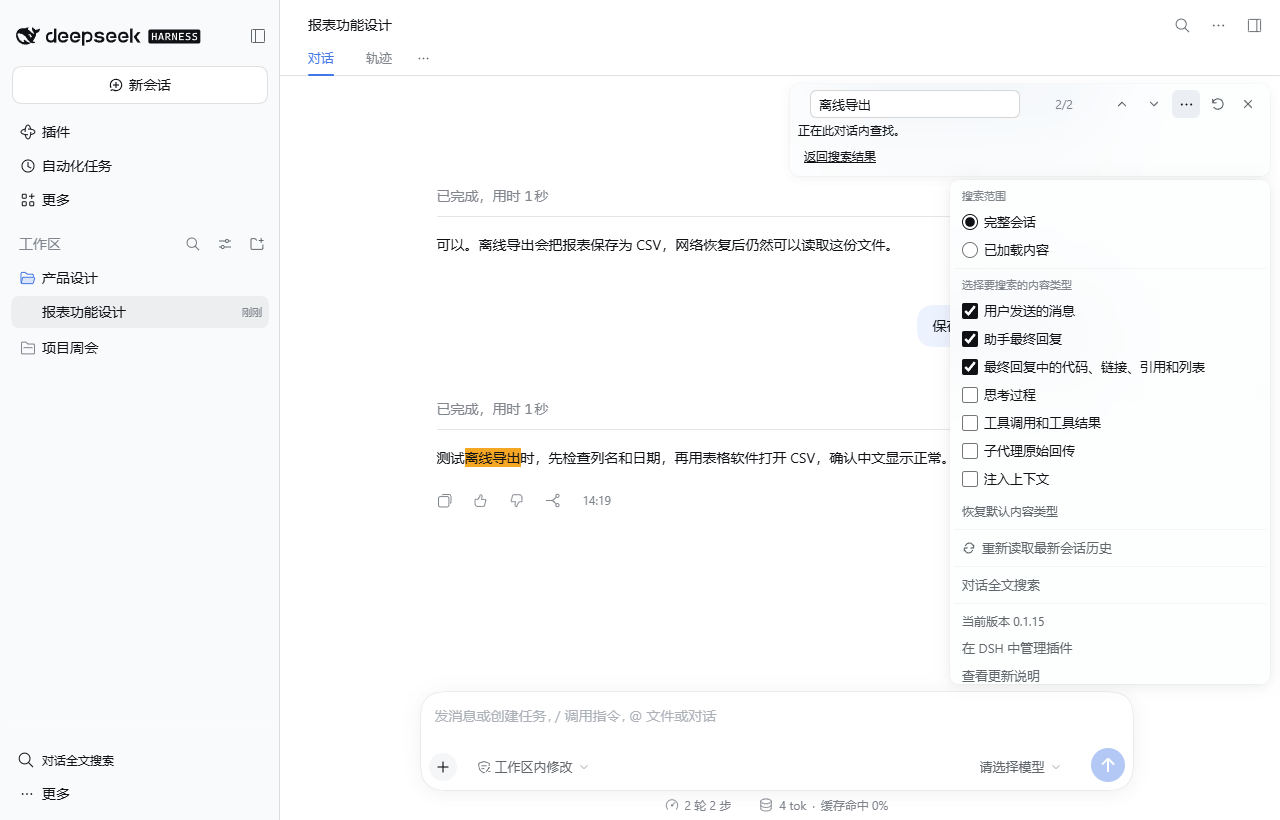
In the find bar, open ⋯ and select Manage plugin in DSH. If Versions appears in the plugin details, select Check again to see compatible updates.
Report an issue on GitHub with steps to reproduce the problem and any relevant screenshots. You can use ⋯ → Copy diagnostics to include troubleshooting details. Keep API keys and private conversations out of public issues.
The QQ group is 1129212995. For search behavior, see Search help in the search dialog. For supported versions and tested platforms, see the compatibility notes.
Maintained by Ryuu-64. Based on secyborg/dsh-find-bar, with thanks to secyborg for the original plugin.
MIT License. Copyright (c) 2026 secyborg / Copyright (c) 2026 Ryuu-64. See the upstream README (Chinese) and notices and credits.
CLASSIFICATION EVIDENCE
系统优先读取 GitHub Topics,再与站内分类词典和词根规则比对。当前命中: deepseek-harness。
morluto
Reverse engineer anything with agents, from app behavior down to native binaries.

deepseek-ai
DeepSeek Harness: Everything is a Plugin.

nexu-io
The 1st Collaborative AI Design Agent Workspace. Local-first and open source. Create motion, prototypes, websites, apps, dashboards, presentations, images, and videos with your team and AI agents. Share work, exchange feedback, and iterate together in one workspace.