Agent 与会话
插件

nuwa-skill
alchaincyf
你想蒸馏的下一个员工,何必是同事。蒸馏任何人的思维方式——心智模型、决策启发式、表达DNA。Distill how anyone thinks.

RickT34/dsh-super-leader
A Leader agent preset for DeepSeek Harness. A Leader session does not do the work itself. It talks with you until the request is clear, picks or creates the right workspace and session, hands the task to a worker session, and relays the worker's report back to you.
PROJECT TOPICS
INSTALL REFERENCE
dsh plugin --profile web add github:RickT34/dsh-super-leader
该命令指向仓库当前默认分支;尚无绑定当前 commit 的完整验证结果。
PROJECT README
English | 中文
One chat to run all of your DSH sessions. Tell the Leader what you want. It works out which project and session the work belongs to, hands it to a worker session, and tells you when it is done.
Each DSH session works in one workspace. Once you have several projects going, you have to remember which session is doing what and switch between them. That is slow in the Web UI and slower from your phone, where an IM bot is bound to one session at a time. A Leader session is one entry point for all of them: you talk to the Leader, and the Leader talks to your sessions.
The Leader does not write code or edit files. It clarifies the request, routes it, dispatches it, and relays the result. The workers do the work with their own tools, context and model.
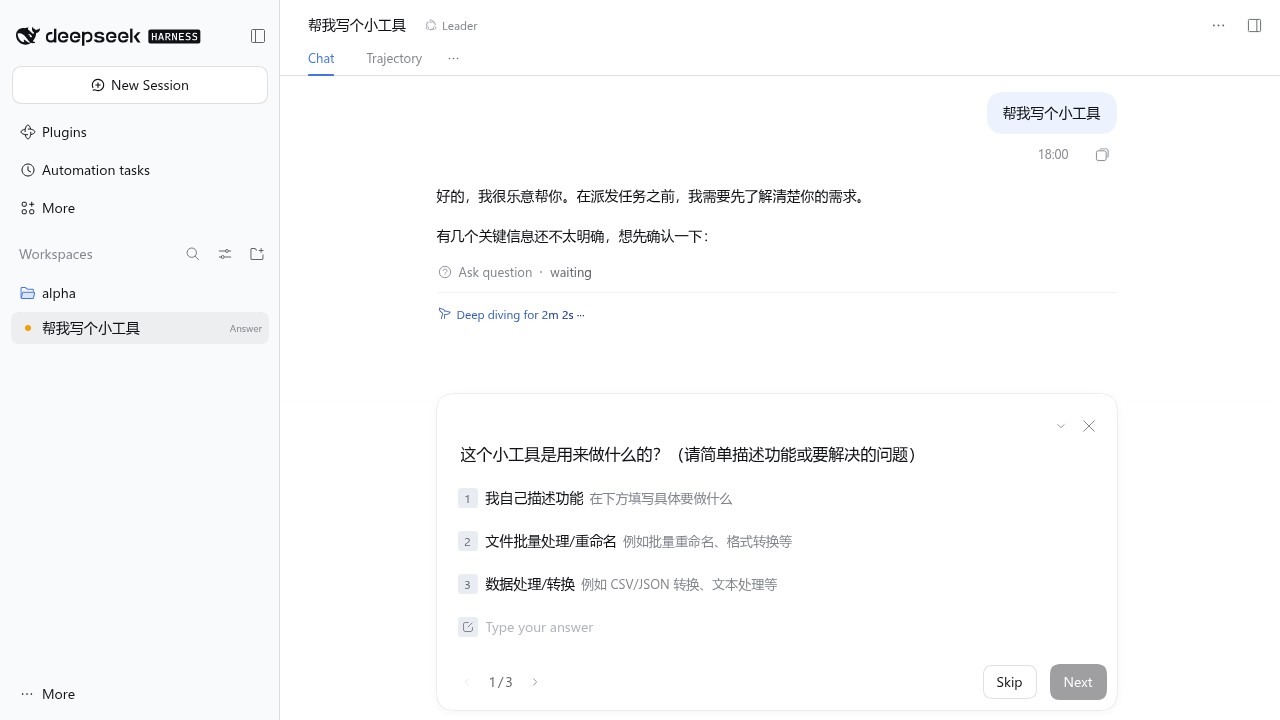
You: Add a
--sortoption to the file-stat tool. Sort by size by default.Leader: (reads the session that built file-stat) That session wrote
file_stat.pyand its README two days ago and is idle. Should it continue there, or start a new session?
- Continue the existing session (recommended)
- New session in file-stat
You: 1
Leader: Sent as T-1f7c67 to "T-80a129 File extension stats". I'll report back when it finishes.
(a few minutes later)
Leader: T-1f7c67 is done.
--sort size|countadded, size descending by default, README updated, both orders checked on a sample directory. No open questions.
The brief the worker received was four lines, because the worker already knew the project.
read_session shows a session's recent requests and replies, its todo list and the files it changed, so the Leader picks the right session instead of guessing from a title.git clone, or git init, with an optional AGENTS.md.task_status lists every task with its status and report. After a restart, tasks are checked against the workers' logs, so nothing stays stuck at "running" and a lost report is labelled as lost.MEMORY.md with your preferences, which workspace or session handles what, and decisions you made. It reads the file at the start of each conversation.ask_user_question. Tools from other plugins stay hidden unless you allow them.A session that does the work reads files, runs commands and keeps all of that in its context. The Leader does none of it:
list_sessions rows, read_session digests with truncated replies, and worker reports capped at reportMaxChars (4,000 characters by default).From the author's own use: over two days, the Leader session, on DeepSeek Flash, handled 79 turns with 165 model calls and 31 dispatches, and its context was about 149K tokens at the end. For comparison, the standard-preset session used to develop this plugin took 730 model calls for 31 turns and reached 577K tokens. These are the numbers from one setup, not a benchmark, but they show the pattern: the expensive reading and editing happens in the workers, and the session you talk to stays light.
Requires DeepSeek Harness >=0.2.2-rc.1 <0.3.0.
dsh plugin --profile web add dsh-super-leaderTo install the latest code from GitHub instead: dsh plugin --profile web add github:RickT34/dsh-super-leader.
dsh web.The Leader can create workspaces only under ~/Work by default. Change that in the settings (see Configuration).
The Leader works well as the one session your chat bot talks to. Setup with @xmanrui/dsh-im (behavior described for 5.10.0):
/new in the chat, then a normal message. From then on, each new conversation with that bot is a Leader session. The bot's workspace setting is the Leader's working directory, so that is where its MEMORY.md lives.dsh_im_return_file lets the Leader send a worker's output file to the chat, and dsh_im_group_history / dsh_im_group_file let it read group messages and files. Add them under Extra tools the Leader may use.- id: super-leader
config:
allowTools:
- dsh_im_return_file
- dsh_im_group_history
- dsh_im_group_fileWhy reports need "Deliver model answers". When you write in the chat, the Leader's answer goes back on the chat's own reply path. A worker report arrives as an agent message, so the turn in which the Leader relays it was not started by the chat, and dsh-im does not deliver such turns by default.
What else the switch sends. It is global, for every bot and every session bound to a chat. When a turn that did not start in that chat completes, dsh-im sends the turn's final answer (the text after its last tool call) to the chat. Besides relayed reports, that includes answers to messages you send that session from the Web UI, and turns started by schedules, answered questions or internal notices such as subagent-settled. It does not send turns that started in the chat, cancelled or failed turns, tool progress, images, files or approval cards. Sessions with no chat binding, such as the workers the Leader creates, send nothing. Mirror messages typed in the Web UI (mirrorUserInput) is not needed and can stay off.
Approvals in a chat. dsh-im shows the approval's reason. For Leader actions it ends with a one-line summary of the target: workspace name and path, session title and id (or "new session"), and idle, queue or steer status. The task brief is not included there. Approve and reject are matched by approval id, not by this text.
If the Leader asks a question or needs an approval while handling a report, and dsh-im cannot show it in that chat, answer it in the Web UI. The turn, and the reply to the chat, wait until you do.
| Tool | Approval | What it does |
|---|---|---|
list_workspaces |
No | List registered workspaces with their purpose notes |
list_sessions |
No | List sessions with workspace, running state, model, the first line of the latest request, and the latest Leader task |
read_session |
No | Show what a session did: recent requests and replies, earlier requests, todo list, changed files, Leader tasks sent to it |
list_models |
No | List routable providers and models with their reasoning efforts, and the host default model |
task_status |
No | Show dispatched tasks, their reports, and whether a report was delivered, recovered or lost |
read_memory |
No | Read MEMORY.md in the Leader's working directory |
write_memory |
No | Append to MEMORY.md or rewrite it (mode: "replace"); at most 32,000 characters |
create_workspace |
Yes | Create a directory under an allowed root (optionally git clone, git init, AGENTS.md) and register it as a workspace |
dispatch_task |
Yes | Send a brief to an existing session, or to a new session in a workspace; optionally on a given model |
set_session_model |
Yes | Change the model an existing worker session uses |
cancel_task |
Yes | Stop the worker's current turn |
"Yes" means the call waits for Allow once unless the Leader session's permission preset is in fullAccessPresets (default danger-full-access, shown as Full access). writeTools sets which tools need approval. A list you saved in an earlier version is kept, and set_session_model is always added to it.
Built-in memory. MEMORY.md lives in the directory the Leader session was opened in. The Leader reads it once at the start of a conversation and saves durable facts: your preferences, which workspace or session handles what, and decisions you made. It does not save task progress, reports or secrets. It is a plain Markdown file you can edit or delete. Writing it needs no approval.
Other memory plugins. You can also give the Leader tools from a memory plugin you already use. Enable that plugin in your profile, then check its tools under Extra tools the Leader may use (or add their names to allowTools). Nothing is granted automatically. For example, with Mnemon:
- id: super-leader
  config:
    allowTools:
      - mnemon_runtime_memory
      - mnemon_document_search
Merge these with the tools you already allow. Allowing a tool only makes it visible to the Leader. The memory plugin still owns storage, scope, permissions, context snapshots and its own instructions; do not mount its host service inside the Leader preset. For Mnemon, mnemon_recall also needs an active, searchable Memory Space offered by the current View; allowing the tool does not create that. To put a memory write tool behind the Leader's approval, add its name to writeTools.
Open Plugins → Super Leader in the Web app. Changes apply to Leader sessions right away, including open ones. The form edits the super-leader entry in your profile's cordis.patch.yml, so you can also edit the file:
- id: super-leader
  config:
    workspaceRoots:            # create_workspace may only create directories here
      - ~/Work
    allowTools: []             # extra global tools the Leader may use
    fullAccessPresets:         # permission presets under which write tools skip approval
      - danger-full-access
    workerPreset: standard     # preset for new worker sessions; empty uses the host default
reportMaxChars: 4000 # maximum length of a relayed report| Option | Default | Meaning |
|---|---|---|
workspaceRoots |
[~/Work] |
Allowed parent directories for new workspaces |
workerPreset |
host default | Preset for new worker sessions; must not be the Leader preset |
fullAccessPresets |
[danger-full-access] |
Permission presets that skip approval |
writeTools |
create_workspace, dispatch_task, cancel_task, set_session_model |
Tools that need approval; set_session_model is always included |
allowTools |
[] |
Extra global tools a Leader session may use |
reportMaxChars |
4000 |
Report length limit |
presetId |
leader |
Agent preset id treated as the Leader (file only, needs a restart) |
ledgerFile |
$DSH_HOME/super-leader/ledger.json |
Task ledger location (file only, needs a restart) |
leader agent preset: the Leader tools, ask_user_question, AGENTS.md/CLAUDE.md instructions (loaded as in the standard preset), time context and context compaction. A host plugin does the rest.allowTools, including tools registered later.read_session builds its summary from the session's event log, so it reflects what the worker did, not just the title.dispatch_task records the task, creates the worker session if needed, and sends the brief with a report format. When the worker's turn ends, the last reply of that turn goes to the Leader as an agent message.model/selection event the model picker writes, without changing the host default. dispatch_task refuses a model change for a session that is running.See DESIGN.md (Chinese) for details.
On startup, on recovery and whenever task_status runs, the ledger is checked against each worker's turn log. Ended turns get their real final status. Tasks whose turn is still running, or whose request is still queued, stay tracked. A turn that stopped without ending, a removed request or a missing session is marked interrupted. If a log cannot be read for now, the task stays open with reconciliation_error and is checked again later.
task_status shows report_state and report_missing for every task. A report that never reached the Leader but was found in the worker's log is recovered; no report at all is lost. Nothing is re-run and no old report is re-sent.
git clone https://github.com/RickT34/dsh-super-leader.git
cd dsh-super-leader
mkdir -p node_modules/@deepseek-ai
ln -s "$(npm root -g)/@deepseek-ai/dsh/node_modules/@deepseek-ai/schemastery" node_modules/@deepseek-ai/schemastery
npm test
dsh plugin --profile web add "$(pwd)"CLASSIFICATION EVIDENCE
系统优先读取 GitHub Topics,再与站内分类词典和词根规则比对。当前命中: agent、session。
alchaincyf
你想蒸馏的下一个员工,何必是同事。蒸馏任何人的思维方式——心智模型、决策启发式、表达DNA。Distill how anyone thinks.

freestylefly
Prompt as Code | GPT Image 2 / 2.5 提示词与案例库,530+ 个案例、20+ 套工业级模板与可复用 Skills,新增 2.5 同提示词对比专区,附完整提示词与生成记录,持续更新。

titanwings
Distilly — Distill how they think into reusable Skills for any Agent or Bot. Formerly Colleague Skill(原同事 Skill).