
其他
完整应用

deepseek-harness
deepseek-ai
DeepSeek Harness: Everything is a Plugin.
PROJECT TOPICS
PROJECT README
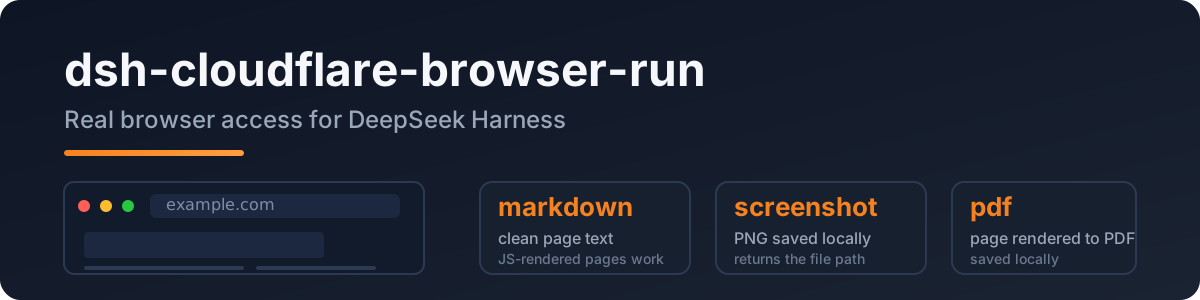
A DeepSeek Harness plugin that gives the agent real browser access: headless Chrome on Cloudflare's network, so JS-rendered pages, screenshots, and PDFs all just work.
Port of pi-cloudflare-browser-run, built to the dsh (Cordis) plugin spec.
The built-in web_fetch is a plain HTTP fetch — JS pages come back empty and SSRF protection is deferred upstream. This plugin adds a real browser:
dsh plugin --profile web add dsh-cloudflare-browser-runConfigure credentials in your profile/settings layer:
- id: cloudflare-browser-run
  name: dsh-cloudflare-browser-run
  config:
    cf_api_token: <your token>
    cf_account_id: <your account id>
Token: Cloudflare dashboard → API Tokens → Browser Rendering: Edit template.
Account id: dash.cloudflare.com/<ACCOUNT_ID>/....
| tool | what it does |
|---|---|
browse |
fetch a public URL → clean markdown (default); action = screenshot | pdf |
screenshot |
save the page as PNG locally, returns the file path |
pdf |
save the page as PDF locally, returns the file path |
| key | required | meaning |
|---|---|---|
cf_api_token |
✅ | your API token (Browser Rendering:Edit) |
cf_account_id |
✅ | your Cloudflare account id |
cf_api_base |
– | API base override |
output_dir |
– | where screenshots/PDFs land (default OS temp) |
npm install
npm run typecheck
npm test          # SSRF guard / config / API shape
npm run build
Live API test (not part of npm test):
DSH_TEST_CF_TOKEN=<token> DSH_TEST_CF_ACCOUNT=<account> node --import tsx tests/real/real-cf.mjsMIT
CLASSIFICATION EVIDENCE
系统优先读取 GitHub Topics,再与站内分类词典和词根规则比对。当前命中: 无有效分类标签。
deepseek-ai
DeepSeek Harness: Everything is a Plugin.

walkinglabs
Harness engineering beginner tutorial, from 0 to 1

anywhere-labs
为 DeepSeek Harness (DSH) 插件生态打造的现代化桌面端解决方案。万物皆「插件」,桌面本身也是「插件」。