模型与 MCP
待识别

rea
morluto
Reverse engineer anything with agents, from app behavior down to native binaries.

RZRZ-Q/dsh-more-details
Bring the classic Codex More details experience to DSH: select text, explore it in DeepSeek Web Chat, reopen history to continue, and return the discussion to your main conversation with reference cards and on-demand reading.
PROJECT TOPICS
INSTALL REFERENCE
dsh plugin --profile web add github:RZRZ-Q/dsh-more-details
该命令指向仓库当前默认分支;尚无绑定当前 commit 的完整验证结果。
PROJECT README
English | Simplified Chinese
The classic Codex “More details” experience, brought to DeepSeek Harness.
Select a passage, explore it in a bottom-right DeepSeek Web Chat, and return to your main conversation with a reference. Start fresh chats, reopen history, and keep asking questions without losing your place.
Latest release · User guide · Release notes
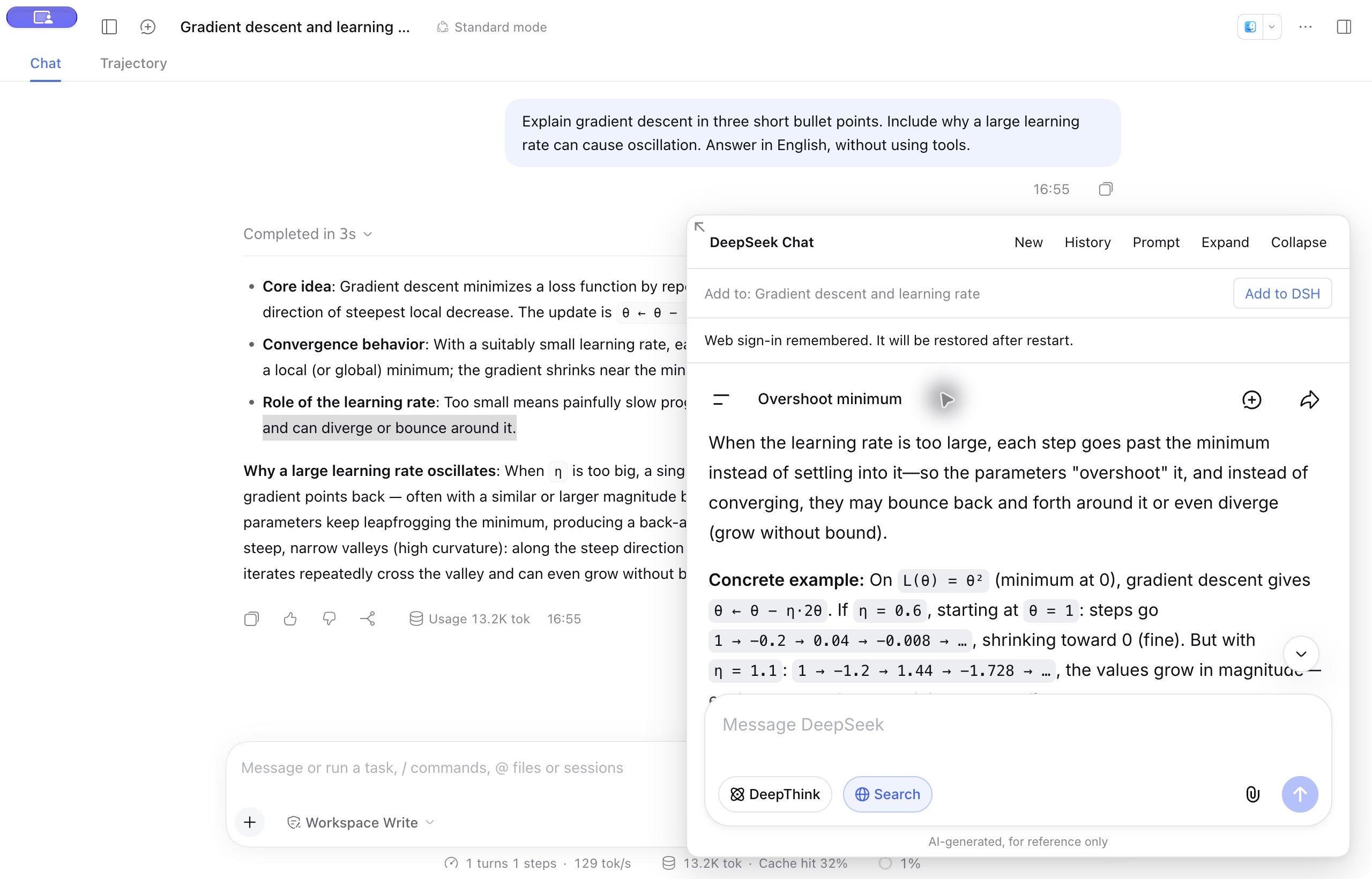
Actual DSH interface on macOS: explore a passage in Web Chat while keeping the main conversation in view.
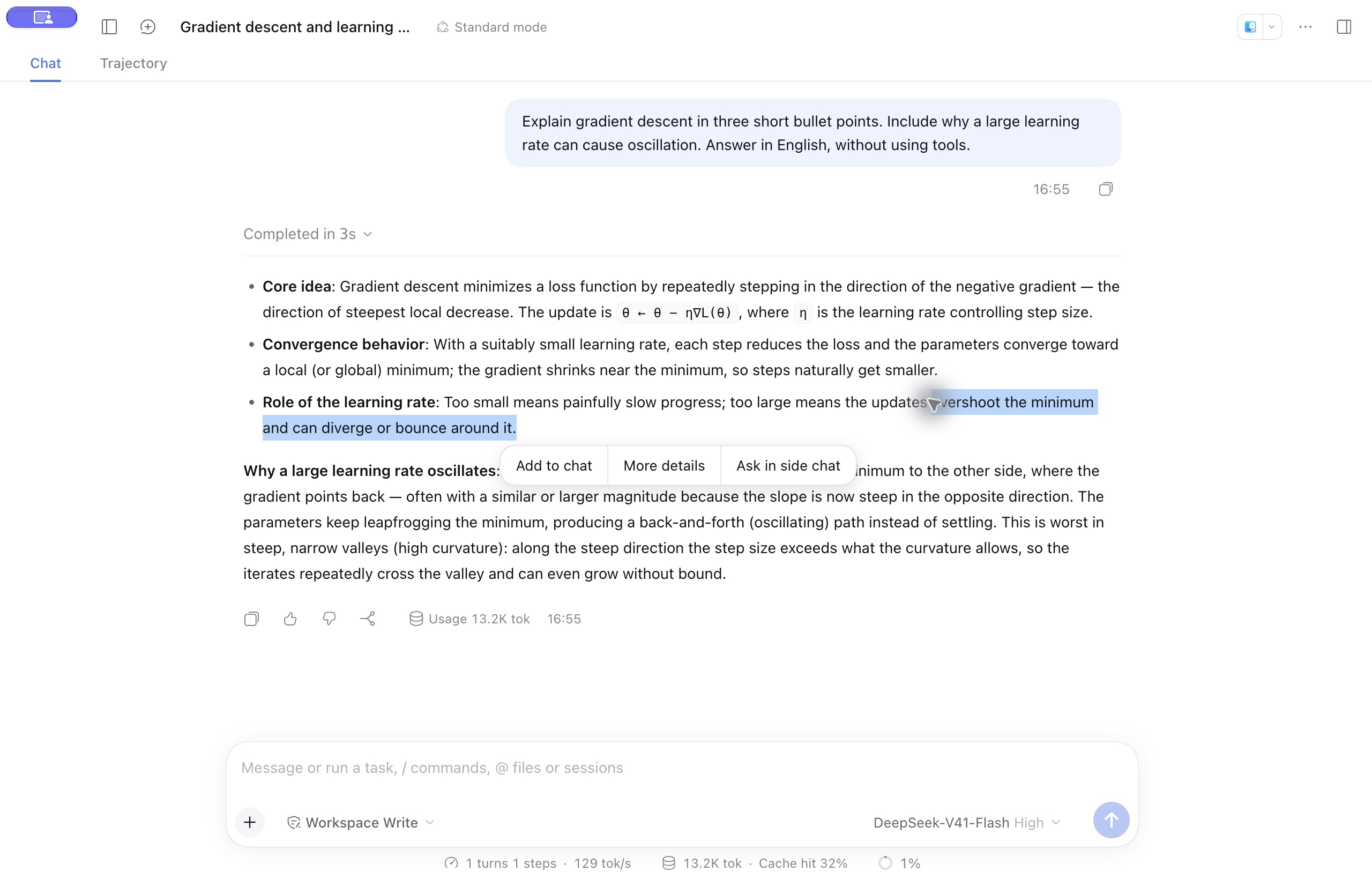
Select text in a response and click More details to open a web discussion with the passage and its context sent automatically.
Click Add to DSH to attach a reference to your main draft. Send it with a question so the model can read the saved discussion on demand.
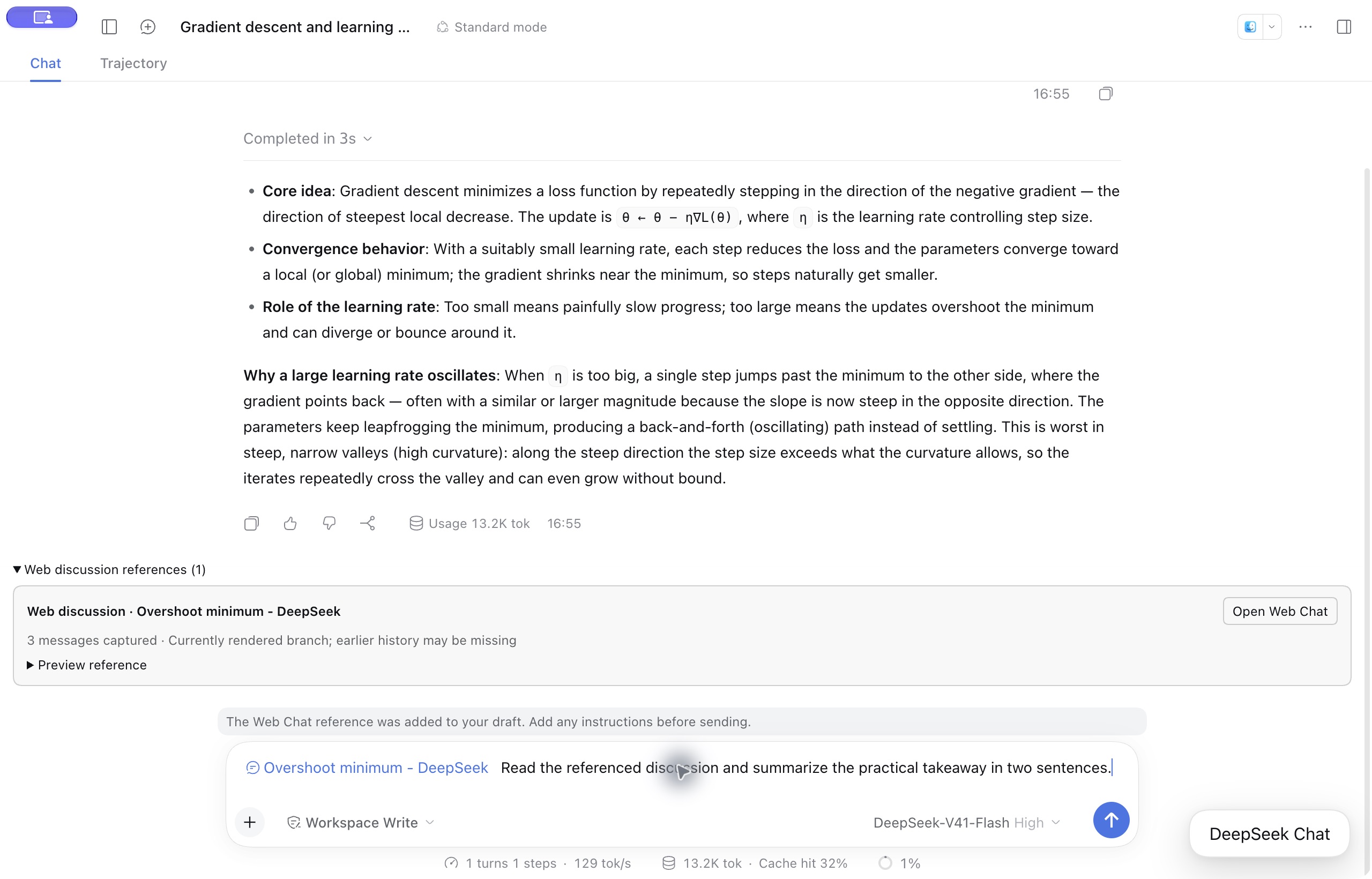
read_webchat_reference, including after a restart.Supported DSH versions: 0.2.0-rc.2, 0.2.1-alpha.4, 0.2.1-rc.1, 0.2.1-rc.2, 0.2.1-rc.3, 0.2.1-rc.5, and 0.2.2-rc.1. The new 0.2.2-rc.1 work covers the Web host on macOS; it does not extend earlier Desktop acceptance to the new release. See the version-specific results. Windows and Linux have not completed maintainer feature acceptance. Web Chat requires Desktop. In browser-hosted DSH, New Chat is hidden and More details explains why it is disabled; Add to chat, API side chat, and saved-reference preview/reading remain available.
dsh-more-details@0.3.19 or Discover. Disable the original AHGGG plugin if installed to avoid duplicate selection menus.For Discover installation, Desktop CLI commands, and upgrades, see the installation guide.
More details sends your selection and source context to DeepSeek. References save a snapshot of the currently rendered text, rather than the entire account history. You decide when to send the main draft; saved snapshots remain unchanged as the web chat continues. Data and privacy details.
The interaction is inspired by the earlier Codex desktop More details feature and its small Chat window. Built on AHGGG/dsh-side-chat, with web integration references from Ckarefulon/dsh-deepseek-webchat and FrostLeafKEE/dsh-chat-bridge.
MIT license, with upstream copyright retained. See source attribution and third-party notices. This is a community plugin, unaffiliated with DeepSeek or OpenAI.
CLASSIFICATION EVIDENCE
系统优先读取 GitHub Topics,再与站内分类词典和词根规则比对。当前命中: deepseek、deepseek-harness。
morluto
Reverse engineer anything with agents, from app behavior down to native binaries.

deepseek-ai
DeepSeek Harness: Everything is a Plugin.

nexu-io
The 1st Collaborative AI Design Agent Workspace. Local-first and open source. Create motion, prototypes, websites, apps, dashboards, presentations, images, and videos with your team and AI agents. Share work, exchange feedback, and iterate together in one workspace.