
模型与 MCP
待识别

rea
morluto
Reverse engineer anything with agents, from app behavior down to native binaries.
PROJECT TOPICS
INSTALL REFERENCE
dsh plugin --profile web add github:QianChang927/dsh-quotaline
该命令指向仓库当前默认分支;尚无绑定当前 commit 的完整验证结果。
PROJECT README



dsh-quotaline embeds a single-line strip in the slot right above the composer. It follows the session's current model: switch to a DeepSeek Account model and you see the account wallet; switch to a DeepSeek API model and you see that API key's balance; Kimi Code and GLM Coding Plan show their 5h / weekly / monthly usage windows instead.
.credentials.yaml is never rewritten.| Account balance · light | Subscription limits · light |
|---|---|
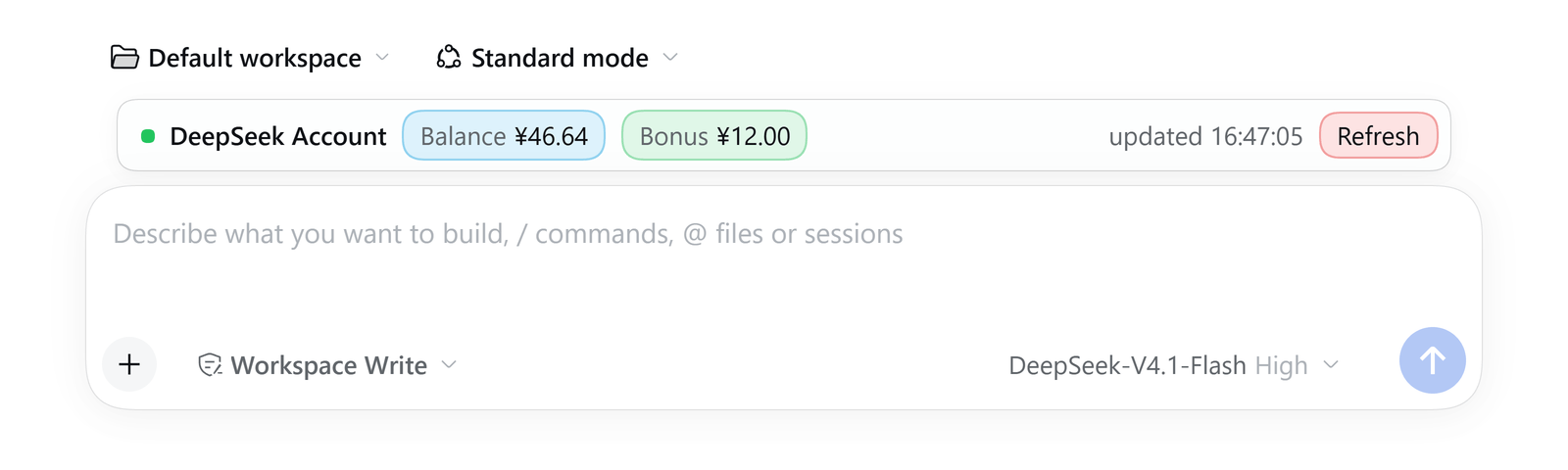 |
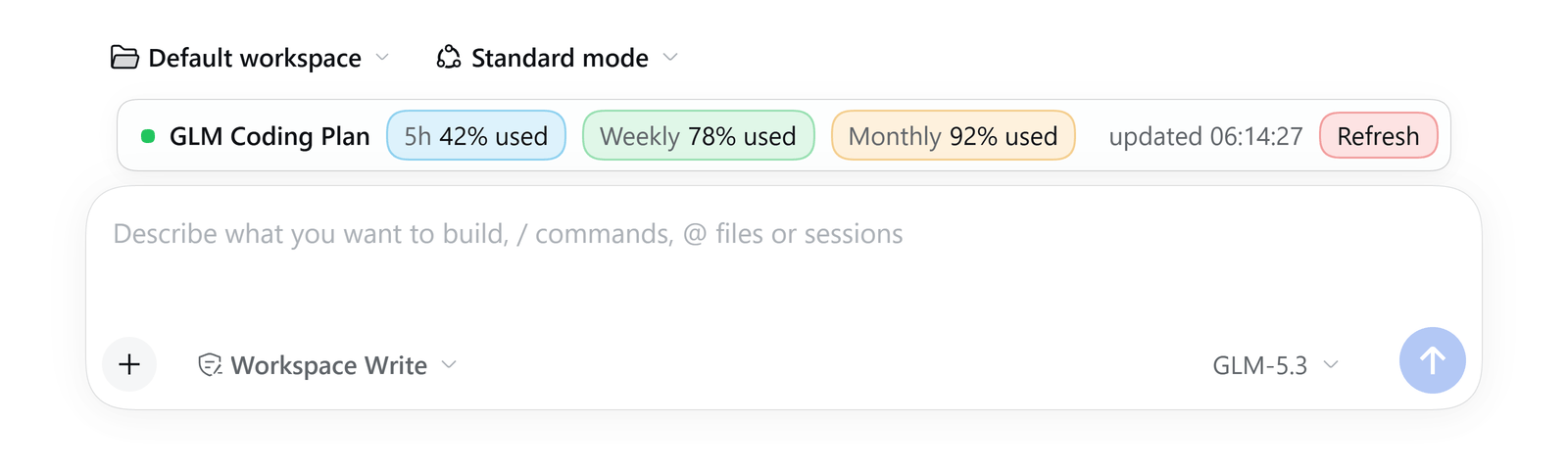 |
| Account balance · dark | Subscription limits · dark |
|---|---|
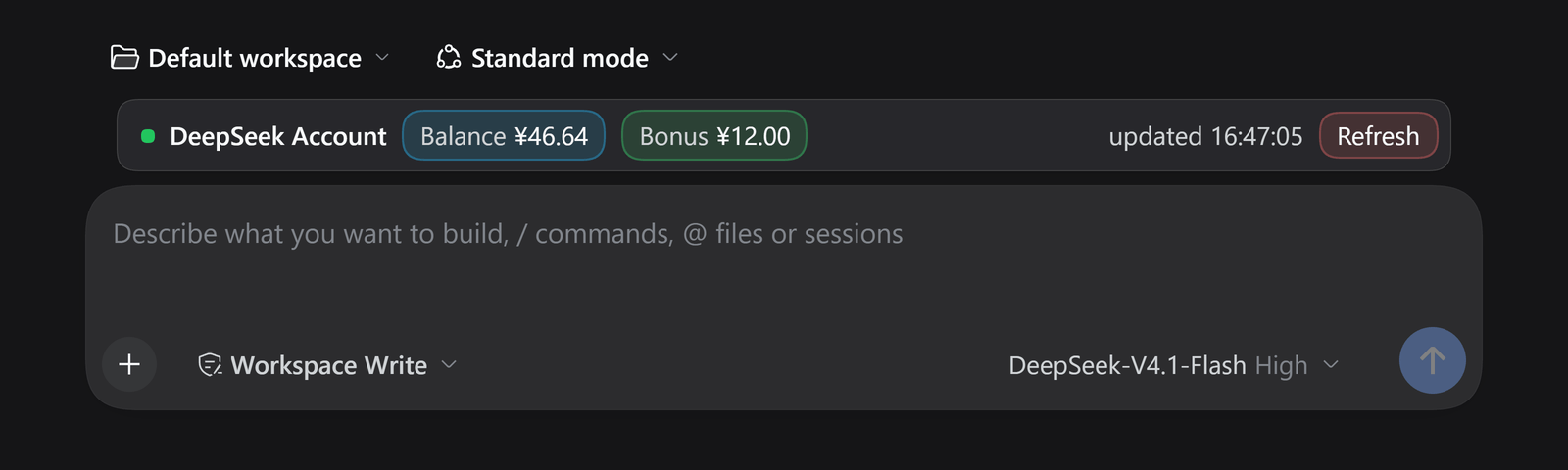 |
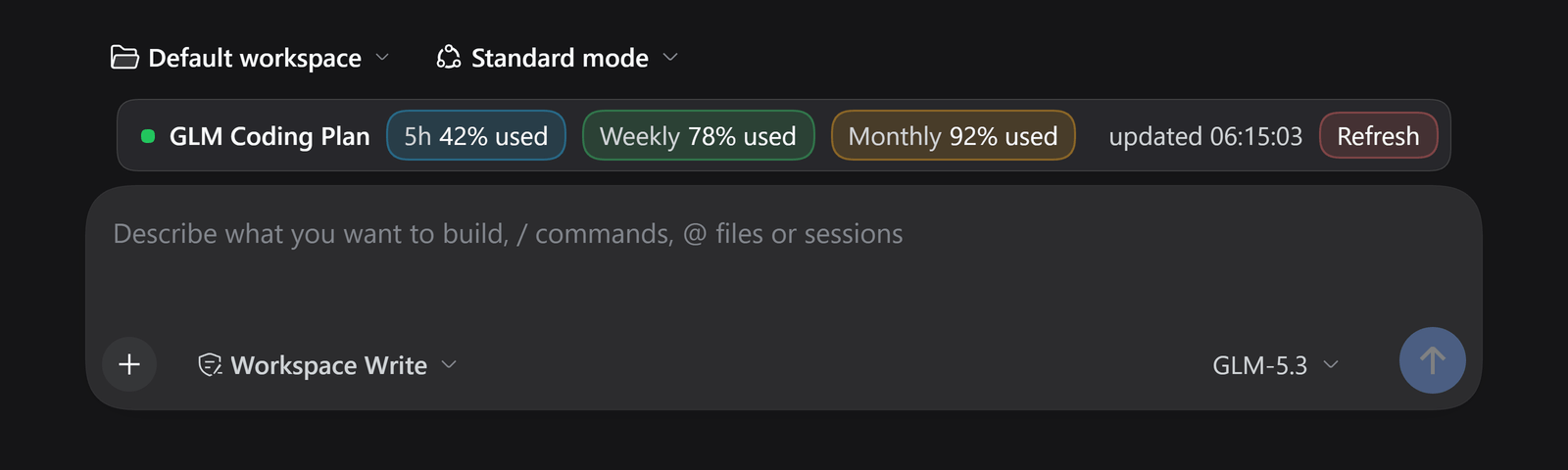 |
Balance and 5h windows use sky blue, bonus and weekly windows use green, monthly windows use amber, and the Refresh pill is a soft red capsule. Bonus stays visible even at zero; a limit window that the provider did not return is simply omitted. Both light and dark themes are supported.
| Capability | Details |
|---|---|
| Current model | Reads the session's modelSelection projection and falls back to the profile default for blank sessions. |
| DeepSeek Account | Uses DSH's OAuth account service; shows the top-up balance and bonus balance. |
| DeepSeek API | GET {baseURL}/user/balance with Authorization: Bearer, supports CNY and USD. |
| Kimi Code | GET https://api.kimi.com/coding/v1/usages; understands both legacy limits[] payloads and the newer usages.limit_5h / limit_7d / limit_month_* shape. |
| GLM Coding Plan | GET {origin}/api/monitor/usage/quota/limit; maps unit=3 to hours, unit=6 to weeks, and TIME_LIMIT to monthly. |
| Moonshot / Zhipu API | Standard balance endpoints, with automatic fallback when a coding-plan key is rejected by a balance endpoint. |
| Custom queries | Method, URL ({baseURL}/{origin} placeholders), auth style, credential references, and JSON extraction paths (with [*] expansion). |
| Settings page | Settings → Quota Line: refresh interval, live refresh, interface language, read-only built-in template list, custom template editor, and a Test button. |
| Live refresh | On by default: refreshes after each completed model response while the agent works, delivered over a same-origin event stream; falls back to polling when the stream is unavailable. Ticks are filtered by provider, so subagents on another provider never touch this strip. |
| Privacy | Keys stay in the Host process; the browser only receives labels, amounts, currencies, percentages, and error messages. No telemetry. |
| Provider | Data shown | Endpoint |
|---|---|---|
DeepSeek Account (deepseek-account) |
Top-up + bonus balance | DSH account service (OAuth) |
DeepSeek API (deepseek-official) |
Balance | GET {baseURL}/user/balance |
| Moonshot / Kimi API | Balance | GET {baseURL}/v1/users/me/balance |
| Kimi Code | 5h / weekly / monthly usage | GET {baseURL}/v1/usages |
| Zhipu API | Balance | GET {baseURL}/api/paas/v4/balance |
| GLM Coding Plan | 5h / weekly / monthly usage | GET {origin}/api/monitor/usage/quota/limit |
The strip formats whatever the provider returned and never rewrites stored values, but the rounding is fixed and documented so two sessions never disagree about the same number.
5.198 shows as ¥5.20,
5.192 as ¥5.19, and 0.005 as ¥0.01. Rounding runs on the decimal
string rather than on a binary float, so a value ending in 5 cannot collapse
downward (1.005 stays ¥1.01).42.42% shows as 42%
and 42.5% as 43%. The "left" mode renders 100 − used from the rounded
value, so the used and left readings always add up to exactly 100%.99.6% reads as 99%
used, and a remaining share of 0.4% reads as 99% left, so the strip never
claims a quota is exhausted while a fraction is still available.0–100; a provider that reports more than 100% is
shown as 100%.dsh plugin --profile desktop add dsh-quotalineReplace desktop with the profile you actually use (web, desktop, or a custom name). After installing, restart DeepSeek Harness once so the Host half and the client bundle are both loaded; later client-only updates just need a page refresh.
Requires DeepSeek Harness 0.2.2-rc.3 or newer.
Open Settings → Quota Line:
used (default) or left; the suffix follows the interface language (used/left or 已用/剩余). Balance chips are unaffected.Example paths:
balance_infos[*].total_balance, currency balance_infos[*].currencydata.available_balancedata.balance (experimental)A custom template is stored locally in $DSH_HOME/dsh-quotaline/settings.json (~/.dsh/dsh-quotaline/settings.json on Windows, ~/.dsh/... elsewhere). The platform is resolved at runtime, so no path is hard-coded.
credentials service; never calls the write methods and never parses or rewrites ~/.dsh/.credentials.yaml itself./dsh-quotaline/api/* routes, and responses never contain keys.| Symptom | Fix |
|---|---|
No credential |
Save the provider key in Settings → Models, or configure the matching environment reference. |
No template |
Add a custom template for that provider id; the strip shows the id it could not match. |
Query failed |
Use Test in the settings page to inspect the HTTP status and a response sample, then adjust the URL or extraction path. |
Signed out |
Sign in to your DeepSeek account in Settings → Account. |
| The strip is missing | Make sure the plugin is enabled for this profile, then reload the window. |
MIT © 2026 QianChang927
CLASSIFICATION EVIDENCE
系统优先读取 GitHub Topics,再与站内分类词典和词根规则比对。当前命中: deepseek、deepseek-harness。
morluto
Reverse engineer anything with agents, from app behavior down to native binaries.

deepseek-ai
DeepSeek Harness: Everything is a Plugin.

nexu-io
The 1st Collaborative AI Design Agent Workspace. Local-first and open source. Create motion, prototypes, websites, apps, dashboards, presentations, images, and videos with your team and AI agents. Share work, exchange feedback, and iterate together in one workspace.