
dsh-panel-pins




English | 中文
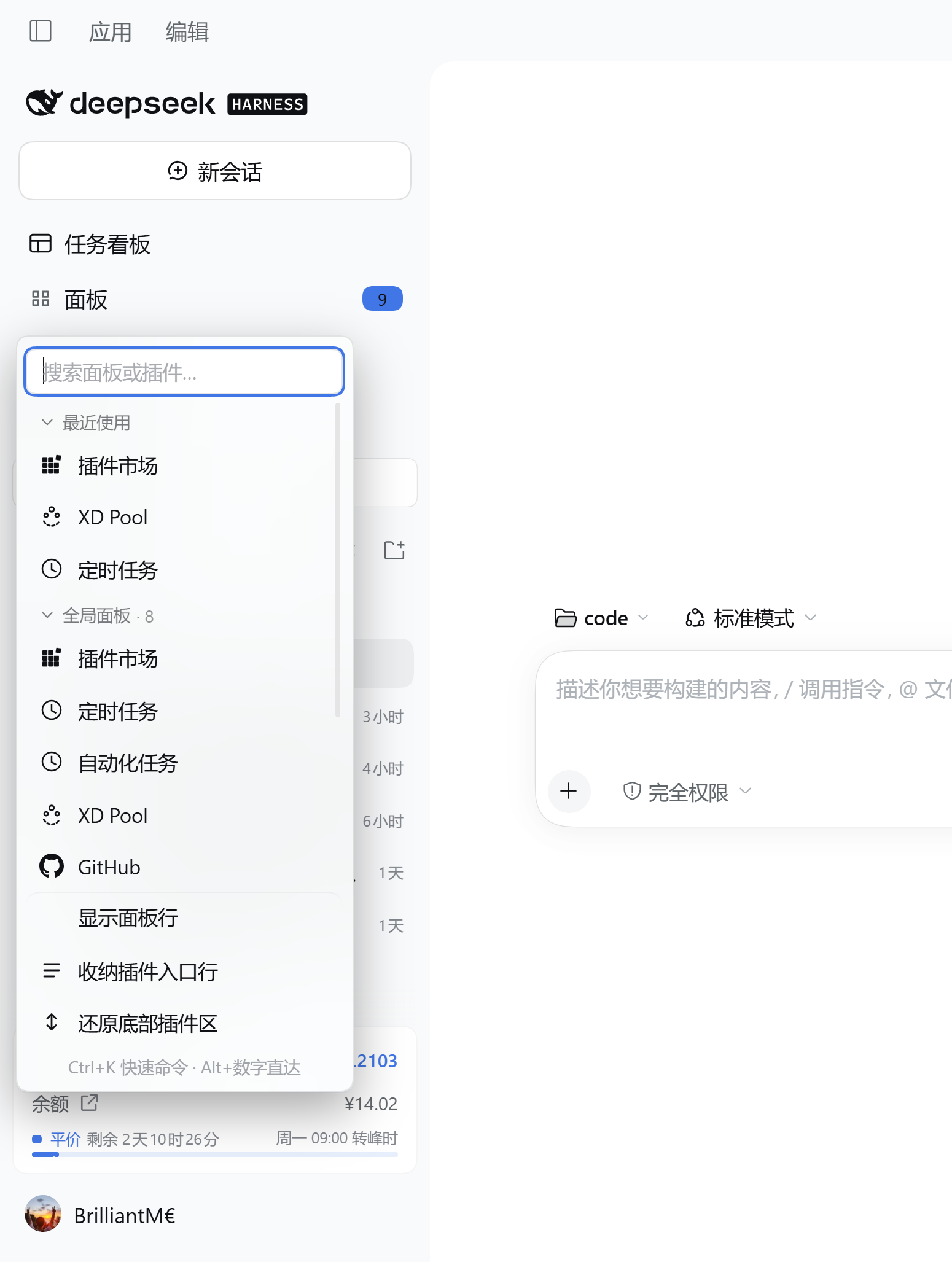
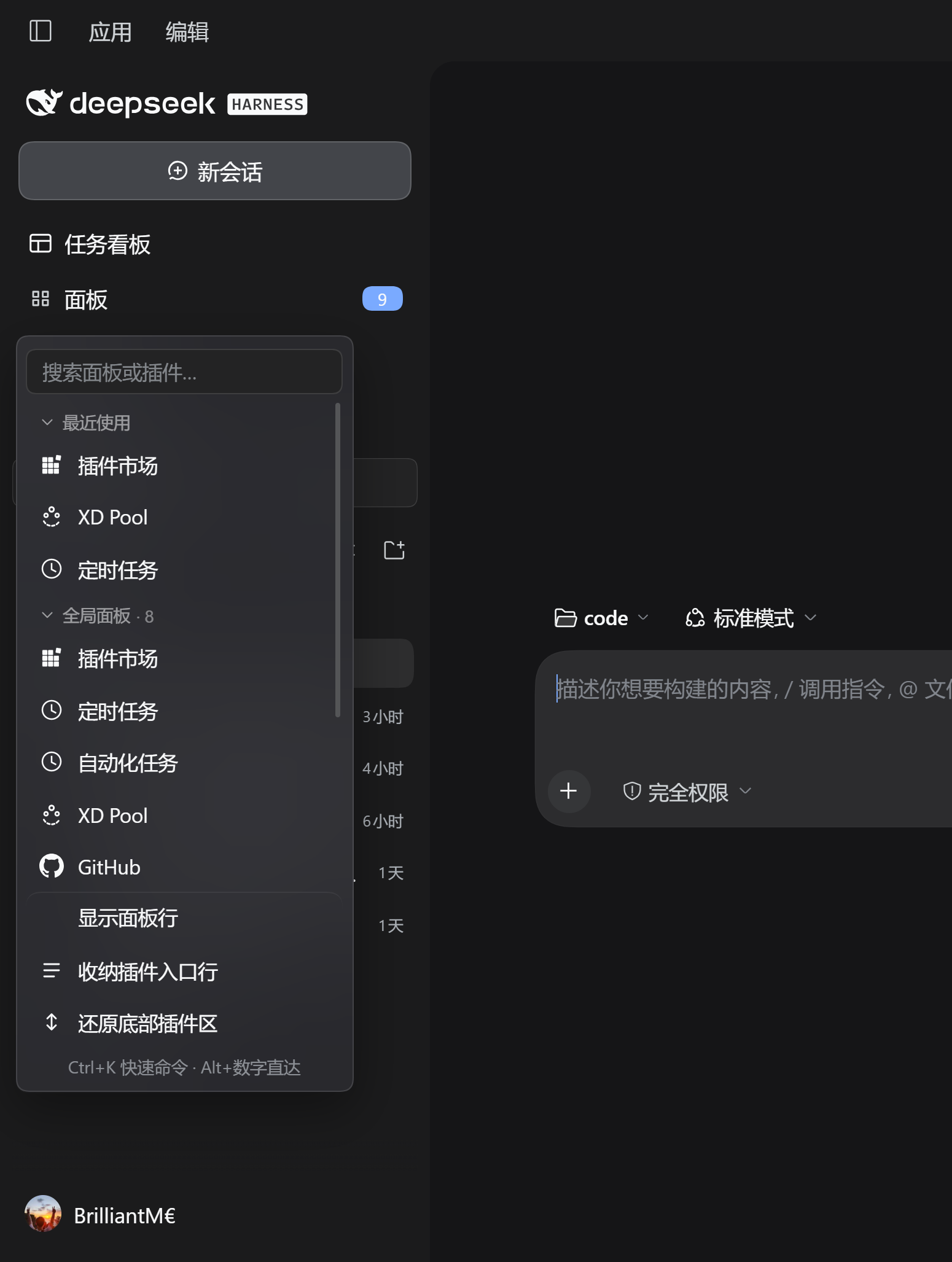
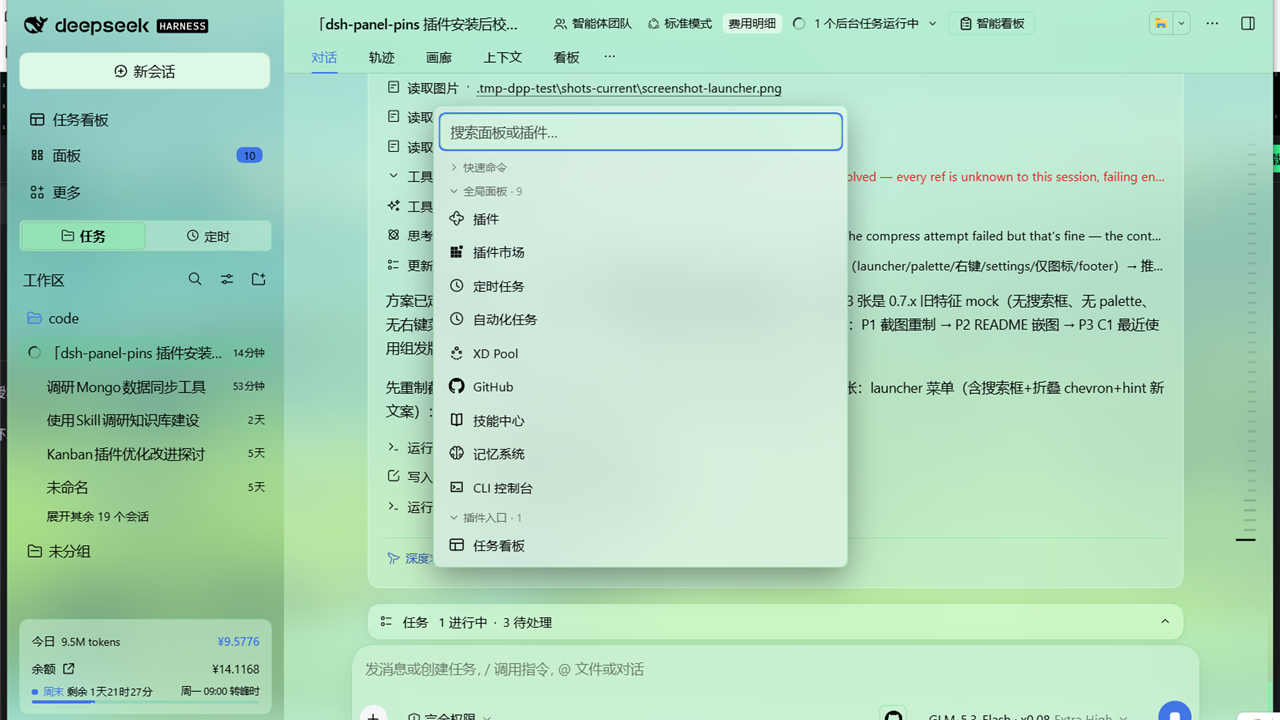
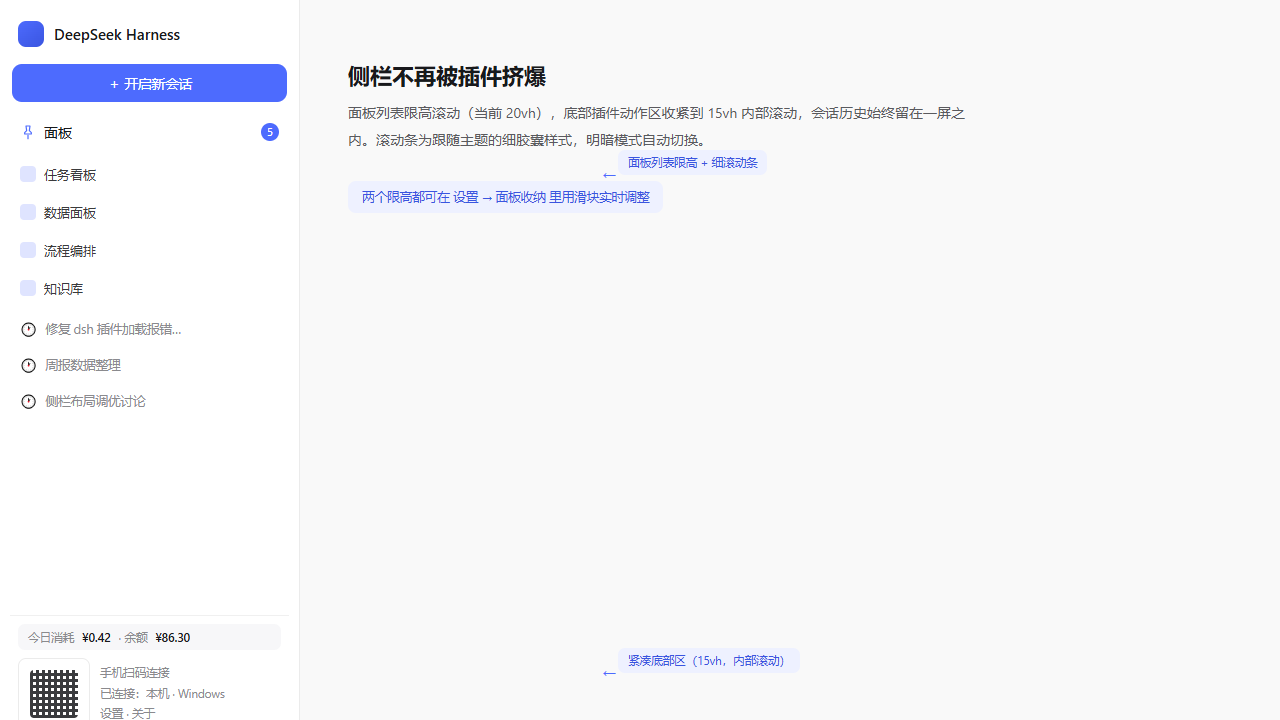
Your sidebar grows one row per installed plugin — the panel you need gets pushed out of view, and the session list gets squeezed. dsh-panel-pins hands the sidebar back to you: collect every panel row and third-party plugin entry into one searchable, grouped launcher menu, decide which rows stay in the sidebar, what they are called and in what order — pin the ones you love, jump anywhere from the keyboard, and tune it all from a dedicated Settings page.
Everything it changes is display-layer only: reload the page and the host looks exactly as it did before you installed it.

Why this one
Among sidebar panel-management plugins for DeepSeek Harness, this is the only keyboard-first launcher — the five capabilities below are exclusive to this plugin:
| Capability |
This plugin |
Other plugins (panel-control / panel-layout / panellist) |
| Ctrl+K command palette |
✅ |
❌ |
| In-menu search + hit highlighting |
✅ |
❌ |
| Alt+1..9 direct jumps |
✅ |
❌ |
| Recent panels (MRU) |
✅ |
❌ |
| Named layout presets, one-click apply |
✅ |
❌ |
| Widest host range: DSH ≥ 0.2.0-rc.1 |
✅ |
❌ (panel-control / panel-layout need ≥ 0.2.1-rc.3) |
| Drag-to-reorder sidebar rows + right-click "Move to front" |
✅ (v1.2.2) |
✅ |
| AI auto-classification of panels |
planned (v1.3) |
✅ (panel-control only) |
On older hosts: if your DSH is 0.2.0-rc.2 (anything before 0.2.1-rc.3), panel-control and panel-layout cannot be installed at all — this plugin and dsh-panellist are the only options, and this one is the more complete of the two.
Features
- Panels launcher — a first-class row in the sidebar (pixel-aligned with host rows) opens a grouped menu:
- Global panels — the full panel inventory (pinned and unpinned alike), with the currently open one highlighted; unpinned panels open via a temporary-pin "peek" that restores your pin state afterwards.
- Plugin entries — third-party plugin entry rows are auto-detected (zero hard-coded selectors; derived structurally between the new-session anchor and the panel list) and can be opened via the menu; clicking fires the original button so each plugin's own open logic is untouched.
- In-menu search with full keyboard navigation (type to filter, ↑↓ to move, Enter to open, Esc to close) and search-hit highlighting — the matched substring lights up in the theme accent color.
- Alt+1..9 direct activation — while the menu or palette is open, jump straight to the Nth visible item (folded/filtered items are skipped).
- Collapsible groups with memory — fold each group; the state survives menu re-opens and app restarts.
- Hover any line for quick pin / unpin / to-top actions.
- The launcher badge counts everything collected, so nothing is silently "lost".
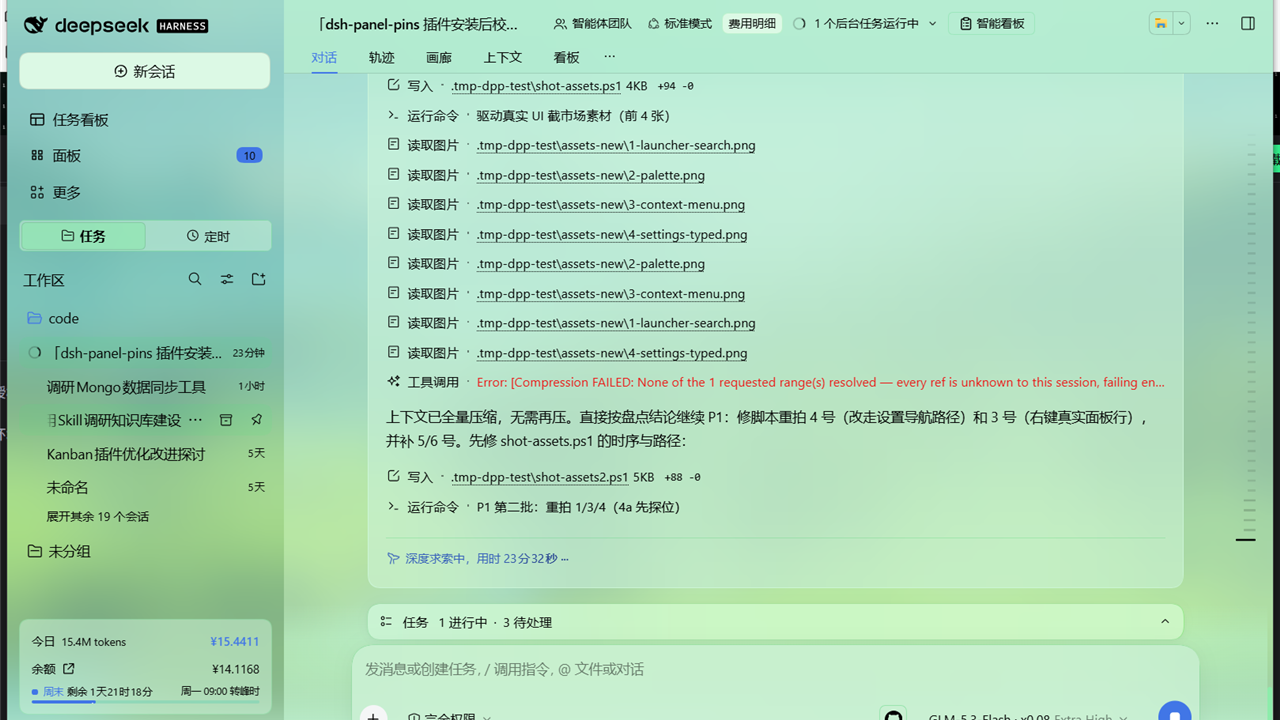
- Ctrl+K command palette — the same inventory plus quick commands (collect rows, icon-only mode, compact footer, open Settings), centered and keyboard-first. Host text inputs are never hijacked.
- Layout presets (v1.0.0) — capture your whole layout (pins, top pins, group folds, whitelist, icon-only, compact footer) as a named preset; apply it from the palette or Settings with one click, or delete it. Great for switching between "work" and "play" arrangements.
- Custom panel groups (v1.0.0) — define your own groups (e.g. "daily"), assign panels to them from Settings (inline rename, member picker), and they render as first-class groups in the menu and palette — pulled out of the global list, with accurate per-group counts.
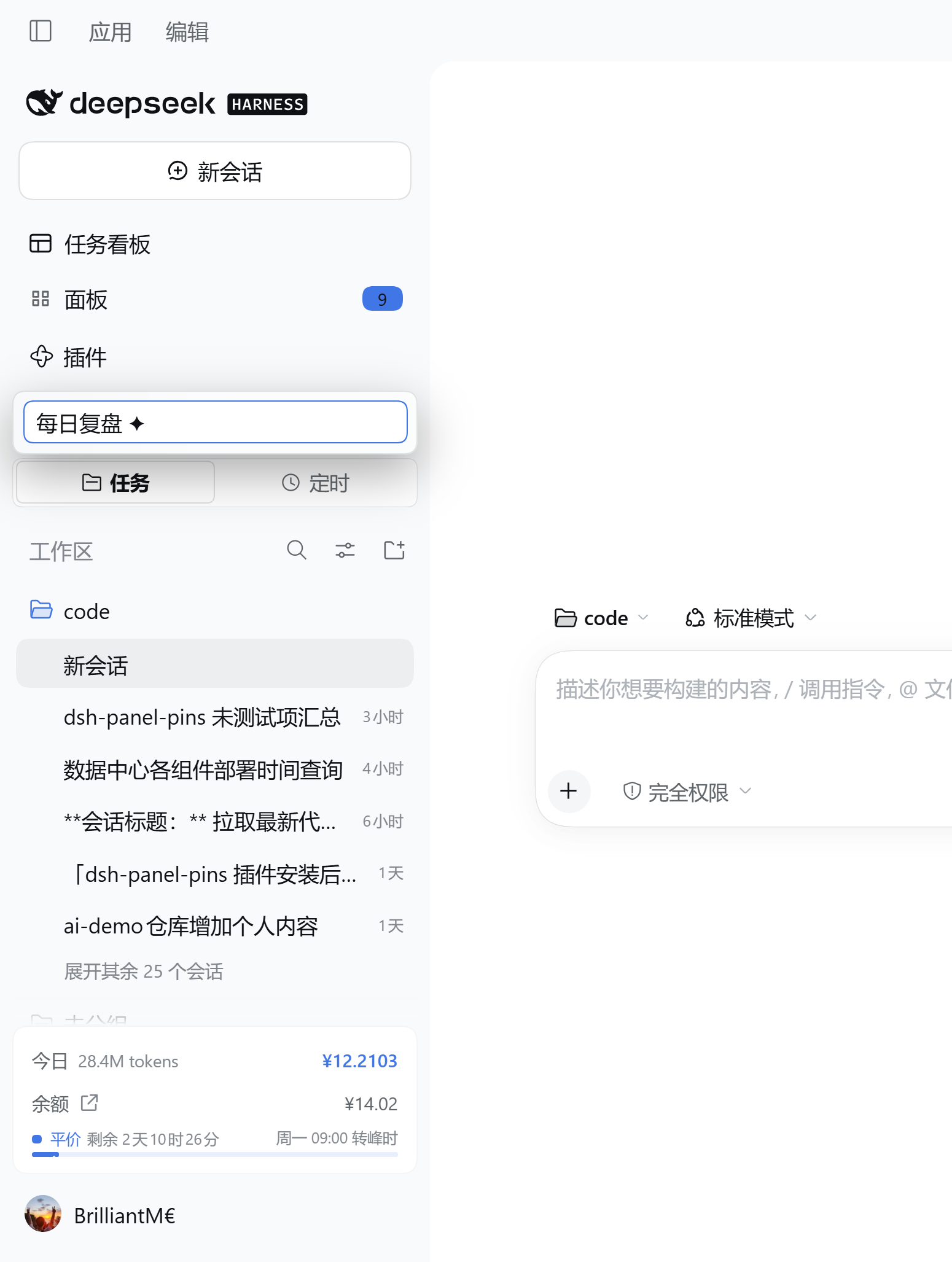
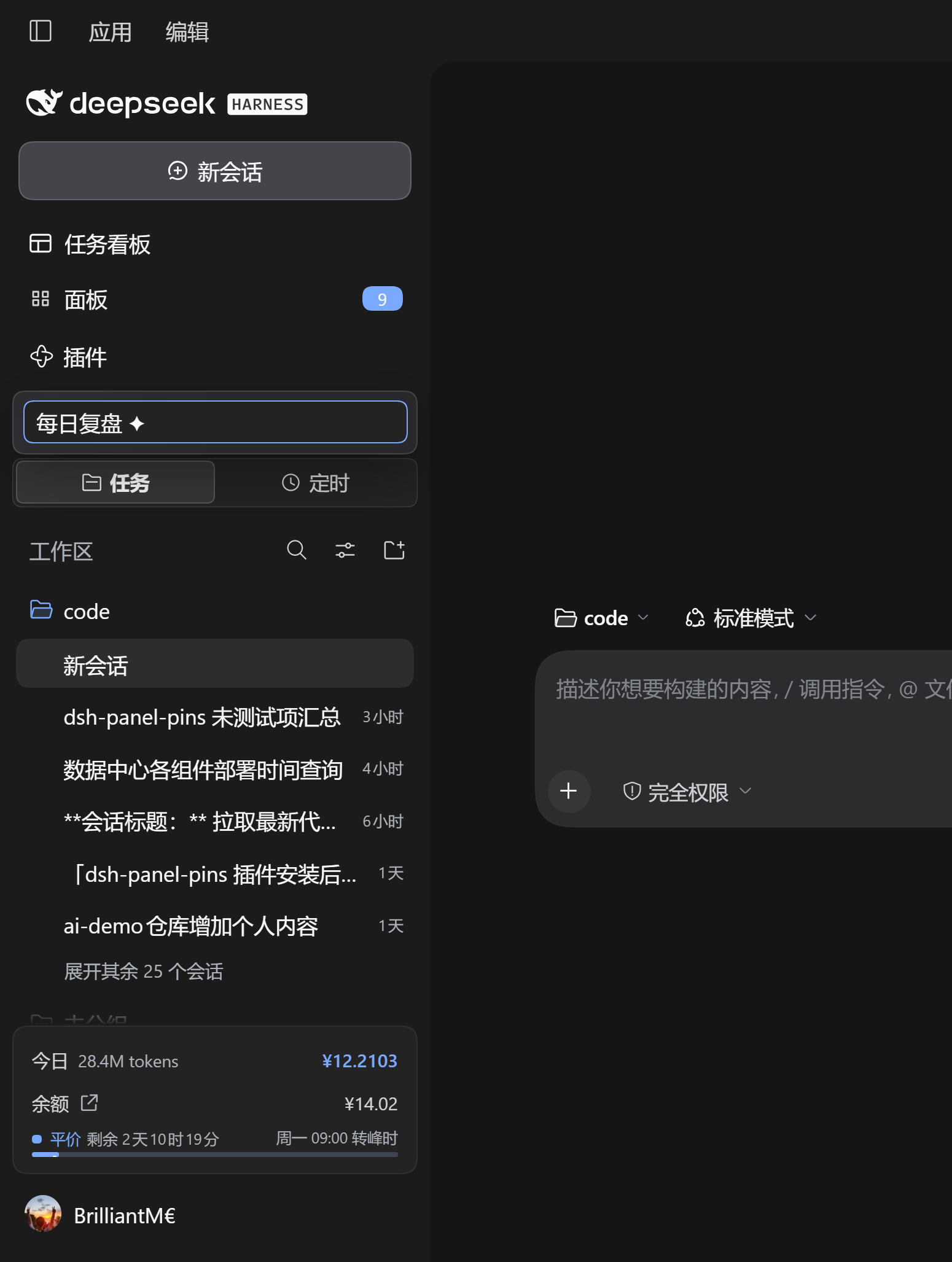
- Hide & rename sidebar rows (v1.1.0) — right-click any row to hide it from the sidebar (restore it from Settings, or from the Hidden rows group in the menu) or rename it display-only (floating editor: pops up right below the row and tracks scrolling/folding live; survives the sidebar's constant re-renders with zero lost input; Enter commits, Esc cancels; the original label keeps keying pins/groups/whitelist). Stores are id-first, so both survive UI language switches.
- Recent group — the menu and palette list your last-used panels (MRU, cap 5, persisted) at the top for one-click return; stays in sync with search, keyboard navigation and Alt+N jumps.
- Right-click context menu on any sidebar row — open / pin / unpin / to-top / keep-in-sidebar / hide / rename, all keyboard-reachable (arrows, Home/End, Enter).
- Icon-only panel rows — keep every panel row as a compact 18px glyph column; a gentler middle ground between full rows and full collection.
- Pin / unpin that survives restarts — adds pin/unpin rows to the sidebar's More menu; pinned panels sit in the sidebar, unpinned ones stay reachable via the menu.
- Top-pinning with drag-to-reorder — pin chosen panels to the very top (works in the collapsed icon rail too); reorder them by drag & drop in Settings. Implemented with negative CSS
order, so no DOM surgery and no fights with host re-renders.
- Per-group fold toggles — hide global panel rows and/or plugin entry rows independently; both persisted.
- Compact footer (toggleable, on by default) — caps the footer plugin-action area (15vh, internal scroll), shrinks inline pairing QR codes, tightens the brand row and cost-meter. Sub-toggles for QR scaling / brand row / cost meter, plus height sliders.
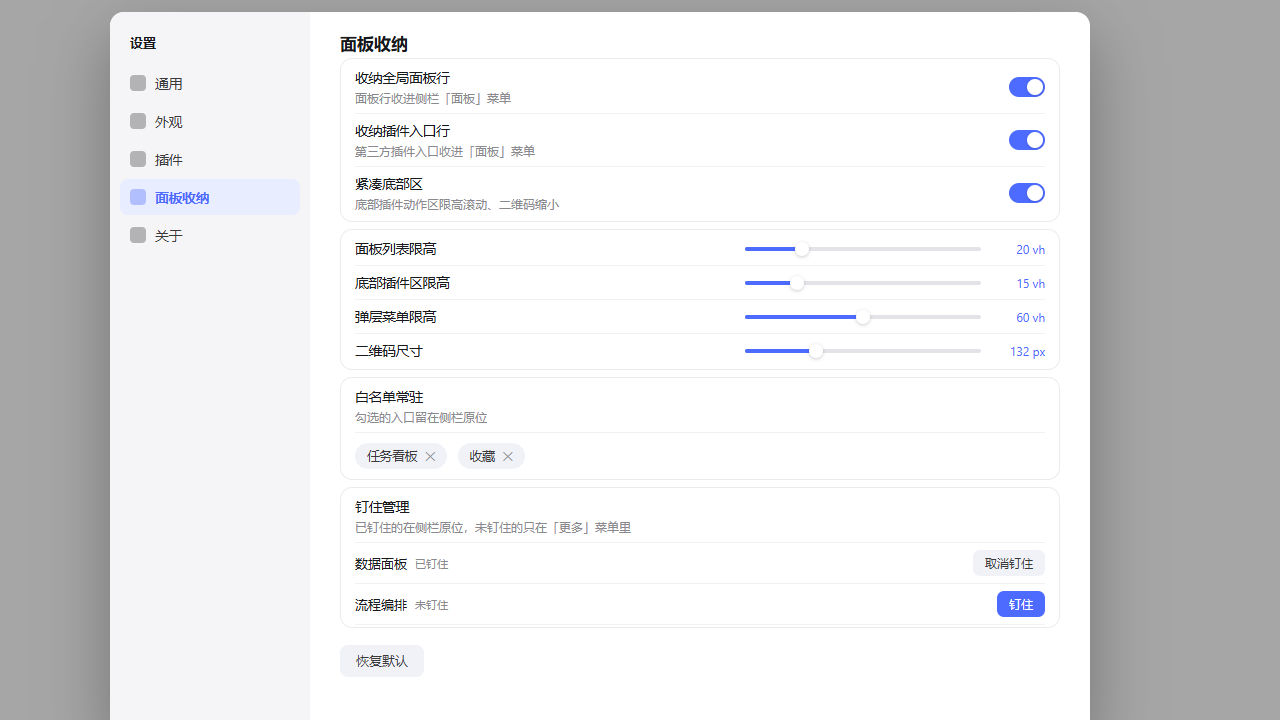
- Settings page section — Settings → 面板收纳: all toggles, four live height sliders (panel list / footer / popup / QR size), a whitelist to keep specific entries permanently in the sidebar (id-first storage, so it survives UI language switches), a pin management list with drag-to-reorder, and settings export/import (clipboard JSON + settings file), plus one-click layout reset.
- Settings file export/import (v1.2.0) — next to the clipboard, a real file channel: download
dsh-panel-pins-settings.json from Settings and restore it on another machine with one click. Both channels share one dump builder and one replay chain, guarded by a __plugin sentinel — foreign JSON is always rejected.
- Drag-drop import (v1.2.1) — drop a settings JSON onto the Settings section to import it (same validation chain as the file picker); plus a Restore-all button for hidden rows (when 2+) and a full keyboard hint line in the launcher menu (type to search · Enter opens · Esc closes · Alt+N jumps · Ctrl+K).
- Theme-friendly — menu surface and scrollbars consume host theme tokens (
--dsw-menu-surface-fill, backdrop filter, scrollbar tokens), so it plays nicely with themes and plugins like dsh-any-background. No hard-coded white/gray.
Install
Primary name since v1.2.0:
dsh plugin --profile <your-profile> add dsh-panel-pins
Or in DeepSeek Harness Desktop: Settings → Plugins and install from a plugin market.
Single-name era (since v1.2.2): npm ships only the bare dsh-panel-pins. The old @qdnbd/dsh-panel-pins is frozen at 1.2.1 (older installs show a migration notice on install) — reinstall the bare package from your plugin market to migrate; Settings → 面板收纳 → export/import carries your configuration over.
Restart the app.
Usage
- Click the Panels row (with the count badge) in the sidebar → grouped, searchable menu of every panel and plugin entry (pinned and unpinned).
- Press Ctrl+K anywhere → the centered command palette (quick commands + full inventory).
- Right-click any sidebar row → open / pin / to-top / keep-in-sidebar / hide / rename.
- Open Settings → 面板收纳 for the full control panel: toggles, sliders, whitelist, drag-to-reorder pin management, export/import, reset layout.
Configuration
All state lives in localStorage under the dsh-panel-pins: prefix and survives restarts:
| Key |
Meaning |
rows-hidden-v2 |
Global panel rows collected into the launcher |
family-collected |
Plugin entry rows collected into the launcher |
icon-only |
Panel rows collapse to 18px glyphs |
overlay-groups-folded |
Per-group fold memory for the launcher menu |
tidy / tidy-qr / tidy-brand / tidy-meter |
Compact footer master + sub-toggles |
panel-list-max / foot-max / overlay-max / qr-size |
Height caps (vh/px) |
whitelist |
Entries that stay in the sidebar (panel ids first, labels as legacy fallback) |
unpinned / label-id-map |
Pin state and label→id memory for pin management |
top |
Ordered list of top-pinned panel ids (array order = display order) |
hidden-rows |
Rows hidden from the sidebar (v2 id-first entries {id,label}; legacy label arrays auto-migrated) |
display-renames |
Display-name overrides (v2 id-first entries {id,label,name}; legacy label maps auto-migrated) |
layout-presets / active-preset |
Named layout presets and the last applied one |
custom-groups |
User-defined panel groups (id → {name, labels}) |
recent-panels |
Recently opened panels (MRU, cap 5) |
dsh-panel-pins-settings.json (file) |
v1.2.0: file snapshot of all of the above (export/import) |
Notes
- Bottom footer entries are never folded into the menu — they stay in place; only their container gets a height cap with internal scrolling.
- The plugin never rewrites host stylesheets per frame; everything is gated on classes / CSS custom properties, so toggling is instant and flicker-free.
Boundaries & safety
- Display layer only. Hiding and renaming change what you see in this one install — they never touch plugin loading, a plugin's registered name, or the plugin's own configuration. Rename is a pure visual override: the sidebar row, its tooltip and its accessible name follow your label; everything else (pins, groups, whitelist, palette) keeps keying off the original.
- No DOM surgery. Ordering uses CSS
order, hiding uses display, marking uses data-dpp-* attributes — no React nodes are moved and no host code is patched, so host re-renders never break the layout.
- Clean uninstall. All state lives under the
dsh-panel-pins: localStorage prefix; reload the page after removing the plugin and the host is back to stock, pixel for pixel.
- Theme-token styling. Menus, floats and scrollbars consume host theme tokens (
--dsw-alias-* / --dsh-*) with zero hard-coded colors — light, dark and third-party themes like dsh-any-background all work.
Troubleshooting
- Installed but no "Panels" row appears — restart the app once; the sidebar module is generated at boot.
- Sidebar looks empty after enabling collection — that is the point 🙂; click the Panels row (or press Ctrl+K) to reach everything. To keep a row permanently visible, right-click it → Keep in sidebar.
- A renamed row shows odd text or the editor misbehaves — update to v1.1.1+, where the rename editor is a body-level floating overlay that survives the sidebar's constant re-renders.
- Toggles changed but nothing happens — reload the page once; a stale bundle revision may be cached.
- Something looks broken after a host update — check
engines.dsh compatibility in this repo's package.json; the plugin declares a supported host range and is hidden by markets outside it.
License
MIT © 2026 QDNBD


