
模型与 MCP
待识别

rea
morluto
Reverse engineer anything with agents, from app behavior down to native binaries.
PROJECT TOPICS
PROJECT README
Moved: this project is now dsh-dida. This repository stays as a pointer/backup; new work happens in the new home. Old npm package
@perrylink/dsh-ticktickis deprecated; installdsh-dida.
dsh plugin --profile <name> add @perrylink/dsh-ticktickRelease stamp:
0.1.13(2026-10-04).
English | 中文 | Español | Português | हिन्दी
Package name. This project publishes to npm as
@perrylink/dsh-ticktick. The bare npm namedsh-ticktickbelongs to a different, unrelated project — installing it does not install this plugin.
TickTick / Dida365 (滴答清单) task bridge for DeepSeek Harness: a Session-header task panel (list filter, quick add, complete, delete, due dates, drag reorder), eleven curated agent tools, a configuration page on the Plugins page, and a typed Remote service — all over the official TickTick MCP endpoint.










dsh plugin --profile web add github:PerryLink/dsh-ticktick# npm (published artifact includes lib/, no build permission needed)
dsh plugin --profile web add @perrylink/dsh-ticktick
# git source (pin a commit; pnpm asks you to allow the prepare build once)
dsh plugin --profile web add "github:PerryLink/dsh-ticktick#<sha>"
# local development
dsh plugin --profile web add link:/path/to/dsh-ticktickRestart dsh web (bundle plugins activate on restart). The ticktick action appears in the Session header; its configuration page opens from the Configure control on the TickTick row of the Plugins page.
TickTick / Dida365 (滴答清单) task bridge for DeepSeek Harness: a Session-header task panel (list filter, quick add, complete, delete, due dates, drag reorder), eleven curated agent tools, a configuration page on the Plugins page, and a typed Remote service — all over the official TickTick MCP endpoint.
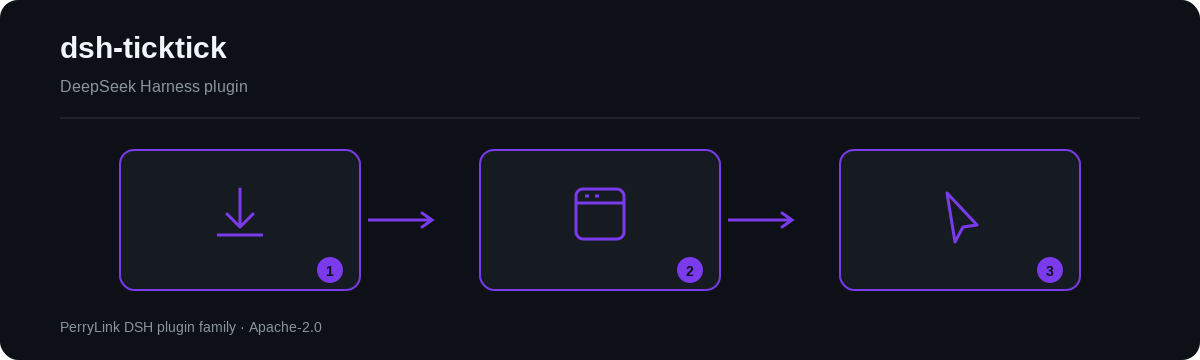
Workflow overview: install → open panel → act. The examples below use the real command surface.
| Surface | Status |
|---|---|
| Harness | DeepSeek Harness dsh-v0.2.1-alpha.1 (GitHub tag). npm dependency line: @deepseek-ai/dsh 0.2.1-alpha.1 (peers >=0.1.2-rc.1 <0.2.0 || >=0.1.5-alpha.1 <0.2.0 || >=0.1.6-0 <0.2.0 || >=0.1.7-0 <0.2.0 || >=0.2.0-0 <0.3.0 || >=0.2.1-0 <0.3.0). Verified against the dsh-v0.2.1-alpha.1 checkout (full gate chain + profile install smoke). |
| Node | ^22.19.0 \|\| >=24.0.0 |
ticktick action in the Session header opens a popup: filter by list (All + every list), toggle undone/completed views, full-text search, add tasks with an optional due date, complete, delete (with confirm), set/clear due dates with overdue/today/tomorrow chips, and drag-reorder (undone, single-list views). A status dot shows the connection state; when no token is configured the panel offers one-step in-panel token setup.ticktick_status, ticktick_lists, ticktick_tasks, ticktick_add, ticktick_complete, ticktick_delete, ticktick_due, ticktick_reorder, ticktick_completed, ticktick_search, ticktick_batch_add; Code Mode gets await tools.ticktick_*(args) for free.$DSH_HOME/.ticktick-token); a 401 resets the client so a rotated token activates without restart.update_task for tasks inside regular projects ("Expecting value: line 1 column 1"); the bridge retries via a move-to-inbox → update → move-back detour. Lists that fail server-side validation (historical repeatFrom: '' data) are skipped and reported as warnings, never silently dropped.These are the plugin's real entry points; install once, then call one.
Command
ticktick_listsInput
{}Output
Inbox (inbox)
Work (hex1)
Observed from plugins/dsh-ticktick/src/tools.ts:107-109 (renderer); fixture/assertion at plugins/dsh-ticktick/tests/service.spec.ts:40-46,103-108
Input
{"id":"t-guarded","projectId":"hex1"} (protectedTaskIds: ["t-guarded"])Output
Error: task t-guarded is protectedObserved from plugins/dsh-ticktick/src/service.ts:344-349; plugins/dsh-ticktick/tests/service.spec.ts:158-163
ticktick_tasksticktick_adddp_-prefixed token) from the Dida365/TickTick web app: Profile → Settings → Account & Security → API 口令.DIDA365_TOKEN environment variable, or a token file (default $DSH_HOME/.ticktick-token, one line). Writing the file activates the bridge without any config change.| Key | Default | Meaning |
|---|---|---|
tokenFile |
'' |
Path to a text file holding the token; empty resolves to $DSH_HOME/.ticktick-token |
mcpUrl |
https://mcp.dida365.com |
TickTick MCP endpoint (the international endpoint is unverified — see below) |
toolCallTimeoutMs |
30000 |
Per tools/call deadline in milliseconds |
protectedTaskIds |
[] |
Task ids every mutating operation refuses |
tools.* |
'' each |
Raw MCP tool-name pins (projects/tasks/create/complete/remove/update/move); '' = discover by pattern |
| Tool | Purpose |
|---|---|
ticktick_status |
connection state: token configured, client connected, endpoint, last error |
ticktick_lists |
every list (project), the virtual Inbox included |
ticktick_tasks |
undone tasks: one list or all aggregated, with per-list warnings |
ticktick_add |
create a task (list, optional ISO due date) |
ticktick_complete |
complete a task (task id + list id) |
ticktick_delete |
delete a task (task id + list id) |
ticktick_due |
set/clear a due date (omit the date to clear) |
ticktick_reorder |
assign a new integer sortOrder (lists order by descending sortOrder) |
ticktick_completed |
tasks completed within a window (default 30 days), optionally one list |
ticktick_search |
full-text search over tasks (the official search tool) |
ticktick_batch_add |
create several tasks in one call |
browser panel ── ctx.remote.ticktick.* ──▶ TicktickService (Typert Remote)
configuration page ── ctx.configForms ──▶ profile entry "ticktick" (Volatile Config)
agent tools ─── ctx.tools (ticktick_*) ──▶ the same service
                    │
                    ▼
        minimal streamable-HTTP MCP client
        (session id, protocol version, Retry-After)
                    │
                    ▼
https://mcp.dida365.com (official TickTick MCP)mcpUrl defaults to the CN endpoint, and the international MCP URL has not been probed.list_completed_tasks_by_date, search, and batch_add_tasks; their wire contracts come from the published catalogue (dida365-sdk stubs) and re-verification against the live endpoint is pending — run probes/probe-queries.mjs with a real token before claiming them verified.update_task crash and the list-validation failure are server-side behaviors; probes/ re-verifies them against the live endpoint before a release (run with DIDA365_TOKEN exported)./api surface the panel uses is the standard harness Typert gateway; the token is stored locally (settings document or token file) and sent only to TickTick's own servers. Do not expose a dsh web instance to the public internet.# PowerShell
$env:DIDA365_TOKEN='dp_...'
node probes/probe-bootstrap.mjs # handshake + tool catalogue
node probes/probe-crud.mjs # create/complete/delete round trip
node probes/probe-due.mjs # due dates (+ detour with a PROJECT_ID)
node probes/probe-reorder.mjs # sortOrder semantics
node probes/probe-queries.mjs # P2 query-tool contract discoverydsh plugin --profile web remove @perrylink/dsh-ticktickRestart dsh web. All runtime registrations (tools, panel, configuration page, prompt section) are removed with the plugin. The only static residue is the token in the user settings document — clear it first with the Clear credentials button on the TickTick configuration page (or remove the token file / DIDA365_TOKEN variable) to detach completely. To keep the package installed but inactive, disable the row instead:
- id: ticktick
disabled: trueAll PerryLink plugins are browsable in the built-in DSH Desktop Market: Market → Sources → add source → paste https://perrylink-dsh-catalog.perrylink.workers.dev/catalog-source.json → select it. Installation still goes through the Market's npm-identity verification and your confirmation.
This project is part of the DeepSeek Harness plugin family from PerryLink. The roster stays collapsed below so every README keeps a short first screen; expand it to see every row and its status.
CLASSIFICATION EVIDENCE
系统优先读取 GitHub Topics,再与站内分类词典和词根规则比对。当前命中: mcp、deepseek、deepseek-harness。
morluto
Reverse engineer anything with agents, from app behavior down to native binaries.

deepseek-ai
DeepSeek Harness: Everything is a Plugin.

nexu-io
The 1st Collaborative AI Design Agent Workspace. Local-first and open source. Create motion, prototypes, websites, apps, dashboards, presentations, images, and videos with your team and AI agents. Share work, exchange feedback, and iterate together in one workspace.