
Agent 与会话
插件

nuwa-skill
alchaincyf
你想蒸馏的下一个员工,何必是同事。蒸馏任何人的思维方式——心智模型、决策启发式、表达DNA。Distill how anyone thinks.
PROJECT TOPICS
INSTALL REFERENCE
dsh plugin --profile web add github:OtonashiHorobu/dsh-wayland-vdesk
该命令指向仓库当前默认分支;尚无绑定当前 commit 的完整验证结果。
PROJECT README
A private Wayland desktop for every DeepSeek Harness conversation. Run, screenshot, drive and watch GUI programs off-screen — the windows never touch your real compositor.


English · 中文
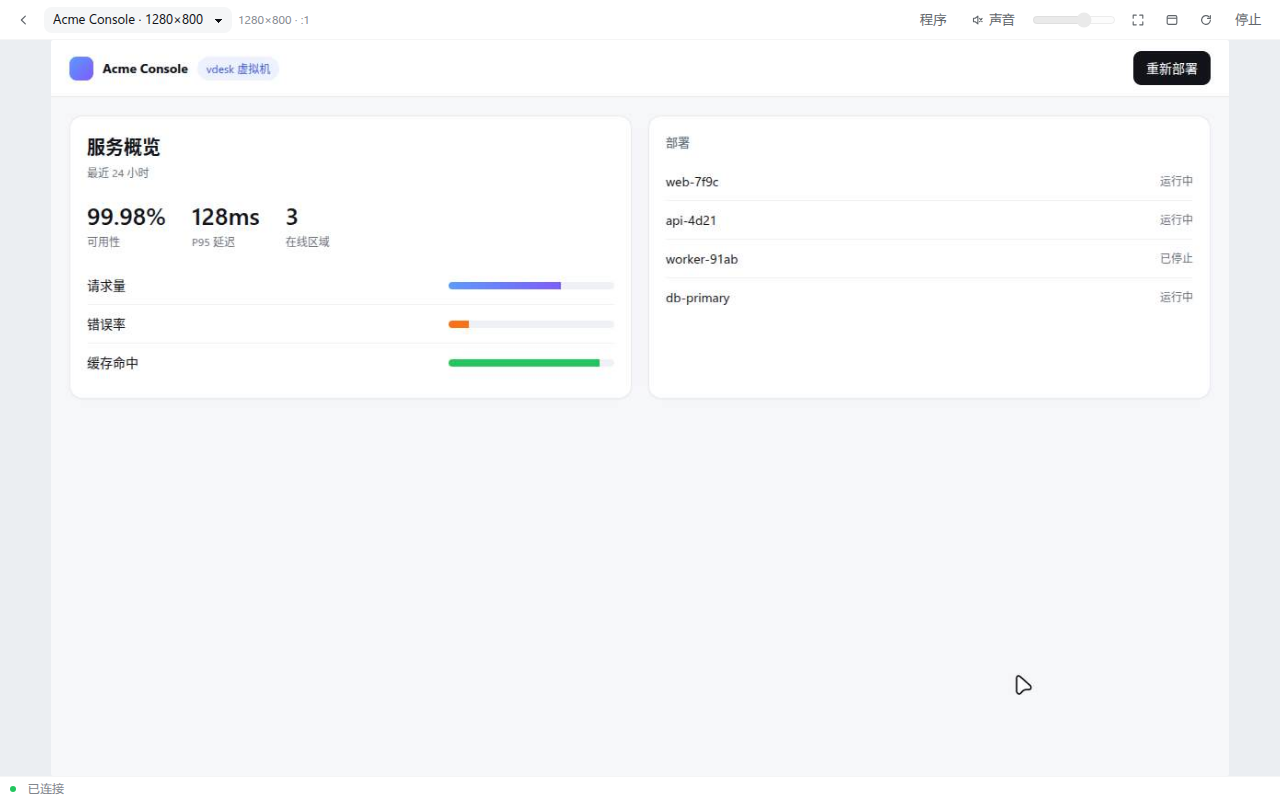
A DeepSeek Harness bundle that gives each conversation its own headless sway compositor (Wayland + Xwayland), streams it into the Web UI over VNC, and exposes it to the agent as ordinary tools:
vdesk_create()                                   → open this conversation's desktop
vdesk_run({command: "npm run dev"})              → start a program inside it
vdesk_shot()                                     → PNG straight into the model context
vdesk_input({actions: [{type: "click", x, y}]})  → click / drag / type / press keys
vdesk_apps() / vdesk_kill({pid})                 → see and stop what is running
vdesk_resize({width, height}) → change the resolution liveAn agent that can look at pixels is a much better UI engineer — but pointing a real screen-driver at your desktop is
unpleasant: windows steal focus, pop up over your work, and global input injection (ydotool, /dev/uinput) hits
whatever session is focused, including yours.
dsh-wayland-vdesk gives every conversation a private compositor instead:
XDG_RUNTIME_DIR, its own WAYLAND_DISPLAY, its own Xwayland display.
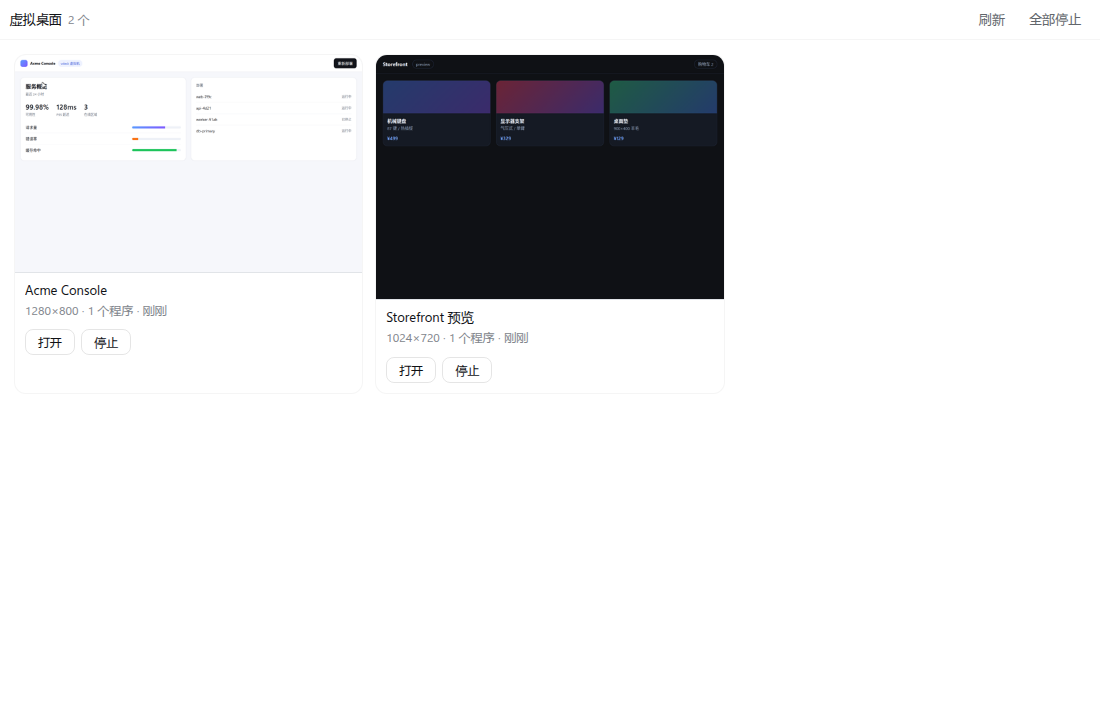
hyprctl clients never shows a thing./dev/uinput. The two never meet.| Overview of every conversation's desktop | Embedded in a DSH conversation |
|---|---|
 |
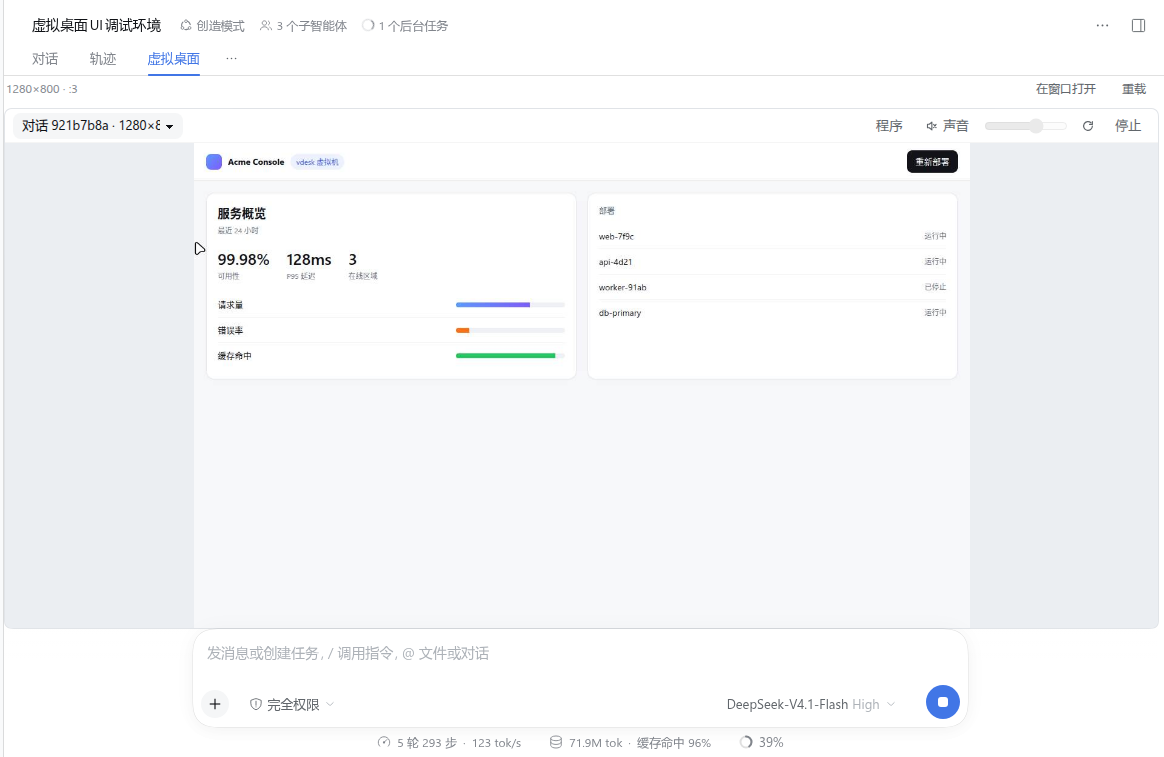 |
The overview lives in the sidebar (live thumbnails, open/stop, stop-all). The per-conversation tab shows one desktop full-size; the 程序 popover lists the programs and windows inside it and lets you stop them one by one.
| Per-conversation isolation | One sway instance per DSH session, keyed by conversation id. |
| Any resolution | Pick it at creation, change it any time (vdesk_resize, 320–7680 px). |
| Wayland + X11 | Xwayland is started inside the desktop; both are captured and injected the same way. |
| Live view | noVNC over WebSocket, served from one loopback port, embedded in the DSH Web UI. |
| Screenshots to the model | vdesk_shot stores a PNG in DSH's attachment store and returns an image block. |
| Audio | Each desktop gets its own null sink; PCM is streamed to the page and played through a GainNode. Muted until you click 🔊. |
| Program control | List and kill the programs and windows a desktop owns — from the UI or from tools. |
| CLI | The same daemon is reachable from a shell: dsh-vdesk run, shot, env, exec, … |
| GPU when available | sway renders through the DRM render node; falls back to software automatically. |
Linux with a Wayland or X11 session and PipeWire/PulseAudio.
# Arch
sudo pacman -S sway wayvnc grim wtype wl-clipboard novnc

# Debian/Ubuntu (noVNC is packaged as novnc + python3-websockify)
sudo apt install sway wayvnc grim wtype wl-clipboard novnc| Program | Why |
|---|---|
sway |
the headless compositor (Wayland + Xwayland) |
wayvnc |
exposes the framebuffer/input over RFB on loopback |
grim |
screenshots |
wtype |
keyboard injection through the virtual-keyboard protocol |
wl-clipboard |
paste-based input for CJK and long text (optional) |
wlrctl |
relative pointer motion, needed for mouse-look and games (optional) |
| noVNC | the browser-side RFB client (any core/rfb.js tree; DSH_VDESK_NOVNC overrides the path) |
ffmpeg is used to downscale screenshots, xdotool is optional. Node ≥ 22.
Install the bundle. Open Settings → Plugins → Install bundle and point it at this repository, or from a checkout:
dsh plugin --profile web add /path/to/dsh-wayland-vdeskthen add dsh-wayland-vdesk to dsh.profile.bundles in the profile's package.json. The Plugin manager does both
steps for you, so prefer it.
Reload the DSH Web UI. A 虚拟桌面 entry appears in the sidebar, and every conversation gains a 虚拟桌面 view tab.
Check the daemon:
dsh-vdesk statusIt reports the hub port, which capabilities were found, and the current desktops.
打开 / 停止, and 全部停止.look steps instead of absolute
warps (Esc releases). Absolute pointer events cannot drive a pointer-locked client.vdesk_create({width: 1440, height: 900})
vdesk_run({command: "python -m http.server 5173", wait: false})
vdesk_run({command: "chromium --app=http://localhost:5173"})
vdesk_run({command: "sleep 4", wait: true})
vdesk_shot()
vdesk_input({actions: [{type: "click", x: 320, y: 180}]})
vdesk_input({actions: [{type: "type", text: "hello"}]})
vdesk_shot()Full parameter reference: docs/tools.md.
dsh-vdesk create --conv my-app --size 1440x900
dsh-vdesk run  my-app -- cargo run
dsh-vdesk shot my-app --out /tmp/shot.png
dsh-vdesk env  my-app            # export lines you can eval into your shell
dsh-vdesk click my-app 640 400 && dsh-vdesk type my-app "hello"
Full command reference: docs/cli.md.
DSH Web (127.0.0.1:3080)
 └── conversation view / overview panel
        │ iframe
        ▼
   dsh-vdesk hub (127.0.0.1:7317, token-guarded)
        ├── /            viewer page        ├── /overview   overview page
        ├── /vnc/<id>    RFB over WebSocket ├── /audio/<id> PCM over WebSocket
        └── /api/*       JSON API
        │
        ▼
   dsh-vdesk daemon (one long-lived Node process)
        └── session s-xxxx  (one per conversation)
              ├── sway  (WLR_BACKENDS=headless, private XDG_RUNTIME_DIR)
              │     ├── wayland-1
              │     └── Xwayland :N
              ├── wayvnc → 127.0.0.1:<random port>
              ├── null sink dsh_vdesk_<id> + parec (on demand)
              └── the programs you started
The daemon is deliberately outside the DSH process: the CLI and the tools share one state, and a DSH restart or a plugin reload cannot orphan a compositor. Details and the reasoning behind each choice: docs/architecture.md.
/dev/uinput, no synthetic events into your session.method: "paste" for CJK or long text; wtype types Latin text directly.http:// viewer iframe as mixed content.Does this show anything on my real desktop? No. The desktop is a separate headless sway instance with its own runtime dir; nothing is ever mapped onto your session.
Can the agent and I use it at the same time? Yes. The agent's vdesk_input goes through the compositor's seat and
your browser's input goes through wayvnc's virtual devices — both land in the same desktop.
Where does audio go? Into a per-desktop null sink. Nothing reaches your speakers unless you unmute the viewer; the gain is applied in the browser, so your system volume is untouched.
How do I stop everything?
dsh-vdesk stop-hub # daemon + all desktopsindex.js Host half: tools + authenticated routes web/ viewer + overview pages
client.js Client half: sidebar entry, panel, view tab src/ daemon, sessions, audio, hub, CLI
cordis.patch.yml bundle patch (one row) docs/ tool, CLI, architecture docs
locale/{en,zh}.json Plugin Manager metadata docs/images/ screenshotsIssues and pull requests are welcome. The repository uses Conventional Commits and signed commits.
node --check index.js && node --check client.js && node --check src/cli.js
dsh-vdesk statusCLASSIFICATION EVIDENCE
系统优先读取 GitHub Topics,再与站内分类词典和词根规则比对。当前命中: ai-agent。
alchaincyf
你想蒸馏的下一个员工,何必是同事。蒸馏任何人的思维方式——心智模型、决策启发式、表达DNA。Distill how anyone thinks.

freestylefly
Prompt as Code | GPT Image 2 / 2.5 提示词与案例库,530+ 个案例、20+ 套工业级模板与可复用 Skills,新增 2.5 同提示词对比专区,附完整提示词与生成记录,持续更新。

titanwings
Distilly — Distill how they think into reusable Skills for any Agent or Bot. Formerly Colleague Skill(原同事 Skill).