
模型与 MCP
待识别

rea
morluto
Reverse engineer anything with agents, from app behavior down to native binaries.
PROJECT TOPICS
INSTALL REFERENCE
dsh plugin --profile web add github:Novajin0826/dsh-xiaochajian-shizhong
该命令指向仓库当前默认分支;尚无绑定当前 commit 的完整验证结果。
PROJECT README
Skills section in the composer + menu, plus a skill manager — for DeepSeek Harness.
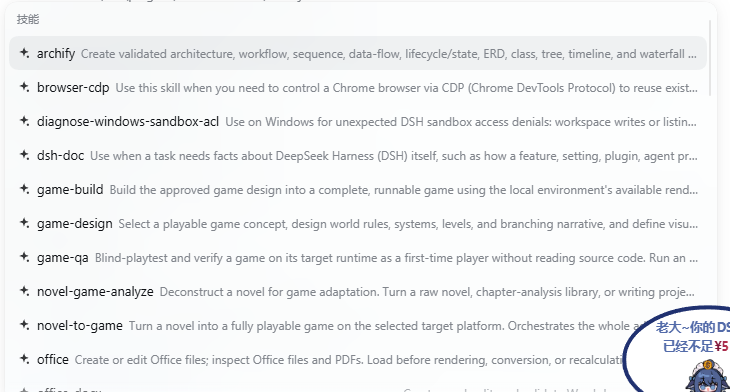
+ menu — the composer's + menu gains a Skills group above the built-in rows. It lists the skills visible to the current session, and only the ones you have enabled in the manager. Choosing one inserts /skill-name into the draft so you can add a request before sending; nothing is sent automatically.+ menu);~/.dsh/skill-menu-trash/ so it can be recovered by hand (built-in skills can only be disabled);SKILL.md) into ~/.dsh/skills/, then shows it in the manager./ skill menu is untouched, so the skills list never appears twice. Subagent composers are excluded entirely: opening their + menu never queries the skill catalog.DeepSeek Harness 0.2.2 or newer.
dsh plugin --profile desktop add github:Novajin0826/dsh-xiaochajian-shizhongOn a plain dsh web profile replace desktop with web, then restart. From inside the DSH Desktop app, use Settings → Plugins instead of the command line.
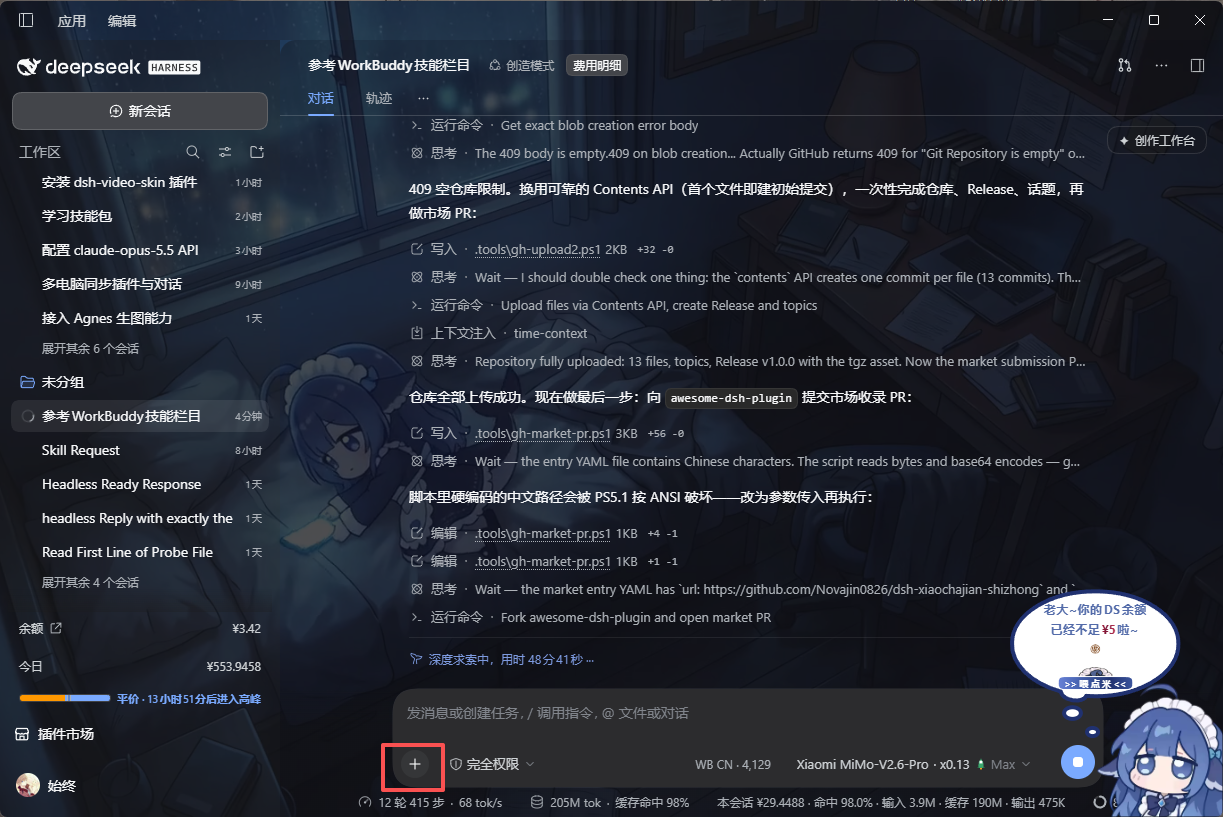
1. Reference a skill in chat (image 1) — double-click the + button next to the composer to open the skill picker; choosing a skill inserts /skill-name into the draft so you can finish your request before sending. Nothing is sent automatically.
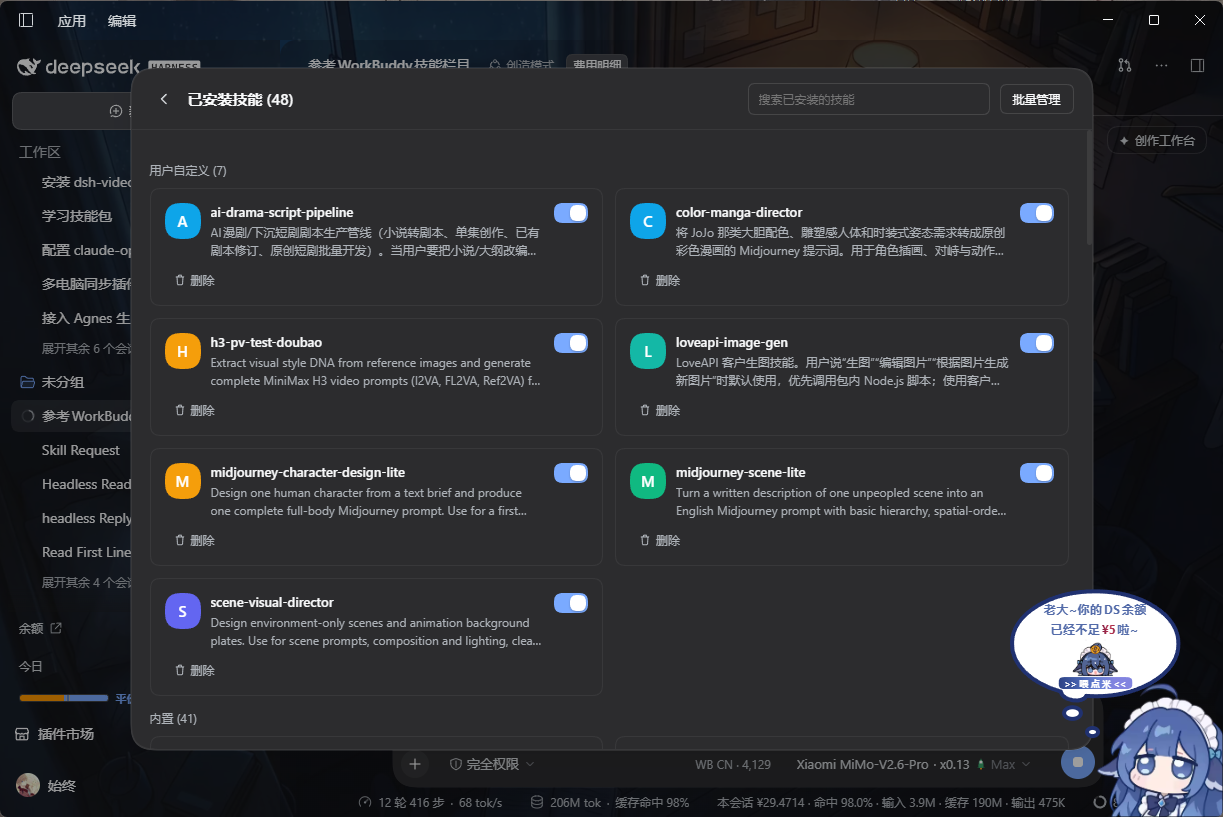
2. Skill manager (image 2) — the manager panel lets you search installed skills, enable/disable each one, delete (files move to a recoverable trash folder), batch enable/disable, and import a skill folder from disk.
A skill reference tool built into the chat, similar to the WorkBuddy skill bar — quick and convenient:
+, pick a skill, finish your sentence, send;+ picker immediately;/ skill menu is untouched, and subagent composers are fully isolated.~/.dsh/skill-menu-trash/; they are never destroyed.MIT
CLASSIFICATION EVIDENCE
系统优先读取 GitHub Topics,再与站内分类词典和词根规则比对。当前命中: deepseek-harness。
morluto
Reverse engineer anything with agents, from app behavior down to native binaries.

deepseek-ai
DeepSeek Harness: Everything is a Plugin.

nexu-io
The 1st Collaborative AI Design Agent Workspace. Local-first and open source. Create motion, prototypes, websites, apps, dashboards, presentations, images, and videos with your team and AI agents. Share work, exchange feedback, and iterate together in one workspace.