
Agent 与会话
插件

nuwa-skill
alchaincyf
你想蒸馏的下一个员工,何必是同事。蒸馏任何人的思维方式——心智模型、决策启发式、表达DNA。Distill how anyone thinks.

NelsonLongxiang/dsh-prompt-templates
Quick prompt templates for DeepSeek Harness (DSH): global and per-session templates, floating panel + right-sidebar tab, scheduled auto-injection (silent or chat-visible), SQLite persistence, sync CLI
PROJECT TOPICS
INSTALL REFERENCE
dsh plugin --profile web add github:NelsonLongxiang/dsh-prompt-templates
该命令指向仓库当前默认分支;尚无绑定当前 commit 的完整验证结果。
PROJECT README
English | 中文
Quick prompt templates for DeepSeek Harness: global and per-session templates, a right-side browser panel, and pure-TS SQLite persistence via node:sqlite — one self-contained plugin, installable with dsh plugin.
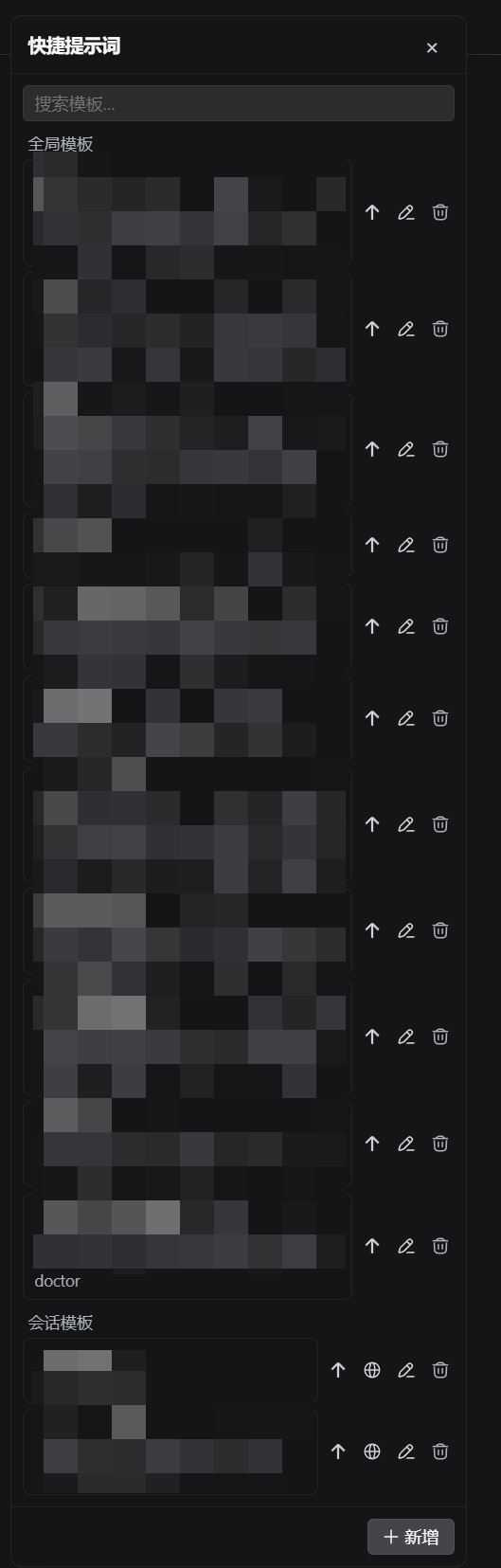
dsh plugin --profile web add @nelsonlongxiang/dsh-prompt-templatesRestart dsh web, then look for the templates button in the composer tool row. Since 0.12.0 the same library is also a right-sidebar tab: open it from the sidebar's + guide page (entry “Prompt templates”) — it lives beside the conversation, keeps the composer visible, and always targets the session the sidebar is viewing. On hosts without the sidebar services the tab stays dormant and the floating panel keeps working.
No Python toolchain required — since 0.3.0 the host half persists templates through node:sqlite (Node ≥ 24) directly inside the host process, reading and writing the same $DSH_HOME/ext/prompt-templates/db.sqlite3 the former Python child owned (zero data migration).
⟳N badge to open the session's last 20 injections (turn, time, template names, injected bodies){{date}} {{time}} {{datetime}} {{weekday}} {{session}} {{turn}}, expanded at delivery across insert, send-now, interject, and scheduled injection; unresolved values stay literal and storage keeps the raw text+ guide and it follows the session you are viewing; the floating panel remains for quick one-shot usenode:sqlite) owned by the host plugin and closed with its lifecycleformat/version markers), not just the prompt body. No files or network are used.http://127.0.0.1 can be trustworthy despite HTTP. No global security changes or clipboard-reading permission are needed.{{date}}/{{turn}} re-expand at delivery on the receiving instanceEach template (global or session-scoped) carries its own switch + interval N. When on, the host injects the template at the first request of every Nth round of the conversation — N=5 means rounds 5, 10, 15, …; rounds count user→assistant exchanges and keep their numbering across restarts.
<system-reminder> user message recorded in the session log (source kind prompt-template-schedule), so replays and audits reconstruct exactly what the model sawinjectEnabled: false in the patch config silences scheduled injection only — event reminders (below) have their own independent master switch eventInject.enabledA session-scoped 工坊·演化自评估 template is provisioned once by default and scheduled every 100 user turns. Existing same-name global/session templates and user edits, disabling and deletion are preserved. This is a reminder, not migration execution or authorization. Set evolutionAssessmentEnabled: false to opt out. See the lifecycle, counting and rollback contract.
Besides fixed rounds, the plugin can remind the agent because of what just happened. It watches final tool results, detects two problems — repeated preparation (the same hand-built prefix such as environment variables plus an absolute interpreter path, with different tasks) and repeated failure (the same target failing the same way, or failing again after it had succeeded) — and appends one short reminder before the next model decision, including the tool-result steps that scheduled injection skips.
eventInject.enabled value only seeds it on first read) and each rule keeps its own toggle alongside threshold/cooldown and the read-only episode ledger. Owner ruling 2026-11-18: the master switch moved from deployment-config-only to panel-owned, reversing the 2026-11-14 posture.isError and its error code, then an integer meta.exitCode (including zero). Only when metadata has no valid exit code does the bash adapter read the exact trailing [exit code: N] marker from the last text part. Arbitrary output words such as success or failure do not decide the result. A command can print a lookalike marker, so this fallback can produce a false positive; ok means tool-layer completion, not verified task success. See the failure contract for priority, recorded-host limits, and untested cases.notified. The changed / repeated field is a weak behavioral hint, not a verdict: an unrelated command on the same tool can flip it. Closing an episode (verified, rejected, …) goes through PATCH …/event-episodes/<id> and requires evidence references — only a full-trajectory review counts as verificationreferences/improvement-loop.md; the design is in docs/spec-event-inject.mdPlaceholders {{date}} {{time}} {{datetime}} {{weekday}} {{session}} {{turn}} expand at delivery time — insert, send-now, interject, and scheduled injection all expand:
{{session}} is the target session id; {{turn}} resolves only on the scheduled-injection path (it stays literal on insert/send)src/ TypeScript plugin (host half + browser half)
index.ts Host: owns the TS store, exposes the HTTP routes
store.ts Pure-TS store over node:sqlite (database schema v6)
inject.ts Host: scheduled auto-injection on the pre-step waterfall
invariant.ts Host: registers the package's invariant companion
cli/ The sync CLI (export/diff/merge/import) shipped as bin
client/ Browser: shared template library mounted as both the
shell.overlay floating panel and the right-sidebar
tab body (sidebar.right.pane.tab), plus the
conversation.input.right toggle button
cordis.patch.yml Bundle patch: mounts the plugin rowThe store is pure TS inside the host half; no child process is spawned.
The package ships a deterministic, local-only CLI for comparing and merging prompt-template databases across DSH homes. It never writes a remote database directly.
# Export a schema-v4 snapshot (canonical order + data_sha256)
dsh-prompt-templates export --db /path/to/db.sqlite3 --out snapshot.json --output=json

# Compare two snapshots (exit 1 with --fail-on-diff)
dsh-prompt-templates diff left.json right.json --output=json --fail-on-diff

# Merge into a JSON artifact only; equal-time or name conflicts block by default
dsh-prompt-templates merge base.json incoming.json --strategy newer --out merged.json --output=json

# Dry-run import (the default): review summary_sha256 and database hash
dsh-prompt-templates import --db /path/to/db.sqlite3 --in merged.json --output=json

# Apply only after binding both reviewed values; creates a backup, then one transaction
dsh-prompt-templates import --db /path/to/db.sqlite3 --in merged.json --apply \
  --expect-db-sha256 <db-sha256> --confirm-summary-hash <dry-run-summary-sha256> --output=json
import inserts/updates by template id and never prunes rows. It rejects unknown snapshot fields, unsupported schemas, mismatched hashes, same-name/different-id conflicts, and changes above --max-changes (default 100). Schema-v2 snapshots (pre-auto-inject) still import — the inject facts default to off; exports are always schema v4 (templates/categories only, not event policies or runtime state).
Declared layout — anything outside this allowlist at the repo root is scatter, and the patrol gate (scripts/patrol.sh, dir-convention section) fails on it:
| Path | Responsibility |
|---|---|
src/ |
Host plugin, CLI, and browser-client sources |
scripts/ |
Rerunnable ops entries: patrol.sh, branch-audit.sh, remote-heads.sh, push-master.sh, release.sh |
docs/ |
Human-facing documents: specs, release notes, handover; the npm package ships only the explicitly listed user/acceptance guides |
tests/ |
node:test suites behind pnpm verify |
images/ |
Static assets referenced by the READMEs |
tmp/<task>/ |
Git-ignored scratch; automated tests use tmp/test-runs/ via tests/temp-dir.mjs; task lifetime only, never in git |
lib/, node_modules/ |
Build output and dependencies — ignored, never tracked |
.npmrc, .claude/, .obelisk/ |
Local tool state (registry config, workbench junctions, agent memories) — ignored, never tracked |
pnpm install
pnpm verify            # everyday gate (local and CI)
pnpm verify:release    # alias of pnpm verify
pnpm verify is the gate to run before pushing. It does not boot a DeepSeek Harness process. In order:
tsc --noEmit for the host project and the client projectnode:test over tests/*.test.ts: CLI sync, store rules, schema migration, inject helpers, client filters, and an in-process host check. That check mounts apply() on Cordis with a stand-in web server, drives the /plugins/dsh-prompt-templates routes (including inject-status), and runs the agent/pre-step listener against a fake session logtsc, client tsc, and the tsdown browser bundlelib/client.js, then npm pack and the packed dsh-prompt-templates --help shimGitHub Actions (.github/workflows/verify.yml) runs the same command with Node 24 on pushes and pull requests to master and on v* tags. test:cli also carries the DSH 0.2.x contract tests (peer version line, patch sandbox, real store execution, slot declarations, icon exports) — upstream drift fails the gate. Repo scripts/ hold the stable ops entries (branch-budget audit, absorption classification, privacy-checked push). The @deepseek-ai/* devDependencies are public npm packages, so CI needs no registry token and no harness checkout.
A self-contained sharing test page can be generated with node tests/clipboard-browser.mjs en (or zh) after build. It includes synthetic copy scenarios and read-only environment checks; see clipboard verification for privacy boundaries and macOS acceptance steps. Generating/parsing the page is not browser acceptance.
Still manual, because they need a live harness profile: booting dsh web, the browser panel against the real web server, and resume or compaction against a real session log.
Publishing requires separate owner authorization. Use bash scripts/release.sh "<subject>" only on master, with either:
chore(release): <version> — <subject> commit containing only that version bump and its notes. At most this one commit may be ahead of remote master.The same subject must be supplied on a pre-publish resume. Leading/trailing whitespace is rejected before verification or commit, rather than silently normalizing a title that Git may trim. Immediately before creating a release commit, staged paths and Git-normalized blobs are checked; the commit is limited to the two release paths so foreign staging is not absorbed. Raw working-file hashes still detect changed inputs when CRLF normalization is active. The script checks branch, package identity, allowed paths, actual remote master and peeled local/remote version tags before verification/publishing, then rechecks HEAD, release inputs and staged blobs after verification. Conflicts fail closed; it never switches branches or rewrites existing tags. A remote tag already pointing at the verified commit needs no push, even when local/remote tag objects differ.
DRYRUN=1 bash scripts/release.sh "<subject>" performs preflight and the ordinary verify/build gate, without a release commit, publish, tag, push or GitHub Release. It is not a promise of zero filesystem writes: normal verification builds and test scratch still run.
Pull-back verification uses ignored tmp/release/run-*/ owned by this invocation. EXIT/INT/TERM clean only a directory whose path and ownership marker still match; a mismatch is preserved for inspection. These are fail-closed preflights, not a filesystem sandbox or a lock against concurrent writers.
No blind retry after publish: the script does not retry publishing and is not an arbitrary-phase recovery engine. A version already accepted by a registry, a timed-out publish, or an unknown result must be reconciled at that registry before any further action; do not rerun the whole chain to resume its later push/tag/Release steps. The automated regressions use fresh synthetic Git repositories and offline command doubles only, not real publishing or production deployment.
user message source); see them in the trajectory tab. Templates with delivery mode visible are the exception: they render as ordinary user messagesprepare build and require the development toolchain and dependencies. The documented verification gate uses public @deepseek-ai/* packages and requires no harness source checkout; direct Git-URL installation is not verified by that gate. Use dsh plugin --profile <name> add @nelsonlongxiang/dsh-prompt-templates for a prebuilt package.MIT
CLASSIFICATION EVIDENCE
系统优先读取 GitHub Topics,再与站内分类词典和词根规则比对。当前命中: prompts、prompt-templates。
alchaincyf
你想蒸馏的下一个员工,何必是同事。蒸馏任何人的思维方式——心智模型、决策启发式、表达DNA。Distill how anyone thinks.

freestylefly
Prompt as Code | GPT Image 2 / 2.5 提示词与案例库,530+ 个案例、20+ 套工业级模板与可复用 Skills,新增 2.5 同提示词对比专区,附完整提示词与生成记录,持续更新。

titanwings
Distilly — Distill how they think into reusable Skills for any Agent or Bot. Formerly Colleague Skill(原同事 Skill).