
其他
插件

dsh-bili-scroll
c1overzz
DSH 插件:每天替你刷一轮 B站,读字幕挑出值得的、写一份日报,值得的 @ 你
PROJECT TOPICS
INSTALL REFERENCE
dsh plugin --profile web add github:NL859/dsh-papercut
该命令指向仓库当前默认分支;尚无绑定当前 commit 的完整验证结果。
PROJECT README
Papercut explainer films, end to end — natively on Windows, no WSL.
A DeepSeek Harness plugin that turns one sentence of idea into a finished vertical (9:16) cut-paper explainer: script → local text-to-speech → word-level timed captions → Remotion render → QA contact sheets.
$ dsh --profile papercut
> 做一个关于剪纸的 25 秒短片
   → papercut_plan → papercut_voice → papercut_storyboard → papercut_render → papercut_qa
   → episodes/01-jianzhi/papercut/out/jianzhi-papercut.mp4   (1080×1920, 27.5 s, −14.7 LUFS)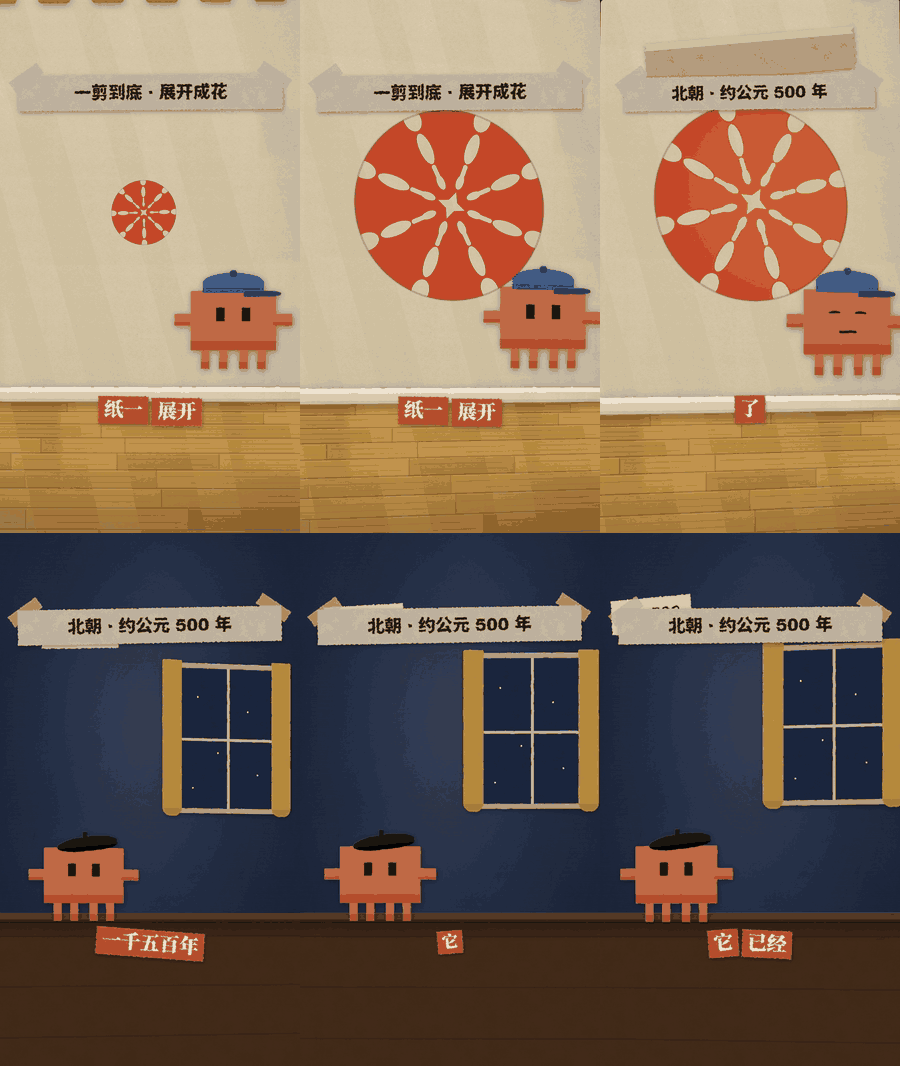
The upstream papercut-explainer library is a
beautiful Remotion kit, but its toolchain is 27 bash and Python scripts written for macOS
(Apple rsync, mlx-whisper, Homebrew ffmpeg, readlink -f). Everything that touches the
OS has been rewritten here in Node, so the whole pipeline runs on a stock Windows machine:
| Piece | Upstream | Here |
|---|---|---|
| Choreography | render.py + render.sh |
src/node/render.js — one bundle, per-scene ProRes HQ segments, content-keyed cache |
| Audio mix | mix.py (numpy) |
ffmpeg sidechaincompress + alimiter + loudnorm |
| Voice | narrate.py (qwen-tts) |
local IndexTTS-2.5 bridge over HTTP |
| Word timing | asr.py (mlx-whisper) |
openai-whisper + forced alignment against the known script (py/align.py) |
| Chromium | system Chrome | the Edge that ships with Windows |
| ffmpeg/ffprobe | brew install |
bundled static binaries from npm |
No WSL. No Homebrew. No ffmpeg on PATH. Python is only needed for two leaf scripts
(forced alignment, CJK font subsetting), and the plugin calls the interpreter you point it at.
| Tool | Arguments | What it does |
|---|---|---|
papercut_list |
— | Existing episodes, their duration, scene count and whether a render exists |
papercut_plan |
idea, slug?, comp?, lines? |
Scaffolds the episode and returns the 7-line script brief |
papercut_storyboard |
slug |
Camera / cut / SFX table derived from the real frame plan |
papercut_voice |
slug, engine?, force?, model?, keepWarm? |
Local TTS per line, silence trim, forced word alignment, voiceover.wav + captions + plan |
papercut_render |
slug, force?, workers?, conc? |
Segmented Remotion render, then one x264 pass with the audio bed |
papercut_qa |
slug, every?, scale? |
Contact sheets every N frames, numbered, for visual review |
Everything else — composing scenes, writing the hook, choosing assets — is the agent's job, guided by nine skills.
Installed into <DSH_HOME>/skills by npm run skills, so DSH picks them up live:
papercut-explainer (router / end-to-end) · papercut-strategy · papercut-hook ·
papercut-script · papercut-storyboard · papercut-build · papercut-voice ·
papercut-qa · papercut-setup (toolchain doctor for this machine).
Say "make a papercut reel about X" and the router takes it from there.
# 1. the plugin
dsh plugin --profile papercut add "link:D:/path/to/dsh-papercut"
#    or, from npm:  dsh plugin --profile papercut add dsh-papercut

# 2. the skills (idempotent)
cd D:/path/to/dsh-papercut
node scripts/install-skills.mjs

# 3. check the toolchain
# in DSH: "check my papercut install" -> runs the papercut-setup doctordsh-papercut drives a workspace directory holding the upstream library and the render app.
The plugin finds it by walking up from its own package folder (and then from the current working
directory) looking for app/node_modules + src/papercut-explainer-main/library, so a linked
checkout and an npm-installed copy both work without configuration. Point it elsewhere with
root in cordis.patch.yml, or the PAPERCUT_ROOT env var.
<root>/
  app/                          Remotion project (node_modules with remotion, ffmpeg-static, ...)
  src/papercut-explainer-main/  the upstream MIT library (kit, audio engine, scenes template)
  episodes/<slug>/              one folder per film
  tools/                        the Node CLI used during development
Use papercut-setup (or node tools/bin/papercut.mjs list) to see what is missing.
openai-whisper + fonttools — only for the aligner and
the CJK font subsetter. Point at it with python: in the plugin config.127.0.0.1:7865 (IndexTTS-2.5). The plugin probes
/health and tells you how to start it; it never spawns the model itself, because that would
hold VRAM hostage.cordis.patch.yml in this package:
- insert:
    - id: papercut
      name: dsh-papercut
      config:
        root: ''                 # workspace path, else PAPERCUT_ROOT, else the built-in default
        ttsUrl: http://127.0.0.1:7865
        python: D:/tts/index-tts/.venv/Scripts/python.exe
        chromePath: C:/Program Files (x86)/Microsoft/Edge/Application/msedge.exe
        defaultModel: small      # whisper model for forced alignment
debug: falseFirst film, episodes/01-jianzhi (1080×1920, 30 fps, 824 frames):
| Voice + alignment | 7 lines, 24.1 s of speech, ~4 s synth + ~3.3 s align per line |
| Render (cold) | 55 s — bundle 2 s, 824 frames in 3 parallel workers, final encode 9 s |
| Render (one scene changed) | 20 s — cache hits on the other six segments |
| Output | H.264 High, yuv420p, bt709, 8.6 Mbps, −14.7 LUFS, −1.0 dBTP, 0 decode errors |
MIT. The bundled story kit comes from
papercut-explainer (MIT), also credited in
NOTICE.
CLASSIFICATION EVIDENCE
系统优先读取 GitHub Topics,再与站内分类词典和词根规则比对。当前命中: 无有效分类标签。
c1overzz
DSH 插件:每天替你刷一轮 B站,读字幕挑出值得的、写一份日报,值得的 @ 你

hellowind777
一个自主的高级智能伙伴,不仅分析问题,更持续工作直到完成实现和验证。

xing-shuyin
Just open your browser — get all your work done.