

其他
完整应用

deepseek-harness
deepseek-ai
DeepSeek Harness: Everything is a Plugin.
PROJECT TOPICS
PROJECT README
English · 简体中文
An external plugin that does not modify DSH source: lets the model render visuals on the fly in the conversation — streaming SVG/HTML widgets and structured charts (ChartSpec → echarts).



Inside a DSH (DeepSeek Harness) conversation, let the model produce visual content directly and render it safely into the chat:
spec of the visualize tool, rendered with echarts (line / bar / area / pie / scatter).widget parameter of visualize.It reuses DSH's existing assistant/chunk and tool/call + tool/result events, and does not change DSH source.
visualize(spec) for charts; ```svg / ```html fences in the message body for streaming widgets; visualize(widget) for a complete widget.assistant/chunk events to get token-by-token output, so the widget updates frame by frame as the text streams.execute and the client fold share the same pure-function parsers (chartspec / widget), so model drift cannot silently pass through.sandbox="" iframe + CSP default-src 'none'; there is no sanitizer to bypass.--dsw-alias-* tokens; SVG widgets size to their intrinsic aspect ratio; cards carry a "fit / 1.5× / 2×" zoom and a status badge (generating / truncated / done).Real conversation screenshots (rendered inside the DSH Web client):
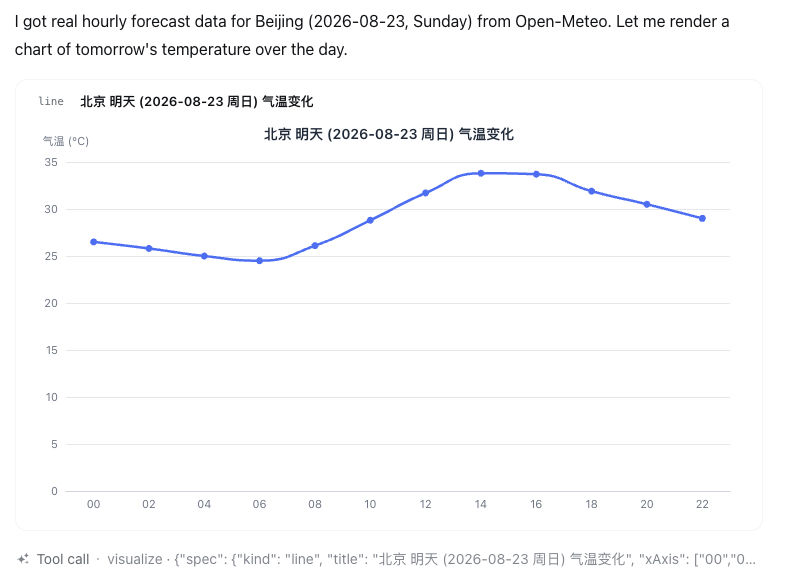
visualize(spec) → echarts (follows the DSH theme)
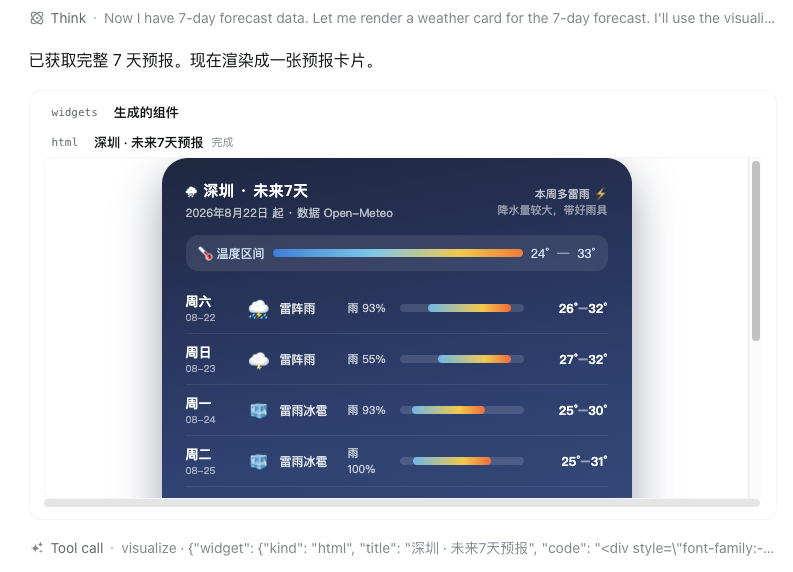
visualize(widget) → sandboxed iframe
More render samples (rendered by the plugin's own code):
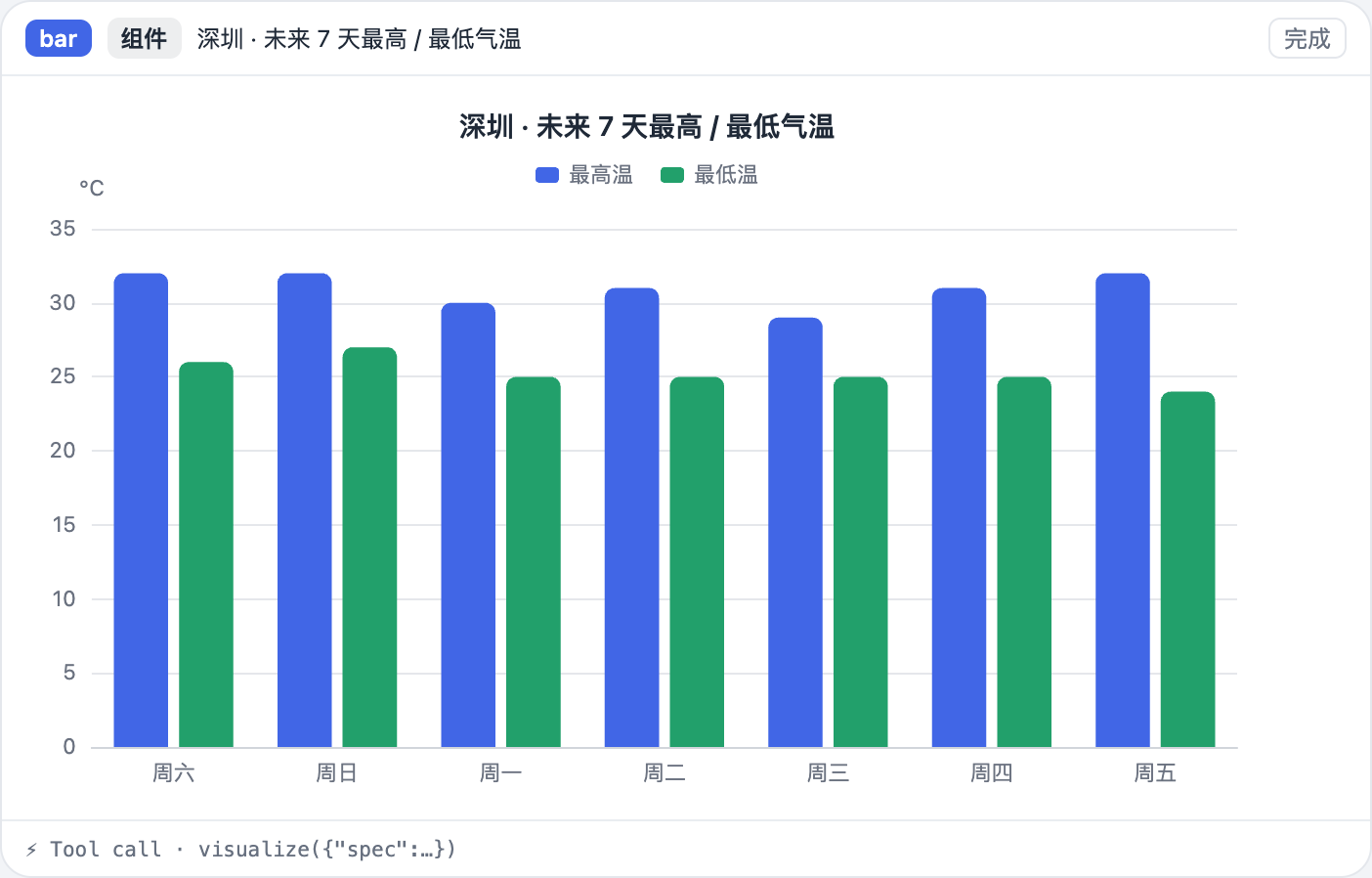
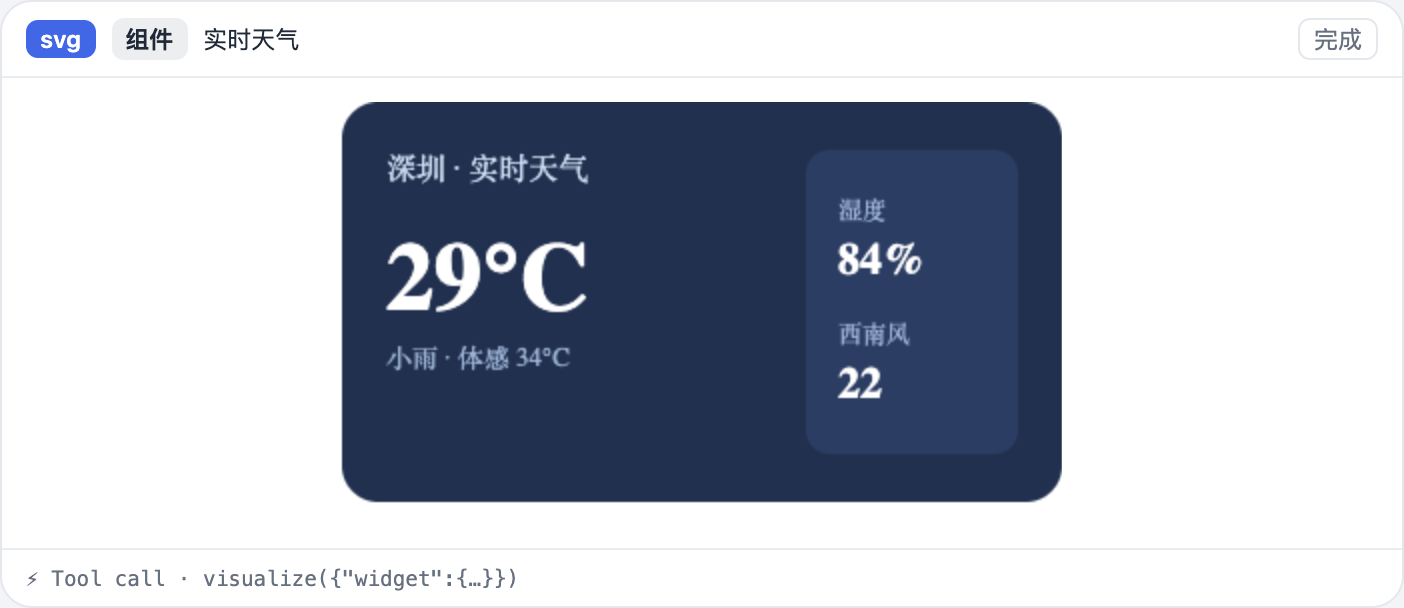
Install directly from GitHub (recommended — the built artifacts are committed):
dsh plugin --profile web add github:Moses14159/dsh-visualizerAlternatively, clone it and install from the local path:
git clone https://github.com/Moses14159/dsh-visualizer.git
dsh plugin --profile web add /path/to/dsh-visualizer
- Plugins installed from Git build via their
preparescript on install. For safety, pnpm blocks build scripts; if it prompts you, add the relevantallowBuildskey to the profile'spnpm-workspace.yamland re-run.- Once
dsh-visualizeris published to npm, you can also install it by name:dsh plugin --profile web add dsh-visualizer.- Requires DSH (
deepseek-harness) installed locally and a workingdsh web. It depends on DSH's@deepseek-ai/dsh-client-runtime,@deepseek-ai/dsh-llm,@deepseek-ai/dsh-tools(seepeerDependencies).
After installing, just tell the model in the conversation:
visualize with a spec;widget parameter to visualize to deliver a complete widget (validated, persisted, and replayable on the host).visualize takes exactly one of:
// Structured chart
{ "spec": {
    "kind": "bar",                    // bar | line | area | pie | scatter
    "title": "Shenzhen · 7-day temperature",
    "xAxis": ["Sat", "Sun", "Mon", "Tue", "Wed", "Thu", "Fri"],
    "yName": "°C",
    "series": [{ "name": "Max", "data": [32, 32, 30, 31, 29, 31, 32] }]
} }
// SVG / HTML widget
{ "widget": { "kind": "svg", "code": "<svg ...>…</svg>", "title": "Card title" } }```svg
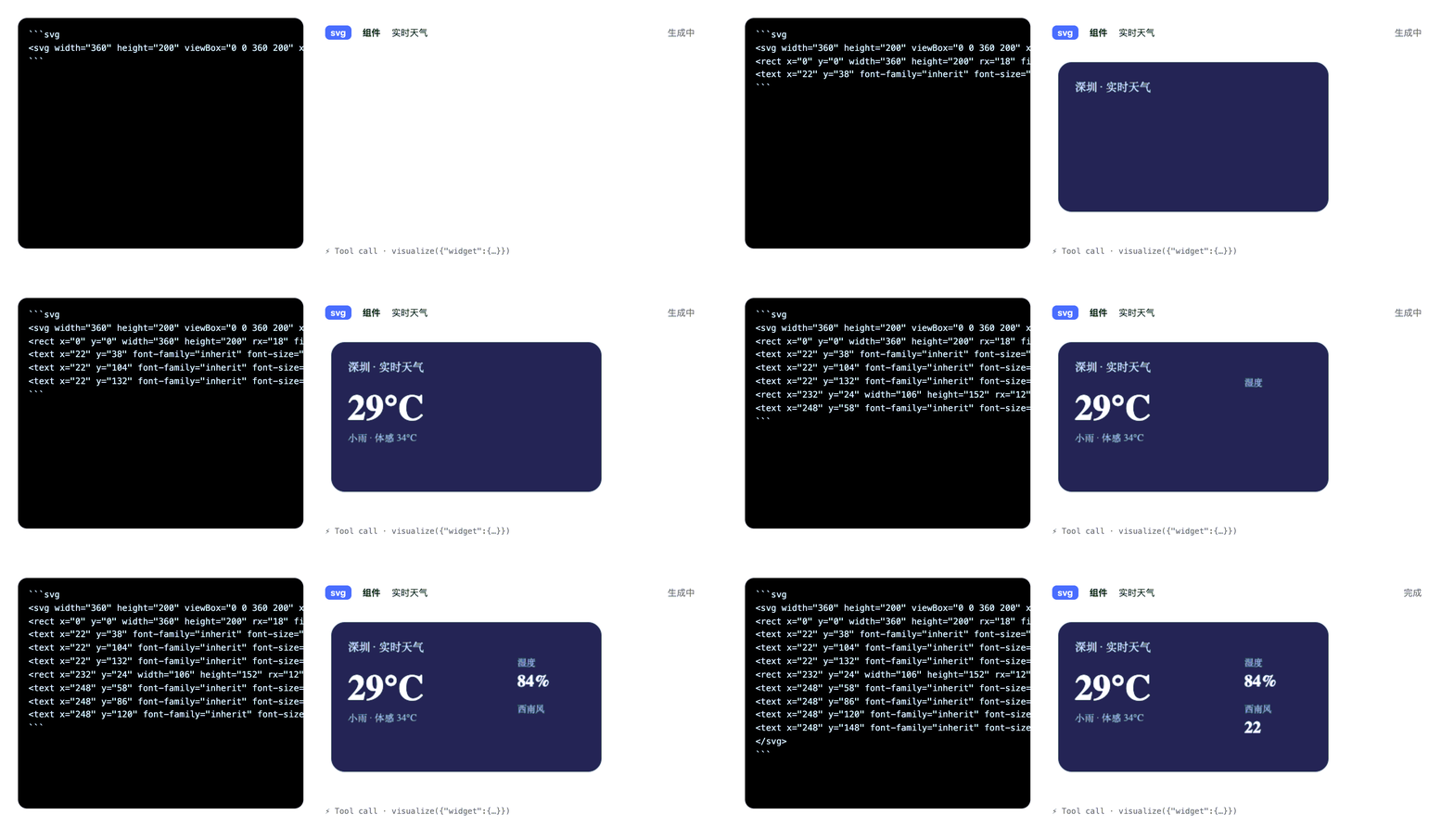
<svg width="360" height="200" viewBox="0 0 360 200" xmlns="…">
…rendered token by token…
</svg>
```Say these directly in the conversation to see the effect (the images are from real conversations).
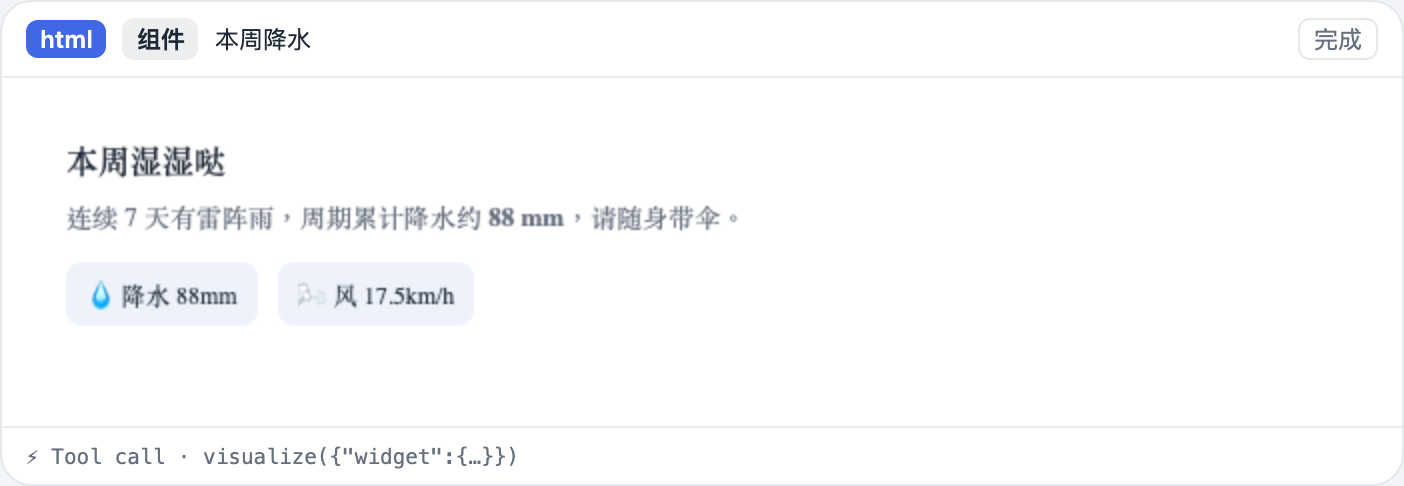
Help me generate a weather card for Shenzhen right now
The model calls visualize with a widget (HTML) and renders it as a sandboxed widget card:
visualize(widget) · an HTML card rendered in a sandboxed iframe
Use visualize to draw a chart of tomorrow's 24-hour temperature change in Beijing
The model passes a spec (line) and renders it with echarts:
visualize(spec) · echarts render (follows the DSH theme)
Write an SVG card for Shenzhen's current weather
The model writes a ```svg fence in the reply and renders it as it streams:
Draw a bar chart, a pie chart, and a weather card at the same time
The model calls visualize multiple times and lays out the charts and widgets in the conversation flow.
💡 Tip: these examples require the model to have the
visualizetool loaded (registered once the plugin is installed). If the model doesn't reach for it, just describe what you want — it will prefer callingvisualize.
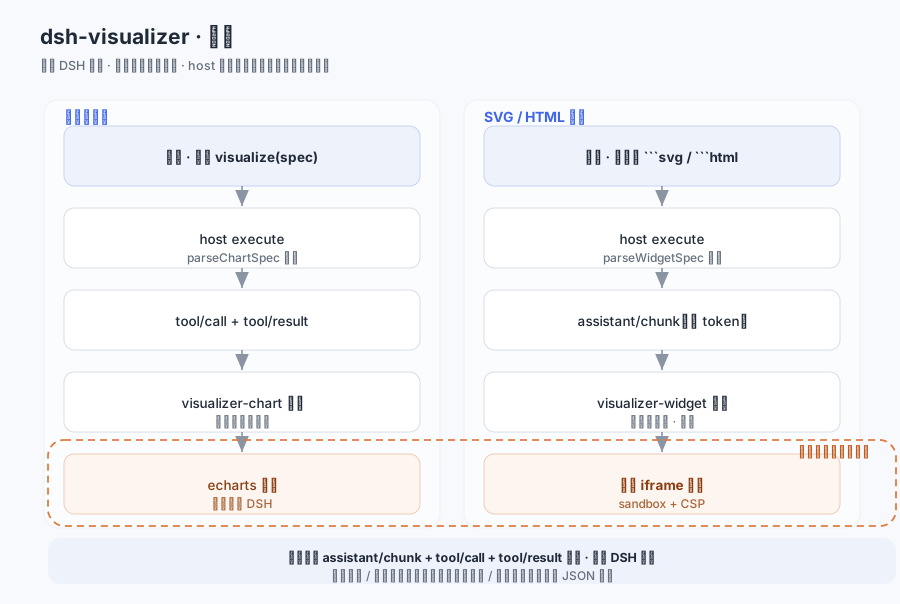
| Output | Trigger | Session events | Folded into | Render |
|---|---|---|---|---|
| Structured chart | visualize(spec) |
tool/call + tool/result | visualizer-chart |
echarts |
| Widget (delivered) | visualize(widget) |
tool/call + tool/result | visualizer-widget |
sandboxed iframe |
| Widget (streamed) | ```svg / ```html fences | assistant/chunk |
visualizer-widget (frame updates) |
sandboxed iframe |
assistant/chunk is an existing session event family: the agent-loop logs each StreamChunk as { turn, step, chunk }, and the web client's streaming text is exactly a fold of these events — the plugin reuses the same stream to obtain token-by-token output, without adding a new host-side event family.conversationEvents is a cordis Service an external plugin can inject; visualizer-widget folds the same batch of assistant/chunk events in parallel with the built-in assistant-step, without interference.conversation.chat.node is a keyed slot (replaceRisk: 'none'); registering a string key — { key: 'visualizer-chart' | 'visualizer-widget' } — is an additive contribution.ChatNodeViewProps / ConversationNodeDefinition / ChatNodeDataMap are all pure types, erased at build time, so they don't trip the client bundle's purity gate.match reads only the current event; every event of one Context carries or independently derives the same stable id (step:<turn>:<step> / widget:<callId>); update folds one Match per log seq, so it is replayable.| Layer | Handling |
|---|---|
| Model → spec / widget | host execute validates with parseChartSpec / parseWidgetSpec; invalid payloads are rejected (the tool errors) |
| Text stream → widget | the client WidgetScanner only recognizes line-leading ```svg / ```html fences; widget code is not markup-validated (any byte can be a legal prefix while streaming), so the security boundary lives at the render side |
| session log → client | the Definition's update/fallback re-parses the result text; the full assistant/message is the cold-replay recovery source |
| Render (widget) | two layers of isolation: iframe sandbox="" (no scripts / same-origin / forms / popups / navigation, opaque origin) + an injected CSP default-src 'none' in the srcdoc; code is inserted verbatim, so there is no sanitizer to bypass |
| Render (chart) | ChartSpec is pure data → echarts setOption; no HTML/SVG injection surface |
Any validation or render failure degrades (the node isn't rendered / the fence stays a plain code block / a JSON card) — never a blank row or a thrown error in the chat.
pnpm install
pnpm test        # pure-function unit tests (97 cases)
pnpm typecheck   # tsc --noEmit
pnpm build       # tsdown: host + replay + both channel client bundles
pnpm render-demo # regenerate docs/ demo images (needs a local Chrome)chartspec / widget / to-echarts / to-iframe / svg-geometry / the two folds) don't import DSH or touch the DOM, so they can be tested standalone in Node.src/client/index.tsx; the host tool entry is src/index.ts.import('echarts') and inlined into the client bundle (the registry route serves a single file, so it can't be code-split yet).>= 20; DSH: loaded through the external-plugin mechanism (profile bundle patch).@deepseek-ai/cordis, @deepseek-ai/dsh-client-runtime, @deepseek-ai/dsh-client-ui-conversation, @deepseek-ai/dsh-llm, @deepseek-ai/dsh-tools, react, react-dom.MIT · Copyright (c) 2026 Moses14159
CLASSIFICATION EVIDENCE
系统优先读取 GitHub Topics,再与站内分类词典和词根规则比对。当前命中: 无有效分类标签。
deepseek-ai
DeepSeek Harness: Everything is a Plugin.

anywhere-labs
为 DeepSeek Harness (DSH) 插件生态打造的现代化桌面端解决方案。万物皆「插件」,桌面本身也是「插件」。

awesome-dsh-plugin
A curated list of plugins for DeepSeek Harness (dsh) · DeepSeek Harness 插件精选列表