
其他
完整应用

deepseek-harness
deepseek-ai
DeepSeek Harness: Everything is a Plugin.
PROJECT TOPICS
PROJECT README
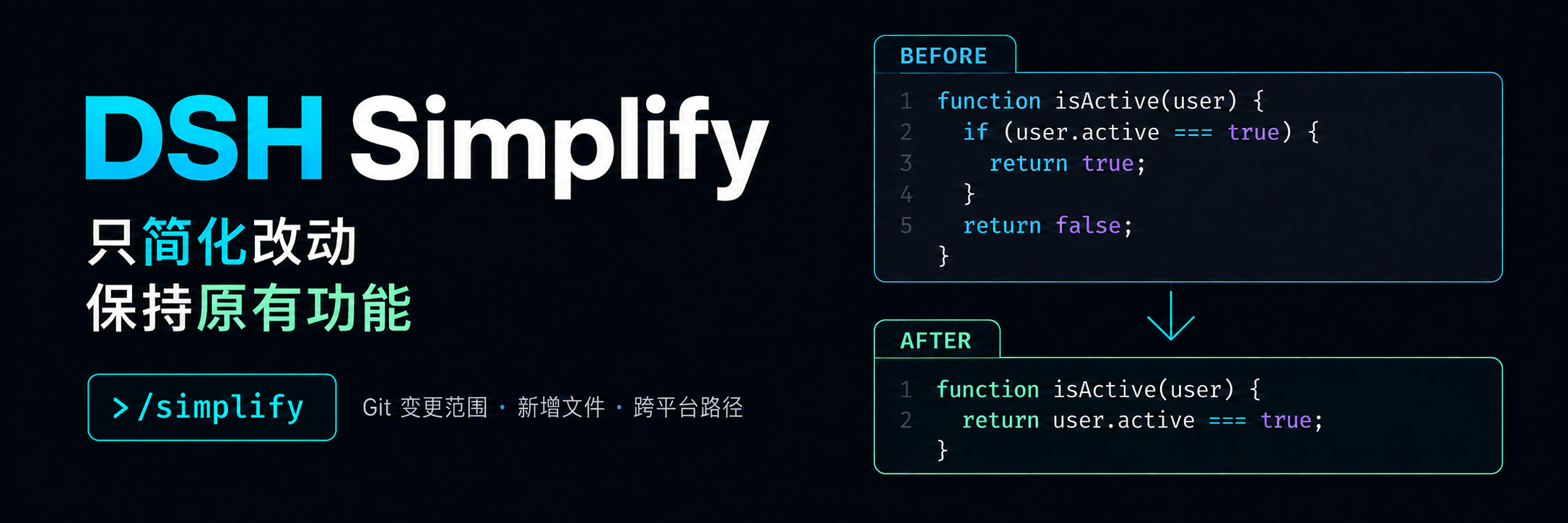
Simplify recently changed code in DeepSeek Harness while preserving behavior.
简体中文 · Installation · Usage · Troubleshooting · Changelog · Apache-2.0




DSH Simplify is a community-maintained DeepSeek Harness plugin, not an official DeepSeek AI product. Enter
/simplifyin the current session to ask the Agent to improve code within your Git changes while preserving behavior. Supports DSH Web and desktop apps that include DSH Web.
Command messages and prompts are in Simplified Chinese.
After a round of coding, use /simplify to ask the current Agent to improve the clarity of your changes while preserving behavior.
The command queues a simplification task. Check the Agent’s subsequent response and actual diff to confirm edits and validation are complete.
For a desktop workbench, download DSH Codex Desktop. Existing DeepSeek Harness installations can add plugins as needed by following each project's README. Below are 11 first-party plugins; consult the corresponding desktop release notes and bundled catalog for what that version includes.
| Plugin | What you can do |
|---|---|
| Codex UI | Organize projects and conversations, search tasks, and navigate chat turns |
| Agency Agents | Choose and summon specialists for your task |
| Skills Manager | Find, enable, create, and import local skills |
| Archive Manager | Search, restore, or clean up archived conversations |
| IM Connect | Send tasks and receive replies through messaging platforms |
| Automation | Schedule tasks and review each run |
| BTW | Ask side questions without interrupting the main task |
| Simplify | Use /simplify to improve code within your Git changes |
| PUA | Guide the Agent to try new approaches after failures, investigate causes, and verify results before completion |
| Code Review | Use /review to request an independent Agent code review and receive the report in the current conversation |
| Codex Pet | View conversation notifications and respond to tool approvals and questions through a desktop pet |
dsh is available in your terminal, and the host provides the commands and subprocess services.0.1.0-rc.8 || 0.1.1-rc.2 || 0.1.2-rc.1 || 0.1.5-rc.1 || 0.1.5-rc.2 || 0.1.6-alpha.1 || 0.1.6-alpha.2.The current version is 0.1.7. The commands below use the web profile; replace it for your environment. Disable other plugins that register /simplify before installation.
Send the prompt below to any agent that can run terminal commands on your computer. Replace web with your actual profile. Once installed, use the plugin in DSH.
Install the DSH plugin @michengai/dsh-simplify into my local web profile by running: dsh plugin --profile web add @michengai/dsh-simplify@0.1.7 --registry=https://registry.npmjs.org/. Then run dsh --profile web --dump-config, confirm the configuration includes michengai-simplify, and explain how to reload DSH and start using the plugin.[Console]::OutputEncoding = [System.Text.Encoding]::UTF8
$OutputEncoding = [System.Text.Encoding]::UTF8
dsh plugin --profile web add @michengai/dsh-simplify@0.1.7 --registry=https://registry.npmjs.org/Download the published tgz from the GitHub Release, then run this from the package directory:
[Console]::OutputEncoding = [System.Text.Encoding]::UTF8
$OutputEncoding = [System.Text.Encoding]::UTF8

dsh plugin --profile web add .\michengai-dsh-simplify-0.1.7.tgz --ignore-scriptsInstall or update after the current task finishes, since desktop apps may reload automatically. If the plugin does not take effect, use the desktop app's reload action or restart dsh web; refreshing the browser alone is insufficient.
Run dsh --profile web --dump-config and confirm that it includes michengai-simplify. Check for sensitive settings before sharing the full configuration. Then enter /simplify in a session associated with a Git project.
After a round of coding, enter this in the current Git project session:
/simplifyWait for the Agent to finish editing and validation, then inspect the actual diff. Use the options below to narrow the scope.
| Input | Scope |
|---|---|
/simplify |
Net changes from HEAD to the working tree, including untracked files; fall back to the last commit only when there are no changes |
/simplify --staged |
Staged changes only; reject selected staged files that also have unstaged changes |
/simplify --ref=main |
The specified commit to the working tree, including untracked files; no fallback |
/simplify --ref HEAD |
Explicit HEAD scope without previous-commit fallback |
/simplify src/a.ts "src/中文 文件.ts" |
Changes in selected files; review untracked files in full |
/simplify src |
Expand changed files within a directory |
/simplify -- --special.ts |
Use the option terminator for paths starting with a hyphen |
--ref accepts branches, tags, and single-commit expressions, not a..b or a...b. It cannot be combined with --staged.--staged includes only staged files. Select files or directories to narrow the scope; file count and size limits still apply. A clean repository with only one commit returns no changes.| Result | Meaning |
|---|---|
已提交 N 个文件的简化审查 |
Review of N files was queued. The Agent has not necessarily finished editing or testing. |
没有可简化的当前代码行 |
No current lines are eligible. No model request is made; skipped-file details may be included. |
| An error message | A reliable scope could not be established. No model request is made; address the reported issue before retrying. |
The input clears after Enter, but no answer appears. Empty reviews do not start the Agent. In a reported case, the backend returned success and skipped two CHANGELOG files because no eligible current lines were found. Some host interfaces do not visibly display these command results; feedback visibility is still under investigation. A successful backend response does not establish that the UI displayed it.
The current directory is not a Git repository. Use a session in the correct Git project, or initialize the project yourself. The plugin does not initialize repositories, stage files, or create commits.
Staged files also have unstaged changes. Save or resolve those changes yourself before using --staged, or use default /simplify to review net working-tree changes. The plugin does not reset or stash changes.
The installer reports missing peer dependencies. Official packages may be supplied by the DSH host runtime. Verify actual resolved versions and backend loading before installing duplicate host packages into the profile. Versions must still satisfy package.json.
Timeout, excessive output, or an outdated snapshot. Narrow the scope to specific files or directories and retry after concurrent edits finish.
The plugin performs read-only Git queries and local file reads. It does not automatically run git add, commit, reset, or stash. Git arguments are passed through DSH subprocess as argv, independent of PowerShell or Bash quoting rules.
Scope is a prompt instruction, not a file-write permission boundary. The Agent edits and tests using host tools and user authorization. This plugin does not intercept writes from other tools or guarantee that files remain unchanged after queuing. A queued review is not a completed simplification.
The implementation assumes the local filesystem and local subprocess share the same workspace. Remote subprocess and remote filesystem combinations have not been verified.
The repository and index are determined from the session working directory and Git worktree metadata. Child processes do not inherit repository-local environment overrides such as GIT_DIR, GIT_WORK_TREE, GIT_INDEX_FILE, or temporary configuration overrides. Ordinary user and repository configuration is preserved. The repository returned by Git must contain the session working directory.
Git failures, signals, cancellation, timeouts, truncated output, unresolved conflicts, and stale snapshots prevent prompt delivery. They are not interpreted as an empty diff. The patch parser counts old and new lines against each hunk header, rejects incomplete bodies, and excludes context lines from editable ranges. Explicit paths that do not exist, are ignored, or lie outside the repository return errors.
Deleted files, deletion-only hunks, rename-only changes, binary files, non-regular files, and files over 5 MiB are excluded from editable ranges with reasons. Submodules are excluded from diff collection. Skipping all detected changes does not expand the review scope. Limits are 200 changed files, 30 seconds per Git command, and 60 seconds for scope collection, with up to 1 additional second for process termination. Git stdout is capped at 8 MiB, stderr at 64 KiB, and prompts at 128 KiB.
Across all files, collection is limited to 4,096 separate line ranges and 128 KiB of review metadata, including skipped-file details. Exceeding either limit stops collection instead of submitting a partial review. Consecutive changed lines count as one range. The final prompt is independently checked against its 128 KiB limit; select files or directories to narrow an oversized scope.
--staged first checks that selected staged files match the working tree. Before queuing, the plugin rechecks the index, HEAD, and file SHA-256 hashes to avoid applying index line numbers to different working-tree content. The Agent is instructed to verify snapshots again before editing and stop simplifying a file if its content has changed, requiring a new command invocation.
[Console]::OutputEncoding = [System.Text.Encoding]::UTF8
$OutputEncoding = [System.Text.Encoding]::UTF8

dsh plugin --profile web remove @michengai/dsh-simplify
Reload DSH manually if the desktop app does not reload automatically. Uninstalling does not undo code changes already made by the Agent.
[Console]::OutputEncoding = [System.Text.Encoding]::UTF8
$OutputEncoding = [System.Text.Encoding]::UTF8

git clone https://github.com/MichengAI/dsh-simplify.git
Set-Location dsh-simplify
npm ci --ignore-scripts
npm run check
dsh plugin --profile web add . --ignore-scripts
The entry point is lib/index.js, so build before installing. Keep the source directory when the profile uses a local link.
Development dependencies are pinned to DSH 0.1.6-alpha.2.
[Console]::OutputEncoding = [System.Text.Encoding]::UTF8
$OutputEncoding = [System.Text.Encoding]::UTF8
npm ci --ignore-scripts
npm run check
npm pack --dry-run
Tests use real temporary Git repositories to cover paths, untracked files, fallback, conflicts, staged mismatches, stale snapshots, and execution errors. Fixtures are created under .test-tmp and cleaned up on normal completion.
tests/host.test.mjs uses the DSH runtime in the project’s node_modules by default. Set DSH_RUNTIME_ROOT to use another runtime's node_modules path. When detected, it runs isolated integration checks for real service registration, Git execution, message delivery, and disposal; otherwise, that test is explicitly skipped. Tests do not call a model or modify installed profiles.
GitHub Actions checks types and tests on Windows, Linux, and macOS, using the host runtime from development dependencies through DSH_RUNTIME_ROOT. Publishing a stable GitHub Release starts publish.yml: it runs all three platform checks, validates the version, bilingual release notes, and package contents, publishes through npm Trusted Publishing, and uploads the same tgz to the Release. Configure publish.yml as the workflow filename in npm and allow npm publish; no publishing token is required.
| Path | Responsibility |
|---|---|
src/args.ts |
Command argument parsing |
src/exec.ts |
DSH subprocess, Git failures, cancellation, and timeouts |
src/git.ts |
Git scope, NUL parsing, line ranges, and snapshot verification |
src/prompt.ts |
Editing task, scope, and verification instructions |
src/command.ts, src/index.ts |
Command handling, delivery, and lifecycle |
tests |
Regression and host integration checks |
Apache-2.0, Copyright 2026 MichengAI.
CLASSIFICATION EVIDENCE
系统优先读取 GitHub Topics,再与站内分类词典和词根规则比对。当前命中: 无有效分类标签。
deepseek-ai
DeepSeek Harness: Everything is a Plugin.

anywhere-labs
为 DeepSeek Harness (DSH) 插件生态打造的现代化桌面端解决方案。万物皆「插件」,桌面本身也是「插件」。

awesome-dsh-plugin
A curated list of plugins for DeepSeek Harness (dsh) · DeepSeek Harness 插件精选列表