





其他
完整应用

deepseek-harness
deepseek-ai
DeepSeek Harness: Everything is a Plugin.
PROJECT TOPICS
PROJECT README
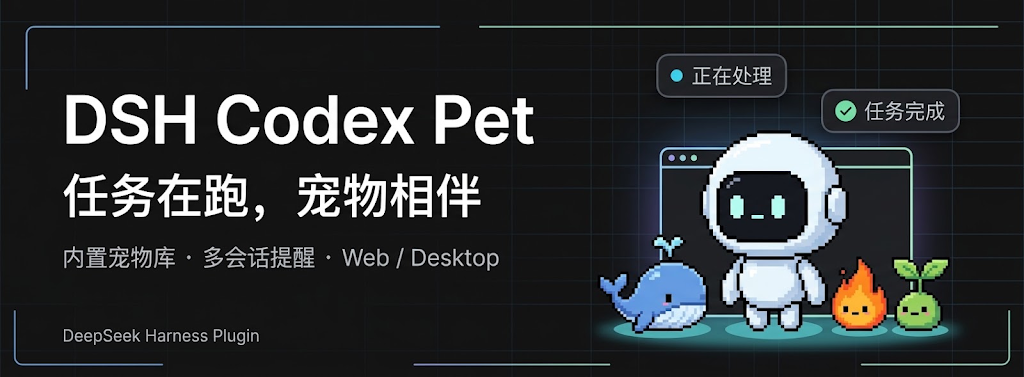
DSH Codex Pet is a community-maintained pet plugin for DeepSeek Harness (DSH), not an official OpenAI or DeepSeek AI product.
Keep a companion nearby while you work in DSH, follow task progress, and handle requests that need your attention. Choose a built-in pet or create your own with a Skill.
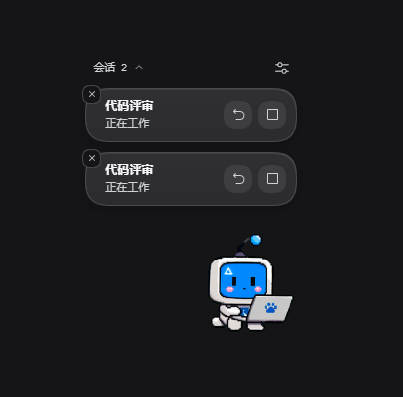
hatch-pet Skill.See running tasks beside your companion, with separate controls to open the conversation, stop its current turn, or dismiss its reminder.
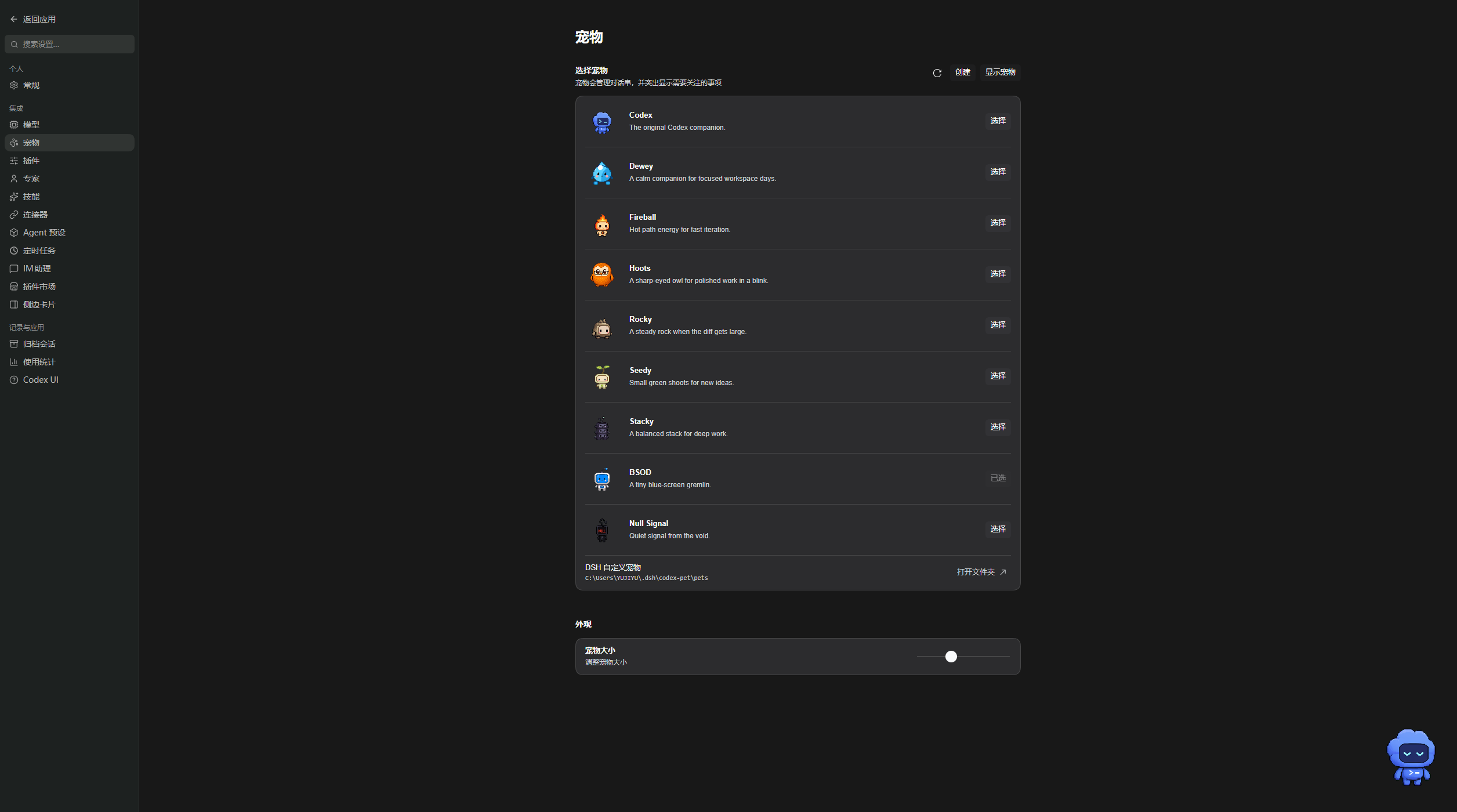
Choose from the nine built-in pets, access the custom pet directory, and adjust the pet size.
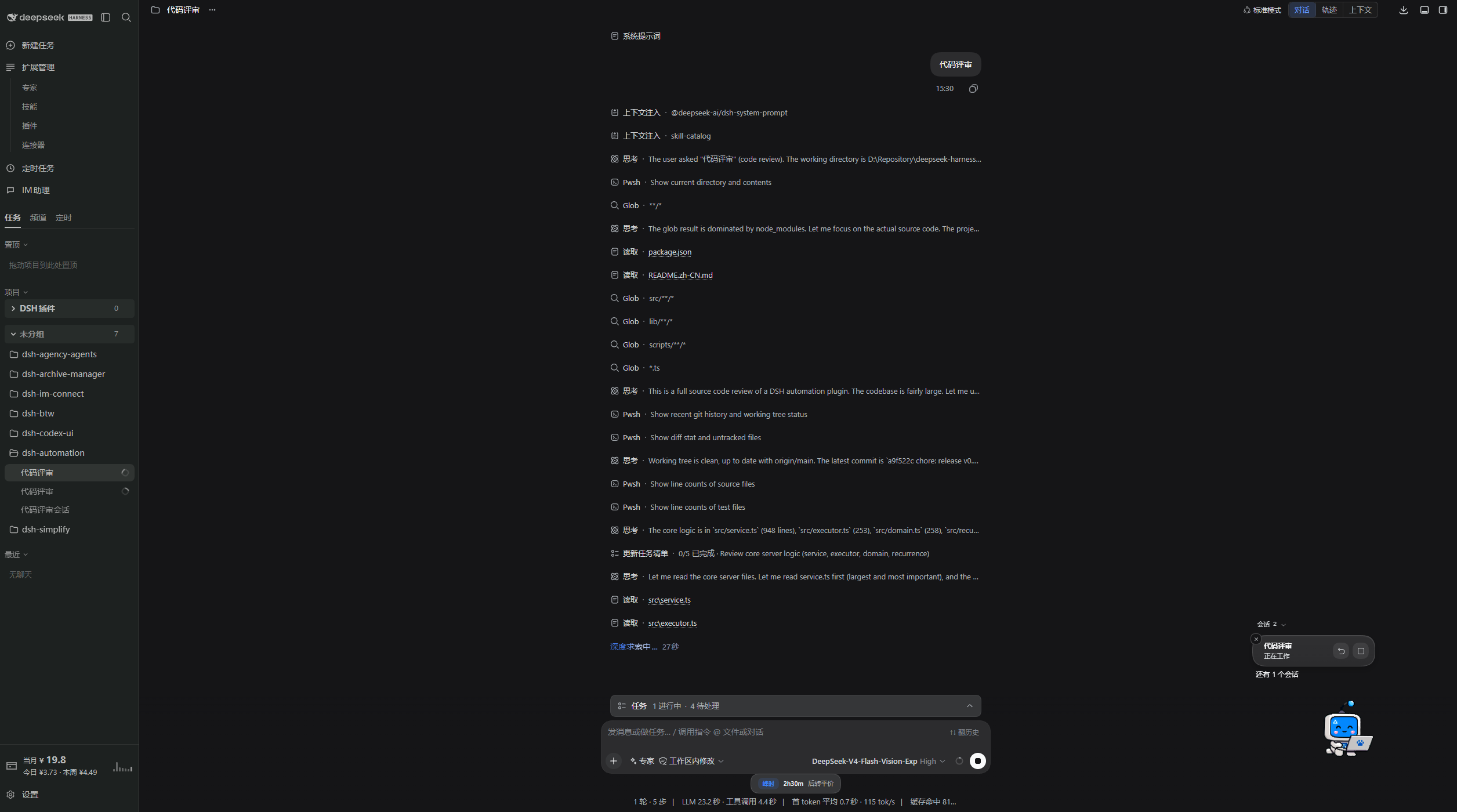
Keep working in DSH while the pet and task notifications remain in the corner of the page.
For a desktop workbench, download DSH Codex Desktop. Existing DeepSeek Harness installations can add plugins as needed by following each project's README. Below are 11 first-party plugins; consult the corresponding desktop release notes and bundled catalog for what that version includes.
| Plugin | What you can do |
|---|---|
| Codex UI | Organize projects and conversations, search tasks, and navigate chat turns |
| Agency Agents | Choose and summon specialists for your task |
| Skills Manager | Find, enable, create, and import local skills |
| Archive Manager | Search, restore, or clean up archived conversations |
| IM Connect | Send tasks and receive replies through messaging platforms |
| Automation | Schedule tasks and review each run |
| BTW | Ask side questions without interrupting the main task |
| Simplify | Use /simplify to improve code within your Git changes |
| PUA | Guide the Agent to try new approaches after failures, investigate causes, and verify results before completion |
| Code Review | Use /review to request an independent Agent code review and receive the report in the current conversation |
| Codex Pet | View conversation notifications and respond to tool approvals and questions through a desktop pet |
Supported DeepSeek Harness versions: 0.1.0-rc.8, 0.1.1-rc.2, 0.1.2-rc.1, 0.1.5-rc.1, 0.1.5-rc.2, 0.1.6-alpha.1, 0.1.6-alpha.2, and 0.1.7-alpha.1. New compatibility is added without dropping these older releases. Make sure the dsh command is available. The example uses the web profile; replace it with your target profile.
[Console]::OutputEncoding = [System.Text.Encoding]::UTF8
$OutputEncoding = [System.Text.Encoding]::UTF8

dsh plugin --profile web add @michengai/dsh-codex-pet@latest --registry=https://registry.npmjs.org/ --ignore-scripts
Restart DSH after installation, then open Settings → Pets.
Open Settings → Pets (宠物 in the current UI), or open settings from the pet's right-click menu.
| Goal | Action |
|---|---|
| Pick a companion | Select a pet in settings and adjust its size. |
| Move or play | Drag the pet to move it; double-click to jump. |
| Read task updates | Read the notification bubbles; expand the list when several tasks need attention. |
| Continue a conversation | Click its notification or reply control to open the corresponding DSH task. |
| Handle a request | Open the request details and answer the supported approval, question, or plan prompt. |
| Stop a task turn | Click the stop control on that running task's notification. |
| Dismiss a reminder | Click its close control. The task continues running. |
| Hide or restore the pet | Use the right-click menu or pet settings. |
The pet is a notification and action surface. Start new conversations and write follow-up messages in the main DSH interface.
Known issue: in DSH 0.1.5-rc.2, stopping a task before the model starts responding may cause the pet to show a failure notification.
创建), and describe the companion.在 DSH 中创建). The plugin opens a dedicated task and sends the bundled Skill instructions.Creating pets requires an image-generation tool configured in DSH.
Use Settings → Pets → Check for updates. If automatic installation is unavailable, copy the update command shown in the dialog. Wait for running tasks to finish, then update and restart DSH as prompted.
To uninstall:
[Console]::OutputEncoding = [System.Text.Encoding]::UTF8
$OutputEncoding = [System.Text.Encoding]::UTF8

dsh plugin --profile web remove @michengai/dsh-codex-pet
Custom pets are stored in .dsh/codex-pet/pets under your user directory by default; open the folder from pet settings. If DSH_HOME is set, pets are stored in its codex-pet/pets folder. Uninstalling keeps those files and settings.
See the development and validation guide (Chinese) for local development, testing, and release procedures.
Original plugin code is licensed under Apache License 2.0. Bundled pet artwork originates from OpenAI Codex and is excluded from this project's Apache-2.0 license grant; see NOTICE.
CLASSIFICATION EVIDENCE
系统优先读取 GitHub Topics,再与站内分类词典和词根规则比对。当前命中: 无有效分类标签。
deepseek-ai
DeepSeek Harness: Everything is a Plugin.

anywhere-labs
为 DeepSeek Harness (DSH) 插件生态打造的现代化桌面端解决方案。万物皆「插件」,桌面本身也是「插件」。

awesome-dsh-plugin
A curated list of plugins for DeepSeek Harness (dsh) · DeepSeek Harness 插件精选列表