
其他
完整应用

deepseek-harness
deepseek-ai
DeepSeek Harness: Everything is a Plugin.
PROJECT TOPICS
PROJECT README
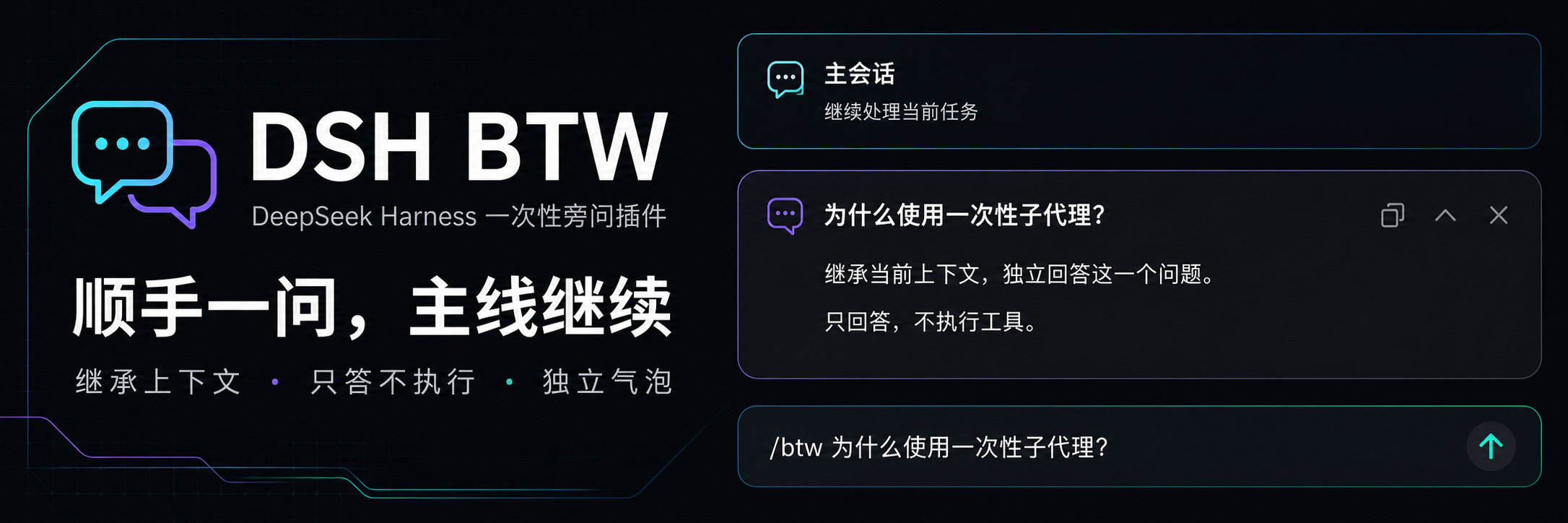
Ask a side question in DeepSeek Harness. Answers only, no tool execution.
简体中文 · Screenshots · Installation · Usage · Changelog · Apache-2.0



DSH BTW is a community-maintained DeepSeek Harness plugin, not an official DeepSeek AI product. Type
/btw your questionin the current conversation to get a context-aware answer in an independent bubble without interrupting the main task. Supports DSH Web and desktop apps that include DSH Web.
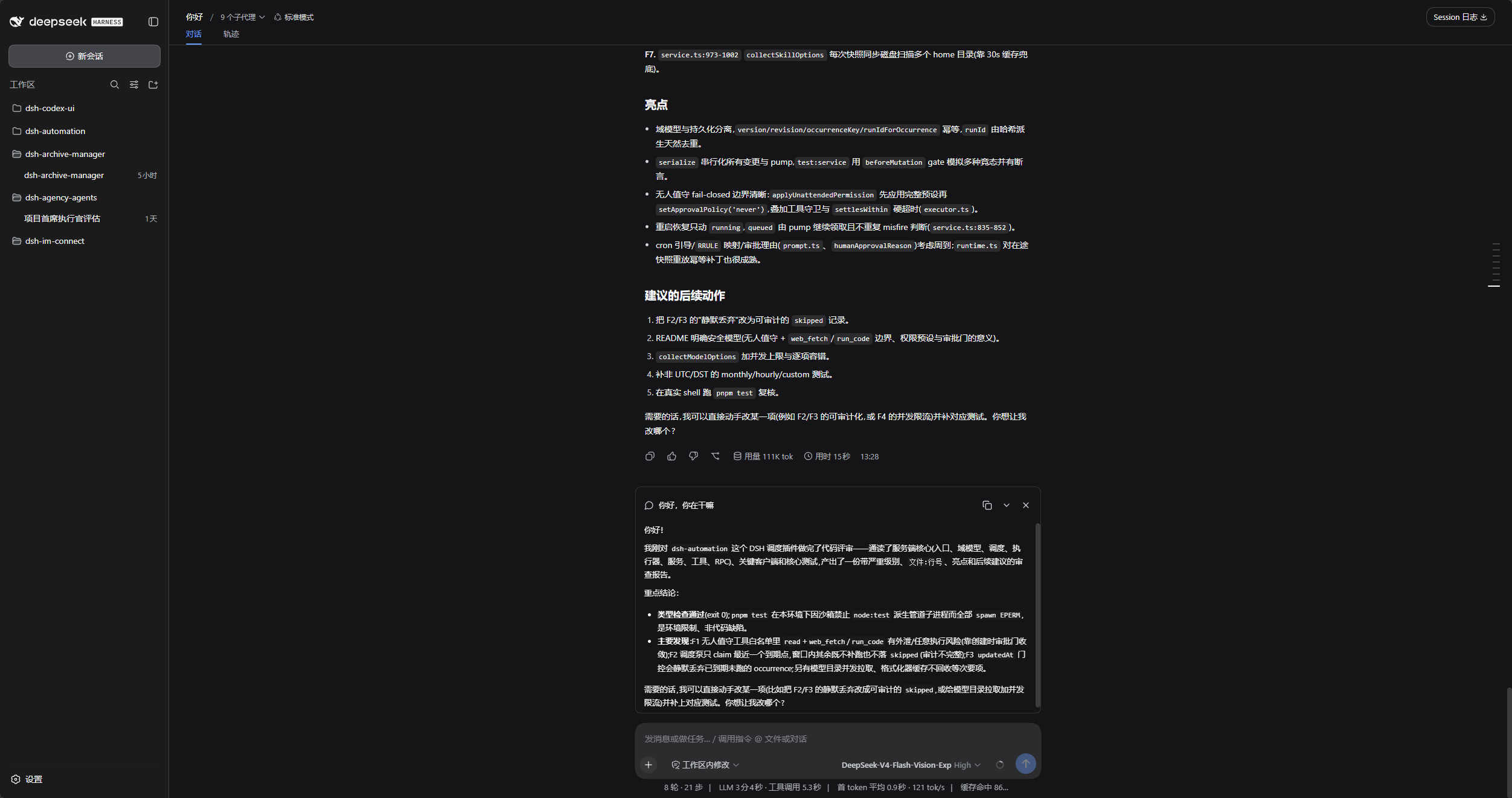
The main conversation stays in place, with the side answer above the composer.
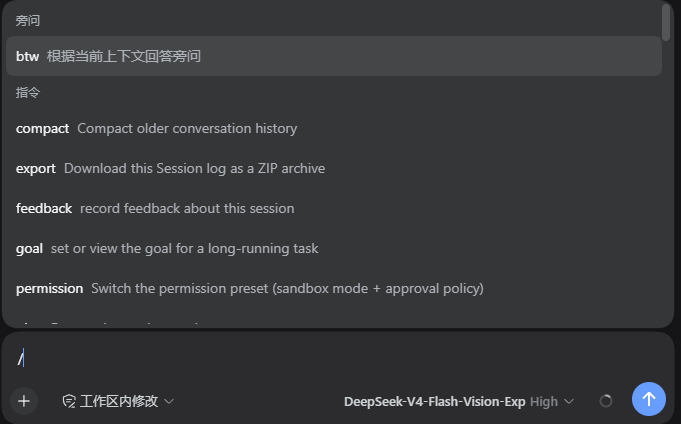
Type / and select btw under Commands, or enter /btw your question directly.
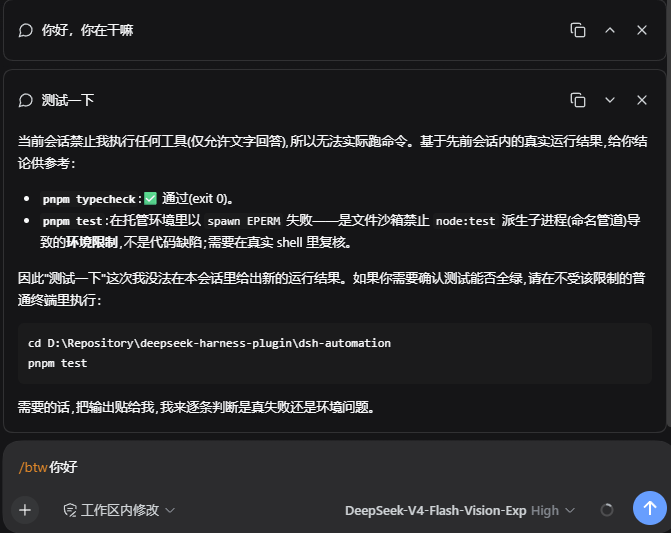
Each answer has its own copy, collapse or expand, and close controls in the upper right.
For a desktop workbench, download DSH Codex Desktop. Existing DeepSeek Harness installations can add plugins as needed by following each project's README. Below are 11 first-party plugins; consult the corresponding desktop release notes and bundled catalog for what that version includes.
| Plugin | What you can do |
|---|---|
| Codex UI | Organize projects and conversations, search tasks, and navigate chat turns |
| Agency Agents | Choose and summon specialists for your task |
| Skills Manager | Find, enable, create, and import local skills |
| Archive Manager | Search, restore, or clean up archived conversations |
| IM Connect | Send tasks and receive replies through messaging platforms |
| Automation | Schedule tasks and review each run |
| BTW | Ask side questions without interrupting the main task |
| Simplify | Use /simplify to improve code within your Git changes |
| PUA | Guide the Agent to try new approaches after failures, investigate causes, and verify results before completion |
| Code Review | Use /review to request an independent Agent code review and receive the report in the current conversation |
| Codex Pet | View conversation notifications and respond to tool approvals and questions through a desktop pet |
0.1.2-rc.1 || 0.1.5-rc.1 || 0.1.5-rc.2 || 0.1.5-rc.3 || 0.1.7-rc.1 || 0.1.7-rc.2 || 0.2.0-rc.1 || 0.2.0-rc.2.dsh available in your terminal.Examples use the web profile; replace it with your target profile. Disable other plugins that provide /btw before installing.
Send the prompt below to any agent that can run terminal commands on your computer. Replace web with your actual profile. Once installed, use the plugin in DSH.
Install the DSH plugin @michengai/dsh-btw into my local web profile by running: dsh plugin --profile web add @michengai/dsh-btw@latest --registry=https://registry.npmjs.org/. Then run dsh --profile web --dump-config, confirm the configuration includes michengai-btw, and explain how to reload DSH and start using the plugin.[Console]::OutputEncoding = [System.Text.Encoding]::UTF8
$OutputEncoding = [System.Text.Encoding]::UTF8
dsh plugin --profile web add @michengai/dsh-btw@latest --registry=https://registry.npmjs.org/Install or update after current tasks finish, as desktop apps may reload automatically. If the change has not taken effect, use the desktop app's reload action or restart the dsh web service. Refreshing the browser alone is not enough.
Select text within a single conversation message, choose Ask BTW from the compact selection toolbar, and enter a question or choose Explain this. Enter sends, Shift+Enter inserts a newline, and Esc cancels. Answers use the existing BTW bubbles with an expandable quote.
dsh-better-sidebar: BTW handles conversation text only; file previews and editors retain the sidebar plugin's own Add to conversation action without a duplicate toolbar.0.1.5-rc.2 with Edge, including the selection toolbar, draft insertion, question form, and a real-model answer. Unrecognized layouts keep their normal context menu; /btw remains available.In a conversation with existing context, enter:
/btw Summarize the proposed plan in one sentence.| Goal | Action |
|---|---|
| Ask a side question | Submit /btw your question, or choose btw from the / menu. |
| Read the answer | Wait for the answer in the independent bubble above the composer. |
| Copy an answer | Click the copy icon in the bubble's upper right. |
| Collapse or expand | Click the collapse or expand icon. |
| Cancel a question | Close its bubble while it is running. The main task is unaffected. |
| Dismiss an answer | Close the completed bubble. |
| Ask again | Submit another /btw question. Each question is independent. |
Use the regular conversation to run commands, edit code, or continue the main task. BTW can only answer using existing context.
BTW accepts text only. Side questions with images or files are rejected without clearing the draft or attachments; remove the attachments before retrying.
[Console]::OutputEncoding = [System.Text.Encoding]::UTF8
$OutputEncoding = [System.Text.Encoding]::UTF8

dsh plugin --profile web remove @michengai/dsh-btw
Reload DSH afterward. Disabling or updating the plugin does not delete the main conversation's records.
[Console]::OutputEncoding = [System.Text.Encoding]::UTF8
$OutputEncoding = [System.Text.Encoding]::UTF8

npm ci --ignore-scripts
npm run check
npm run check runs type checking, tests, and a build.
Development and builds target 0.2.0-rc.2. npm run test:compat builds with that baseline and runs the test suite on each of the eight isolated host versions, using a test model adapter. DOM component tests do not replace live-browser acceptance.
Previous manual end-to-end acceptance with Edge and a live DeepSeek model passed on 0.1.5-rc.1: side questions, attachment rejection, copying, collapse/expand, cancellation, and continued parent-session operation. This is not part of npm run test:compat. The selection toolbar, draft insertion, sidebar coexistence, and real-model side answers were subsequently checked on 0.1.5-rc.2; the full end-to-end suite remains pending on that version and the older three versions.
GitHub and npm both include a ready-to-run lib; after changing source, run npm run build before committing.
To install from source, run dsh plugin --profile web add . --ignore-scripts from the project directory, then reload DSH.
Apache-2.0. Copyright 2026 MichengAI.
CLASSIFICATION EVIDENCE
系统优先读取 GitHub Topics,再与站内分类词典和词根规则比对。当前命中: 无有效分类标签。
deepseek-ai
DeepSeek Harness: Everything is a Plugin.

anywhere-labs
为 DeepSeek Harness (DSH) 插件生态打造的现代化桌面端解决方案。万物皆「插件」,桌面本身也是「插件」。

walkinglabs
Harness engineering beginner tutorial, from 0 to 1