
模型与 MCP
待识别

rea
morluto
Reverse engineer anything with agents, from app behavior down to native binaries.
PROJECT TOPICS
INSTALL REFERENCE
dsh plugin --profile web add github:Meinianda-L/folio
该命令指向仓库当前默认分支;尚无绑定当前 commit 的完整验证结果。
PROJECT README

A LaTeX writing workspace for DeepSeek Harness.
Source beside its PDF, with an assistant that proposes edits — and you decide.
English · 简体中文
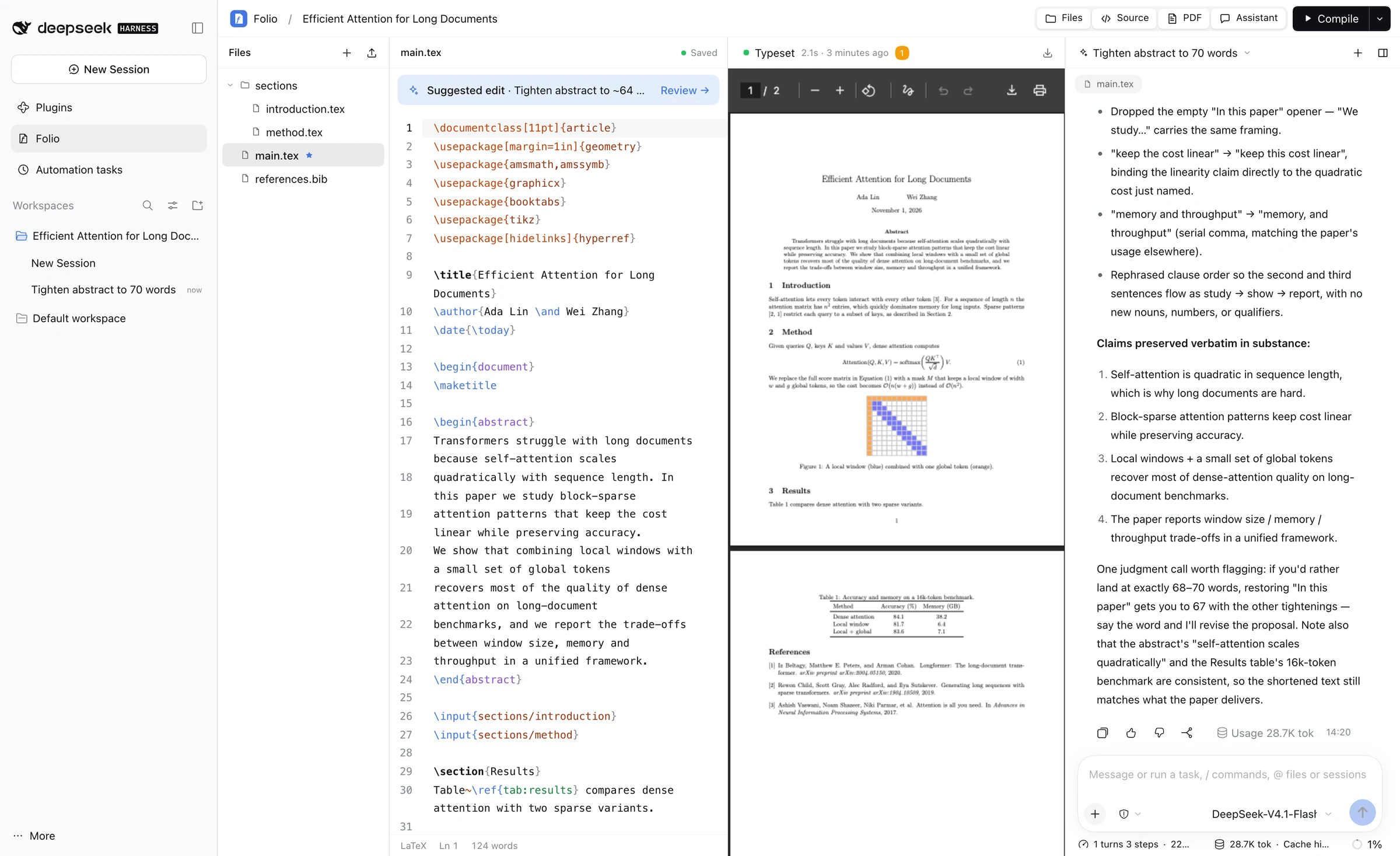
Folio is a DeepSeek Harness (DSH) plugin. It adds a Folio page to the Harness sidebar where you write LaTeX, typeset it to PDF, and work with an AI assistant that runs on the models you have already configured in Harness. Everything is local: manuscripts are plain folders on your disk, TeX runs on your machine, and there are no extra accounts or API keys.
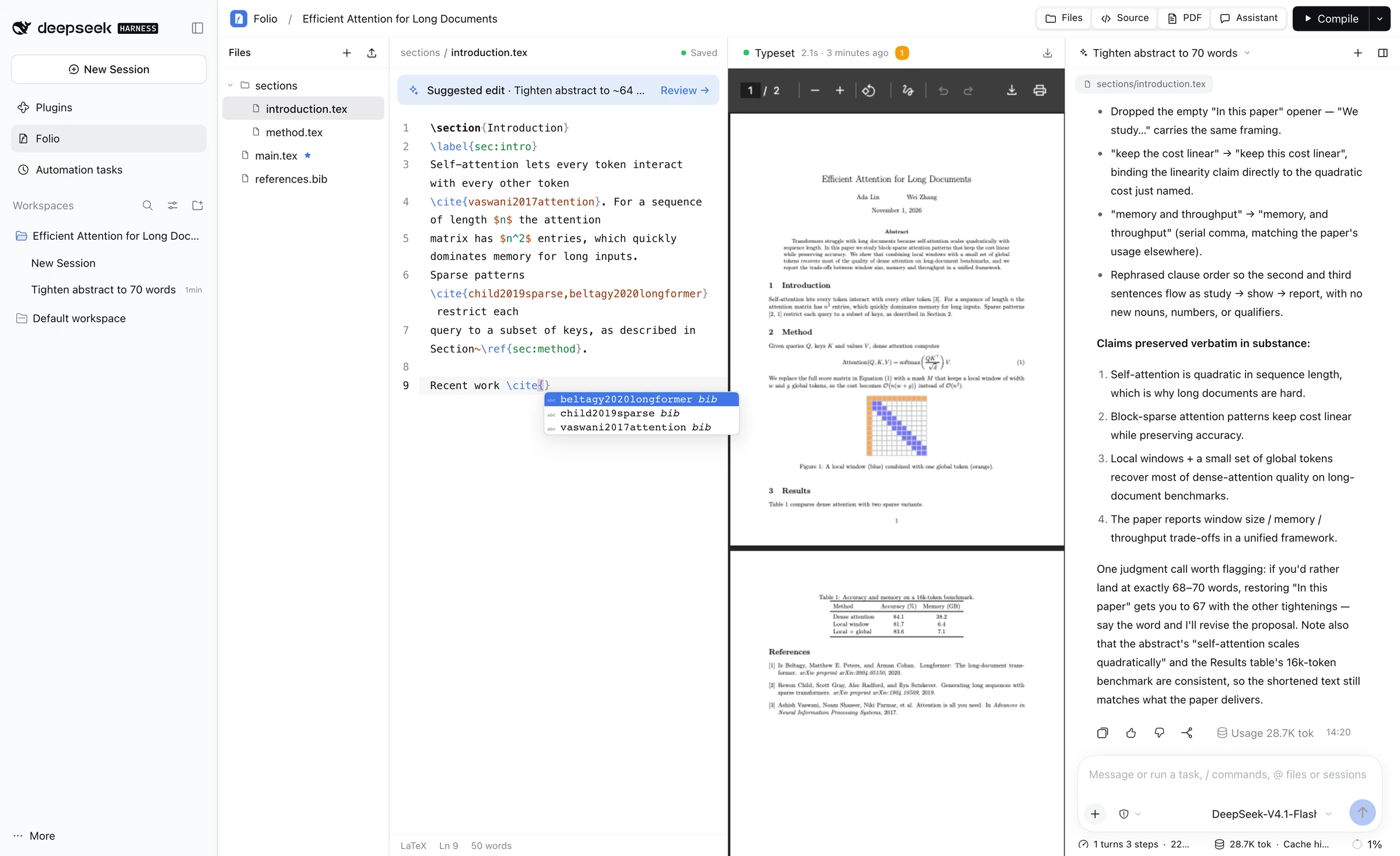
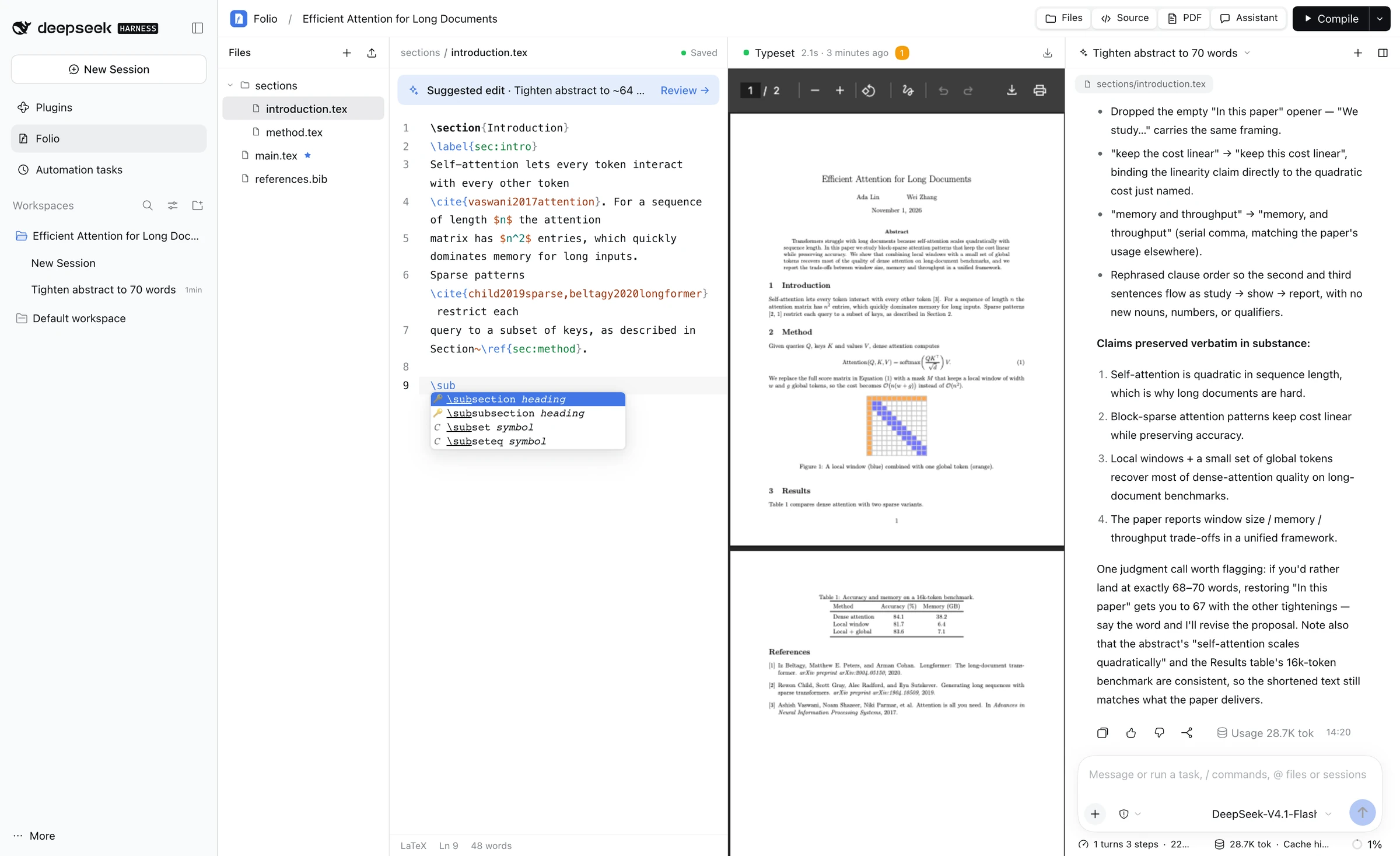
PATH doesn't include it, and a Test rendering button checks every engine, BibTeX/Biber and Chinese (ctex) output..zip (e.g. an Overleaf download) or a folder; Folio picks the main file and engine for you.\ completion. About 150 common commands and 30+ environments, with Tab stops for arguments.\ref{ / \cref{ complete every \label in the project, \cite{ completes keys from your .bib files, and \input{, \includegraphics{, \usepackage{ and \documentclass{ complete files, packages and classes.+ / -, ⌘/Ctrl + 0 for fit width, or the zoom menu (fit width, fit page, 50–400%).\input. Show in PDF (toolbar or right-click) scrolls to and highlights the current line.Folio replaces the browser's menu everywhere except text fields, links and the chat transcript:
 |
 |
\cite{ completes keys from references.bib |
\ completes commands and environments with snippets |
Open TeX environment from the library (the TeX status pill) or the Compile menu.
PATH, then the usual locations: /Library/TeX/texbin, /usr/local/texlive/*/bin/*, TinyTeX, Homebrew, and TeX Live/MiKTeX on Windows..git, __MACOSX and build products (.aux, .log, .synctex.gz, …) are skipped.\documentclass (preferring main.tex). The engine comes from a % !TEX program = line, or XeLaTeX for fontspec/ctex/xeCJK and LuaLaTeX for luacode/luatexja, otherwise pdfLaTeX.folio_project: list and read files, compile, read the last build, and propose_patch (exact find/replace edits, or a full file).
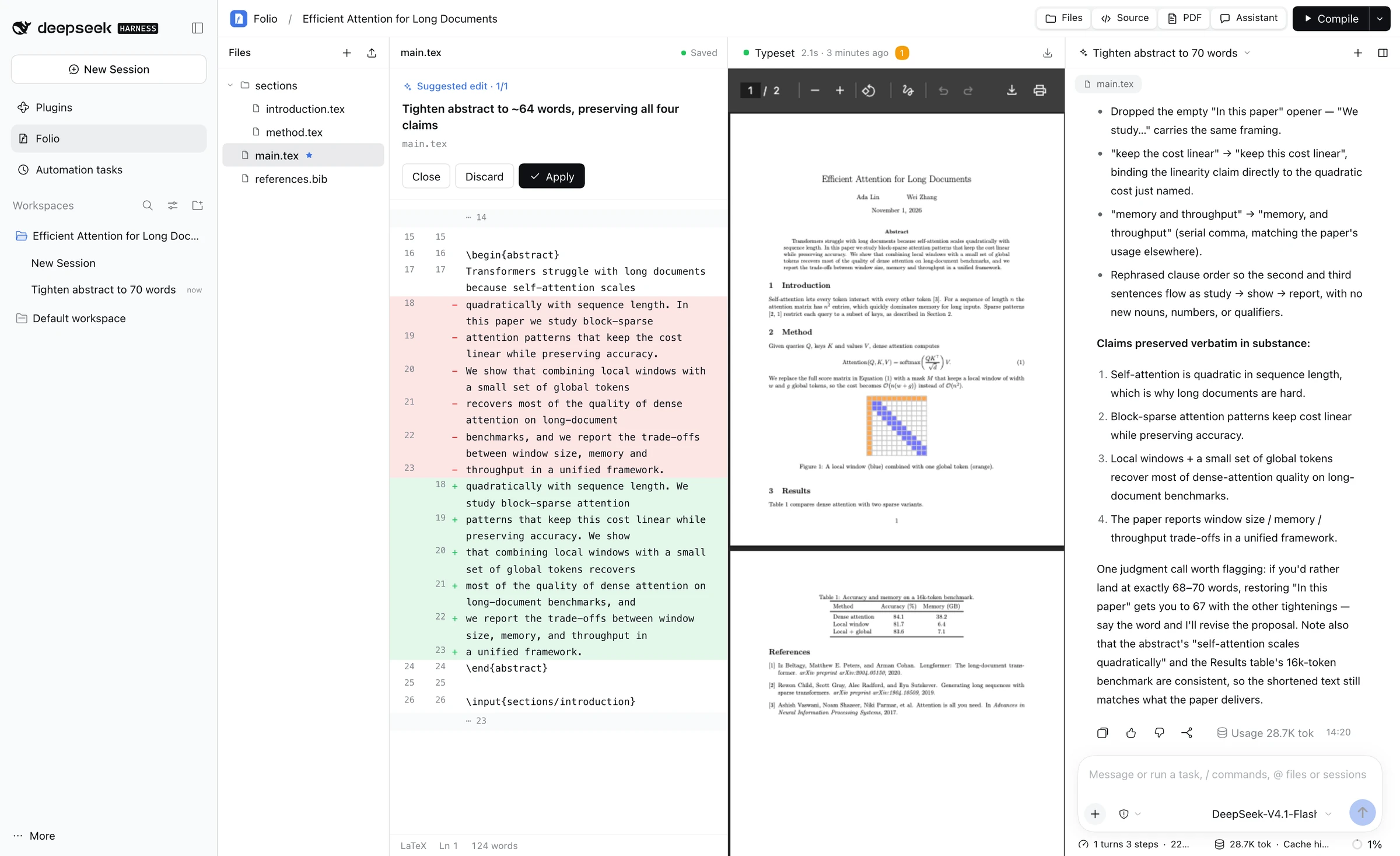
A suggested edit opens as a diff. Apply writes it, but only if the file hasn't changed since the suggestion was made.
| Floating assistant | Docked at the bottom |
|---|---|
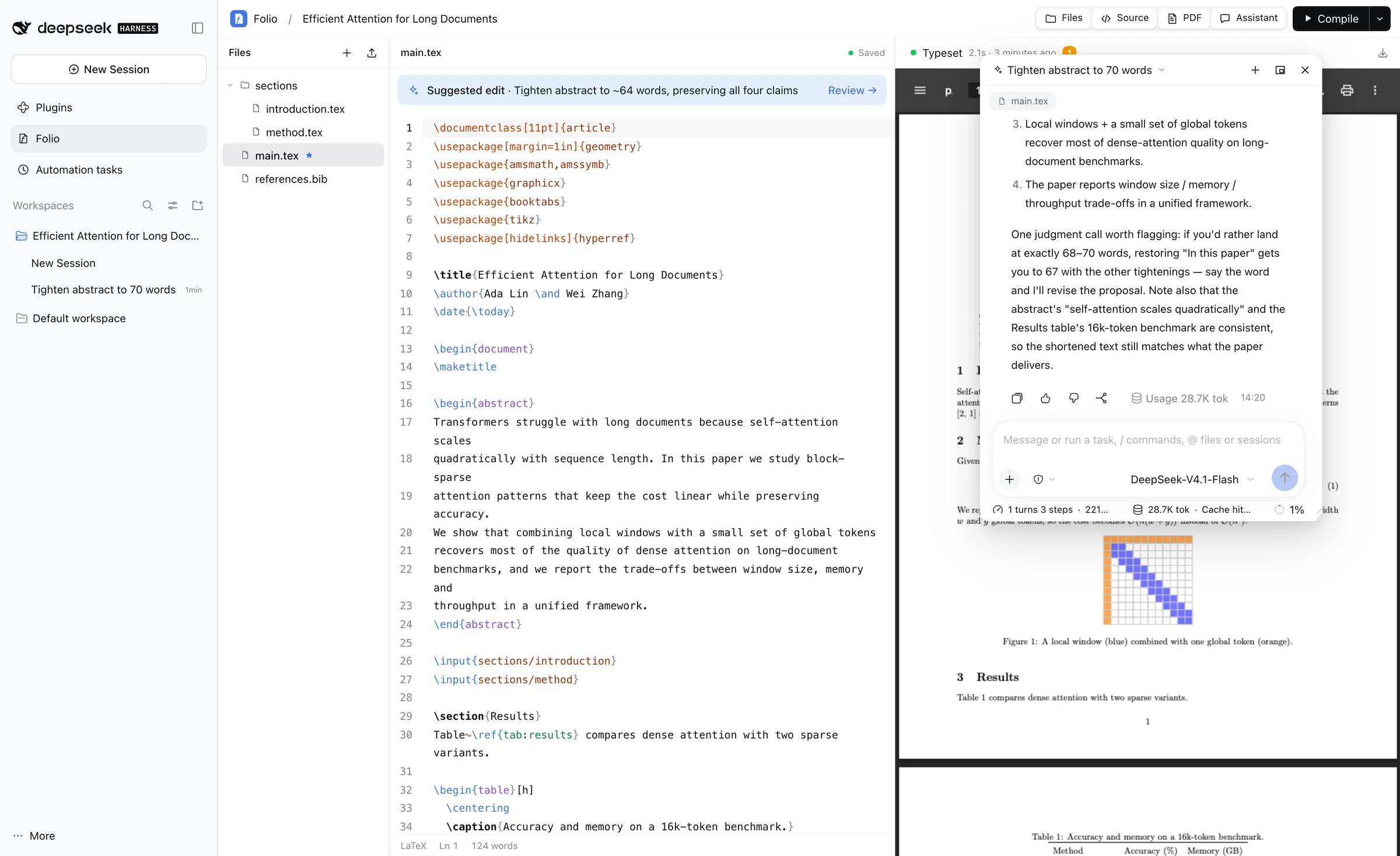 |
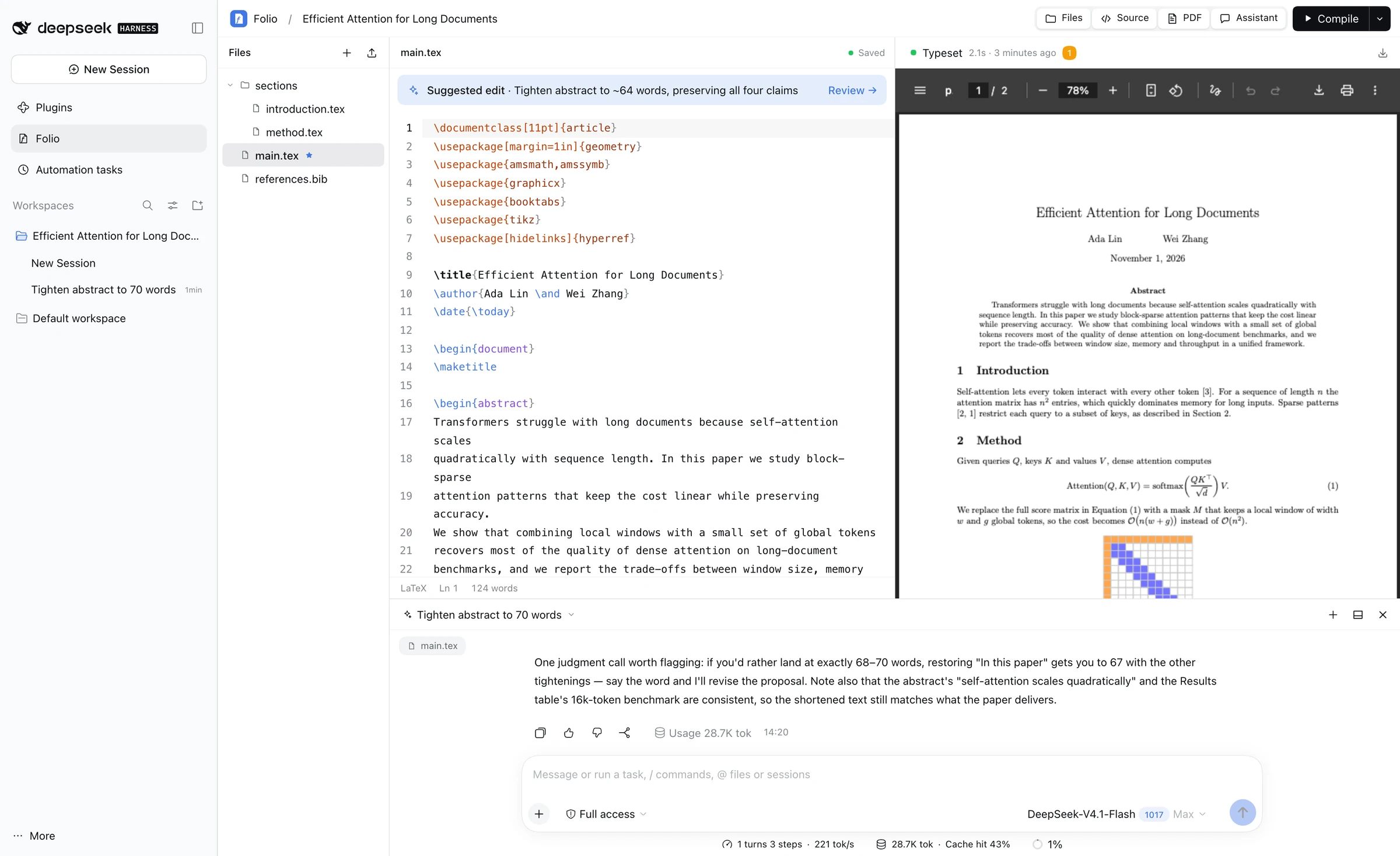 |
| Chats of this manuscript | Dark theme |
|---|---|
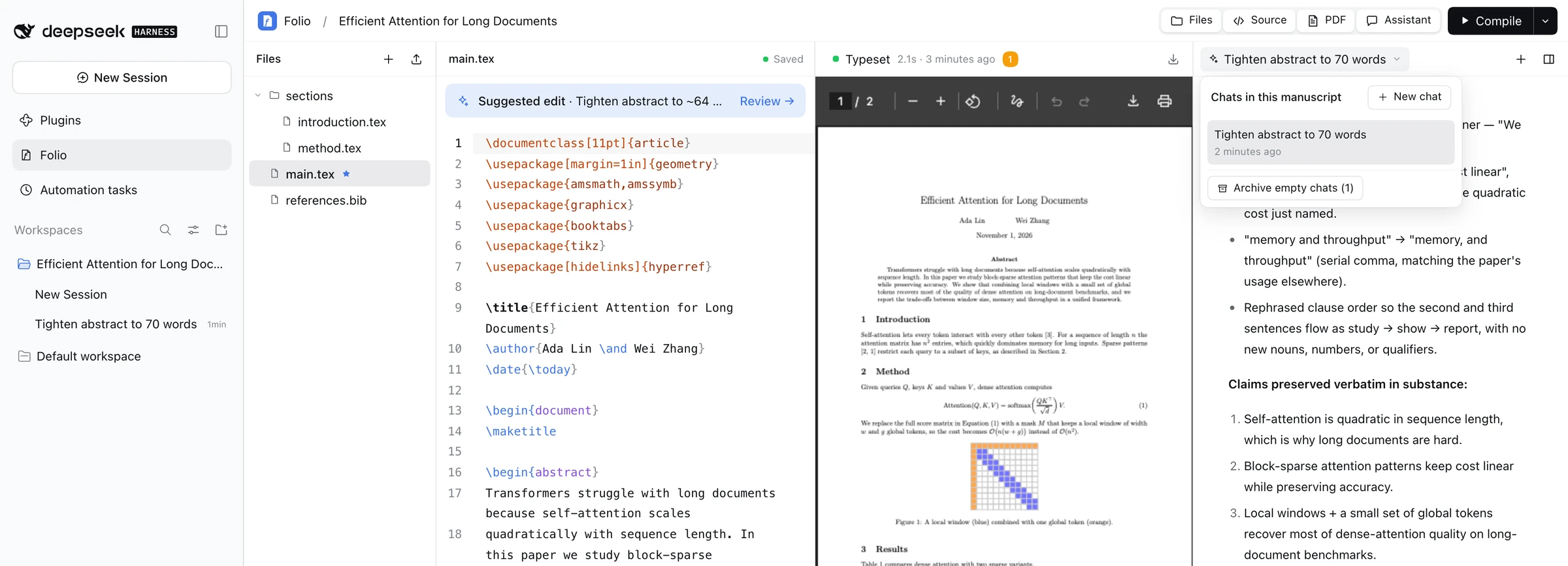 |
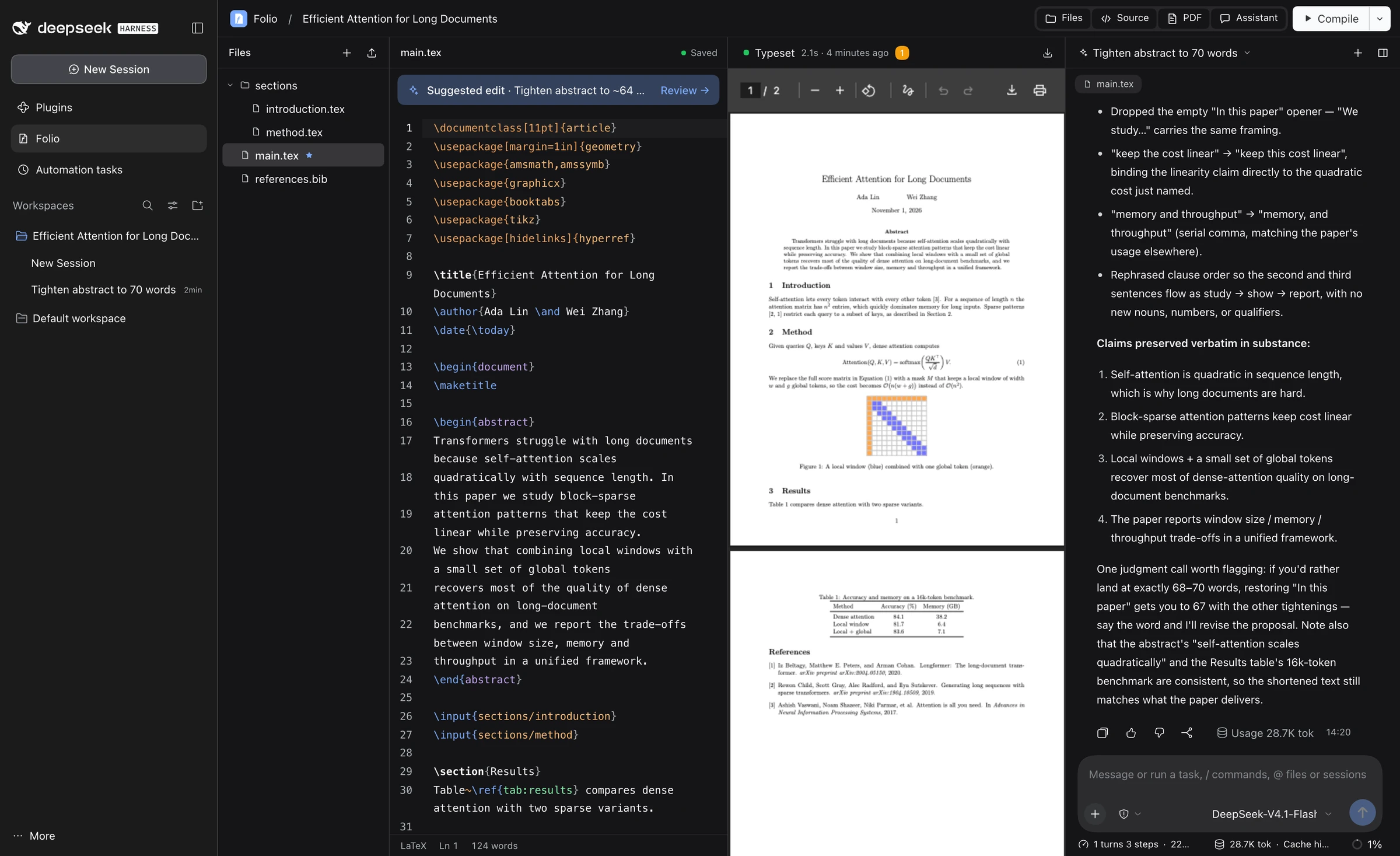 |
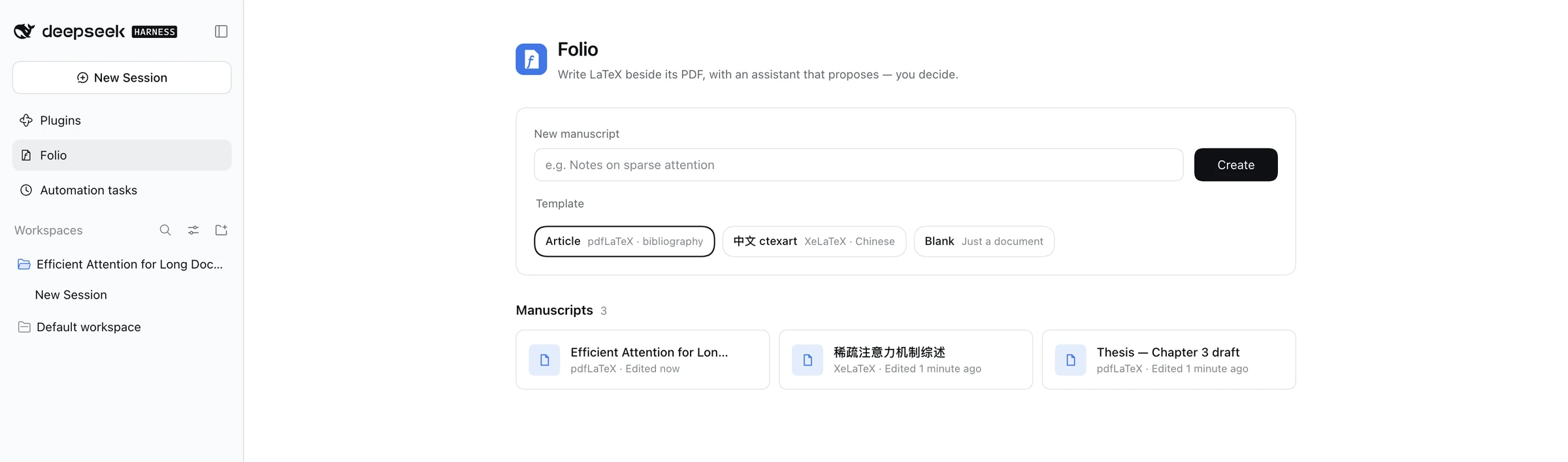
The library: create from the Article, Chinese (ctexart) or Blank template.
0.2.1-rc.2 or a later 0.2.x release, Web or Desktop, and Node.js 24+. Tested on 0.2.1-rc.2 (Web); a contributor verified 0.2.2-rc.3 (Desktop).PATH that Harness starts with:pdflatex, xelatex, bibtex, biber).texlive-latex-base texlive-latex-recommended texlive-latex-extra texlive-xetex; for Chinese add texlive-lang-chinese and CJK fonts.--only-cached --untrusted (see Configuration).PATH? Folio usually finds it anyway; otherwise set its bin folder in TeX environment.Install the release package. It includes the built browser bundle, so no Node setup or build is needed.
dsh plugin --profile web add https://github.com/Meinianda-L/folio/releases/download/v0.3.0/dsh-folio-0.3.0.tgzIn Harness Desktop, open Plugins → Add plugin and paste the same URL (or use --profile desktop with the command above).
Then fully quit and reopen Harness, and open Folio in the sidebar. To update, install the newer release from the Releases page the same way.
Folio uses the DeepSeek Harness packages that Harness itself provides; it does not install its own copies.
To run from source instead, see Development.
.bib files.| Shortcut | Action |
|---|---|
| ⌘/Ctrl + S | Save and compile |
| ⌘/Ctrl + Enter | Compile |
\ |
Command completion |
| Tab | Next snippet field |
| ⌘/Ctrl + F | Search and replace |
| ⌘/Ctrl + B / I | Bold / italic |
| ⌘/Ctrl + / | Comment or uncomment |
⌘/Ctrl + = / - / 0 |
Source font size (larger, smaller, reset) |
| Pinch, or ⌘/Ctrl + scroll | Zoom the PDF (over the PDF) or the source font (over the source) |
| Double-click the PDF | Jump to that line in the source |
| Double-click the assistant header | Switch between floating and docked |
By default manuscripts live in ~/Documents/DSH-Folio. To use another folder, add this to your profile's cordis.patch.yml (e.g. ~/.dsh/profiles/web/cordis.patch.yml):
- id: folio
  config:
projectRoot: /Users/you/Papers| Environment variable | Purpose |
|---|---|
DSH_FOLIO_TEX_CACHE |
XDG cache root with a pre-warmed Tectonic bundle (defaults to XDG_CACHE_HOME or ~/.cache). |
Harness web client                         Harness host (Node)
┌──────────────────────────────┐           ┌──────────────────────────────────────┐
│ Folio page (React slot)      │  fetch    │ /api/folio      project & file RPC   │
│  ├ CodeMirror editor         │──────────▶│ /api/folio/pdf  last PDF             │
│  ├ PDF viewer                │           │ /api/folio/raw  images (sandboxed)   │
│  └ embedded Harness chat ────┼─ session ▶│ agent/pre-step  hidden context       │
│     (conversation.content)   │           │ folio_project   read/compile/propose │
└──────────────────────────────┘ └──────────────────────────────────────┘conversation.content component bound to the manuscript's session.<projectRoot>/<manuscript-id>/
├── project.json title, main file, engine, current chat
├── main.tex, … your sources (plain files)
└── .folio/
├── output.pdf last successful build
├── build.json last build summary and issues
└── proposals.json pending and recent suggestionsDeleting a manuscript moves its folder to <projectRoot>/.trash/ instead of erasing it. Back up projectRoot like any other folder.
Builds run one at a time (at most 4 queued) in a temporary snapshot of the project, with a 60-second limit, no shell escape, and a minimal environment that never includes your model keys. File reads are restricted to the project (openin_any=p); LuaLaTeX gets openin_any=r, which still refuses hidden files, because its font loader reads TeX Live support files by absolute path. Limits: 500 files and 40 MiB per project (20 MiB of sources per build), 2 MiB per text file, 10 MiB per upload. Native TeX is not an operating-system sandbox: Folio is meant for your own, trusted projects.
git clone https://github.com/Meinianda-L/folio.git && cd folio
npm install           # includes the build toolchain and test copies of the Harness packages
npm run build         # bundles client-src.jsx + client.css into client.js
npm test              # domain, proposals and host tests (real pdfLaTeX/BibTeX when installed)
npm pack              # builds dsh-folio-<version>.tgz, the release package
dsh plugin --profile web add "$(pwd)/dsh-folio-<version>.tgz" # try the package locally| File | Role |
|---|---|
index.js |
Host plugin: routes, context hook, folio_project tool, session restriction |
domain.js |
Projects, files, uploads, templates, build records |
compiler.js |
TeX pipeline and log parser |
proposals.js |
Suggested edits and find/replace application |
tex.js |
TeX detection, chosen bin folder, test renders |
synctex.js |
SyncTeX lookups between PDF positions and source lines |
import.js |
.zip reader and import planning (bundled into the client) |
client-src.jsx, client.css |
Browser UI (bundled into client.js) |
locale/ |
English and Chinese strings |
Multi-user collaboration, share links, public/tunnel access, accounts or a separate API-key store. Folio is a single-user, local tool built on your existing Harness setup.
The browser bundle (client.js) includes PDF.js (Apache-2.0), CodeMirror (MIT) and jsdiff (BSD-3-Clause).
CLASSIFICATION EVIDENCE
系统优先读取 GitHub Topics,再与站内分类词典和词根规则比对。当前命中: deepseek。
morluto
Reverse engineer anything with agents, from app behavior down to native binaries.

deepseek-ai
DeepSeek Harness: Everything is a Plugin.

nexu-io
The 1st Collaborative AI Design Agent Workspace. Local-first and open source. Create motion, prototypes, websites, apps, dashboards, presentations, images, and videos with your team and AI agents. Share work, exchange feedback, and iterate together in one workspace.