
模型与 MCP
待识别

rea
morluto
Reverse engineer anything with agents, from app behavior down to native binaries.
PROJECT TOPICS
INSTALL REFERENCE
dsh plugin --profile web add github:MashedPotato817/dsh-git-plugin
该命令指向仓库当前默认分支;尚无绑定当前 commit 的完整验证结果。
PROJECT README
English · 简体中文


Install · Use · Docs & feedback
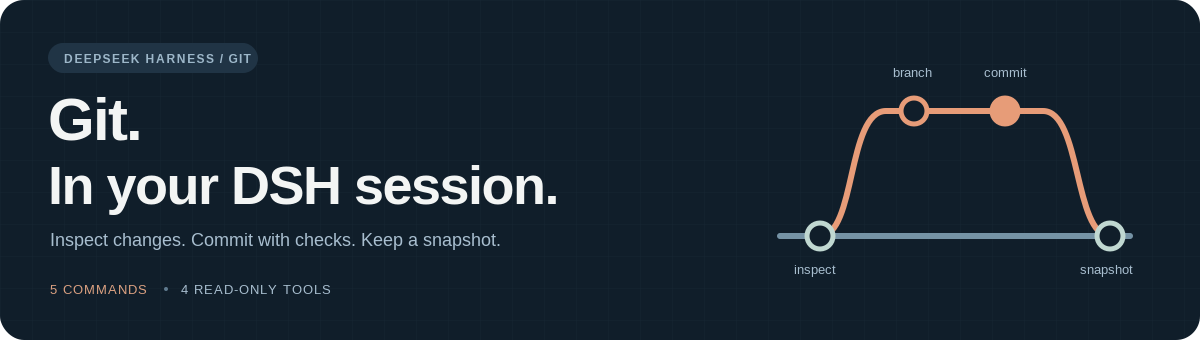
Inspect changes, create branches, run pre-commit checks, and keep recoverable snapshots. Web Git panel + 5 slash commands + 4 read-only model tools give you and your agent the same view of the repository.
Version: 0.4.0. Verified host: DSH 0.2.0-rc.2. Requires Node.js ≥20 and Git ≥2.32. Compatibility and validation.
Use your active profile; replace web as needed:
dsh plugin --profile web add dsh-git-plugin@0.4.0New installations register the plugin automatically. Restart that profile's DSH process and refresh the browser when using Web.
Upgrading a manually enabled 0.2.0 profile? Follow the migration steps to avoid duplicate registration. Fixed GitHub tag and source installation.
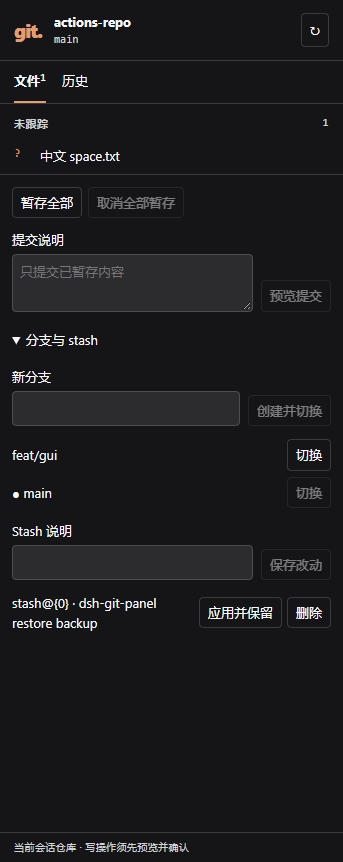
Open a repository workspace/session, expand the right sidebar and select Git. See branch/file states, switch between staged and unstaged diffs, and browse commit history/detail. Stage selected files or all changes, commit only the index, manage branches/stashes, and restore files with a retained backup. Every write opens a preview and requires your confirmation. Panel guide.
/status
/diff
/branch feat/my-change
/commit feat: 完成一项修改| Command | Purpose |
|---|---|
/status |
Current branch and working-tree status |
/diff |
Staged and unstaged change summaries |
/branch [<name>] |
List branches, or create and switch |
/commit [<message>] |
Show commit guidance, or run checks and commit |
/undo [list\|pop] |
Create, list, or restore stash snapshots |
The model can use git-status, git-diff, git-log, and git-show. For example:
Check Git status, diff, and the last five commits. Explain what is staged and what to verify before committing.
Commit scope: the Web commit uses only staged changes. /commit <message> stages all changes in the target repository before committing. Check the scope first. Without a message it only shows guidance and changes.
Snapshots: /undo stashes working-tree changes, including untracked files. It does not revert commits. Restoring with pop may produce conflicts.
Need longer timeouts or a test hook? See configuration.
Version 0.4.0 completes the Git operation panel requested in Issue #1. Market inclusion is tracked separately. Presentation inspired by dsh-agent-teams; the SVG banner is original.
CLASSIFICATION EVIDENCE
系统优先读取 GitHub Topics,再与站内分类词典和词根规则比对。当前命中: deepseek、deepseek-harness。
morluto
Reverse engineer anything with agents, from app behavior down to native binaries.

deepseek-ai
DeepSeek Harness: Everything is a Plugin.

nexu-io
The 1st Collaborative AI Design Agent Workspace. Local-first and open source. Create motion, prototypes, websites, apps, dashboards, presentations, images, and videos with your team and AI agents. Share work, exchange feedback, and iterate together in one workspace.