
文件与数据
渠道适配

WeKnora
Tencent
Open-source LLM knowledge platform: turn raw documents into a queryable RAG, an autonomous reasoning agent, and a self-maintaining Wiki.

MJorgin/dsh-media-skills
Free image reading & generation for DeepSeek Harness (rc.7 / rc.8 / v0.1.1-rc.1 / rc.2 / v0.1.2-alpha.3) — paste-image reading with auto vision transcription, DeepSeek-V4-Flash-Vision-Exp / GLM-4V-Flash / SenseNova / Gemini failover, Kolors + U1 Fast generation. No keys in repo.
PROJECT TOPICS
INSTALL REFERENCE
dsh plugin --profile web add github:MJorgin/dsh-media-skills
该命令指向仓库当前默认分支;尚无绑定当前 commit 的完整验证结果。
PROJECT README







DeepSeek Harness is brilliant at reasoning — but a text-only model can't see the image you just dragged into the chat. This bundle fixes that with two free skills, a free vision model route, and a vision engine failover chain:
vision-review — analyze images and screenshots, catch UI visual bugs, detect watermarks, turn images into text.media-tools — generate illustrations, avatars, backgrounds and banners with a free, watermark-free model.No hardcoded keys, no paid API, no file saving, no session switching.
Why · Quick start · See it in action · Usage · Keys & privacy · FAQ · Examples
English · 简体中文 · 繁體中文 · 日本語 · 한국어 · Español · Deutsch · Português · Русский
Most DSH vision plugins only read images — and many push you through a shared third-party endpoint. dsh-media-skills takes a different stance:
| This bundle | Typical vision-only plugin | |
|---|---|---|
| Read images for free | ✅ GLM-4V-Flash (free) · DeepSeek-V4-Flash-Vision-Exp (v0.1.1 default, same key) | ✅ |
| Generate images for free | ✅ SenseNova U1 Fast → SiliconFlow Kolors | ❌ usually absent |
| Auto model route in the picker | ✅ automatic on ≤ v0.1.1 · on v0.1.6 you pick it in Settings → Models (the plugin never writes settings) | sometimes |
| Keys committed to the repo | ❌ never — keys stay local | ⚠️ often required |
| Docs in multiple languages | ✅ 9 languages | ❌ usually English only |
| Privacy | ✅ you choose the provider; images only go to your provider | shared free endpoints can see your images |
Why bring your own free key instead of a built-in anonymous endpoint? Privacy and reliability. Your images go only to the provider you choose, under your account and your rate limits — no shared third-party service in the middle.
New-version adaptation: on DeepSeek Harness v0.1.6, image attachments are native and this bundle installs as a standard runtime plugin — no core patches, no settings writes; you add or pick model routes yourself in Settings → Models. On v0.1.1-rc.1 / rc.2, the deepseek-official route ships DeepSeek-V4-Flash-Vision-Exp natively — paste-image transcription and the vision model route pick it up automatically with the key your agent already uses (zero extra keys). rc.7 / rc.8 apply the bundled patches (see HARNESS_PATCH, historical).
| Capability | What it does | Model | Cost |
|---|---|---|---|
| 🖼️ Paste-image reading | In a text-only session, paste, drag, or pick (add-image button, restored by the client-ux patches) an image into the composer; it is described by the vision model (v0.1.1: DeepSeek-V4-Flash-Vision-Exp by default; rc.7/rc.8: GLM-4V-Flash with SiliconFlow Qwen3-VL failover, 15s per route) and handed to the current model as text beside a live thumbnail. (Harness-core feature on rc.7/rc.8: requires the api-proxy admission patch + the rc.8 client-ux patch — see docs/HARNESS_PATCH.md / HARNESS_PATCH_EN.md, patch files included for rc.7, rc.8, v0.1.1-rc.1 and v0.1.1-rc.2; this bundle supplies the vision route + skill it depends on) | v0.1.1: DeepSeek-Vision-Exp · rc.7/8: GLM-4V-Flash + Qwen3-VL | GLM free; DeepSeek billed to your balance (v0.1.1 default) |
| 🧠 Vision model route | 「智谱 GLM-4V-Flash(视觉)」 appears in the model selector automatically on ≤ v0.1.1 (on v0.1.6, add it once in Settings → Models); on v0.1.1 the deepseek route also ships DeepSeek-V4-Flash-Vision-Exp natively (same key) — pick either for a new conversation and talk about images directly | Zhipu GLM-4V-Flash · DeepSeek-V4-Flash-Vision-Exp (v0.1.1) | GLM free; DeepSeek billed |
👁️ vision-review |
Analyze / recognize / describe images & screenshots; catch UI visual bugs (overlap, overflow, misalignment); detect watermarks/logos; turn images into text. Optional --structured mode returns ModLens-style evidence JSON (summary, full OCR, reading-order layout, entities/relations, uncertainty). Engine failover chain: GLM-4V-Flash → DeepSeek-V4-Flash-Vision-Exp / SiliconFlow Qwen3-VL / SenseNova / Google Gemini (auto-join with keys) → any OpenAI-compatible endpoint |
GLM-4V-Flash + DeepSeek-Vision-Exp + Qwen3-VL + SenseNova + Gemini | GLM/SiliconFlow free; DeepSeek uses your API balance (optional) |
🎨 media-tools |
Generate images, illustrations, avatars, backgrounds, banners | SenseNova U1 Fast → SiliconFlow Kolors | Free, no watermark |
Install from the DSH Plugin Manager (github:MJorgin/dsh-media-skills) or the CLI:
dsh plugin --profile <name> add github:MJorgin/dsh-media-skillsKeys:
GLM_API_KEY, SILICONFLOW_API_KEY, optional GEMINI_API_KEY) go in ~/.dsh/secrets/media-tools.env (see Keys & privacy); native model routes are yours to configure in Settings → Models.DEEPSEEK_API_KEY (DeepSeek-V4-Flash-Vision-Exp).glm-4v-flash is free); SiliconFlow — siliconflow.cn → API Keys (Kolors is free); (optional) Google Gemini — aistudio.google.com → Get API key; joins the vision failover chain automaticallyAdd them in the Web GUI (Settings → Models), or use the credentials file:
# ~/.dsh/.credentials.yaml (chmod 600)
GLM_API_KEY: <your key>
Restart dsh web, then hard-refresh (Cmd+Shift+R).
Verify: the skills vision-review and media-tools show up in the skill list (on v0.1.6 add the vision route yourself in Settings → Models; on ≤ v0.1.1 the model selector shows 智谱 GLM-4V-Flash(视觉)). If your Harness build supports paste-image reading, the input bar also has a 📎 Add image button — paste an image in any session and it arrives as a text description.
Full walkthrough and troubleshooting: docs/SETUP_VISION_EN.md.
Paste an image in a text-only session → the free vision model describes it → your model answers. The same bundle also generates new images on demand.
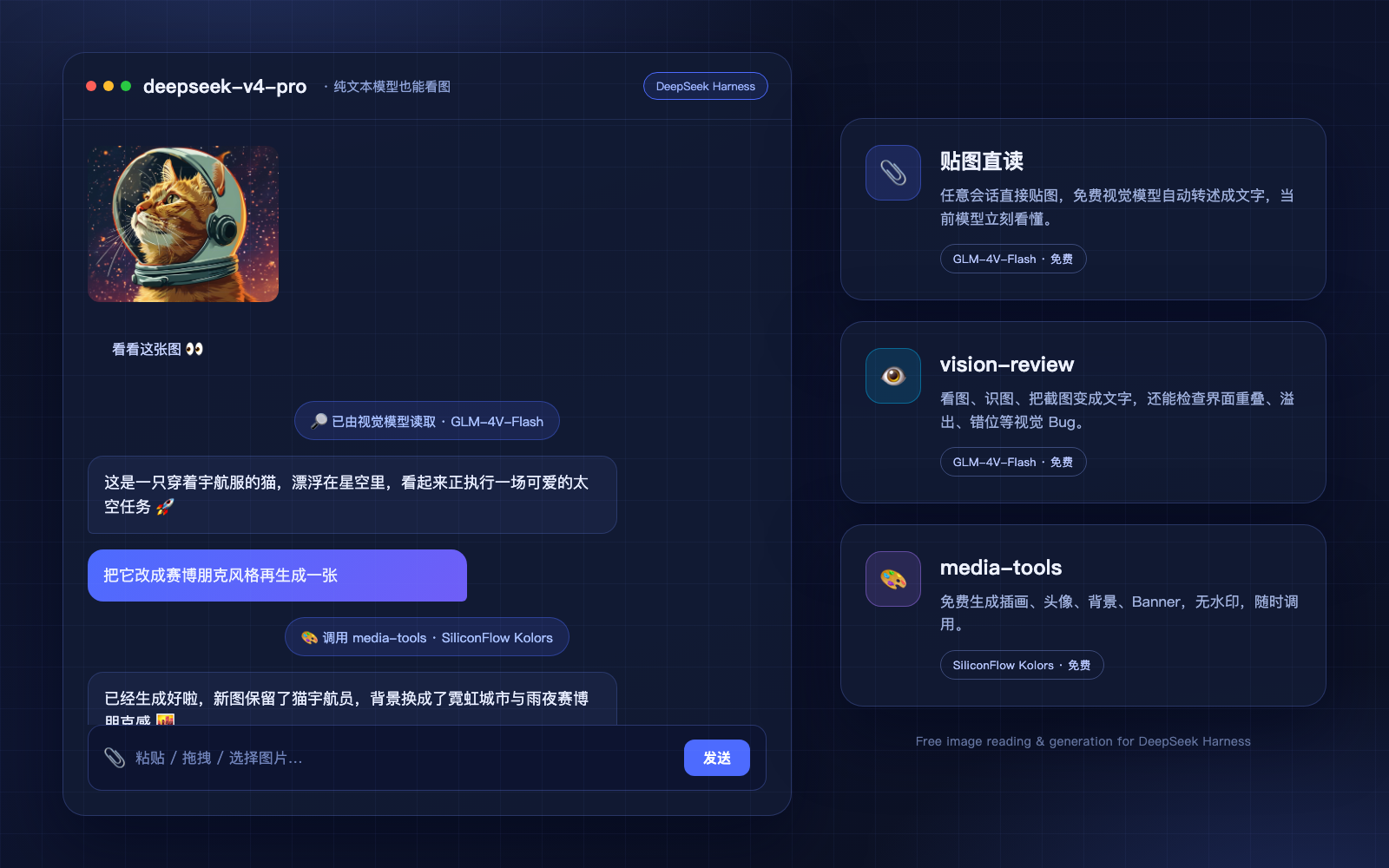
How it works in one picture:
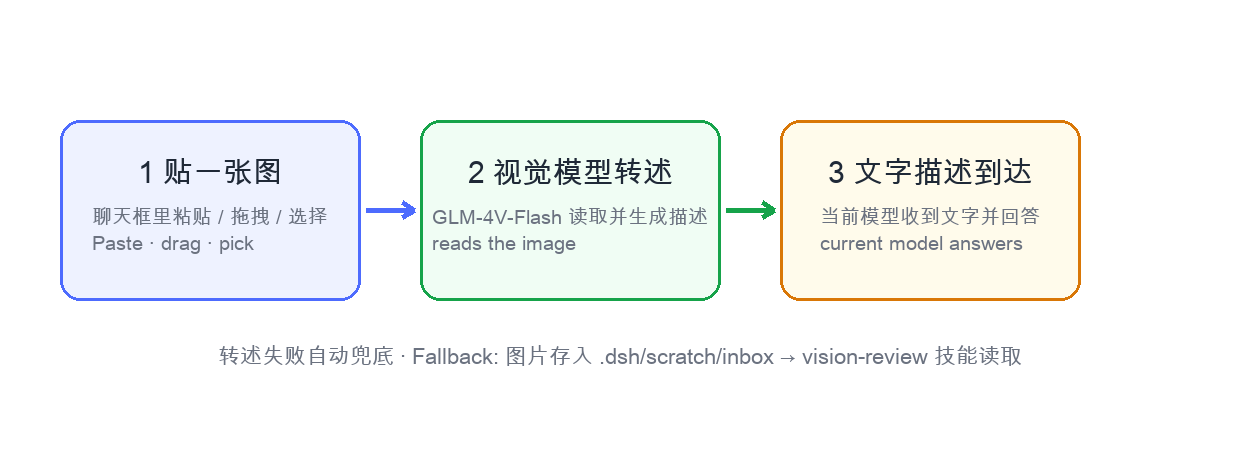
Three ways to read images:
| Way | How | When |
|---|---|---|
| A. Paste directly (recommended) | In any session, click the 📎 button / drag / paste an image and send | Everyday image questions — no file saving, no model switching |
| B. Vision model session | New conversation, pick 智谱 GLM-4V-Flash(视觉), paste images and chat | Multi-turn image conversations, native read_image |
| C. Files + skill | Put the image in the workspace and say “read this image with vision-review” | Batch review, scripted workflows |
Descriptions follow your message language (Chinese message → Chinese description; English message → English description; no text → Chinese).
Also just say:
vision-reviewmedia-toolsKeys are never stored in this repo. Skill scripts read, in order: environment variables → ~/.dsh/secrets/media-tools.env → ~/.codex/secrets/media-tools.env (legacy fallback). The vision model route reads GLM_API_KEY from DSH's credential store (≤ v0.1.1; on v0.1.6 routes are yours to configure in Settings → Models).
Where to get the keys (all free): Zhipu — open.bigmodel.cn → API Keys (glm-4v-flash). SiliconFlow — siliconflow.cn → API Keys (Kolors). Google (optional, joins the vision failover chain automatically) — aistudio.google.com → Get API key.
# ~/.dsh/secrets/media-tools.env (chmod 600, one KEY=value per line)
GLM_API_KEY=...
SILICONFLOW_API_KEY=...
GEMINI_API_KEY=...   # optional
Your images are sent only to the provider you configure — never to this repo, never to a shared anonymous endpoint.
Privacy note on Gemini: Google's free-tier key comes with data-use terms — requests may be used to improve Google products. For sensitive images (IDs, internal docs, customer data), prefer the direct domestic engines (Zhipu / SiliconFlow).
Does paste-image reading require a DeepSeek Harness core patch?
The auto-describe pipeline lives in the Harness core — native on v0.1.6 / v0.1.1, api-proxy image-admission logic on rc.7 / rc.8 (see docs/HARNESS_PATCH_EN.md). This bundle ships the skills (plus the vision model route on ≤ v0.1.1) — the vision model works on any DSH build, but paste-image reading requires a Harness build with that core support.
Why not just use a built-in free endpoint with no key at all? We prefer to let you own the route: your images go to the provider you pick, under your rate limits, with no shared middleman. The keys are free and take about two minutes to create.
Is media-tools really free?
Yes — SiliconFlow Kolors is free and watermark-free. If a model is temporarily disabled, the skill lists available models and you can switch.
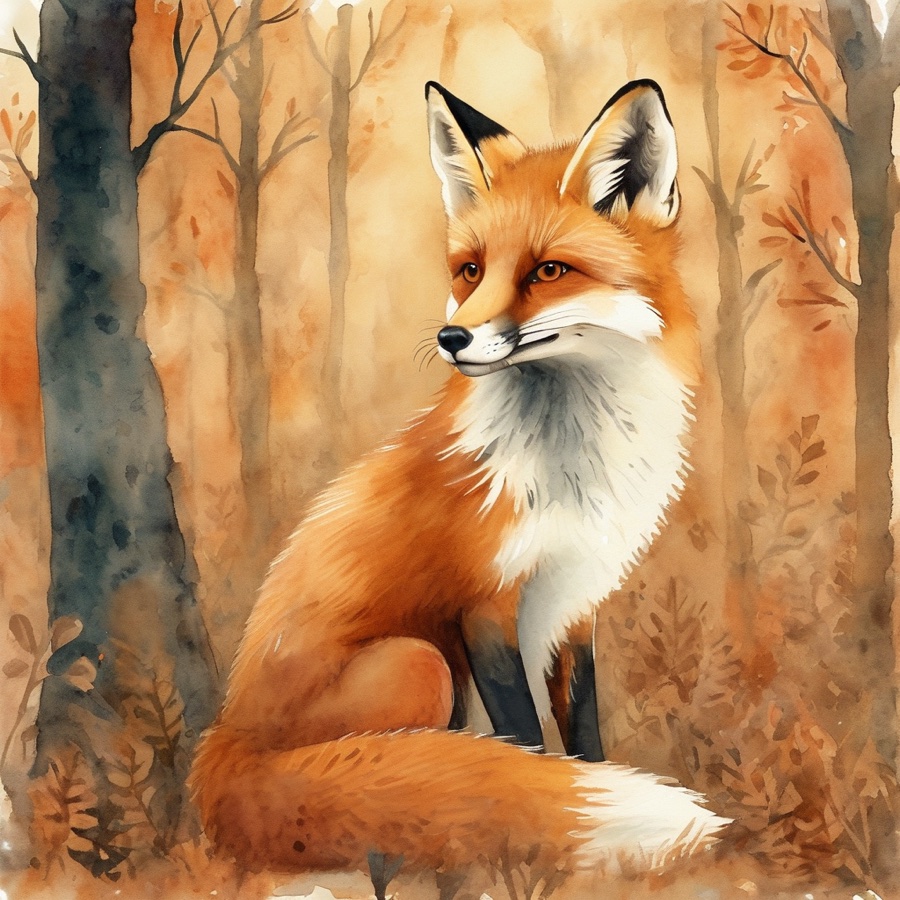
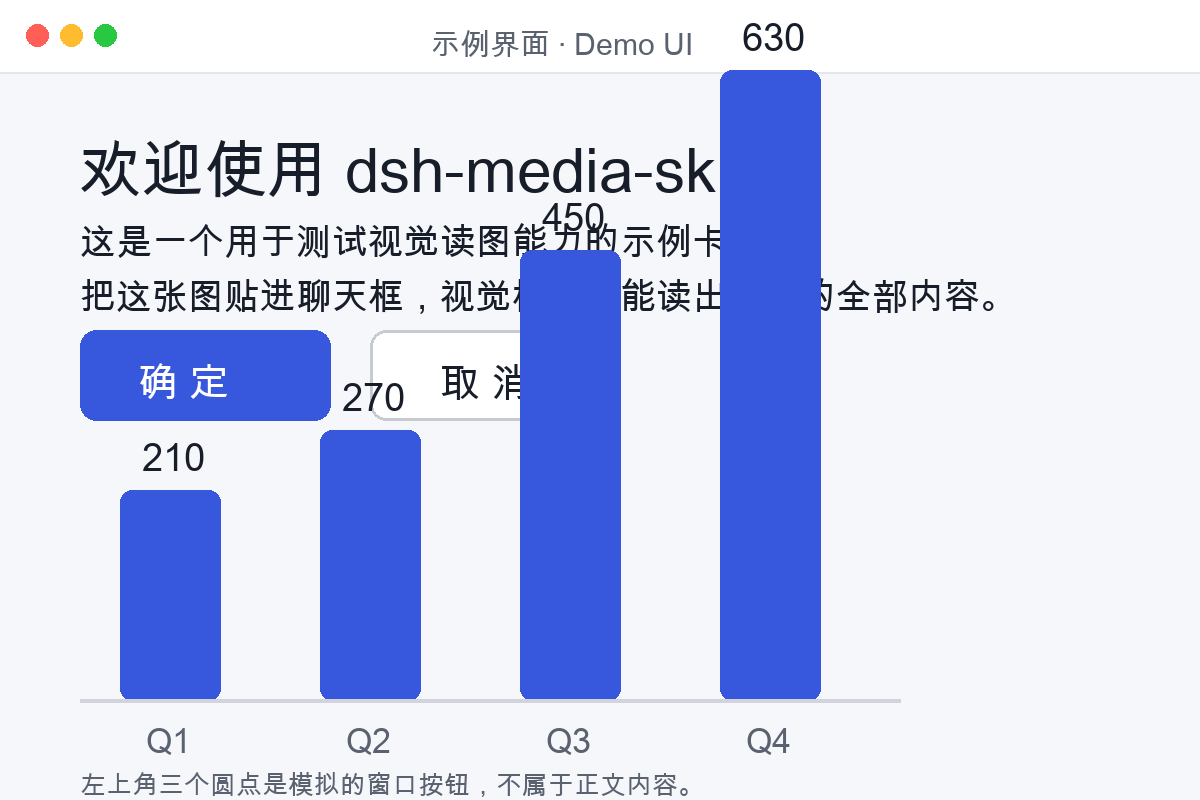
Sample material to try instantly — 6 AI-generated images with their prompts, plus a purpose-built vision test card (title, buttons, bar-chart values) for checking reading accuracy:

dsh-media-skills/
├── package.json           # dsh.bundle manifest
├── cordis.patch.yml       # plugin layer
├── index.js               # registers the two skills via the DSH v0.1.6 provider lifecycle
├── skills/
│   ├── vision-review/     # image reading
│   └── media-tools/       # image generation
├── examples/              # sample images + vision test card
├── docs/
│   ├── screenshots/       # demo mockup & how-it-works diagram
│   ├── SETUP_VISION_EN.md # detailed setup guide (English)
│   ├── SETUP_VISION.md    # 详细配置指南(中文)
│   ├── HARNESS_PATCH_EN.md# core patch notes (English)
│   ├── HARNESS_PATCH.md   # 本体补丁说明(中文)
│   ├── COMPARE_MODLENS.md # 与 ModLens 的对比/共存(中文)
│   └── lang/              # READMEs in 9 languages
├── scripts/make-banner.py # regenerates docs/social-preview.png
└── docs/social-preview.pngBoth this bundle and ModLens give text-only models vision. Installed together they do not conflict: ModLens intercepts pastes first (path → modlens_read_image tool), and this bundle's api-proxy fallback handles anything it doesn't take over. See docs/COMPARE_MODLENS.md (中文) for the full comparison, the paste routing order, and how to point ModLens at the same free Zhipu endpoint.
DeepSeek Harness developer preview is still in its testing phase for Harness developers; core plugins and base APIs will keep iterating. We look forward to exploring the upper limits of intelligence together with developers worldwide, on top of open-source, open, reusable, and composable infrastructure.
This repo is tagged
dsh-pluginand listed in the awesome-dsh-plugin curated list. PRs, issues and translations are welcome.
CLASSIFICATION EVIDENCE
系统优先读取 GitHub Topics,再与站内分类词典和词根规则比对。当前命中: agent-skills、skill、image-generation、vision。
Tencent
Open-source LLM knowledge platform: turn raw documents into a queryable RAG, an autonomous reasoning agent, and a self-maintaining Wiki.

liustack
The first vision plugin for DeepSeek Harness, and the vision bridge for every text-only coding agent. Paste an image, get structured JSON evidence (OCR, layout, semantics). | 全网最强 DeepSeek Harness 外挂视觉插件,为 DeepSeek、GLM 等纯文本模型外挂视觉能力,粘贴图片即得结构化 JSON 证据(OCR、版面、语义)。

dream-num
An open-source Office workspace where people and AI agents create, collaborate, and review together.