
其他
完整应用

deepseek-harness
deepseek-ai
DeepSeek Harness: Everything is a Plugin.
PROJECT TOPICS
INSTALL REFERENCE
dsh plugin --profile web add github:MIHassan3/DSH-Launcher
该命令指向仓库当前默认分支;尚无绑定当前 commit 的完整验证结果。
PROJECT README
Your launchpad for the DeepSeek Harness.




DSH-Dock is a desktop launcher for the official DeepSeek Harness (@deepseek-ai/dsh). It runs the harness in the background and shows its UI in a native window — no terminal, no copy-pasting commands, no losing your harness when you close the launcher.
DSH-Dock is a wrapper, not a fork. It manages the harness's lifecycle without ever modifying the harness itself.
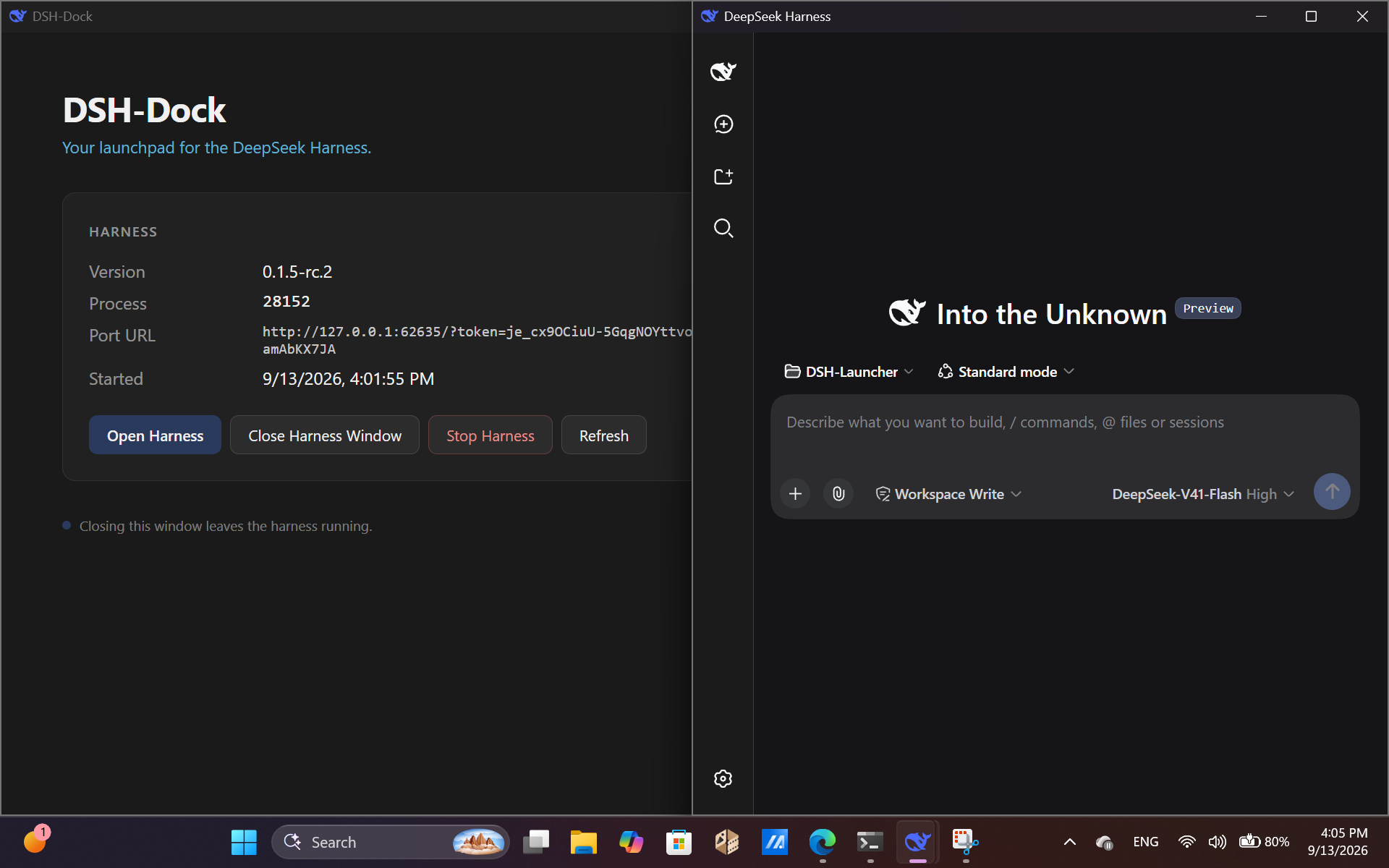
Control the harness from a clean native window — start it, stop it, see what version is running, and open its UI when you're ready.
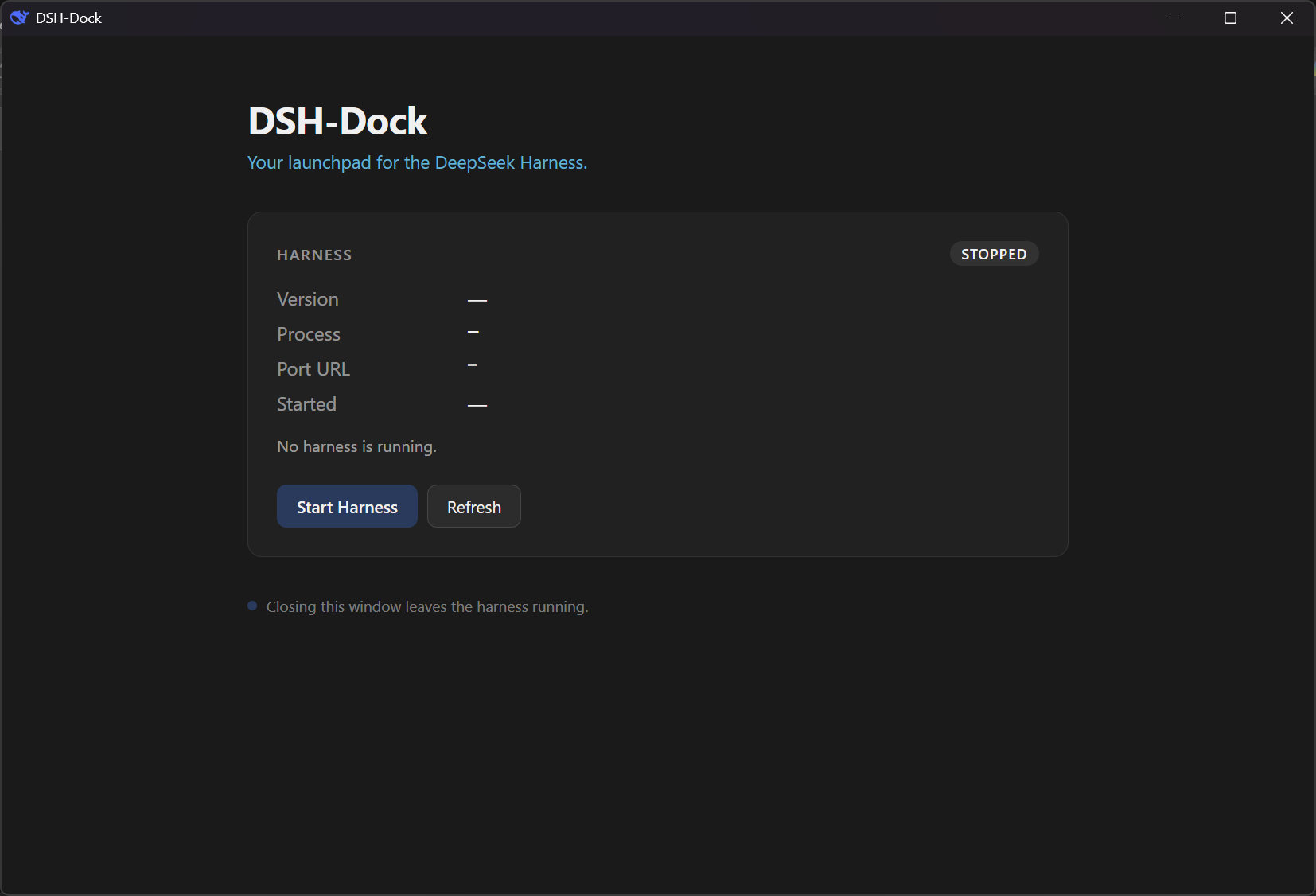
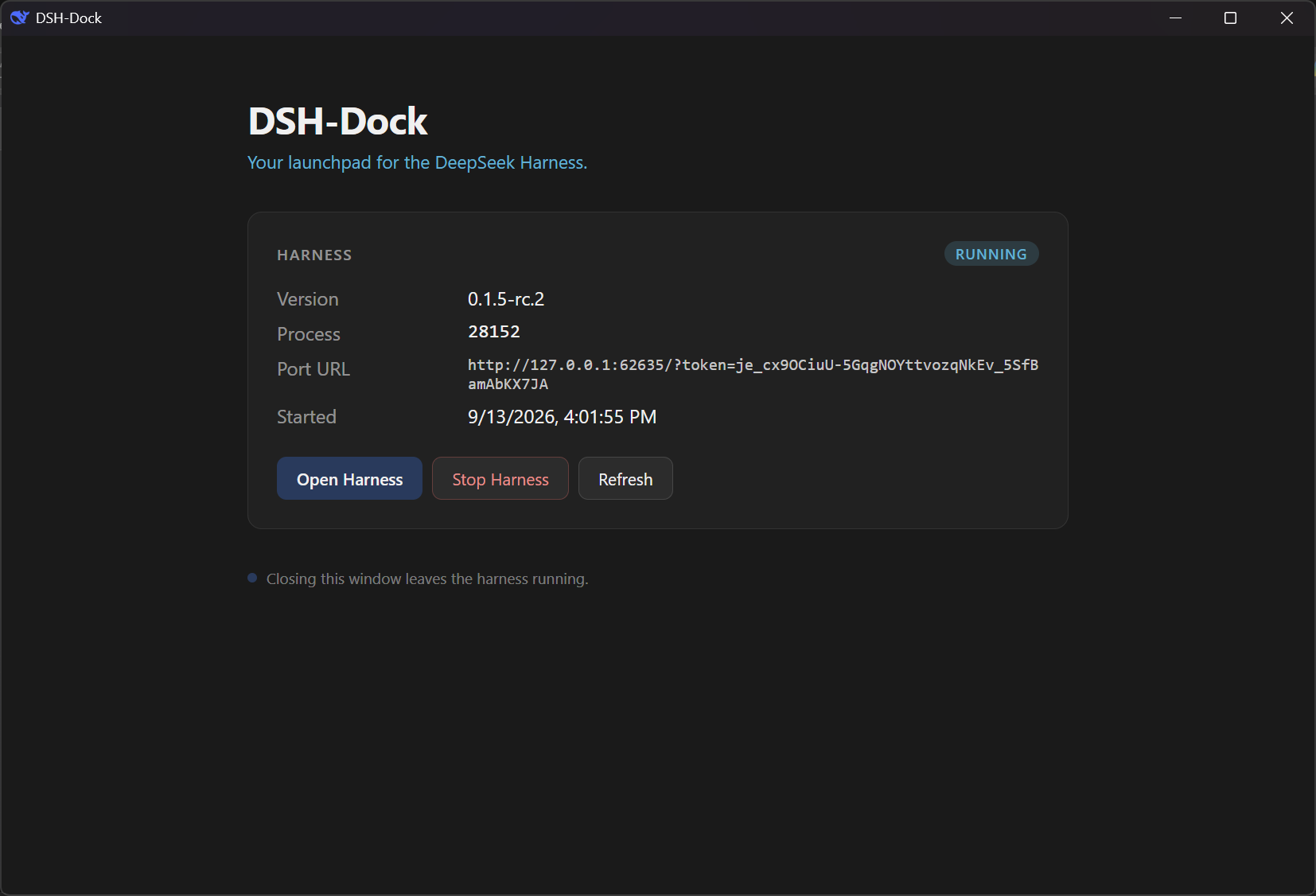
Click Start Harness and the dashboard shows live progress while the harness boots. First boot installs the harness; subsequent boots are much faster.
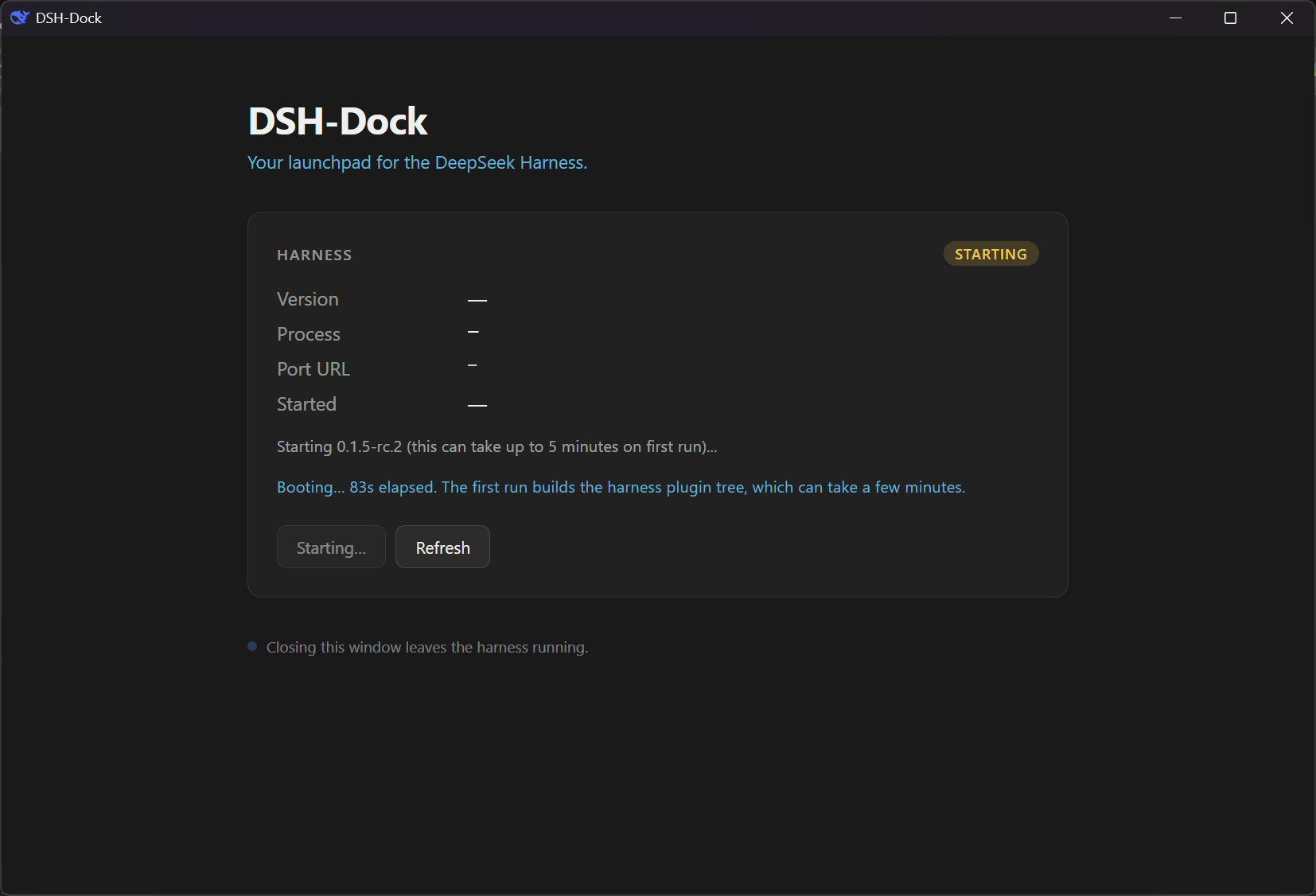
Once the harness is up, the dashboard shows its version, process ID, port URL, and start time. The harness runs in the background — closing the launcher doesn't stop it.
The harness opens in its own native window, running inside an embedded webview. It's the official UI — unmodified.
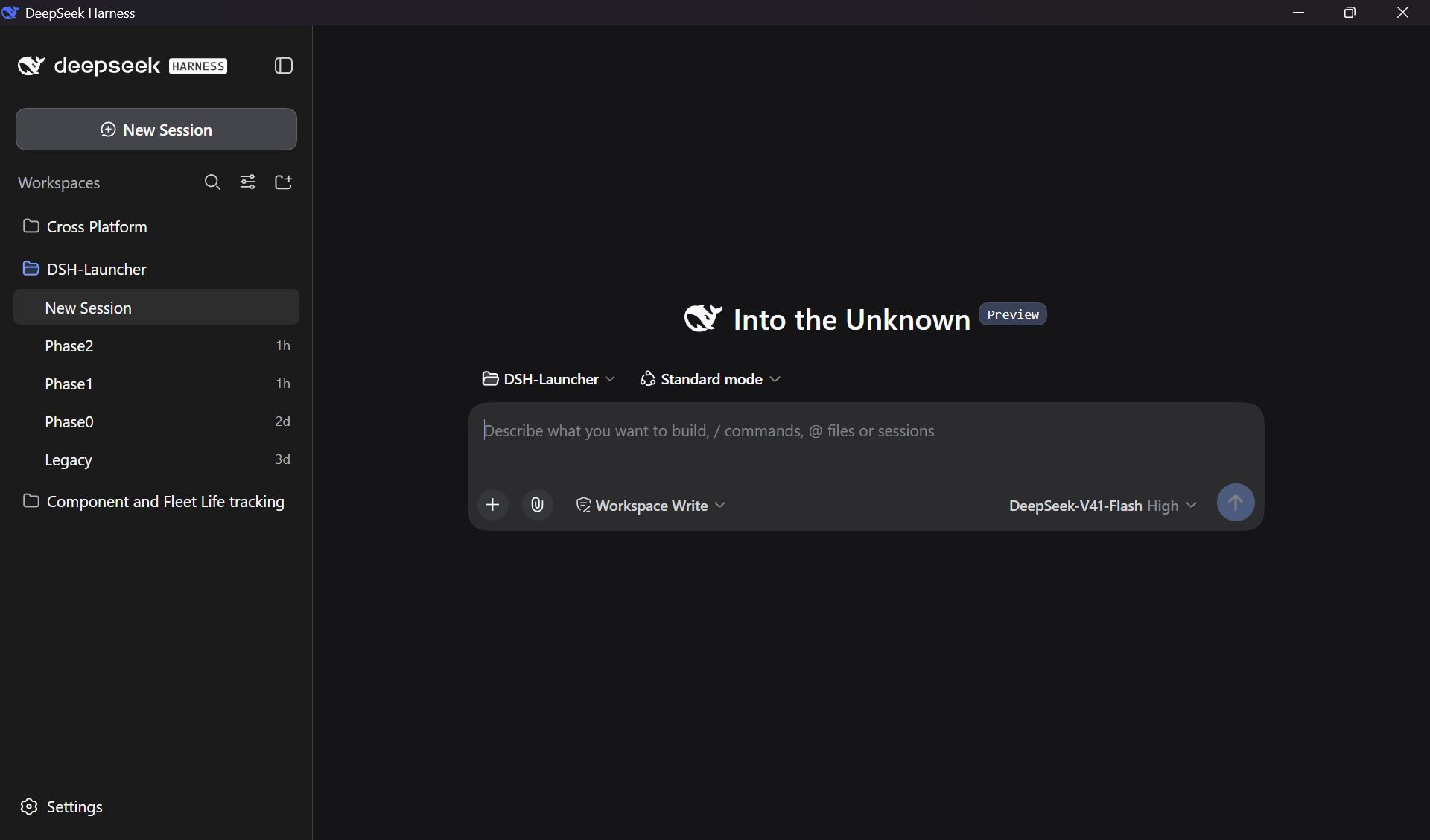
The launcher stays as a control panel. The harness gets its own space.
This is a Phase 1 milestone. The launcher works end-to-end for its core use case, but the surrounding features are not yet built.
@deepseek-ai/dsh automatically on first runThe full version-management library, channel picker, and settings surface arrive in later phases. See docs/PROJECT_DSH-DOCK.md for the roadmap.
| Requirement | Why | Where to get it |
|---|---|---|
| Windows 10 or 11 (x64) | The launcher is Windows-only for now | — |
| Node.js v22.19+ LTS | The harness itself runs on Node; DSH-Dock invokes it during Phase 1 | nodejs.org |
| WebView2 Runtime | The launcher renders its UI inside WebView2 | Preinstalled on Win 10/11. Get it here if missing |
Download the installer.
Go to the latest release and download the latest version.
Note: The binary is unsigned, so Windows SmartScreen will warn you on first run. Click More info → Run anyway.
Run the installer.
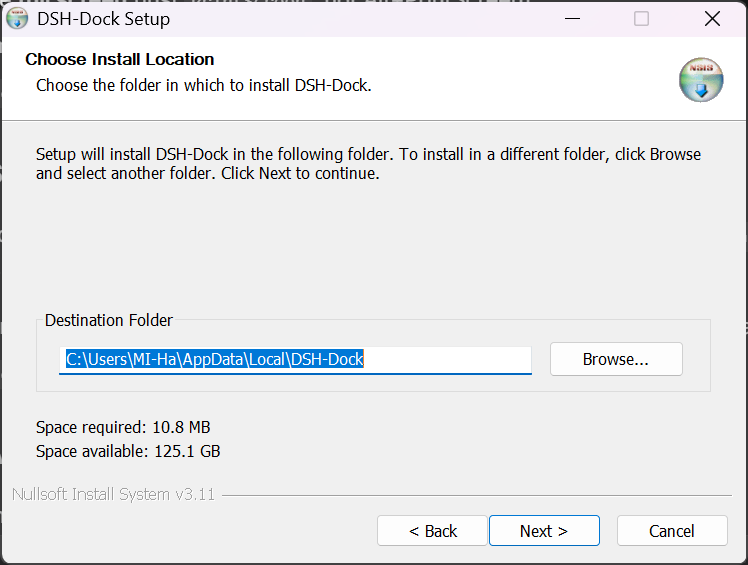
The installer is per-user, so it does not require administrator rights. It installs DSH-Dock into %LOCALAPPDATA%\Programs\DSH-Dock\ and adds a Start-menu shortcut.
Launch DSH-Dock.
The first launch downloads and installs the latest DeepSeek Harness release (~370 MB). This takes a few minutes depending on your connection.
First run is slow. This is expected. Subsequent launches are instant — the harness is already on disk.
Click Start Harness.
The dashboard will show progress as the harness boots. Once the badge reads RUNNING, click Open Harness to launch the DeepSeek Harness in its own window.
DSH-Dock keeps its own state in:
%LOCALAPPDATA%\DSH-Dock\
├── runtime-state.json     # which harness is running, on what port
├── versions\              # installed harness versions
├── logs\                  # launcher and harness logs
└── .npm-cache\            # npm download cache
Your DeepSeek Harness data is never touched. Sessions, configuration, credentials, and plugins live in %USERPROFILE%\.dsh\ (or wherever $DSH_HOME points), and DSH-Dock never reads, writes, or caches inside that directory.
In theory yes, but both would use the same %USERPROFILE%\.dsh\ profile and could conflict during the plugin tree build. Recommended: close the official harness before launching DSH-Dock.
Phase 2 will add explicit profile isolation.
Logs are in %LOCALAPPDATA%\DSH-Dock\logs\:
launcher.log — the launcher's own lifecycle eventsharness-<id>.log — the harness's stdoutharness-<id>.launcher.log — the launcher's diagnostics about the harnessIf the dashboard shows an error, check launcher.log first. When reporting a bug, attach both launcher.log and the most recent harness-*.log.
Use Settings → Apps → DSH-Dock on Windows, or run the uninstaller in the Start menu.
To remove your harness data too, delete %USERPROFILE%\.dsh\ manually.
No. No telemetry, no analytics, no cloud sync. The only outbound requests are to the npm registry (registry.npmjs.org) when installing or checking for harness updates.
You'll need:
cargo install tauri-cli --version "^2"Then:
git clone https://github.com/MIHassan3/DSH-Launcher.git
cd DSH-Launcher
npm install
cargo tauri build
The installer ends up in src-tauri\target\release\bundle\nsis\.
For architecture details, the phases plan, and development constraints, see docs/PROJECT_DSH-DOCK.md.
| Phase | Status | What it delivers |
|---|---|---|
| Phase 0 — Foundation | ✅ Done | Tauri shell, sidecar IPC, "hello world" |
| Phase 1 — MVP Core | ✅ Done | Install + spawn + adopt, embedded webview, v0.5.0 preview |
| Phase 2 — Version Library | 🔄 Next | Multi-version download, switching, cache limits |
| Phase 3 — Settings & Updates | ⏳ Planned | Version Manager UI, update preferences, self-updater |
| Phase 4 — Polish & Release | ⏳ Planned | System tray, macOS + Linux builds, v1.0.0 |
DSH-Dock only talks to 127.0.0.1 (and the npm registry). It never modifies the harness, never touches your $DSH_HOME, and the harness window has no access to the launcher's internals.
See SECURITY.md for the full security policy.
This repository previously shipped a Windows-only PowerShell launcher (v0.1.1 and earlier). It has been superseded by DSH-Dock and is preserved, unmaintained, in legacy/.
If you're still using the old launcher, you can switch to DSH-Dock safely — your harness data in %USERPROFILE%\.dsh\ is untouched.
MIT — see LICENSE.
CLASSIFICATION EVIDENCE
系统优先读取 GitHub Topics,再与站内分类词典和词根规则比对。当前命中: 无有效分类标签。
deepseek-ai
DeepSeek Harness: Everything is a Plugin.

anywhere-labs
为 DeepSeek Harness (DSH) 插件生态打造的现代化桌面端解决方案。万物皆「插件」,桌面本身也是「插件」。

awesome-dsh-plugin
A curated list of plugins for DeepSeek Harness (dsh) · DeepSeek Harness 插件精选列表