
其他
完整应用

deepseek-harness
deepseek-ai
DeepSeek Harness: Everything is a Plugin.
PROJECT TOPICS
PROJECT README
English | 中文
Codex 主题外观插件 for DeepSeek Harness(DSH):把 Codex 主题配置(codex-theme-v1,80 款浅/深色主题)做成可在 DSH 中直接切换、可自定义的外观插件。
#339CFF / 深色 accent #0169CC)。$DSH_HOME/settings.yaml,重启 DSH 后保持不变。深色主题(Codex 默认)
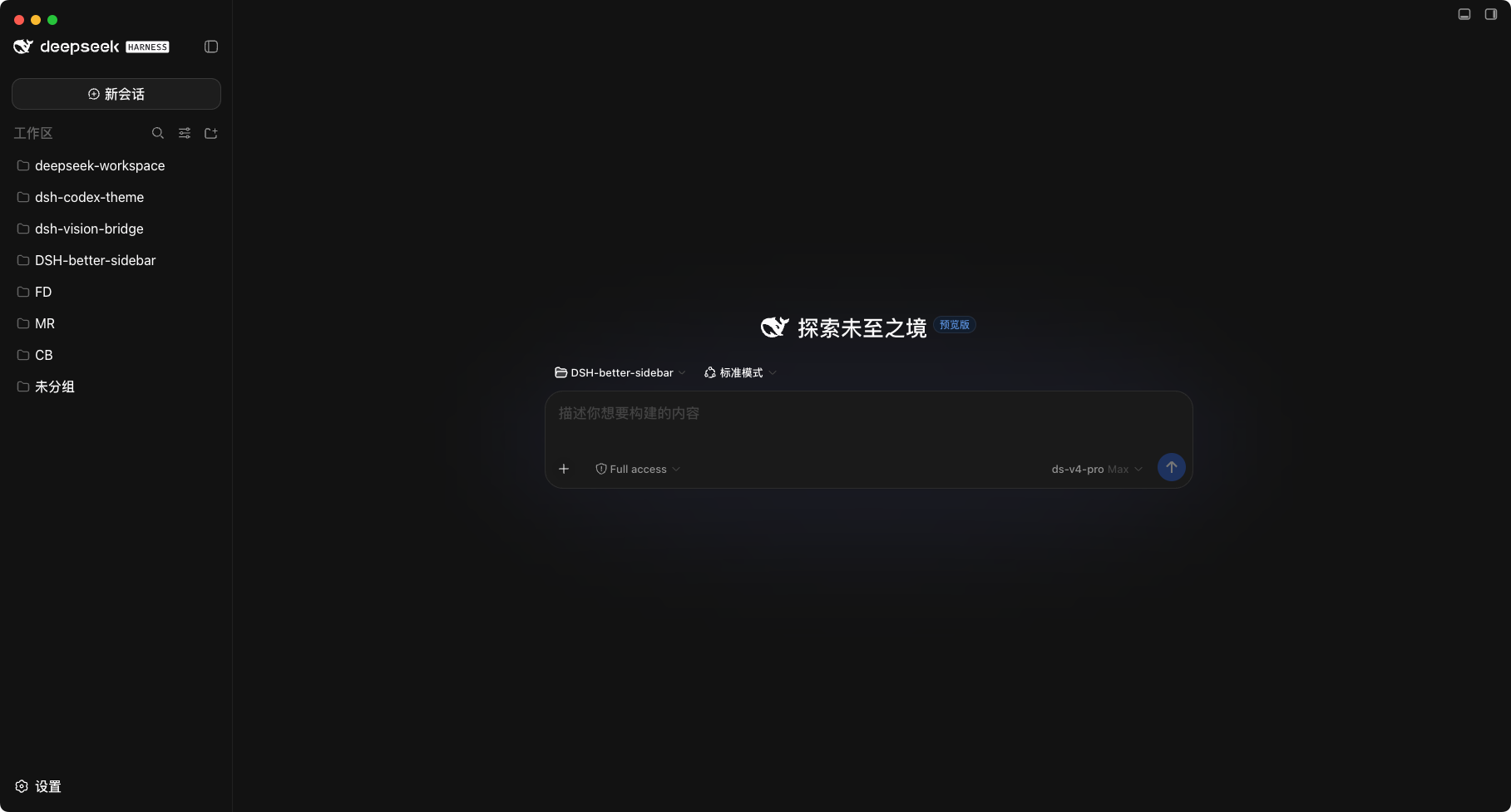
浅色主题(Codex 默认)
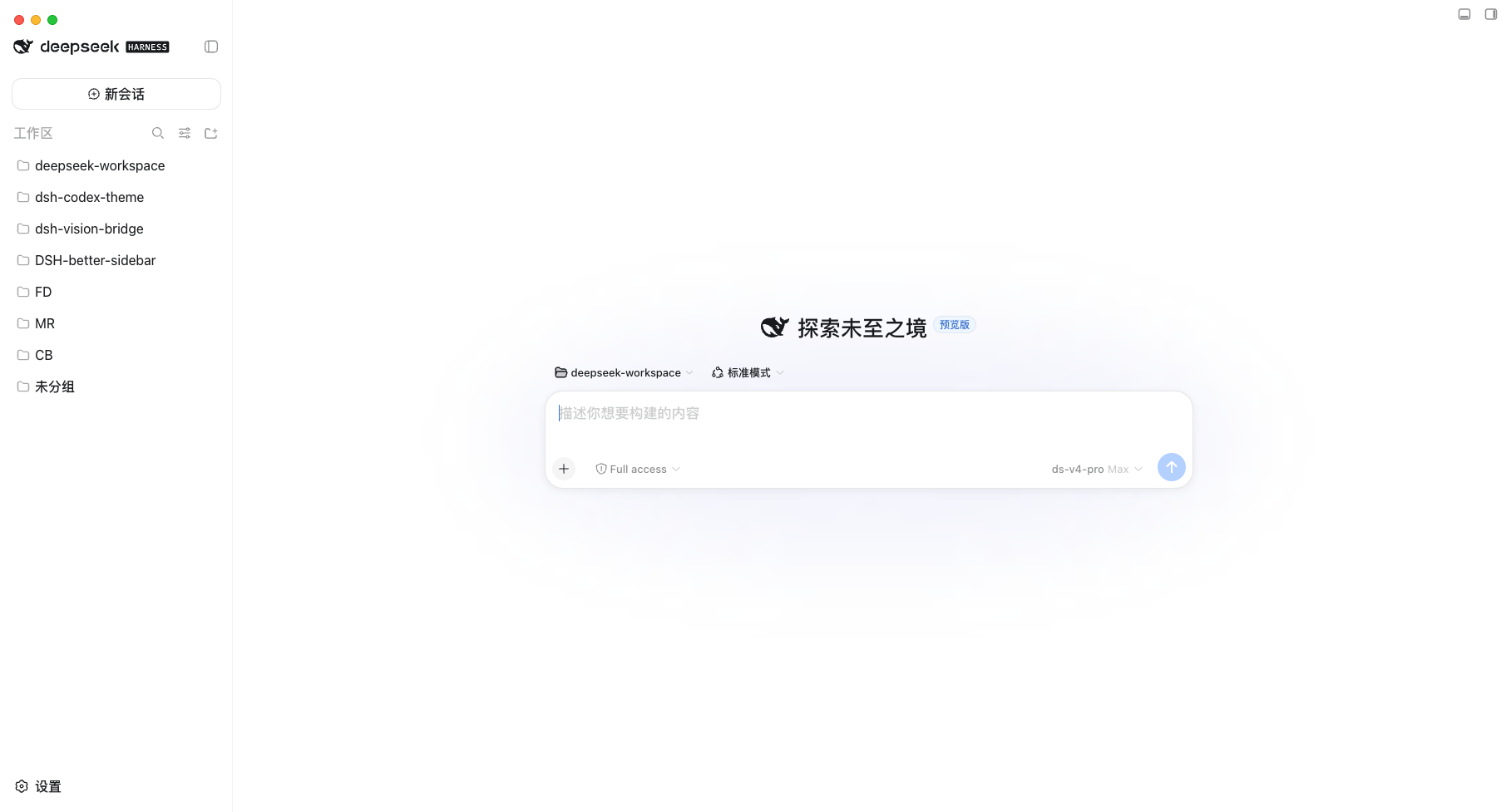
本插件是一个 DSH 双半插件(host + client):
lib/index.js):dsh-codex-theme 设置命名空间(写入 $DSH_HOME/settings.yaml);/api/dsh-codex-theme/fonts),供外观面板过滤字体下拉,只显示实际安装的字体。lib/client.js):在设置页注入「Codex 主题」面板,通过 theme.overrideTokens 把所选预设映射为 DSH 的 --dsw-* 主题 token 覆盖层:surface → 背景表面 token,ink → 文本 token,accent → 品牌/按钮/高亮 token,contrast → 次级文本与边框的分档推导,diff 与技能色 → 对应的语义状态 token;主题预设表 src/client/presets.ts 由 scripts/build-presets.mjs 从 Codex 主题配置(VS Code 风格的 colors/tokenColors 清单)转换生成(已提交,构建不依赖外部文件;重新生成:node scripts/build-presets.mjs [path/to/codex-themes.json])。
本插件的客户端平台为 DSH Web GUI,跟随 DSH 运行,macOS 与 Windows 均支持:
system_profiler 枚举本机字体,结果缓存 10 分钟);其他平台枚举失败时优雅回退,字体下拉会显示全部候选字体。要求 Node.js ≥ 20、已安装 DSH(
dsh命令可用)。
在 DSH Desktop 内置终端(或安装了 DSH CLI 的终端)中执行:
# 已发布到 npm registry 时
dsh plugin add dsh-codex-theme

# 直接从 GitHub 安装(无需发布到 npm)
dsh plugin add github:Lxd-Ashe/dsh-codex-theme
独立使用 dsh CLI 时如未配置默认 profile,需显式指定:
dsh plugin --profile <profile-name> add ...。
安装完成后重启 DSH(Desktop 应用或 dsh web)生效。
git clone https://github.com/Lxd-Ashe/dsh-codex-theme.git
cd dsh-codex-theme
pnpm install
pnpm run build          # 产出 lib/index.js(host)与 lib/client.js(client bundle)

# 以本地链接方式安装到 profile
dsh plugin add link:/absolute/path/to/dsh-codex-theme
# 独立 dsh CLI 需显式指定 profile:
#   dsh plugin --profile <profile-name> add link:/absolute/path/to/dsh-codex-theme
安装完成后重启 DSH(Desktop 应用或 dsh web)生效。
dsh plugin remove dsh-codex-theme也可以在 DSH 设置 → 插件管理中禁用或卸载本插件。
pnpm install
pnpm run build       # 产出 lib/index.js 与 lib/client.js
pnpm run typecheck # 类型检查├── lib/ # 构建产物(host + client)
├── docs/ # 截图(深色 / 浅色主题)
├── scripts/build-presets.mjs # 从 Codex 主题配置生成预设表
├── src/
│ ├── index.ts # host:设置命名空间 + 字体枚举路由
│ ├── fonts-route.ts # 本机字体枚举(macOS system_profiler)
│ ├── settings-schema.ts # 设置 schema
│ └── client/ # client:主题面板与 token 推导
├── dsh.plugin.json # DSH 插件清单
├── cordis.patch.yml # bundle patch:挂载插件行
└── build.mjs # esbuild 构建脚本本项目采用 MIT 开源协议。
CLASSIFICATION EVIDENCE
系统优先读取 GitHub Topics,再与站内分类词典和词根规则比对。当前命中: 无有效分类标签。
deepseek-ai
DeepSeek Harness: Everything is a Plugin.

anywhere-labs
为 DeepSeek Harness (DSH) 插件生态打造的现代化桌面端解决方案。万物皆「插件」,桌面本身也是「插件」。

awesome-dsh-plugin
A curated list of plugins for DeepSeek Harness (dsh) · DeepSeek Harness 插件精选列表