
其他
完整应用

deepseek-harness
deepseek-ai
DeepSeek Harness: Everything is a Plugin.
PROJECT TOPICS
INSTALL REFERENCE
dsh plugin --profile web add github:LongSir0419/dsh-toolkit
该命令指向仓库当前默认分支;尚无绑定当前 commit 的完整验证结果。
PROJECT README
A DeepSeek Harness (DSH) plugin toolkit — install three essential plugins with one command: MCP Manager, Skill Manager, and Git Branch Badge. Ready to use right after install; the settings page automatically gains MCP Manager and Skill Manager sections, and the session header / new-session hero gain a Git branch badge.





| MCP Manager | Skill Manager |
|---|---|
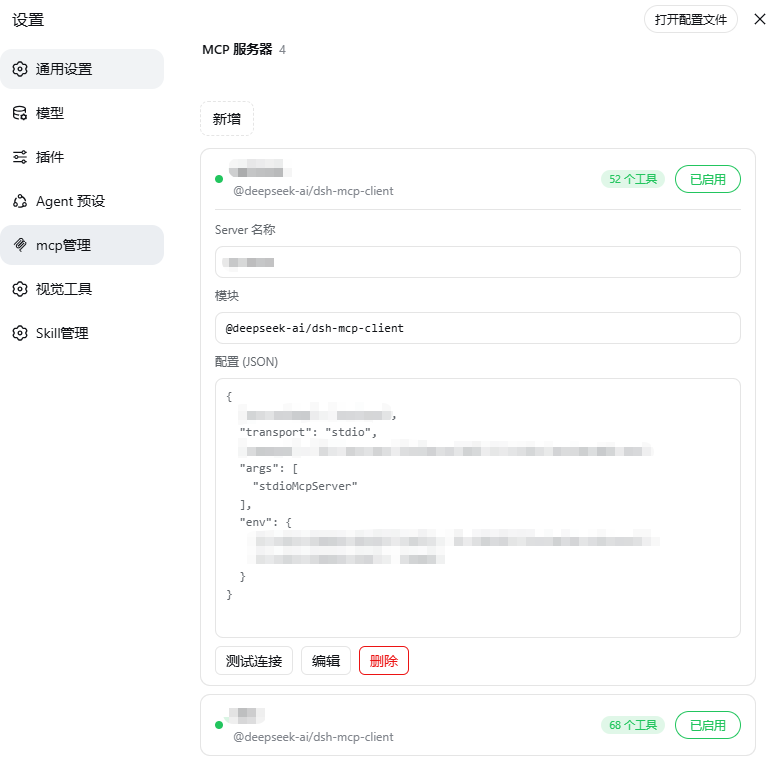 |
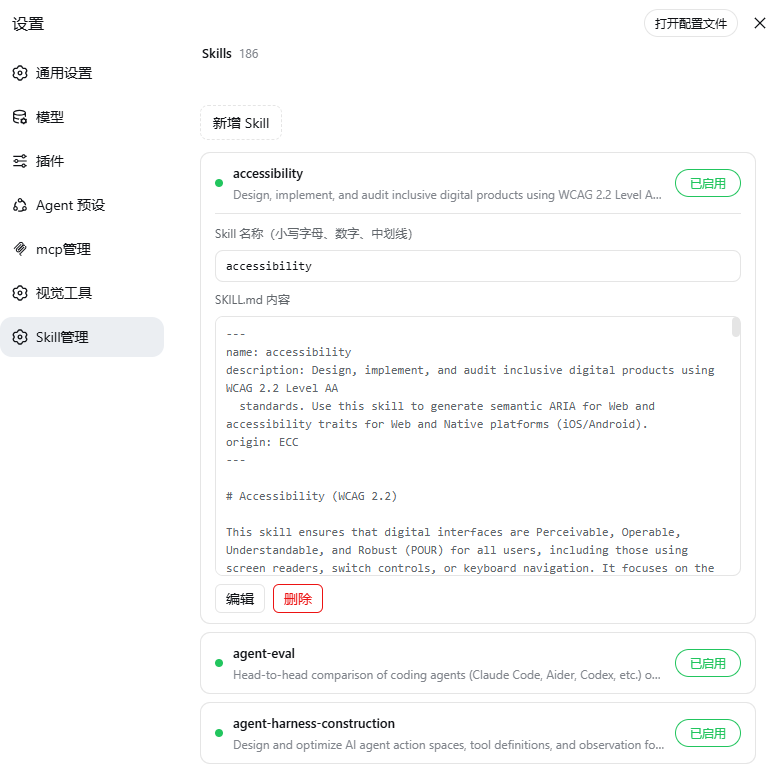 |
| Git Branch Badge | Branch menu |
|---|---|
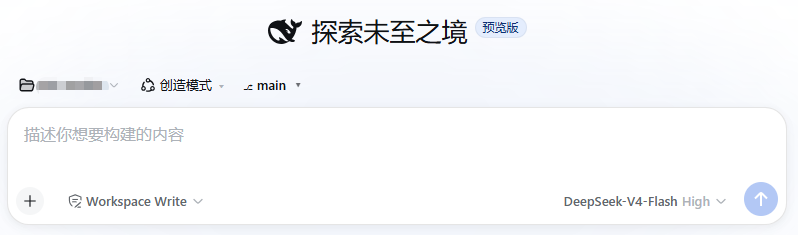 |
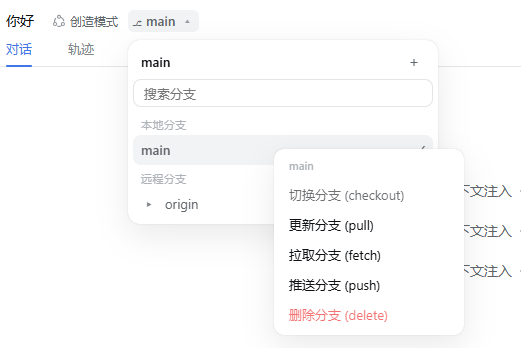 |
$DSH_HOME/profiles/web/cordis.patch.yml$DSH_HOME/skills (name + description)disable-model-invocation: true to the frontmatter and the watcher instantly excludes it from the model directory — no restart neededdsh plugin --profile web add @wanghailong0419/dsh-toolkit
dsh web # restart to take effect| Package | Version | Entry |
|---|---|---|
| @wanghailong0419/dsh-mcp-manager | ^0.1.3 | Settings → MCP Manager |
| @wanghailong0419/dsh-skill-manager | ^0.1.4 | Settings → Skill Manager |
| @wanghailong0419/dsh-git-branch-manage | ^0.1.3 | Session header → Branch badge |
# Install individually
dsh plugin --profile web add @wanghailong0419/dsh-mcp-manager
dsh plugin --profile web add @wanghailong0419/dsh-skill-manager

# Remove the whole toolkit
dsh plugin --profile web remove @wanghailong0419/dsh-toolkit

# Upgrade
dsh plugin --profile web update @wanghailong0419/dsh-toolkitMIT
CLASSIFICATION EVIDENCE
系统优先读取 GitHub Topics,再与站内分类词典和词根规则比对。当前命中: 无有效分类标签。
deepseek-ai
DeepSeek Harness: Everything is a Plugin.

anywhere-labs
为 DeepSeek Harness (DSH) 插件生态打造的现代化桌面端解决方案。万物皆「插件」,桌面本身也是「插件」。

awesome-dsh-plugin
A curated list of plugins for DeepSeek Harness (dsh) · DeepSeek Harness 插件精选列表