
其他
完整应用

deepseek-harness
deepseek-ai
DeepSeek Harness: Everything is a Plugin.
PROJECT TOPICS
PROJECT README
English | 简体中文
Google Antigravity / Cloud Code Assist model provider for DeepSeek Harness.
This is a DSH Web plugin. It registers a DSH LlmAdapter
under provider route antigravity, stores OAuth credentials under DSH home,
talks to the Cloud Code Assist streaming API directly, and provides full bilingual (English & Simplified Chinese) i18n support in the Web settings page.
Unofficial integration. This project is not affiliated with or endorsed by Google. Use it only with accounts and services you are authorized to access.
dsh plugin --profile web add github:LiZhenNet/dsh-antigravitynpm run pack:dist
dsh plugin --profile web add ./dist/dsh-antigravity-0.0.4.tgzThe package declares a DSH bundle patch, so installation automatically mounts the host plugin and browser settings page.
If your DSH version does not support dsh plugin add, copy the package into
the Web profile manually:
cp -R dsh-antigravity "$DSH_HOME/profiles/web/node_modules/"Then add the plugin to the profile cordis.patch.yml:
- insert:
    - id: llm-antigravity
      name: dsh-antigravity
Restart DSH:
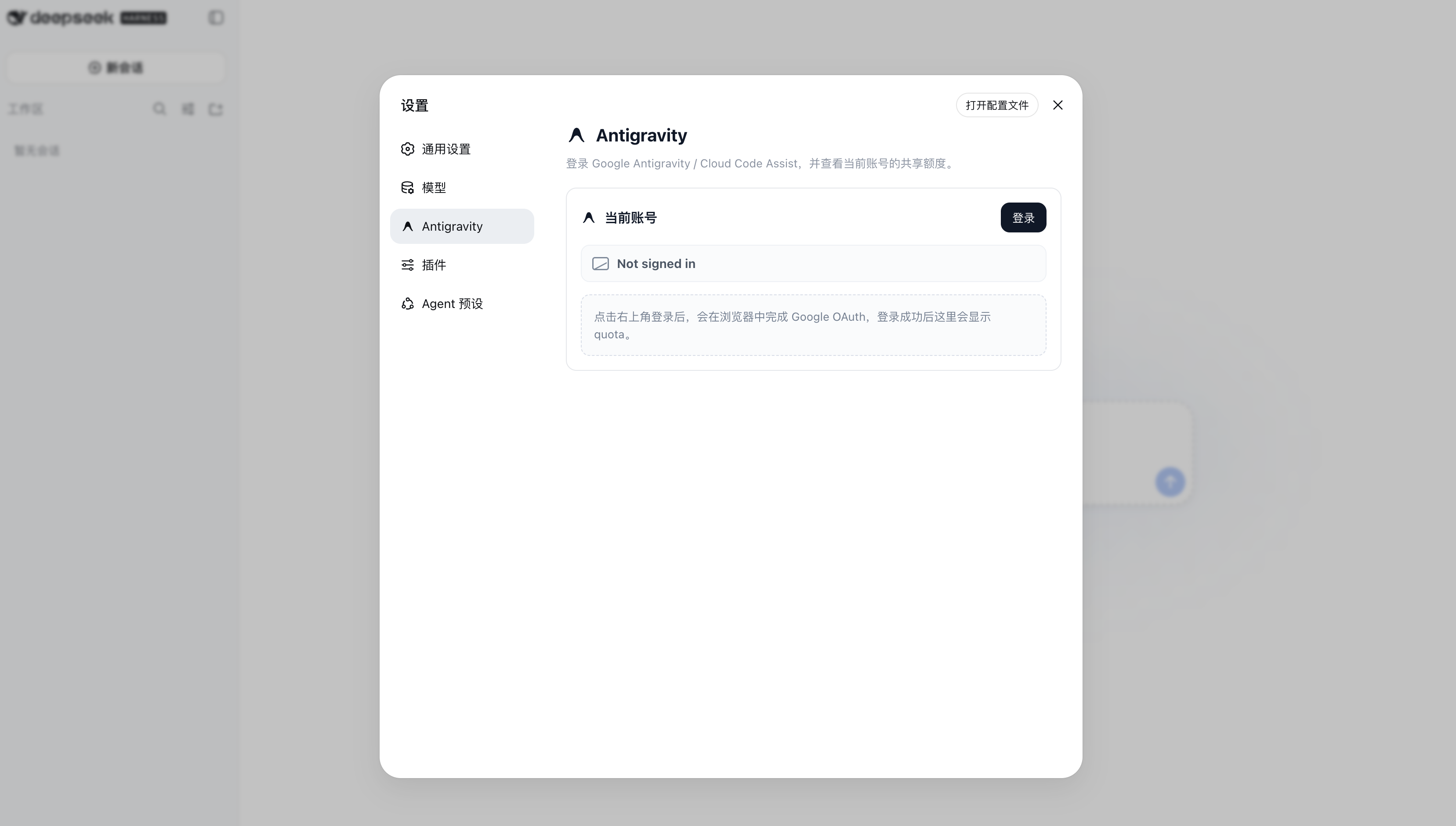
dsh webOpen Settings > Antigravity and click Login. The settings page starts Google OAuth and refreshes quota after login completes.
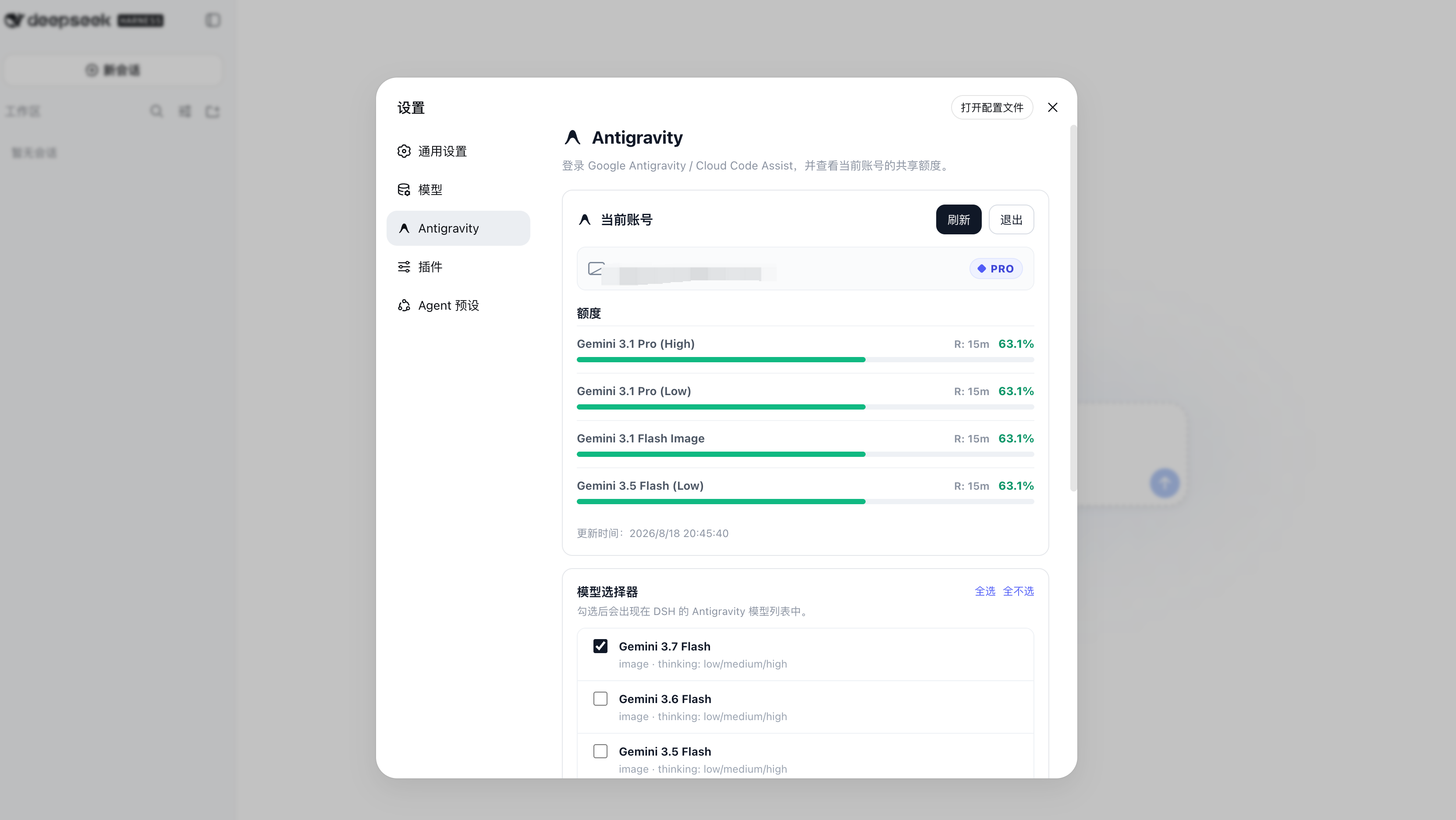
After login, the settings page displays account information, quota grouped by model family, reset times, and model selector options:
Each group shows a 5-hour limit (smooths short-term demand) and a weekly limit (tied to your subscription tier) with a live countdown to reset.
The plugin starts a loopback OAuth callback server at
http://localhost:51121/oauth-callback. If the Web service cannot open a
browser, run the terminal helper on the same machine:
node "$DSH_HOME/profiles/web/node_modules/dsh-antigravity/bin/antigravity-login.mjs"Credentials are stored at:
$DSH_HOME/storages/antigravity-oauth.jsonKeep that file private. It contains access and refresh tokens.
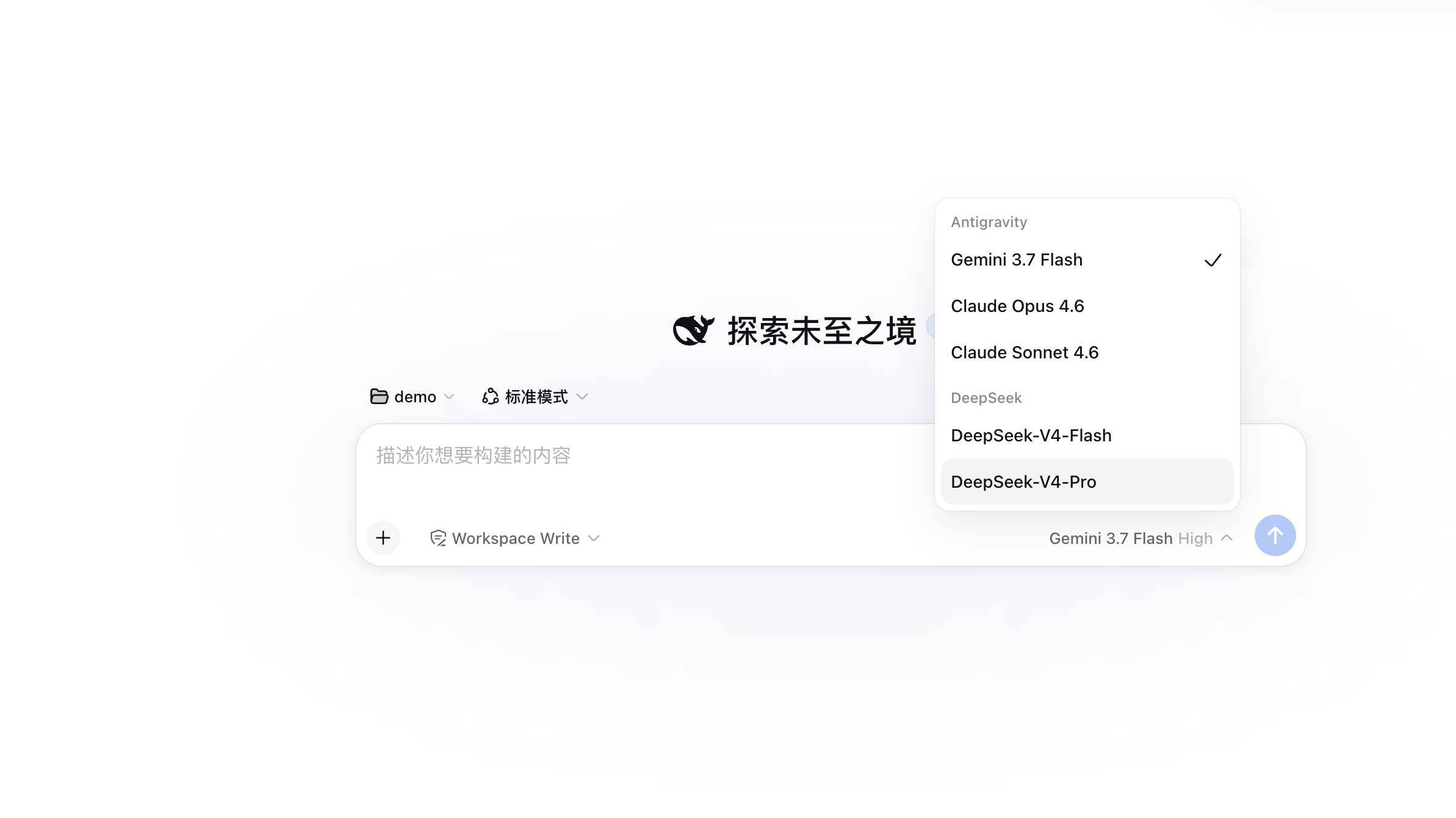
After login, select the Antigravity provider in DSH's model picker. Use the model selector in Settings > Antigravity to enable or disable individual models (enabled models are prioritized at the top of the list) — the live remaining quota percentage is shown next to each one.
Registered model IDs:
| Model ID | Name | Quota pool |
|---|---|---|
gemini-3.7-flash |
Gemini 3.7 Flash | Gemini |
gemini-3.6-flash |
Gemini 3.6 Flash | Gemini |
gemini-3.5-flash |
Gemini 3.5 Flash | Gemini |
gemini-3.1-pro |
Gemini 3.1 Pro | Gemini |
gemini-3.1-flash-image |
Gemini 3.1 Flash Image | Gemini |
gemini-3-flash |
Gemini 3 Flash | Gemini |
gemini-2.5-pro |
Gemini 2.5 Pro | Gemini |
gemini-2.5-flash |
Gemini 2.5 Flash | Gemini |
claude-opus-4-6 |
Claude Opus 4.6 | Claude & GPT (3P) |
claude-sonnet-4-6 |
Claude Sonnet 4.6 | Claude & GPT (3P) |
gpt-oss-120b |
GPT-OSS 120B | Claude & GPT (3P) |
Models in the same quota pool share a weekly limit and a 5-hour limit. Quota is consumed proportionally to token cost, so heavier models (e.g. Claude Opus) drain the pool faster than lighter ones.
The plugin resolves these public IDs to runtime model IDs using the live
fetchAvailableModels catalog when available, with static routing fallbacks.
MIT
CLASSIFICATION EVIDENCE
系统优先读取 GitHub Topics,再与站内分类词典和词根规则比对。当前命中: 无有效分类标签。
deepseek-ai
DeepSeek Harness: Everything is a Plugin.

anywhere-labs
为 DeepSeek Harness (DSH) 插件生态打造的现代化桌面端解决方案。万物皆「插件」,桌面本身也是「插件」。

awesome-dsh-plugin
A curated list of plugins for DeepSeek Harness (dsh) · DeepSeek Harness 插件精选列表