
模型与 MCP
待识别

rea
morluto
Reverse engineer anything with agents, from app behavior down to native binaries.
PROJECT TOPICS
INSTALL REFERENCE
dsh plugin --profile web add github:Larliers/dsh-skill-prompt-injector
该命令指向仓库当前默认分支;尚无绑定当前 commit 的完整验证结果。
PROJECT README
English | 中文
Search, pin, combine and inject skills & prompts into the current conversation — from the DSH right sidebar.
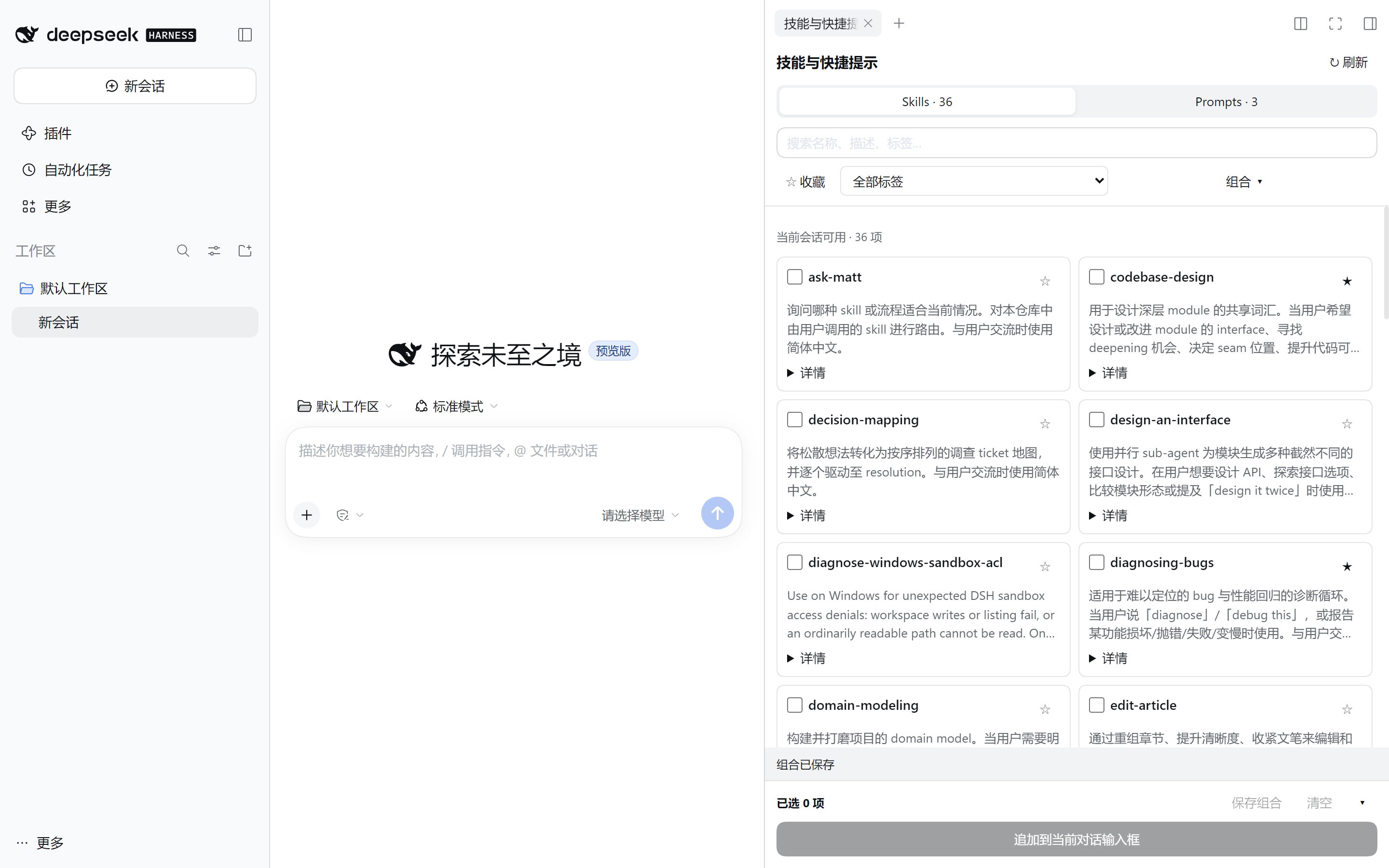
Ctrl+Z undoes the insertion in one step.>=0.2.1-rc.3 <0.2.2 (declared as engines.dsh)sidebar.right.pane.tabFrom the npm registry — recommended, the package ships prebuilt lib/, so there is nothing to clone or build:
dsh plugin --profile <profile> add dsh-skill-prompt-injectorOr from source:
git clone https://github.com/Larliers/dsh-skill-prompt-injector.git
dsh plugin --profile <profile> add link:<absolute-path-to-clone>
Either way, restart DSH afterwards so both the Host and the Client side load the new artifacts.
Skills resolve from the session's workspace and agent preset; the body itself is loaded by DSH's native /skill-name mechanism after you send. Dragging only changes injection order — it does not build a serial workflow.
Favorites, tags, combinations and prompts live outside the package, under $DSH_HOME/skill-prompt-injector/ (default ~/.dsh/skill-prompt-injector/):
prompts.json — titles, bodies, tags and favorites of your snippetslibrary.json — skill tags/favorites, and combination references and orderBoth files carry schemaVersion: 1 plus a Host-maintained revision; edit them through the UI. Writes are version-checked, serialized and atomic, and .bak keeps the previous valid file. The plugin never rewrites your SKILL.md files.
Point dataDirectory in the plugin Config elsewhere if you prefer another location.
npm ci
npm run typecheck
npm test
npm run build
Output: lib/index.js (Host) and lib/client.js (Client). The two halves talk over the native Typert Remote channel — no extra server or MCP.
MIT © 2026 Larliers
CLASSIFICATION EVIDENCE
系统优先读取 GitHub Topics,再与站内分类词典和词根规则比对。当前命中: deepseek-harness。
morluto
Reverse engineer anything with agents, from app behavior down to native binaries.

deepseek-ai
DeepSeek Harness: Everything is a Plugin.

nexu-io
The 1st Collaborative AI Design Agent Workspace. Local-first and open source. Create motion, prototypes, websites, apps, dashboards, presentations, images, and videos with your team and AI agents. Share work, exchange feedback, and iterate together in one workspace.