dsh-smooth-stream
让 AI 的长篇生成如提词器般温润流淌。
为 DeepSeek Harness(dsh)打造的二阶弹簧物理流式渲染与零重排跟随引擎。
English · 项目主页 · 工作原理与基准 · npm
极致丝滑的阅读手感
无论是阅读数百行的长篇推演,还是紧盯高速吐字的代码生成,dsh-smooth-stream 带来的是一种沉浸、连贯且零视觉负担的阅读质感:
- 如水流般自然铺展:告别大段文本突然“砸”在屏幕上的视觉压迫,字句如打字机般富有呼吸感地逐字涌现;
- 视线无需追赶跳动:视口如同搭载了高精度阻尼滑轨,随文字增长平稳匀速推移,彻底终结换行时的突发踢移;
- 呼吸感与实时性的平衡:慢速输出时从容优雅,高并发爆发时平稳追赶,无论模型吐字多快,画面始终从容自若。
为什么需要它?
大模型输出是通过网络分块到达的。一个数据包可能在几毫秒内送达数百字符,下一个分块却需要数十毫秒。
如果直接将 DOM 渲染和视口滚动绑定在离散的到达事件上,通常会引发两个阅读体验问题:
- 视觉跳跃与撕裂:段落、代码块和表格整段突发呈现,视线被迫频繁重新寻焦;
- 滚动抖动与重排风暴:依靠
scrollTop = scrollHeight 进行瞬时硬跳;即使用 CSS scroll-behavior: smooth,高频写入也会不断重置缓动曲线,导致动画永远无法收敛,高速流下伴随剧烈的主线程重排。
dsh-smooth-stream 将内容呈现与视口运动拆分为两个独立的物理状态机,在每一帧动画回调(rAF)中连续积分,彻底消除跳跃感。
核心机理与架构
[ 模型 SSE 分块流 ]
         │
         ▼
 ┌─────────────────┐       背压阻尼 (0.55x ~ 1.0x)       ┌─────────────────┐
 │   揭示节奏引擎   │ ◄──────────────────────────────── │   弹簧跟随引擎   │
 │ (Reveal Engine) │                                   │ (Follow Engine) │
 └────────┬────────┘                                   └────────┬────────┘
          │ 字符积压与分数积分                                      │ 二阶阻尼弹簧积分 (k=130, c=24)
          ▼                                                     ▼
 [ 逐帧平滑展开 DOM ] ───────────────────────────────► [ 合成层 Transform 补偿 ]
  (单帧视觉位移 ≤ 8px)                                   (0 Reflow / 纯 GPU 合成)
1. 动态自适应的揭示引擎(Reveal Engine)
- 分数级字符积分:根据积压队列深度自适应调节速度($v = 90 + \text{backlog}^{1.25} \times P$),低负载时从容自然,高积压时平稳追赶,绝不倾泻整段文本。
- 折行限幅平滑:长文本和代码块发生换行时,单帧视觉位移被限制在 8px 以内,将原本 24~28px 的单帧跳跃平摊至数帧完成。
- 尾部平稳收束:回合结束标记到达后,残余缓冲区以恒定速率释放,正文、思考链与工具调用之间自然衔接。
2. 纯合成层驱动的跟随引擎(Follow Engine)
- 二阶阻尼物理系统:采用 $k=130, c=24, m=1$ 的亚步进物理弹簧,将内容高度的变化转化为平滑连续的速度与位移轨迹。
- 零重排(Zero-Reflow)位移补偿:真实滚动容器始终锚定在底部,剩余的视觉滞后完全由外层 DOM 的
transform: translate3d 吸收。跟随过程不读写任何触发 Layout 的属性,杜绝重排风暴。
- 闭环背压控制(Closed-Loop Backpressure):当跟随滞后接近预留空间时,反向向揭示引擎施加阻尼(最低降至 0.55 倍速),防止文本增长超出视口弹簧范围。
- 掉帧自愈与跨刷新率一致:主线程卡顿(Stall)时自动钳位物理时间($\le 32\text{ms}$),避免画面恢复后的突进瞬移;在 60Hz 与 120Hz(ProMotion)屏幕下拥有近乎一致的物理收敛时间。
3. 会话生命周期自动折叠(Turn Auto-Collapse)
- 对话进行时,思考链与工具调用保持实时展开;
- 回合结算完成并稳定后,自动将执行过程收敛为一行极简的
已处理 X 秒 摘要,保持工作区专注;支持随时点击无缝展开。
效果对比
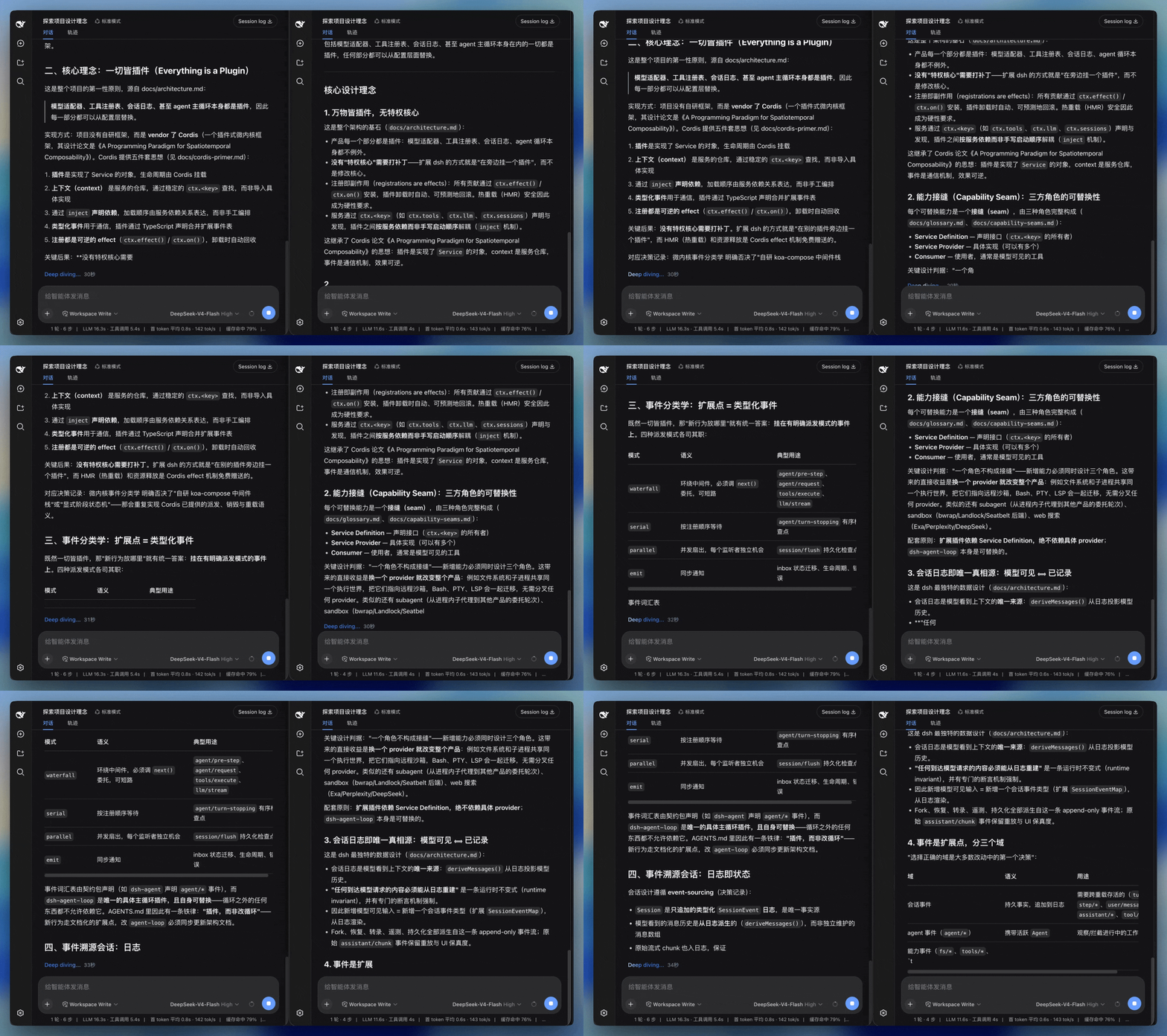
左:默认 Web UI。右:dsh-smooth-stream。
性能与基准
平滑度与稳定性基于本地自动化审计台架验证:
| 验证闸门 |
测试项目 |
指标要求 |
| 流式渲染审计 |
node scripts/run-render-audit.mjs |
5 种典型生成场景下 10/10 Clean,零位移回退 |
| 视口溢出闸门 |
node scripts/verify-overflow.mjs |
极限输出场景下零过滚、零反弹 |
| 尾行晃动抑制 |
pnpm test |
单帧跳变 ≤30px,7 帧振幅峰值 ≤32px |
- 核心 ESM 产物经 Gzip 压缩后仅约 4.7 kB。详见工作原理与基准。
安装与使用
在 DeepSeek Harness 源码根目录运行:
pnpm dsh plugin --profile web add dsh-smooth-stream
如果系统 PATH 中已有 dsh:
dsh plugin --profile web add dsh-smooth-stream
启动界面:
pnpm dsh web
Host 日志中显示 [dsh-smooth-stream] plugin loaded! 即表示已成功加载。
卸载命令:pnpm dsh plugin --profile web remove dsh-smooth-stream。
内核兼容性
| DSH 内核 |
本插件支持情况 |
| 0.1.0-rc.5 ~ 0.1.0-rc.7 |
✅ 全部版本 |
| 0.1.1-rc.2 |
✅ 全部版本 |
| 0.1.2-alpha.1 ~ 0.1.2-alpha.3 |
✅ 0.4.3 起;0.4.2 及更早版本因静态导入已移除的助手而在 0.1.2 上加载失败 |
- ✅ = 兼容。
0.1.2-alpha.3 为当前宿主内核,已实测(产物导入 + 测试套件);其余内核按双内核兼容设计支持(同一份构建、同一 API 面)。
- 0.1.2 起内核移除了
settingsNamespace() 运行时助手(≤ 0.1.1 上它只是个校验恒等函数,0.1.2 仅保留同名类型)。本插件不静态导入该符号,而是在注册设置命名空间时本地内联常量并断言为 SettingsNamespace 类型,新旧内核通用。
- 0.4.3 起不再静态导入
settingsNamespace()(见 git 历史中的兼容修复);更早版本仅在 ≤ 0.1.1 内核上可用。
- *不要对 `@deepseek-ai/
包的运行时符号做静态导入**。宿主 CLI 经node --import tsx/esm启动,tsx 会应用宿主tsconfig的paths映射,外部插件对@deepseek-ai/*的裸导入可能被重定向进宿主源码,一旦宿主侧改名/删符号就会以模块实例化错误的形式炸掉启动。类型导入(import type`)不受影响。
配置与手感预设
插件默认采用 preset: balanced。如需切换手感,可在对应 profile 的 cordis.patch.yml 中修改:
preset |
动态特性 |
realtime |
紧跟模型分块到达节奏,缓冲更小 |
balanced |
默认推荐,兼顾阅读流畅度与响应延迟 |
silky |
增大缓冲区,追赶更平缓柔和 |
用户偏好设置
在 Web 界面打开 设置 → 插件 → 插件配置,可对 丝滑流式(Smooth stream) 卡片进行个性化调节:
- 启用丝滑流式渲染(默认开启):接管回复和工具行的渲染与跟随;关闭后即时恢复 Harness 内置渲染。
- 自动展开思考:流式生成期间是否自动展开思考过程。
- 对数淡入(默认开启):回答正文和展开的思考内容中,尾部范围随输出速度从 24 扩展到最多 160 个字素,从 0% 不透明度在 240ms 内按反向对数曲线变实(前段更通透,后段变实)。网络停顿时也会恢复清晰;关闭此项保留逐字输出与滚动。遵循动效偏好,跳过代码、公式和思考摘要,不支持文字范围着色的浏览器自动使用原有输出效果。
- 完成后自动折叠(默认开启):回合处理完成后,将思考过程与工具调用折叠为摘要行。
- 显示渲染调试面板(默认关闭):在界面右侧开启实时 HUD,观测 FPS、字符积压、弹性曲线并微调物理参数。
本地淡入预览:执行 pnpm build:repro,在仓库根目录启动 python3 -m http.server 8765 --bind 127.0.0.1,打开 http://127.0.0.1:8765/repro/index.html?demo=fade。预览包含暂停、停止、深浅主题、高速分片和代码/公式保护样例,复用真实输出引擎,富文本为测试样例。
执行 node scripts/verify-logarithmic-fade.mjs 可验证并录制预览(需要 Chrome 和 pnpm exec playwright-core install ffmpeg;其他 Chrome 路径可用 CHROME_BIN 指定),报告与视频保存在未跟踪的 repro/artifacts/logarithmic-fade/。
许可证
MIT


