
模型与 MCP
待识别

rea
morluto
Reverse engineer anything with agents, from app behavior down to native binaries.

KonnectSuite/dsh-arya-computer-use
Computer use plugin for DSH/AryaCode built on Vercel's agent-desktop (Windows accessibility refs) and agent-browser (web lane) MCP servers, with a takeover UI: framed window, ghost cursor, global Esc to stop.
PROJECT TOPICS
PROJECT README


A computer-use plugin for DSH/AryaCode built on Vercel's new desktop and browser-use MCP
servers — agent-desktop (Windows accessibility
refs) and agent-browser (web lane) — with a
takeover UI: the driven window is framed, every action is marked with a ghost cursor, and a
global Esc stops it.
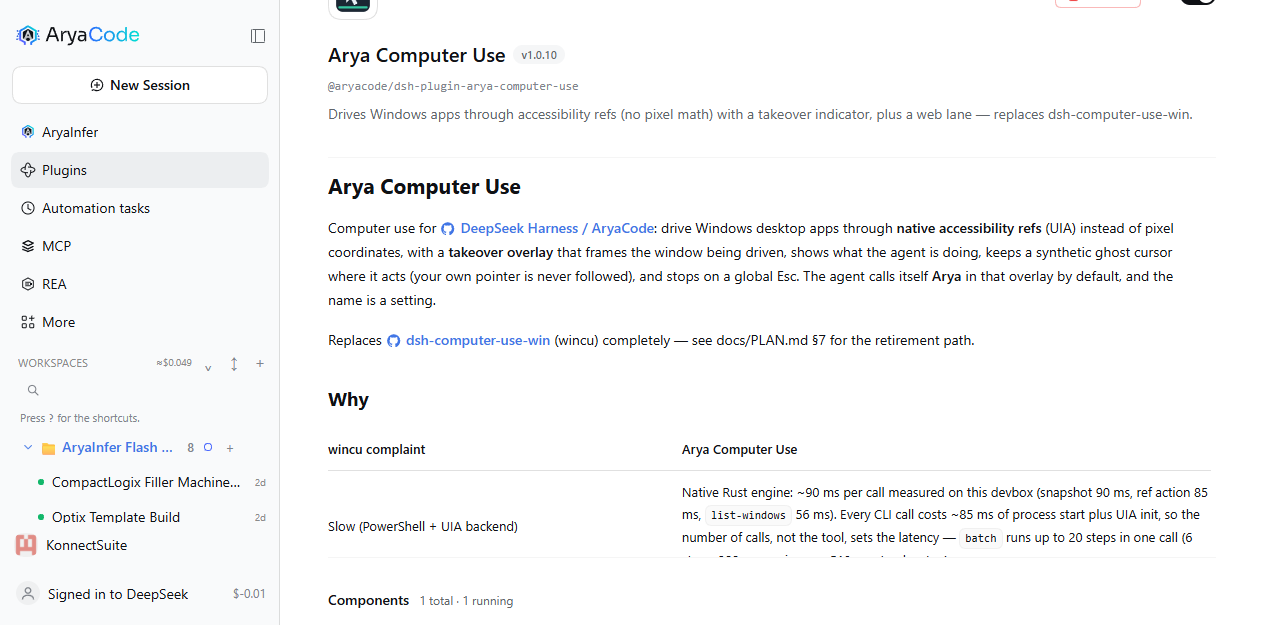
It drives Windows desktop apps through native accessibility refs (UIA) instead of pixel coordinates, and drives web pages through a CDP browser lane. The agent calls itself Arya in the overlay by default, and the name is a setting.
snapshot returns a semantic tree of addressable controls; coordinates
are never the targeting mechanism, and identical twins are refused, not mis-clicked.click picks the delivery rung that works for
that control — the control's own UIA pattern, its advertised action, then a background posted
click — and reports which one in data.mechanism. Real OS clicks, type and focus need an
explicit opt-in.arya_desktop (28 tools over UIA) and arya_browser (the agent-browser MCP
profile you pick), mounted in-process — no absolute paths, no npx child.list-windows 56 ms); batch runs up to 20 steps in one call (6 steps: 332 ms engine
vs ~510 ms step by step). Every CLI call costs ~85 ms of process start, so the number of calls,
not the tool, sets the latency.Releases: GitHub Releases ·
CHANGELOG.md · npm package @aryacode/dsh-plugin-arya-computer-use.
C:\ProgramData\agent-desktop\<user-SID>\interaction.lock with a
protected DACL {SYSTEM, Administrators, token user}; a non-elevated medium-IL token fails
validation (lease_directory_untrusted), and the adapter surfaces that as an explicit "run
AryaCode as administrator" hint.desktop_status reports accessibility: granted).dsh.engines.dsh (>=0.2.1-rc.3 <0.3.0-0).~/.agent-desktop — do not point
AGENT_DESKTOP_HOME at %LOCALAPPDATA% (inherited AppContainer ACEs fail the engine's
private-DACL check).https://cdn.jsdelivr.net/gh/KonnectSuite/dsh-arya-computer-use@latest/index.jsonThe published package is @aryacode/dsh-plugin-arya-computer-use (npm, public). Everything it
needs ships in the tarball: the desktop adapter, the browser launcher, the takeover overlay
sources and the skill. The two MCP lanes are mounted in-process by index.js
(ctx.plugin(<bridge>, …)), so there are no absolute paths in the bundle patch and no npx
child process — an install works the same on any machine.
The plugin manager blocks dependency build scripts by default. The engines (agent-desktop,
agent-browser) fetch their native binary in a postinstall script; approve those two builds when
installing, or let 1.0.1+ repair them itself at start-up — the status route reports the outcome
under mcp.engines.
@aryacode/dsh-plugin-arya-computer-use — install it into your AryaCode profile with the plugin
manager, or pin it in the profile's package.json.
plugin_manager → install_bundle pointing at this directory. The bundle patch is a single row
(arya-computer-use); the MCP lanes still mount in-process, so a checkout install and a registry
install behave identically.
Arya · Step 3 · acting).mcp__arya_desktop__* and mcp__arya_browser__* in every
session.| Setting | Default | Meaning |
|---|---|---|
| Frame the app window | on | Rim only the driven window plus a banner; monitor edges are just the fallback before a target is known |
| Show a ghost cursor | on | Draw a synthetic cursor where the agent acts; your pointer is never followed |
| Agent name | Arya |
Drives the ghost-cursor tag and the progress-panel header (Arya · Step 3 · acting), 1–16 characters |
| Banner text | Arya is controlling your computer |
One line, 1–120 characters |
| Real mouse and keyboard | off | Opts the conversation into physical input for 5 minutes (session_end releases it): clicks that need it become real OS clicks, type/focus/focus_window stop refusing. Off, click still works — it uses the control's own UIA pattern, its own advertised action, or a background posted click, and never moves your pointer. |
| One conversation drives at a time | on | Refuses desktop tools in other conversations while a drive is live |
| Progress panel detail | summary |
What the on-screen step panel prints: summary = short action lines, source = the assistant's raw text stream (the old default — it paints model text on your desktop) |
| Stop shortcut | Esc | Global kill switch; synthetic keystrokes are ignored, so it needs a real keypress. It also gates the driver: desktop input tools return COMPUTER_USE_STOPPED_BY_USER for that turn (reads keep working) |
| Tool preset | lite |
lite lists all 28 desktop tools; lazy starts with tools/snapshot/click and reveals the rest on demand |
| Tool surface (web) | core |
agent-browser tool profile: core 29, network 9, state 27, debug 40, tabs 13, react 8, mobile 15, webmcp 4, all 156 |
| Chrome profile / Session | – / arya |
Reuse a Chrome login state and name the browser session |
| Connect to my browser | – | --cdp port or URL to attach to a Chrome you already have open |
| Saved sign-in state | – | Absolute path to a cookies+localStorage JSON to reuse |
| Browser executable path | – | Absolute path to msedge.exe / chrome.exe / brave.exe when the web lane starts its own browser; empty finds system Chrome |
| Show the browser window | off | --headed for the web lane |
lite (default) — all 28 desktop tools listed up front:
snapshot, find, get, is, click, select, check, uncheck, clear, scroll_to, focus, focus_window, double_click, right_click, expand, collapse, toggle, set_value, type, press, scroll, list_windows, launch, wait, screenshot, ocr, batch, tools.lazy — starts with tools, snapshot, click; everything else appears after
tools {operation:"load", names:[...]}. The adapter advertises tools.listChanged and emits
notifications/tools/list_changed, which DSH's MCP client re-syncs
(listChanged.onChanged → refreshTools), so the new tools become callable immediately.The second MCP row (arya_browser, server agent-browser) runs through mcp/browser-launcher.mjs,
a transparent stdio pipe that reads the control file and spawns the real server with the settings
applied:
node mcp/browser-launcher.mjs # → agent-browser mcp --tools core [--profile X] [--session Y] [--state Z] [--cdp ...] [--headed]So sign-in reuse and attaching to your own Chrome are settings, not hand-edited rows. Web-lane changes land on the next MCP restart; the settings page says so.
click picks the delivery rung that works for that control and reports it in data.mechanism:
| mechanism | what happened | your pointer / foreground |
|---|---|---|
semantic |
the control ran its own UIA pattern (Invoke or Legacy default action) | untouched |
select toggle expand collapse |
click refused; the control's own advertised action did it | untouched |
post_message |
a mouse message posted straight to the control's window | untouched |
physical_synthetic |
a real OS click at the element centre — only when physical input is opted in | moves both |
A refusal caused by the exclusive desktop interaction lease (TIMEOUT /
details.kind: "lock_timeout") is not a verdict: the adapter retries the engine call twice with
backoff before the ladder answers it.
set_value fills a field through the accessibility value pattern (the headless text path).
select/check/uncheck/clear/scroll_to/toggle/expand/collapse are semantic engine
commands and stay headless. type, focus, focus_window and a physical: true click
synthesise real input: each needs physical: true on the call (or the conversation-wide
tools {operation:"headed",on:true} opt-in, 5 minutes) and otherwise refuses with
POLICY_DENIED / details.kind: "physical_input_requires_consent". double_click and
right_click are posted in the background by default and physical only with consent. tools
manages the opt-in, overlay and session state.
All four planned phases have shipped.
| Phase | Deliverable | Status |
|---|---|---|
| 0 | Evaluation spike: raw agent-desktop mcp row, drive Notepad/Explorer/Chrome — speed ✓, readable trees ✓, refs-not-pixels ✓ |
✅ accepted, spike removed |
| 1 | Adapter MCP server: tool surface, per-conversation session lifecycle, headed toggle + foreground promotion, screenshot→file path, WinRT OCR, skill | ✅ built, installed, driven in-host |
| 2 | Takeover UI: window rim + banner + Esc kill, configurable ghost cursor, settings page, chat step rows, driver lock, English UI | ✅ built + verified live |
| 2.1 | Clicks that never touch your mouse: semantic rung, the control's own action, then a background posted click; select/check/uncheck/clear/scroll_to/focus_window added; physical input behind an explicit opt-in; launch argv fixed |
✅ verified on a 21-step live matrix 2026-11-14 |
| 3 | Web lane (arya_browser row), sign-in profiles, attach-to-your-Chrome |
✅ shipped 1.0.0 |
| 4 | Lazy preset, notifications/clipboard/trace, npm publish | ✅ shipped 1.0.0 |
Full plan: docs/PLAN.md. Release history: CHANGELOG.md.
package.json          Cordis bundle manifest (dsh.bundle.patch) + pinned engine deps
cordis.patch.yml      rows: arya-computer-use (Host), mcp-arya-desktop, mcp-arya-browser
index.js              Host plugin entry (settings, driver lock, takeover mgmt, status route)
client.js             Settings page + chat step rows (client plugin)
index.json            The market listing this repo serves (jsDelivr); regenerated at release
CHANGELOG.md          One entry per published version, newest first
mcp/adapter-server.mjs  adapter MCP server (28-tool surface)
mcp/browser-launcher.mjs  web-lane stdio pipe applying the settings to agent-browser mcp
mcp/quiet-input.mjs   driver for the background posted click (no cursor, no foreground)
scripts/quiet-input.ps1  posted WM_* click helper; elevated, caches its compiled DLL
scripts/windows-takeover.cs  window rim + banner + progress + ghost cursor + global Esc
scripts/ocr.ps1       WinRT OCR helper
scripts/sync-market-index.mjs  rebuild index.json from npm's publish times
skills/arya-desktop/  observe-act loop guide
locale/ icon.svg      Plugin Manager display metadata
docs/PLAN.md          complete v1 plan
NOTICE.md engine attribution (Apache-2.0)agent-desktop 1.2.0 (Apache-2.0) —
accessibility-tree computer use CLI, native Windows binaries on npm. Reference mirror:
KonnectSuite/dsh-arya-agent-desktop.agent-browser 0.41.2 (Apache-2.0) — web lane
via CDP (agent-browser mcp).Attribution and the licence boundary are in NOTICE.md.
Uninstall from the Plugins panel (or plugin_manager). To clear every trace:
~/.agent-desktop%LOCALAPPDATA%\dsh-plugin-arya-desktop\controlC:\ProgramData\agent-desktop\<user-SID>| Symptom | What it means, what to do |
|---|---|
lease_directory_untrusted |
The host is not elevated. Restart AryaCode as administrator. |
A tool returns TIMEOUT / lock_timeout |
Another conversation holds the drive (the lease is exclusive, and launch holds it for its whole run). The adapter retries twice with backoff; press Esc to release the drive, or turn on One conversation drives at a time. |
| A canvas/game window shows no tree | It exposes no accessibility tree. Use ocr to read it and a physical: true click (your consent) to act on it. |
physical_input_requires_consent |
By design: type/focus/focus_window/physical: true need the opt-in. Turn on Real mouse and keyboard (5 minutes) or pass physical: true on the call. |
| Web-lane settings do not take effect | The web lane restarts with the MCP. Start a new session; the settings page says so. |
desktop_status shows accessibility not granted |
Grant it in Windows settings, then restart the host. |
Installing from Plugins → Arya Plugin Market needs no manual source: on first run the plugin
registers its listing — a jsDelivr URL of this repository's index.json — with the market
(existing sources are kept), and every npm release shows up there as an update. Releases go
through npm staged publishing, so a publish is visible in the market once the version is approved
on npmjs.com.
MIT (KonnectSuite original code). Engines stay Apache-2.0 — see NOTICE.md.
CLASSIFICATION EVIDENCE
系统优先读取 GitHub Topics,再与站内分类词典和词根规则比对。当前命中: mcp。
morluto
Reverse engineer anything with agents, from app behavior down to native binaries.

deepseek-ai
DeepSeek Harness: Everything is a Plugin.

nexu-io
The 1st Collaborative AI Design Agent Workspace. Local-first and open source. Create motion, prototypes, websites, apps, dashboards, presentations, images, and videos with your team and AI agents. Share work, exchange feedback, and iterate together in one workspace.