
其他
插件

dsh-bili-scroll
c1overzz
DSH 插件:每天替你刷一轮 B站,读字幕挑出值得的、写一份日报,值得的 @ 你
PROJECT TOPICS
INSTALL REFERENCE
dsh plugin --profile web add github:JonyFang/dsh-plugin-custom-profile
该命令指向仓库当前默认分支;尚无绑定当前 commit 的完整验证结果。
PROJECT README
Your own name and avatar, on the account row at the bottom left. Only what this machine shows changes. The account is not edited, and nothing is uploaded.
Package:
dsh-plugin-custom-profile· Plugin id:plugin-custom-profile
Change it at Settings → Profile.
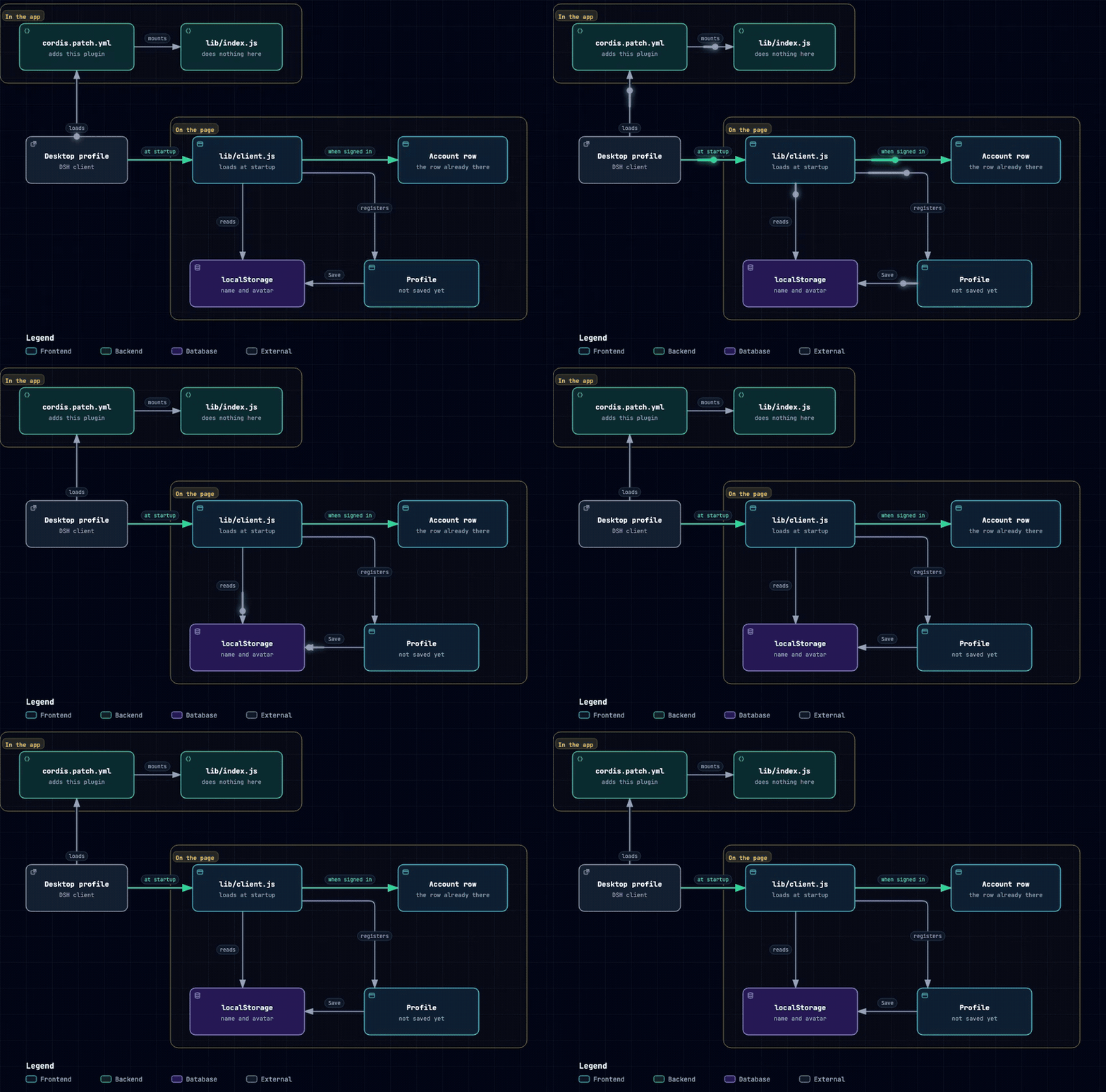
Four ways in. None of them needs a build step. Pick one.
1. From npm. The package is published as dsh-plugin-custom-profile. In a terminal:
dsh plugin --profile desktop add dsh-plugin-custom-profileThe app's Settings → Plugins → Install search lists npm packages once the market index has picked them up. Installing by package name works now.
2. From GitHub. No npm involved:
dsh plugin --profile desktop add github:JonyFang/dsh-plugin-custom-profile3. From a local checkout. Clone this repository, then open Settings → Plugins → Install → Local directory in the app and select the directory. Or quit the app and run:
dsh plugin --profile desktop add /absolute/path/to/dsh-plugin-custom-profile4. By hand. Symlink this directory into the profile's node_modules, then append this to the profile's cordis.patch.yml:
- insert:
    - id: plugin-custom-profile
      name: dsh-plugin-custom-profile
desktop is the profile name, so change it for another profile. Restart the app if Profile does not appear.
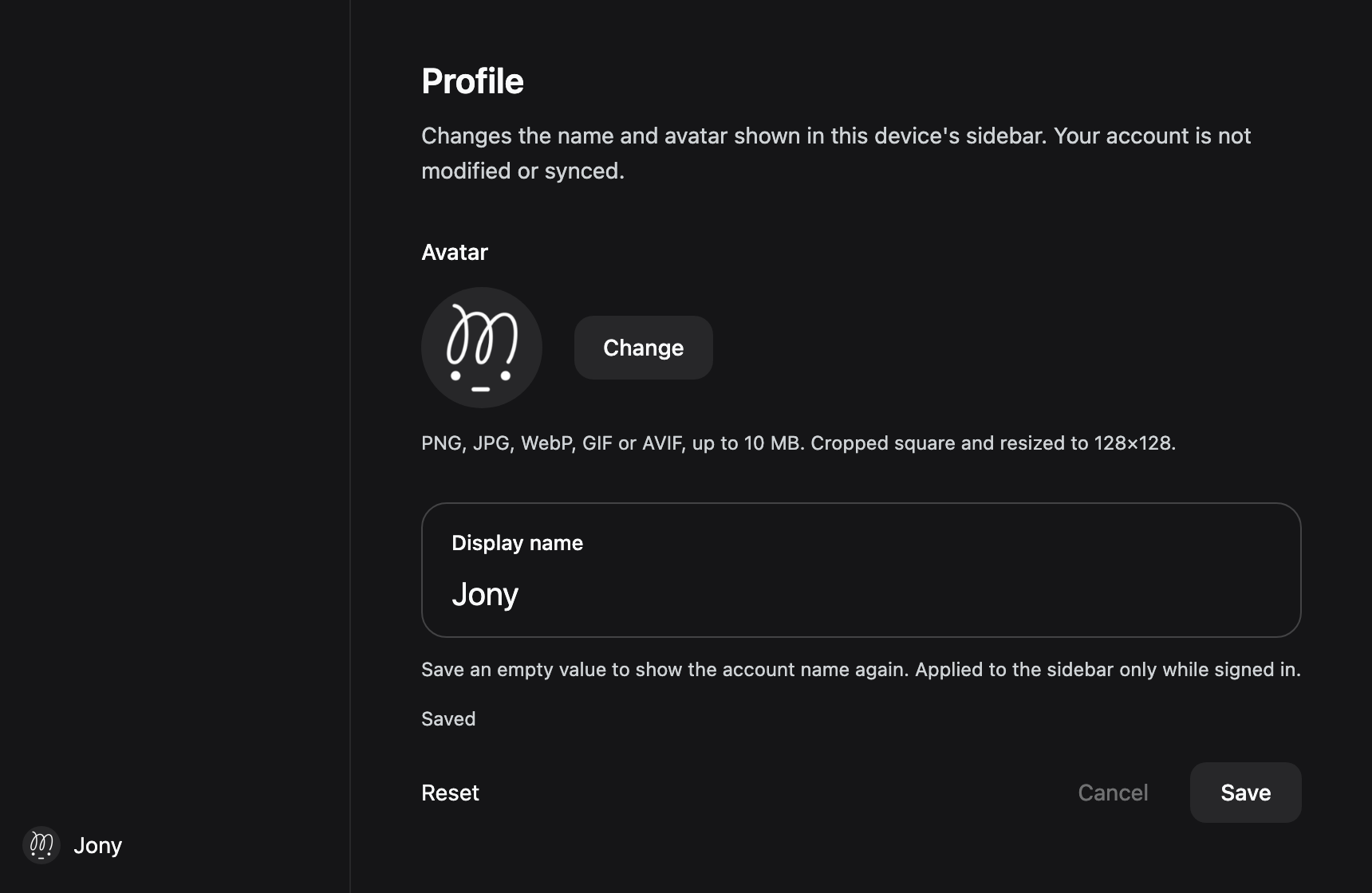
Set a name and an avatar, then Save. An empty name keeps the account name. Reset, then Save, puts the account name and avatar back. Cancel drops unsaved edits.
PNG, JPG, WebP, GIF, or AVIF, up to 10 MB. Cropped to a square and stored as 128×128 WebP, or PNG if that fails. A GIF stays a single frame. Names are at most 32 characters.
0.2.2-rc.1. If the account-row markup changes, the plugin stops painting instead of breaking the page.Node ^22.19.0 || >=24.0.0. npm test runs 59 tests. lib/index.js does nothing. lib/client.js is the browser bundle. A daily GitHub Action watches the Harness page. A newer client opens an issue for the dsh-compat agent.
MIT
CLASSIFICATION EVIDENCE
系统优先读取 GitHub Topics,再与站内分类词典和词根规则比对。当前命中: 无有效分类标签。
c1overzz
DSH 插件:每天替你刷一轮 B站,读字幕挑出值得的、写一份日报,值得的 @ 你

hellowind777
一个自主的高级智能伙伴,不仅分析问题,更持续工作直到完成实现和验证。

xing-shuyin
Just open your browser — get all your work done.