
文件与数据
渠道适配

WeKnora
Tencent
Open-source LLM knowledge platform: turn raw documents into a queryable RAG, an autonomous reasoning agent, and a self-maintaining Wiki.

Jiyr0119/dsh-workspace-explorer
DeepSeek Harness 工作区文件资源管理器:右侧目录树面板,点击/拖拽文件引用进输入框,UI 对齐 DSH 原生风格 | Workspace file explorer plugin for DeepSeek Harness: right-side file tree panel, click or drag file references into the composer, native DSH look
PROJECT TOPICS
INSTALL REFERENCE
dsh plugin --profile web add github:Jiyr0119/dsh-workspace-explorer
该命令指向仓库当前默认分支;尚无绑定当前 commit 的完整验证结果。
PROJECT README





⭐ If you find this useful, give it a Star — it makes the author's day · ★ Give a Star
A workspace file explorer for the DeepSeek Harness Web UI: a “Workspace Files” capsule button in the session header (feature name + folder icon, beside the Session log button) opens an animated popup showing the current workspace's directory tree — click or drag a file to send its reference to the model.
Inspired by the VS Code / Cursor project tree, filling the gap of a missing directory view in DSH after workspaces are added.
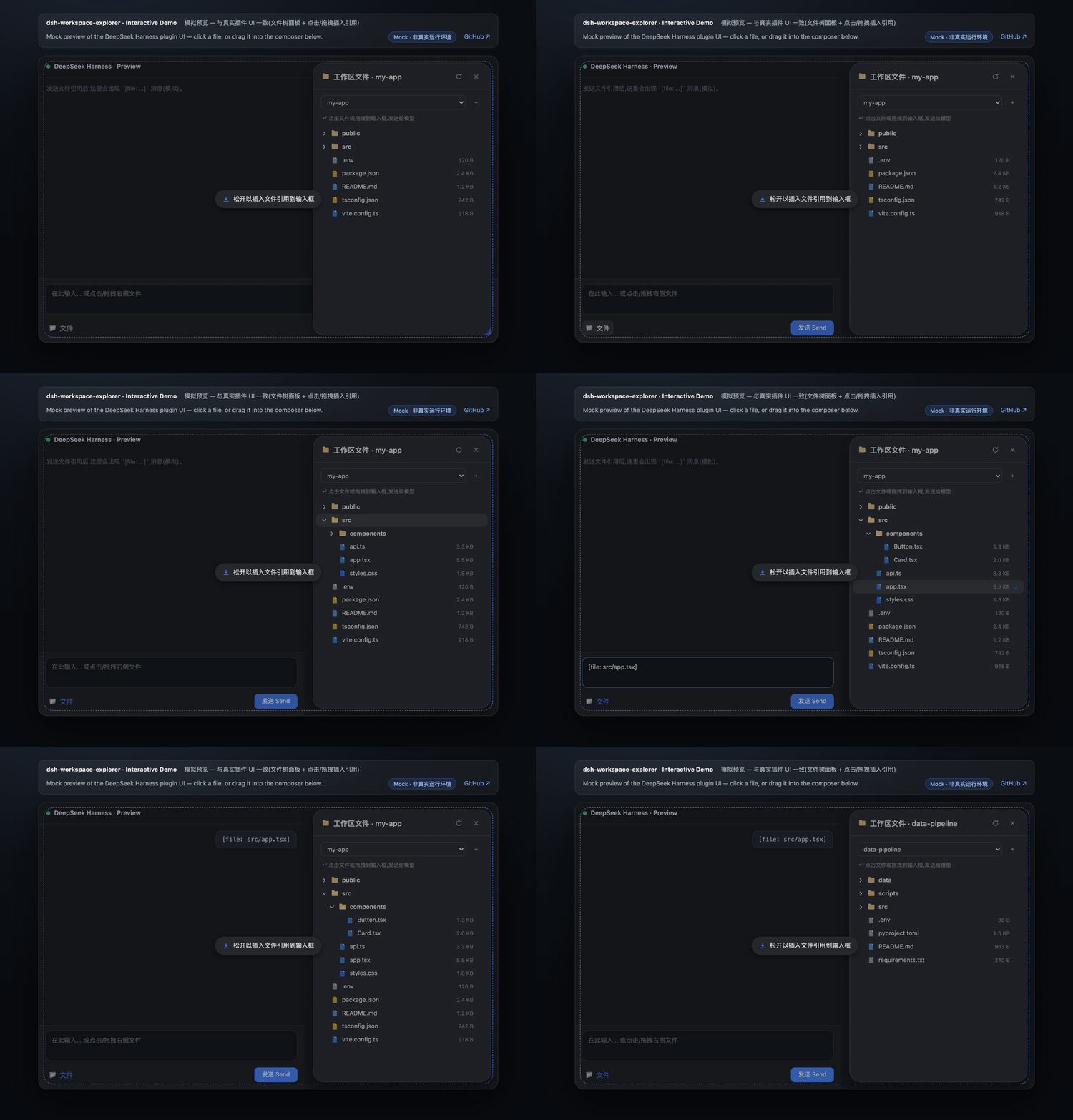
Demo GIF (recorded at v0.5.1): the “Workspace Files” pill entry, multi-select batch insert, folder drag → compact tree text, paginated preview, and the settings tab. The v0.6.0 split-view preview and file editing are shown in the screenshots below.
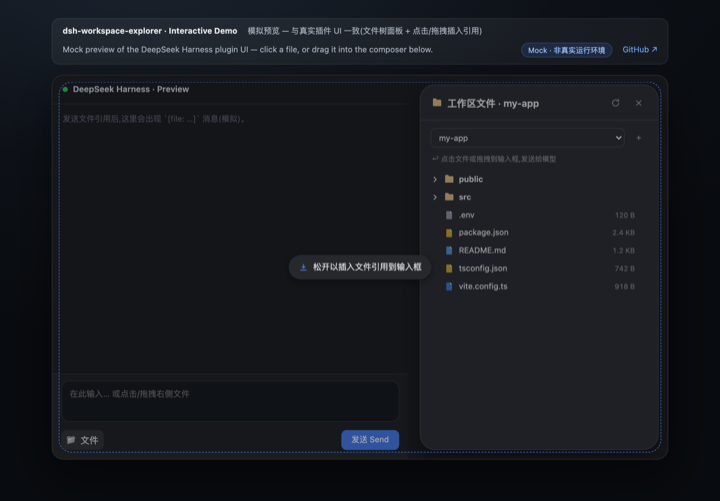
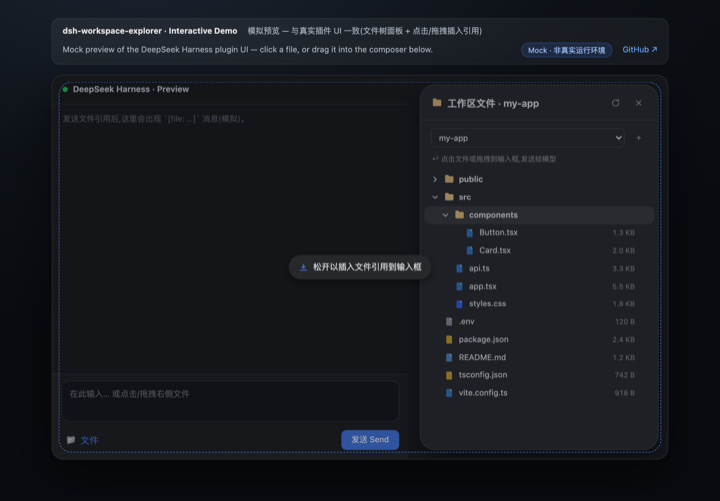
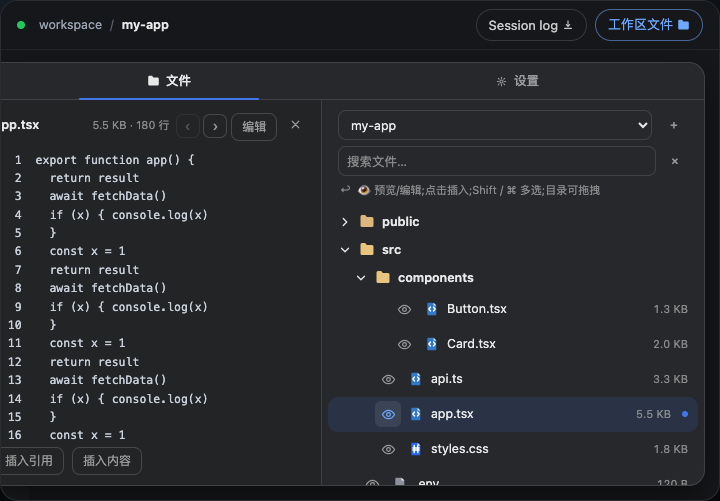
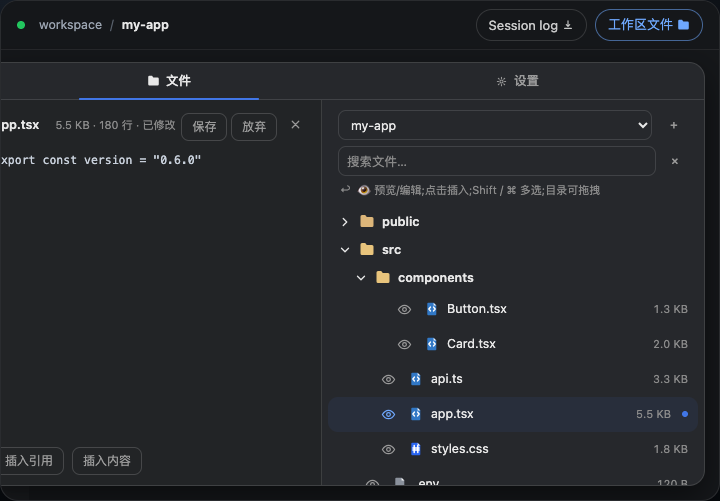
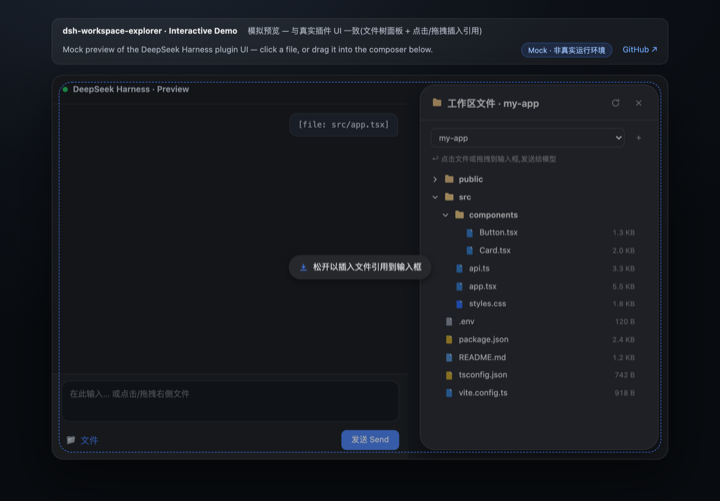
node_modules, .git, dist, __pycache__, …) are hidden automatically[file: relative-path] reference to the composer; after sending, the model resolves it with its read tool--dsw-alias-* design tokens; adapts to light/dark with a native dialog look (16px radius, lv3 shadow)Way 1 · Native install via dsh plugin add / storefront (recommended)
One command installs the full plugin — no build step, no config changes. The npm package ships a native host half (lib/index.js, webServer JSON routes incl. /dsh-we/api/config) and a browser bundle (lib/client.js via dsh.plugin.json).
dsh plugin --profile web add -w @jiyr0119/dsh-workspace-explorer@latest(or click the install button in the DSH market). After install, a “Workspace Files” pill (name + icon) appears in the session header; restart or hard-refresh the web UI if needed. This is the zero-config, no-build path.
Way 2 · npm source package (manual paste)
npm install @jiyr0119/dsh-workspace-explorer — the package ships dynamic/host.js / dynamic/client.js for the manual paste flow below, with semver releases.
Way 3 · Dynamic plugin paste (zero-build fallback) A dynamic Cordis plugin: no build step, no config changes — useful for quick experimentation or environments without the storefront.
cordis_define (or use the dynamic plugin panel) with idPrefix wsex.dynamic/host.js into Host code.dynamic/client.js into Client code.cordis_run to activate; authorize on the Run card when it first appears.ℹ️ pnpm note: modern pnpm (9/10) refuses to add a dependency at the workspace root (
ERR_PNPM_ADDING_TO_ROOT), hence the-wflag above. Alternative: create~/.dsh/profiles/web/.npmrccontainingignore-workspace-root-check=true.
⚠️ Common misconception: a listing alone never auto-installs anything — users still click install. With Way 1 the full UI now appears after install (native bundle, v0.4.0+ verified with a clean
dsh plugin add— no boot errors).
See docs/install.md for details.
dsh-workspace-explorer/
├── README.md             # Docs — English (default)
├── README.zh.md          # Docs — 中文
├── LICENSE               # MIT
├── CHANGELOG.md          # Release notes
├── manifest.json         # Plugin metadata
├── package.json          # Repo metadata (not an npm package)
├── demo/
│   ├── index.html        # Interactive mock preview (GitHub Pages)
│   └── preview.gif       # Demo animation (README)
├── .github/
│   └── workflows/
│       └── pages.yml     # Deploy demo/ to GitHub Pages (manual; preview hidden)
├── docs/
│   ├── install.md        # Install guide
│   ├── native-package.md # Native DSH package roadmap (upstream PR sketch)
│   └── publish.md        # Publishing workflow (GitHub + npm)
├── src/
│   ├── index.ts          # Native host half: webServer JSON routes (/dsh-we/api/*)
│   └── client/
│       └── index.tsx     # Native client half: popup + tree + icons + drag & drop
├── dynamic/
│   ├── host.js           # Dynamic paste host half: fs listing + ws-tree.* RPC
│   └── client.js         # Dynamic paste client half: popup + tree + icons
└── lib/ # Built artifacts (lib/index.js + lib/client.js)| Capability | Mechanism |
|---|---|
| Directory listing | Host fs.resolve / fs.listDir |
| Host→Client RPC | harness.handle('ws-tree.list' / 'ws-tree.peek') ↔ host.call(...) |
| Popup | shell.overlay slot (useWorkspaces / useSessions), position measured between session header & composer |
| Toggle button | conversation.session.header.utilities slot (“Workspace Files” pill: name + icon) |
| Composer write | conversation.input.dock → inputActions.setDraft |
| Drag & drop | HTML5 DnD; native caret insert in the textarea, append elsewhere |
| Theming | --dsw-alias-* CSS variables (light/dark) |
Current version v0.6.0 — the M2 write path: a 340px split-view preview panel (click the 👁 button before any file; the file tree stays visible on the right) and in-panel file editing (textarea mode with Save / Discard / Cancel, a “Modified” badge, and external-change detection on save). See CHANGELOG.md for release notes.
Focused on the two lines that actually matter to the product: the read path (pointing the model at code) and the write path (editing files). Everything else is parked in the backlog below instead of being listed as a peer track.
Done ✅
dsh.bundle contract + awesome-dsh-plugin listing (#1158)Milestone M1 — read-path UX ✅ (v0.5.0)
Milestone M2 — write path ✅ (v0.6.0)
/dsh-we/api/write with atomic save and size-based change detectionParked backlog (do when real demand shows up)
Upstream-dependent chores
@Remote namespace; needs upstream support) — see docs/native-package.mdCLASSIFICATION EVIDENCE
系统优先读取 GitHub Topics,再与站内分类词典和词根规则比对。当前命中: file-explorer。
Tencent
Open-source LLM knowledge platform: turn raw documents into a queryable RAG, an autonomous reasoning agent, and a self-maintaining Wiki.

liustack
The first vision plugin for DeepSeek Harness, and the vision bridge for every text-only coding agent. Paste an image, get structured JSON evidence (OCR, layout, semantics). | 全网最强 DeepSeek Harness 外挂视觉插件,为 DeepSeek、GLM 等纯文本模型外挂视觉能力,粘贴图片即得结构化 JSON 证据(OCR、版面、语义)。

dream-num
An open-source Office workspace where people and AI agents create, collaborate, and review together.