

其他
完整应用

deepseek-harness
deepseek-ai
DeepSeek Harness: Everything is a Plugin.
PROJECT TOPICS
INSTALL REFERENCE
dsh plugin --profile web add github:Jiyr0119/dsh-service-console
该命令指向仓库当前默认分支;尚无绑定当前 commit 的完整验证结果。
PROJECT README
English




A local development service console for DSH: discover listening ports, identify services related to the current conversation or workspace, and safely inspect, stop, or restart them.
Single-purpose plugin for the DeepSeek Harness web UI. When the model (or you) starts a local dev server (npm run dev, Vite, Next.js, Uvicorn, Express, Rust, …), Service Console shows it in one place: which ports it listens on, which command and working directory started it, whether it belongs to this conversation or workspace, and whether it is safe to stop or restart.
This chat (matched against the session launch ledger), Workspace, Other local, Unknown, Protected.Native package (recommended):
dsh plugin --profile web add -w @jiyr0119/dsh-service-console@latestThen refresh the DSH web UI — a 🖥 SC entry appears in the conversation header and opens the console panel.
Note: a plugin being listed in dsh-market/awesome does not mean its UI auto-appears — this package ships both Host routes and a browser bundle, so after
dsh plugin addthe panel is present. Works on macOS / Linux; Windows is not supported yet.
Alternative — dynamic paste (zero-build, process-local): paste dynamic/host.js + dynamic/client.js via the dynamic Cordis plugin flow.
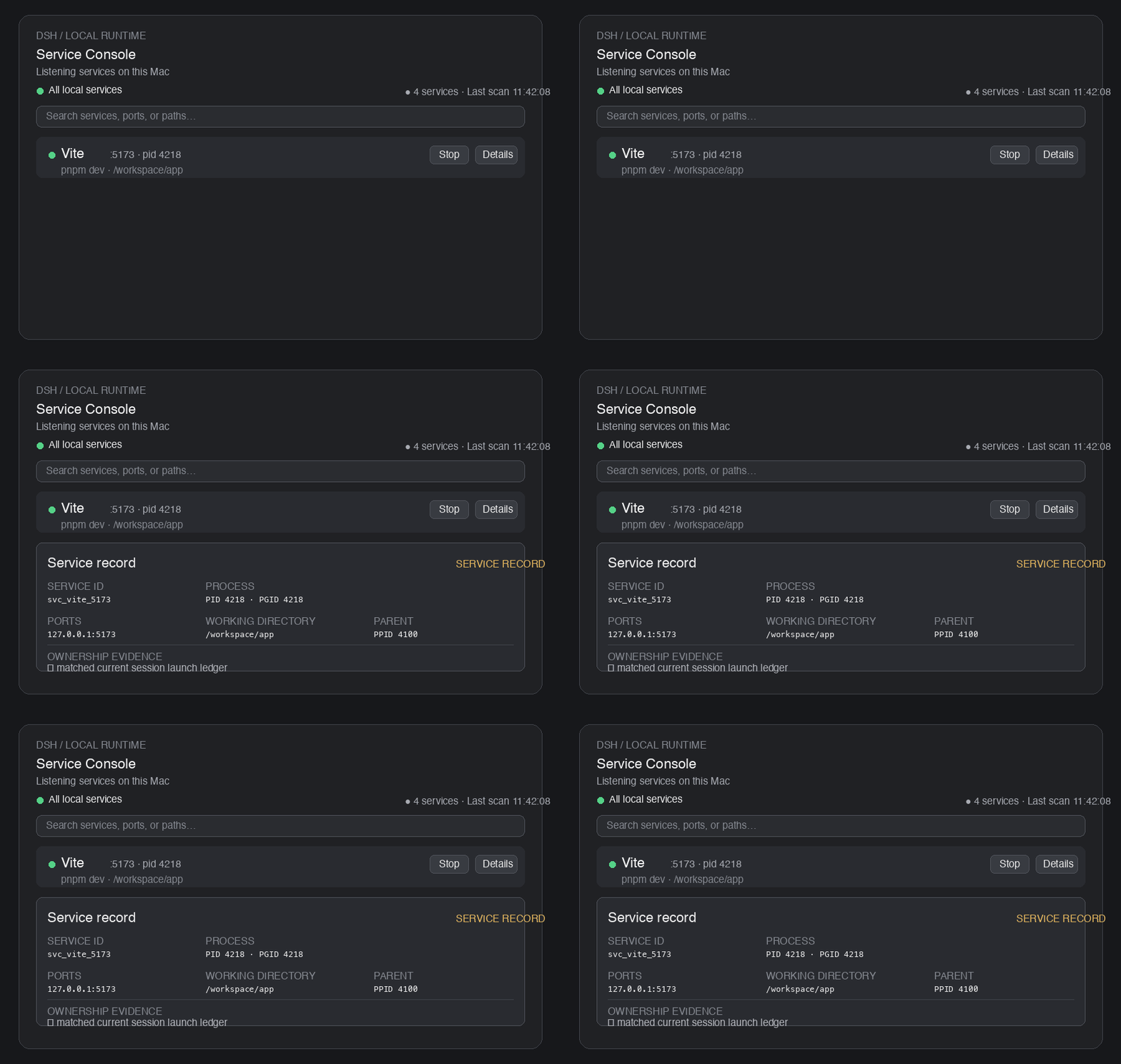
The preview shows the complete local listening-service list and the expanded inspector card. The ownership badge remains visible as a safety signal, while the list itself is no longer split into conversation/workspace/machine categories.
pnpm install
npm run typecheck
npm run build
npm test # unit + integration tests (node --test)npm test builds once and runs the whole suite with Node's built-in test runner (node --test). No extra test framework is required.
| File | Type | What it covers |
|---|---|---|
test/process-inspector.test.mjs |
Unit | Platform output parsing (parseLstart, parseListenRows, parsePsRows, parseAddress), command redaction, five-level ownership classification |
test/host-more.test.mjs |
Unit | Config validation, session ledger, lifecycle state machine (stop/restart) with fake dependencies, service aggregation & fingerprint stability |
test/integration.test.mjs |
Integration | Real system commands + a temporary HTTP server spawned by the test itself; signals are only ever sent to test-owned processes |
npm test                                   # full suite
npm run build && node --test test/process-inspector.test.mjs   # run a single file
Unit tests import the built output under lib/, so the sources must be compiled first — npm test handles this automatically.
MIT
CLASSIFICATION EVIDENCE
系统优先读取 GitHub Topics,再与站内分类词典和词根规则比对。当前命中: 无有效分类标签。
deepseek-ai
DeepSeek Harness: Everything is a Plugin.

anywhere-labs
为 DeepSeek Harness (DSH) 插件生态打造的现代化桌面端解决方案。万物皆「插件」,桌面本身也是「插件」。

walkinglabs
Harness engineering beginner tutorial, from 0 to 1