dsh-html-canvas
English | 简体中文
A DeepSeek Harness plugin that turns AI-generated HTML into a click-to-edit canvas beside the chat.
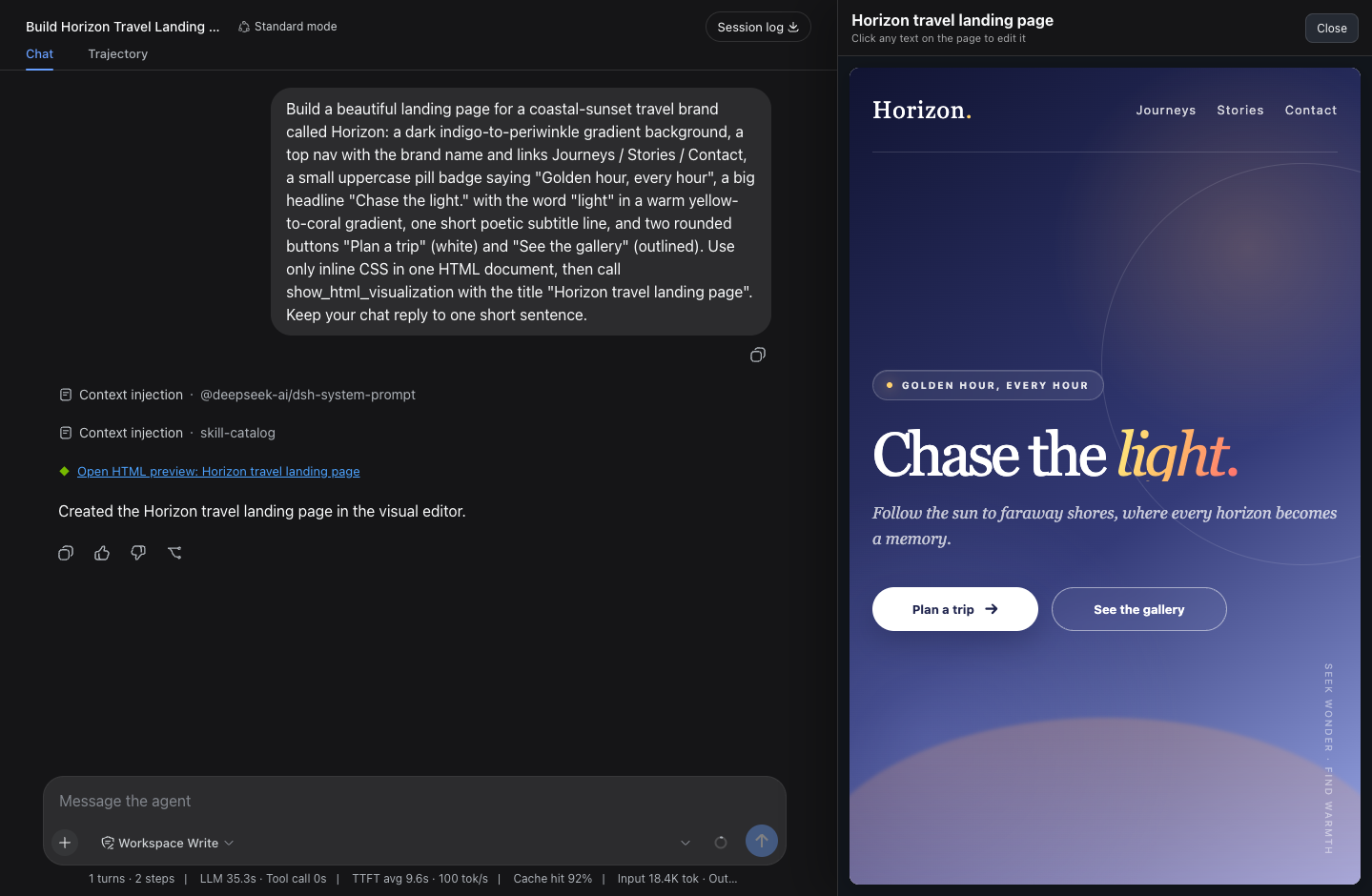
A DSH agent can build a complete HTML page, but the Web UI only shows it as a code block that most people can't read, let alone edit — this plugin closes that gap: the agent hands the finished page to one tool, it renders in a canvas beside the chat, and anyone can change it by clicking the text on the page, no source code ever.
Features
- Click-to-edit — any text on the rendered page is editable: headings, buttons, nav links, bare
<div> text, even text inserted later by page scripts.
- Side-by-side, not overlapping — the canvas squeezes the chat column instead of covering it, and resizes with a drag handle.
- Lives in the chat — the tool call renders as a link; close the canvas anytime and click the link to reopen it with edits and width intact.
- Safe and localized — sandboxed iframe, no editor artifacts in the output, UI text follows the DSH locale (English / 中文).
Install
npx -y @deepseek-ai/dsh plugin --profile web add @jinsong-zhou/dsh-html-canvas@latest
Then restart the DSH web process and refresh the browser. For a local checkout, declare a file: dependency in the profile's package.json and insert it in cordis.patch.yml:
- insert:
    - id: html-canvas
      name: '@jinsong-zhou/dsh-html-canvas'
Usage
Ask the agent for any page — "make me an Apple-style personal homepage" — the canvas opens with the result, and you click the text to change it.
Development
node tests/host.test.mjs      # host contract (plugin must stay dependency-free)
node tests/client.test.mjs    # client behavior
DSH_WEB_URL=http://127.0.0.1:<port> node tests/verify-deployment.mjs
Note: the host half imports nothing by design — a bundled @deepseek-ai/* dependency gets hoisted into the profile and shadows the host's copy, which breaks every tool call. The tests guard this.
License
MIT


