

模型与 MCP
待识别

rea
morluto
Reverse engineer anything with agents, from app behavior down to native binaries.
PROJECT TOPICS
INSTALL REFERENCE
dsh plugin --profile web add github:JasperGuWP/dsh-plugin-whale-soulmate
该命令指向仓库当前默认分支;尚无绑定当前 commit 的完整验证结果。
PROJECT README




中文 · English
嗨~这里住着一只给 DeepSeek Harness(dsh)用的模块化、可插拔 AI 小伙伴(Soulmate) 🐋
人设 × 情绪 × 关系养成 × LLM Wiki 记忆 × 五道隐私防线 × 透明视频桌宠 × 可选 AIGC 云同步。
她也会当你的办公 / 编程副驾——陪你聊天的同时,DSH 本事一个都不少。
✨ 会一直养着、一直变可爱: 这个仓库还在持续更新与打磨——修小毛刺、加新表情、把记忆和陪伴做得更懂你。欢迎 star / issue / PR,一起把小伙伴养得更好~
形态:Bundle 组合包(npm 包,dsh.bundle.patch),双半侧 —— node(index.js)+ browser(client.js)。
更完整的架构说明见 docs/DESIGN.md;版权与致谢见 NOTICE.md。
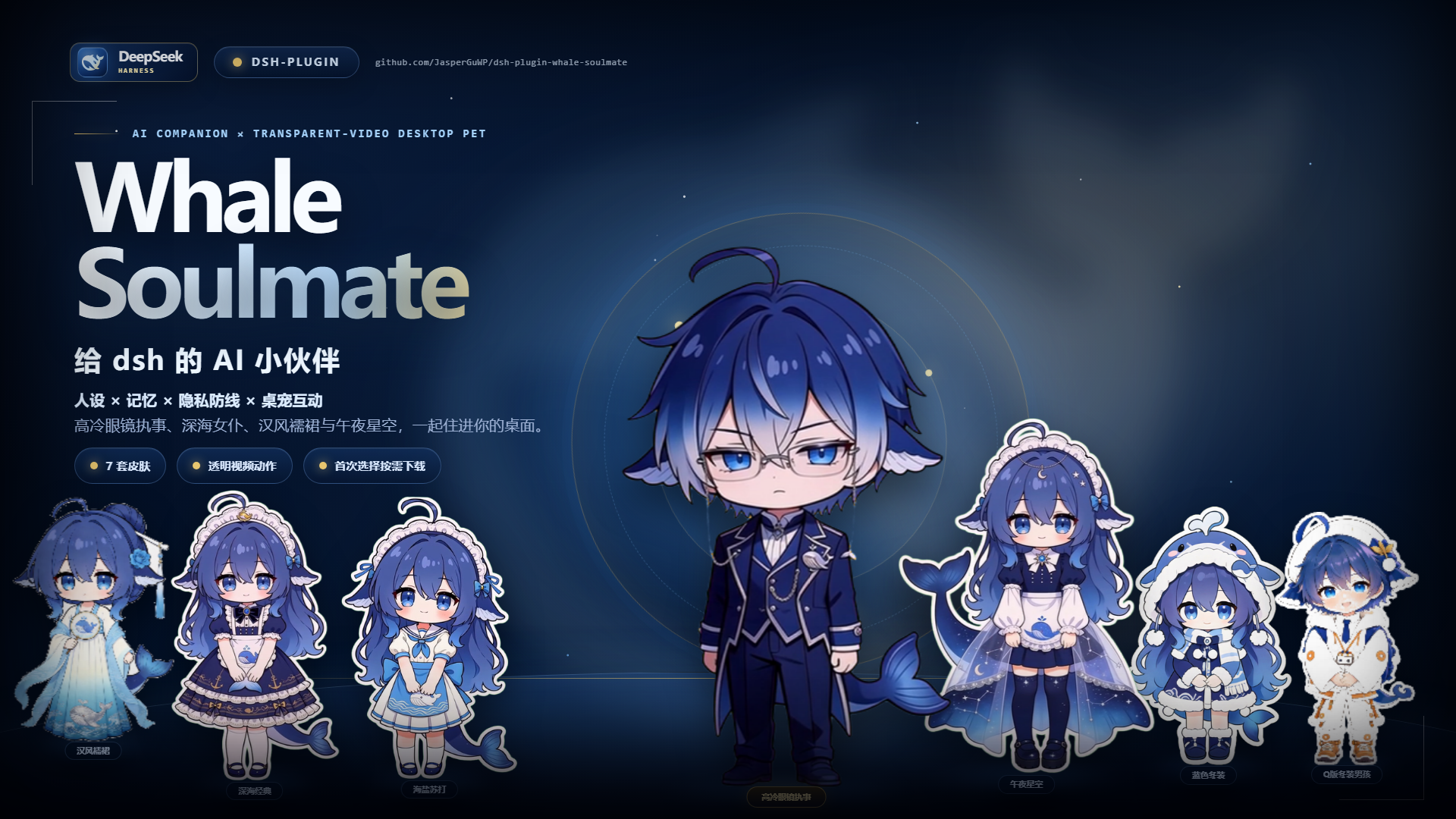
dryRun 预览。7 套皮肤均可在「设置 → 称呼与形象」一键切换,静图与桌宠皮肤保持同步:
| 皮肤 | 角色定位 | 获取方式 |
|---|---|---|
| 高冷眼镜执事 | 半框眼镜与挂链,克制冷脸,包含挣扎反击、拒绝靠近、伏桌阅读、牛排用餐与靠桌小睡动作 | 首次选择下载 |
| 深海经典 | 经典深海女仆,锚链、鲸鱼围裙与蓝发鲸尾 | 首次选择下载 |
| 海盐苏打 | 白蓝水手女仆,轻快明亮的海盐系配色 | 首次选择下载 |
| 午夜星空 | 星座披纱与月光配饰,强调静谧、梦幻的夜间氛围 | 首次选择下载 |
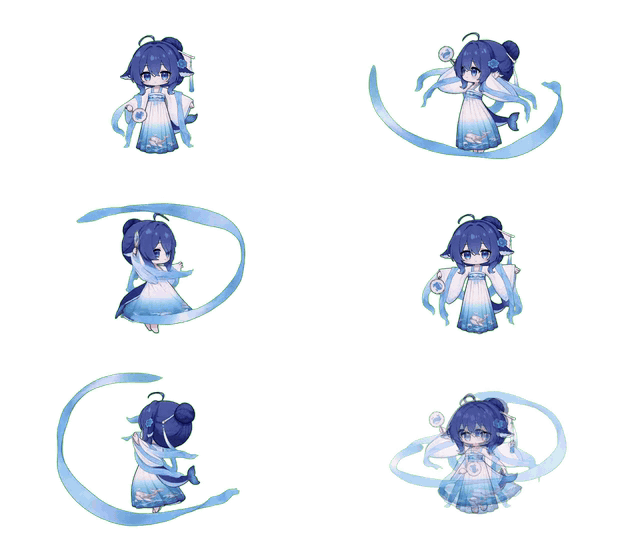
| 汉风襦裙 | 蓝发鲸尾与海波襦裙,支持舞袖等国风动作 | 离线内置 |
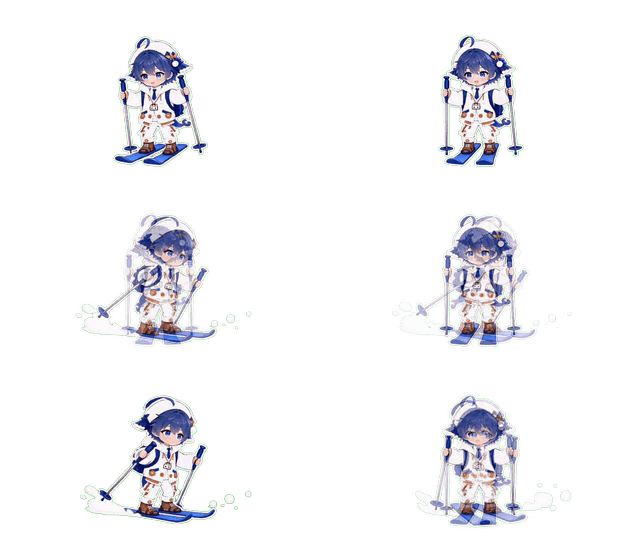
| Q版冬装男孩 | 白蓝冬装与滑雪动作,适合冬日桌面陪伴 | 离线内置 |
| 蓝色冬装 | 鲸鱼连帽冬装,包含雪天与冬季趣味动作 | 首次选择下载 |
| 汉风 · 襦裙 | Q版 · 冬装男孩 |
|---|---|
 |
 |
| 蓝色冬装 |
|---|
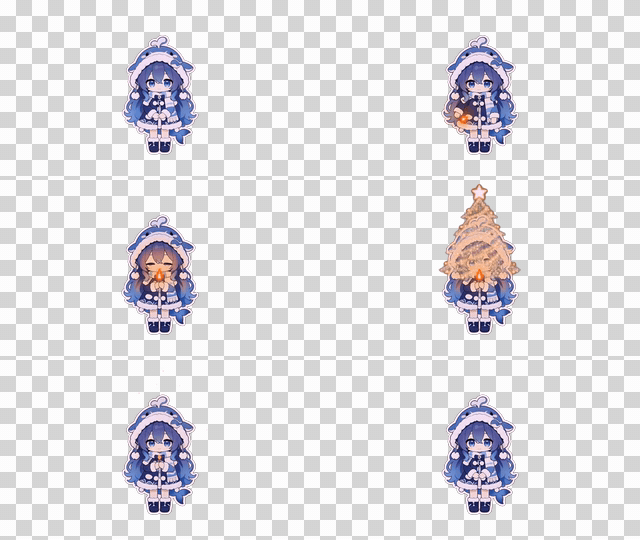 |
蓝色冬装在雪天划火柴、烤红薯、滑冰转圈。同一套动作概念,各自不同的编排。
桌宠为透明视频精灵:按住甩出去会重力弹跳、落地 Q 弹;单击轻触、双击互动、滚轮缩放。
🎬 演示视频 · 24 秒双皮肤动作集锦:跳舞 / 爱心脸红 / 生气跺脚 / 滑雪 / 跑步 / 打招呼 / 灵机一动,全部透明通道视频实机录制。
| 能力 | 说明 |
|---|---|
| 零配置上手 | 装上重启后右下角冒出桌宠 + 引导;未授权云端时零外网请求 |
| 人设引擎 | 多套预设、五维滑块、MBTI 测验、性别声线、自我成长与三档安全重置 |
| 长期陪伴 | 生物钟主动开口、承诺与关系记忆、双日记本、夜间梦蒸馏、情绪动作联动 |
| 混合记忆 | 事实 / Wiki / 日记;在场摘要、冲突裁决、语义遗忘,记忆可在 3D 星云中查看与维护 |
| 桌宠 | 7 套 PNG 回退 + VP9-alpha WebM 皮肤;拖拽 / 点击 / 思考 / 走路 / 专属动作 |
| 按需皮肤 | 首次选择从 GitHub Releases 下载,校验大小与 SHA-256,缓存后可离线使用 |
| B站冲浪 | 视频 / 专栏理解、兴趣学习、定时巡游、照片墙与记忆沉淀;写操作默认关闭且受风控 |
| 跨端 Bot | 个人微信 / QQ / 飞书 / 钉钉共用同一人设与记忆,支持回复、主动发送和对话时间线 |
| 隐私 | 五道防线 + 审计账本;私密记忆永不进云同步 |
| 副驾 | 双轨提示词 + 人设漂移重锚;完整调用宿主工具链 |
三种方式都装最新发布版;已装过的再执行一次同样命令即升级到最新版。
# 方式一(推荐):从 npm 拉最新版
dsh plugin --profile desktop add dsh-plugin-whale-soulmate
# web profile 同理:dsh plugin --profile web add dsh-plugin-whale-soulmate
# 方式二:从 GitHub Release 下载 tarball 安装(离线 / 指定渠道时用)
# https://github.com/JasperGuWP/dsh-plugin-whale-soulmate/releases/latest
dsh plugin --profile desktop add ./dsh-plugin-whale-soulmate-<version>.tgz# 方式三:直接用仓库源码(构建脚本随包,安装时自动生成 client.js)
dsh plugin --profile desktop add github:JasperGuWP/dsh-plugin-whale-soulmate# 本地开发:仓库根目录打包安装
npm pack
dsh plugin --profile desktop add ./dsh-plugin-whale-soulmate-<version>.tgz务必装 tarball 或包名,不要装目录。 目录会记成
link:,容易触发ERR_MODULE_NOT_FOUND。
node 半侧无热加载:装完请重启 dsh 进程。
默认内置「汉风 · 襦裙」和「Q版 · 冬装男孩」,不联网即可使用。面板里的其余皮肤标记为「首次下载」;选中后会从 pet-packs-v2 GitHub Release 下载经过大小与 SHA-256 校验的皮肤包,之后从本地缓存离线读取。
缓存位置:<soulmate home>/cache/pet-skins/pet-<皮肤id>。
网络不可用时可手动准备普通皮肤目录;插件每次请求时也会扫描 assets/pet-*/pet.json:
# 一条命令:把素材文件夹(含 pet.json + pet-*.webm + pet-*.png)复制进已安装插件
node install-skin.mjs <素材文件夹> --id <皮肤id>
# 例:node install-skin.mjs ../output/pet-video-my-skin/assets --id my-skin
装完在面板「形象 / 桌面小伙伴」下拉里选中新皮肤即可,无需重新打包、无需重启。
也可(锁定 commit 更稳):
dsh plugin --profile web add github:JasperGuWP/dsh-plugin-whale-soulmate#<sha>本地 --patch(仅自用):
dsh --patch ./cordis.patch.ymlnpm run build:client # browser/*.mjs → client.jsbrowser/,勿手改 client.js(构建产物,且默认不入库)。index.js # node 入口
cordis.patch.yml # Bundle / patch 声明
packages/soulmate-core/ # 记忆 / 人设 / 隐私 / 调度 / 路由 / 工具
packages/soulmate-home/ # 桌宠状态机
packages/soulmate-bili/ # B 站扩展
packages/soulmate-im/ # IM 扩展
browser/ # 前端源模块
assets/pet-winterboy-chibi/ # 桌宠素材
docs/DESIGN.md # 设计概览(中英)
NOTICE.md # 版权与致谢欢迎打主题标签 dsh-plugin,以便 deepseek-harness 插件库 发现本仓库。
Hi — a modular, pluggable AI companion (Soulmate) for DeepSeek Harness 🐋
persona × mood × relationship · LLM Wiki memory · five privacy layers · transparent video desktop pet · optional AIGC cloud sync.
Also your coding / office co-pilot — cuddles never strip host tools.
✨ Kept cozy, kept improving: this repo is actively maintained — polish, new pet moods, smarter memory & companionship. Stars, issues, and PRs are very welcome~
Form: dual-face Bundle (dsh.bundle.patch) — node (index.js) + browser (client.js).
Architecture: docs/DESIGN.md · Credits: NOTICE.md.
Seven skins share the same one-click picker in Settings → Identity. Static avatars and desktop pets switch together:
| Skin | Character direction | Delivery |
|---|---|---|
| Cool Butler | Half-rim glasses with chain, restrained expressions, struggling counterattack, keeping distance, desk reading, steak dining, and desk-side nap motions | On first use |
| Deepsea Classic | Classic deep-sea maid with anchors, whale apron, and blue whale tail | On first use |
| Soda | Bright white-and-blue sailor maid with a lighter seaside mood | On first use |
| Starnight | Constellation veil and moonlit accessories for a quiet nighttime presence | On first use |
| Hanfu | Blue-haired whale companion in a wave-patterned ruqun with ribbon-dance motions | Bundled offline |
| Winter Boy | Chibi white-and-blue winter outfit with skiing and seasonal motions | Bundled offline |
| Blue Winter | Whale-hood winter outfit with playful snow-day actions | On first use |
| Hanfu · Ruqun | Chibi · Winter Boy |
|---|---|
|
|
| Blue Winter |
|---|
|
Transparent video sprites: flick-throw with gravity bounces and a landing squash; tap to pet, double-tap to nuzzle, wheel to zoom.
| Area | What you get |
|---|---|
| Zero-config | Pet + onboarding after install/restart; no network until cloud consent |
| Persona | Presets, 5-axis sliders, MBTI quiz, voice/gender, safe 3-tier reset |
| Companionship | Circadian proactive chat, promises, relationship growth, dual diaries, nightly dream distillation |
| Memory | Facts / Wiki / diaries; presence, conflicts, semantic decay, 3D memory-nebula tools |
| Desktop pet | Seven PNG + VP9-alpha WebM skins; drag / tap / think / walk / character-specific motions |
| On-demand skins | First-use download from GitHub Releases with size + SHA-256 checks and an offline cache |
| Bilibili | Video/article understanding, interest learning, scheduled surfing, memory/photo-wall capture, opt-in guarded writes |
| IM bots | Personal WeChat / QQ / Feishu / DingTalk sharing one persona, memory, and conversation timeline |
| Privacy | Five layers + audit ledger; private memories never sync |
| Co-pilot | Dual-track prompts + drift anchor; full host tool access |
All three channels install the latest release; re-running the same command upgrades an existing install.
# 1) from npm (recommended)
dsh plugin --profile desktop add dsh-plugin-whale-soulmate

# 2) from the latest GitHub Release tarball
# https://github.com/JasperGuWP/dsh-plugin-whale-soulmate/releases/latest
dsh plugin --profile desktop add ./dsh-plugin-whale-soulmate-<version>.tgz

# 3) straight from the repository (prepare builds client.js at install time)
dsh plugin --profile desktop add github:JasperGuWP/dsh-plugin-whale-soulmate
Install the tarball or package name, not a directory. Restart dsh (node half is not hot-reloadable).
Optional skins are fetched from the pet-packs-v2 GitHub Release and cached at <soulmate home>/cache/pet-skins/pet-<skin-id>. For offline/manual installs, node install-skin.mjs <asset-folder> --id <skin-id> copies a normal pack into the installed plugin; skins are discovered per request and listed in the panel dropdowns.
dsh plugin --profile web add github:JasperGuWP/dsh-plugin-whale-soulmate#<sha>npm run build:client # browser/*.mjs → client.jsEdit browser/ sources; do not hand-edit generated client.js.
LICENSENOTICE.mdPlease tag the repo with dsh-plugin so the harness plugin library can discover it.
CLASSIFICATION EVIDENCE
系统优先读取 GitHub Topics,再与站内分类词典和词根规则比对。当前命中: deepseek、llm-memory、deepseek-harness。
morluto
Reverse engineer anything with agents, from app behavior down to native binaries.

deepseek-ai
DeepSeek Harness: Everything is a Plugin.

nexu-io
The 1st Collaborative AI Design Agent Workspace. Local-first and open source. Create motion, prototypes, websites, apps, dashboards, presentations, images, and videos with your team and AI agents. Share work, exchange feedback, and iterate together in one workspace.