
模型与 MCP
待识别

rea
morluto
Reverse engineer anything with agents, from app behavior down to native binaries.
PROJECT TOPICS
INSTALL REFERENCE
dsh plugin --profile web add github:JaMoLpE88/dsh-desktop-windowstatus-saving
该命令指向仓库当前默认分支;尚无绑定当前 commit 的完整验证结果。
PROJECT README






The DeepSeek Harness Desktop window, exactly where you left it. Size, position and maximized state are saved while you use the app and restored before the window is painted — no flash back to the default 1280 × 820.
Zero configuration. Windows only. One Host plugin, no extra process, no network.
Español → README.es.md
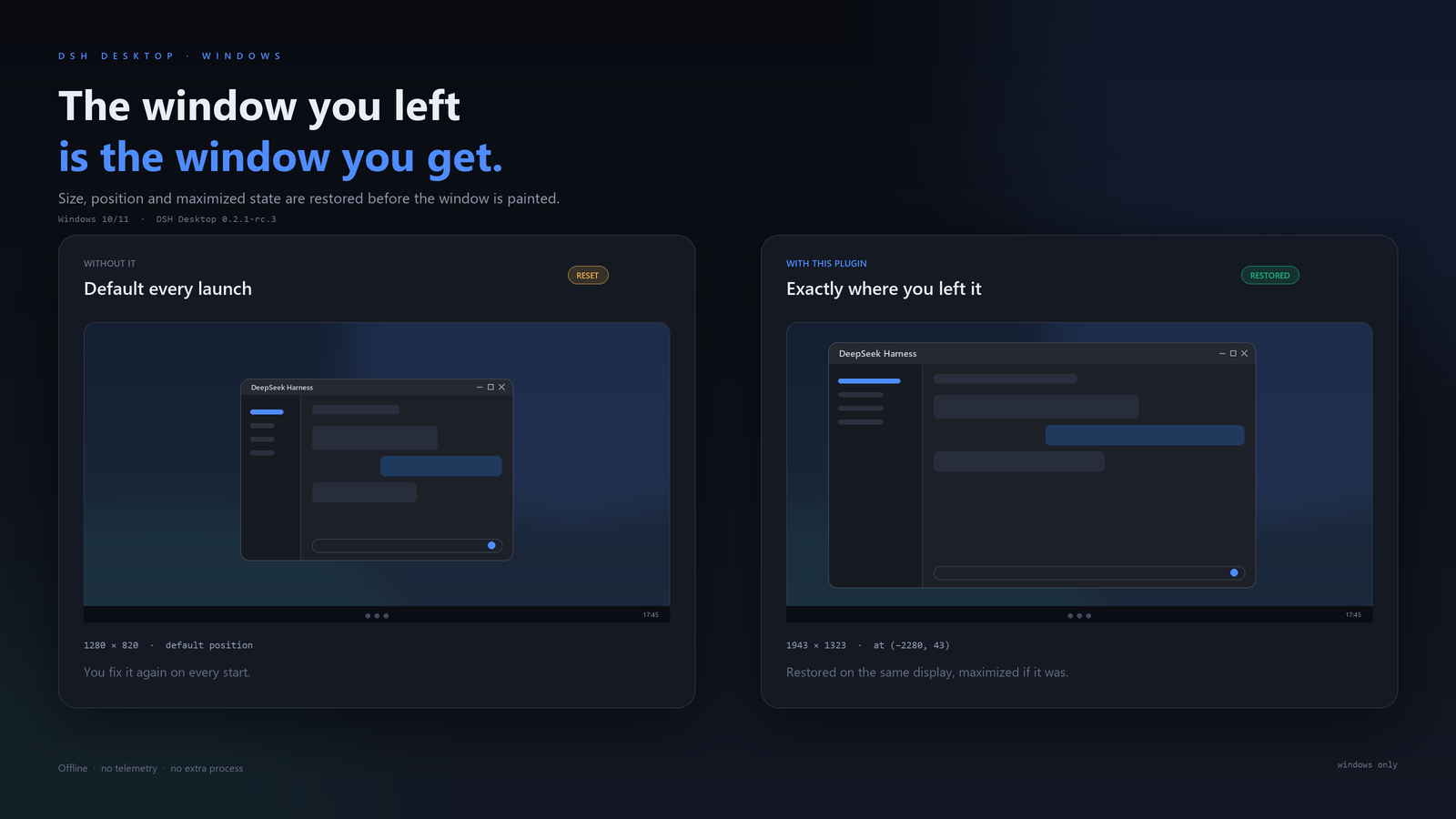
Without the plugin the window comes back at 1280 × 820 in the default position. With the plugin it comes back at 1943 × 1323 on the same display, and the first painted frame is already final.
>= 0.2.1-rc.3, profile desktop (tested on 0.2.1-rc.3, Windows 11).From npm:
dsh plugin --profile desktop add @jamolpe88/dsh-desktop-windowstatus-savingFrom the repository:
dsh plugin --profile desktop add github:JaMoLpE88/dsh-desktop-windowstatus-savingFrom a local checkout, while developing:
dsh plugin --profile desktop add C:\path\to\dsh-desktop-windowstatus-savingRestart DeepSeek Harness Desktop after installing. The plugin only restores on startup, so a live install starts saving immediately but waits for the next launch to restore.
There is nothing to configure and no panel to open. To forget the saved window, delete the state file and restart.
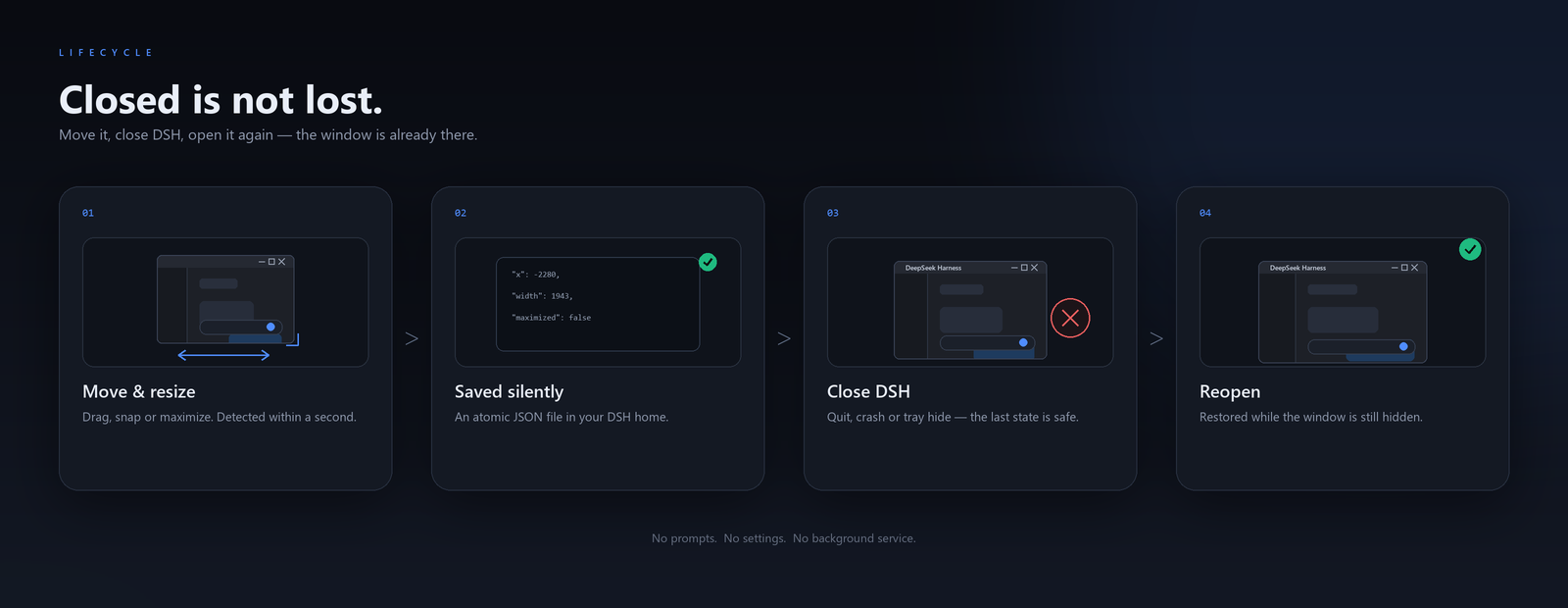
DSH Desktop creates its main BrowserWindow hidden at startup and shows it only after the plugin host is ready and the page has loaded. The plugin runs inside that host and finds the window while it is still hidden:
main window created (hidden, 1280 × 820)
   │
   ├── plugin host starts, plugin loads
   │      └── SetWindowPlacement(saved bounds, maximized)
   │
   └── window.show()  ← the first visible frame is already the saved one
Because the placement is applied while the window is hidden, the usual visible jump from the default size is gone. The state file records this with restore.whileHidden: true.
The plugin only acts on the product window: the top-level Chromium window (Chrome_WidgetWin_1) owned by the Electron process that launched the plugin host, with no owner window and a plausible size. It never matches on window titles — a browser tab called “DeepSeek Harness” is not a window of the app.
%USERPROFILE%\.dsh\window-bounds.json, or $DSH_HOME/window-bounds.json when DSH_HOME is set:
{
  "version": 1,
  "bounds": { "x": -2280, "y": 43, "width": 1943, "height": 1323 },
  "maximized": false,
  "savedAt": "2026-10-26T16:45:43.738Z",
  "restore": { "at": "2026-10-26T16:45:43.738Z", "whileHidden": true }
}
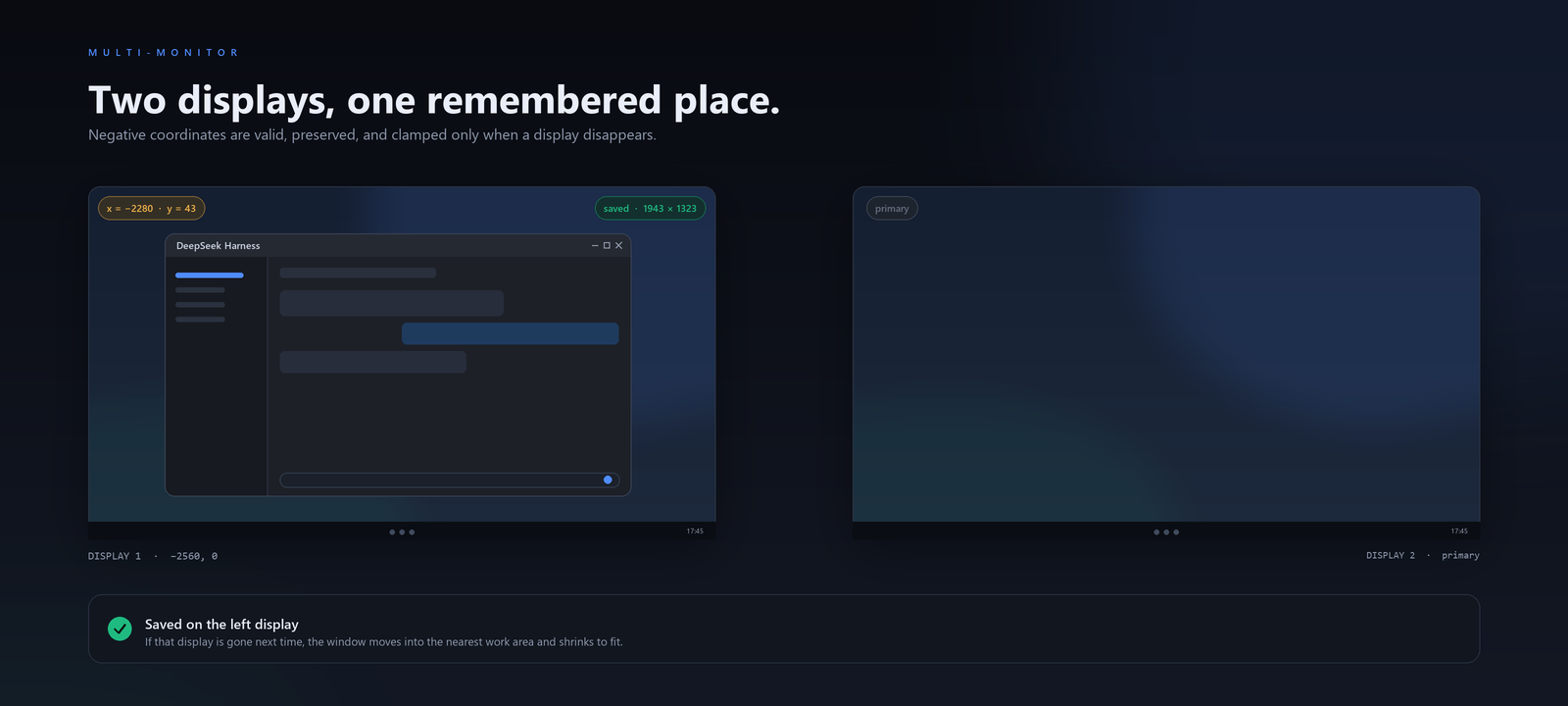
The work area used to fit the window comes from the monitor of the saved rectangle, not from the monitor the window happens to be on at startup. Negative coordinates are valid and preserved. If the monitor is gone, the window moves into the nearest work area and shrinks to fit.
| DSH | >= 0.2.1-rc.3 (the only version tested by the author) |
| Node | >= 22 |
| OS | Windows 11 (tested); Windows 10 untested; macOS and Linux unsupported |
| Profile | desktop |
| Runtime | Host plugin, Win32 through the koffi copy included with DSH |
| Catalog | listed on dsh-plugin.org |
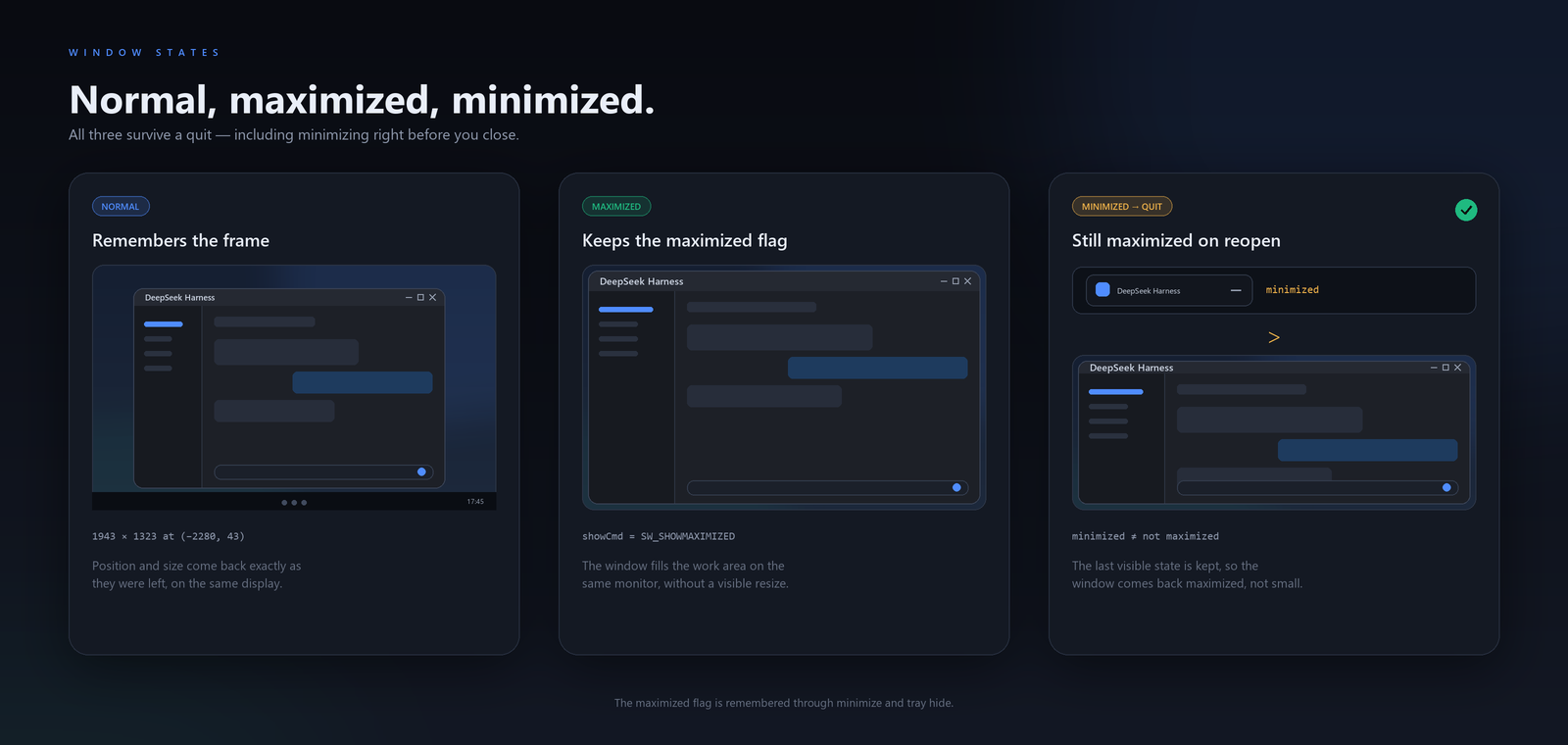
Validation status: tested on Windows 11 with DSH Desktop 0.2.1-rc.3 (2026-10-26) across normal restarts, maximized restarts, maximize → minimize → quit, tray quit, and a two-display layout with negative coordinates. The state file reported restore.whileHidden: true after the restarts, and the saved geometry matched the live window.
Not validated: macOS, Linux, Windows 10, other DSH versions and the web profile.
user32 through koffi; other platforms are skipped.See SECURITY.md for the short policy.
The window still opens at 1280 × 820.
Confirm the bundle is installed in the desktop profile and restart the app. A live install does not restore until the next launch. Also check that no other window-position plugin is enabled: two savers fight over the same window.
The window flashes at the default size before moving. The plugin was not loaded before the window was shown. Check that the bundle is enabled and that DSH is the Desktop build, not the CLI or the web profile.
I want to reset the saved window.
Delete %USERPROFILE%\.dsh\window-bounds.json and restart.
A different monitor is gone. The saved rectangle no longer touches any display, so the window is moved into the nearest work area and fitted.
npm install
npm test        # 20 tests: geometry, state machine, atomic store, Win32 bindings
npm run check   # syntax check for every module
The Win32 suite is a smoke test (struct sizes, EnumWindows, placement read); the real restore path is validated in the running Harness. The README illustrations are generated by assets/src/render_assets.py (Pillow, Windows fonts).
Local install:
dsh plugin --profile desktop add C:\path\to\dsh-desktop-windowstatus-savingThe plugin uses the copy of koffi 3.1.1 (MIT, Niels Martignène) that ships with DeepSeek Harness Desktop, so installing this package does not build or download any native dependency. The repository keeps koffi as a dev dependency for the Win32 test suite.
MIT © 2026 JaMoLpE88
CLASSIFICATION EVIDENCE
系统优先读取 GitHub Topics,再与站内分类词典和词根规则比对。当前命中: deepseek、deepseek-harness。
morluto
Reverse engineer anything with agents, from app behavior down to native binaries.

deepseek-ai
DeepSeek Harness: Everything is a Plugin.

nexu-io
The 1st Collaborative AI Design Agent Workspace. Local-first and open source. Create motion, prototypes, websites, apps, dashboards, presentations, images, and videos with your team and AI agents. Share work, exchange feedback, and iterate together in one workspace.