deepseek-harness
deepseek-ai
DeepSeek Harness: Everything is a Plugin.
PROJECT TOPICS
INSTALL REFERENCE
dsh plugin --profile web add github:Iwctwbh/dsh-flowglass
该命令指向仓库当前默认分支;尚无绑定当前 commit 的完整验证结果。
PROJECT README
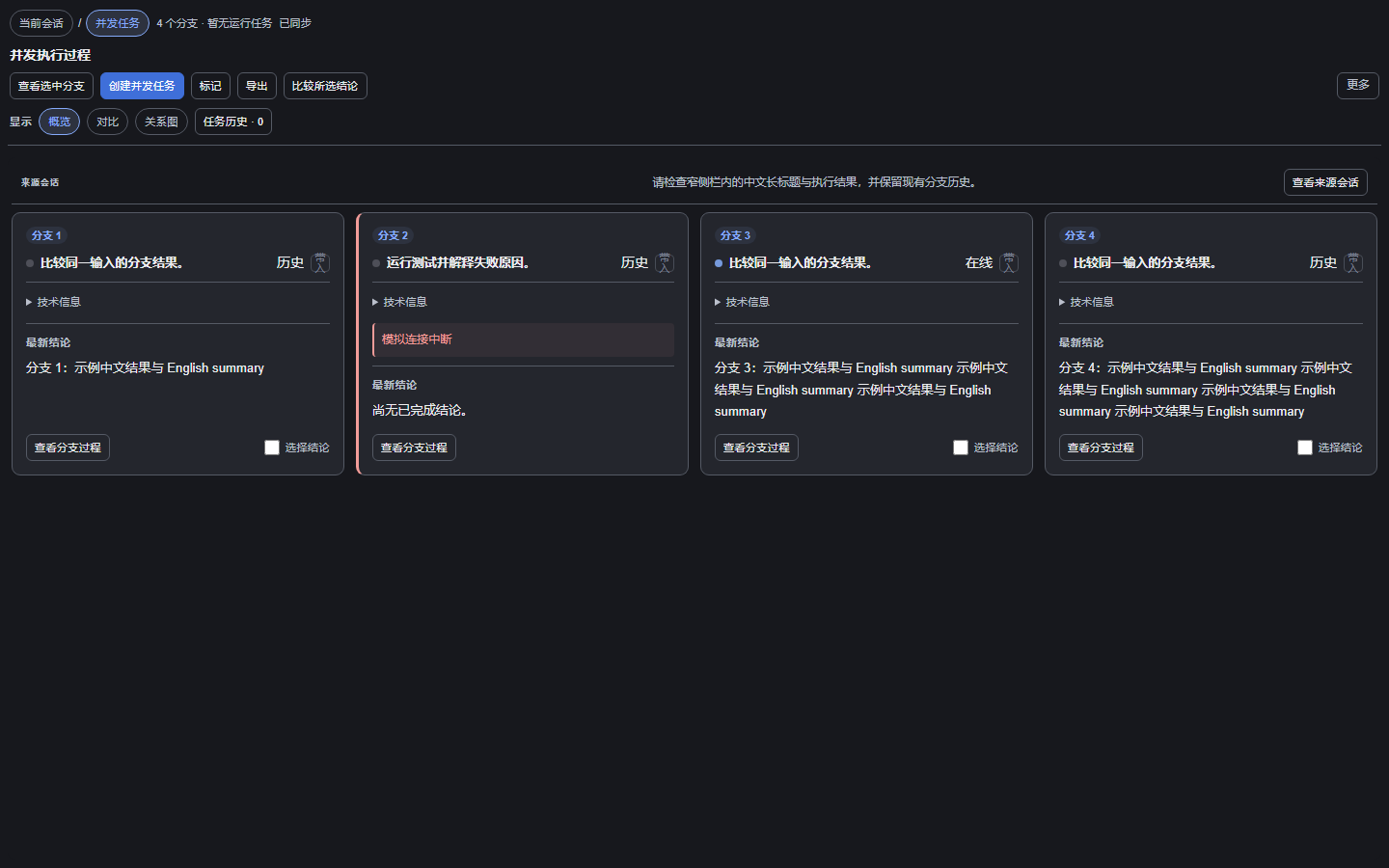
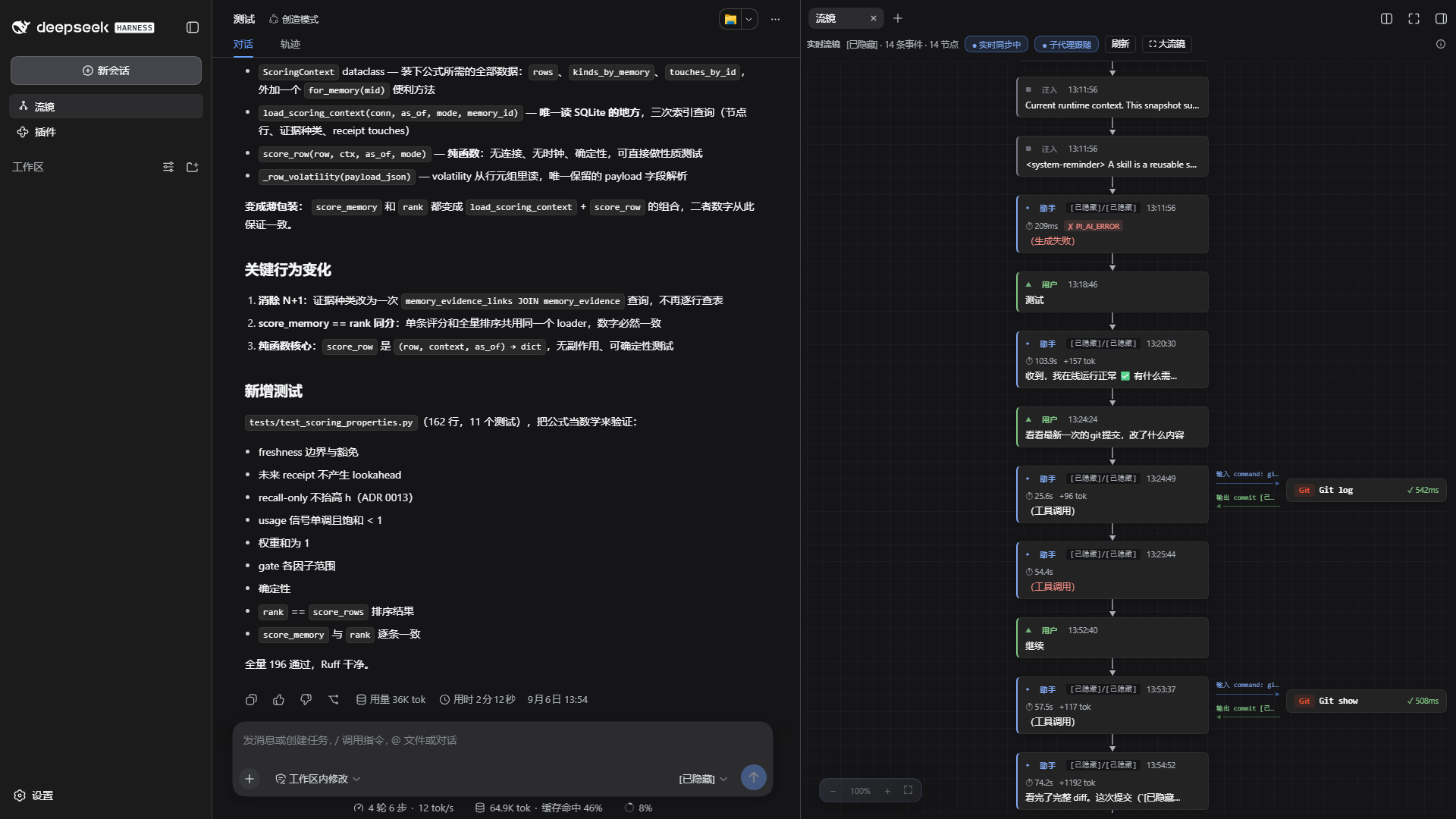
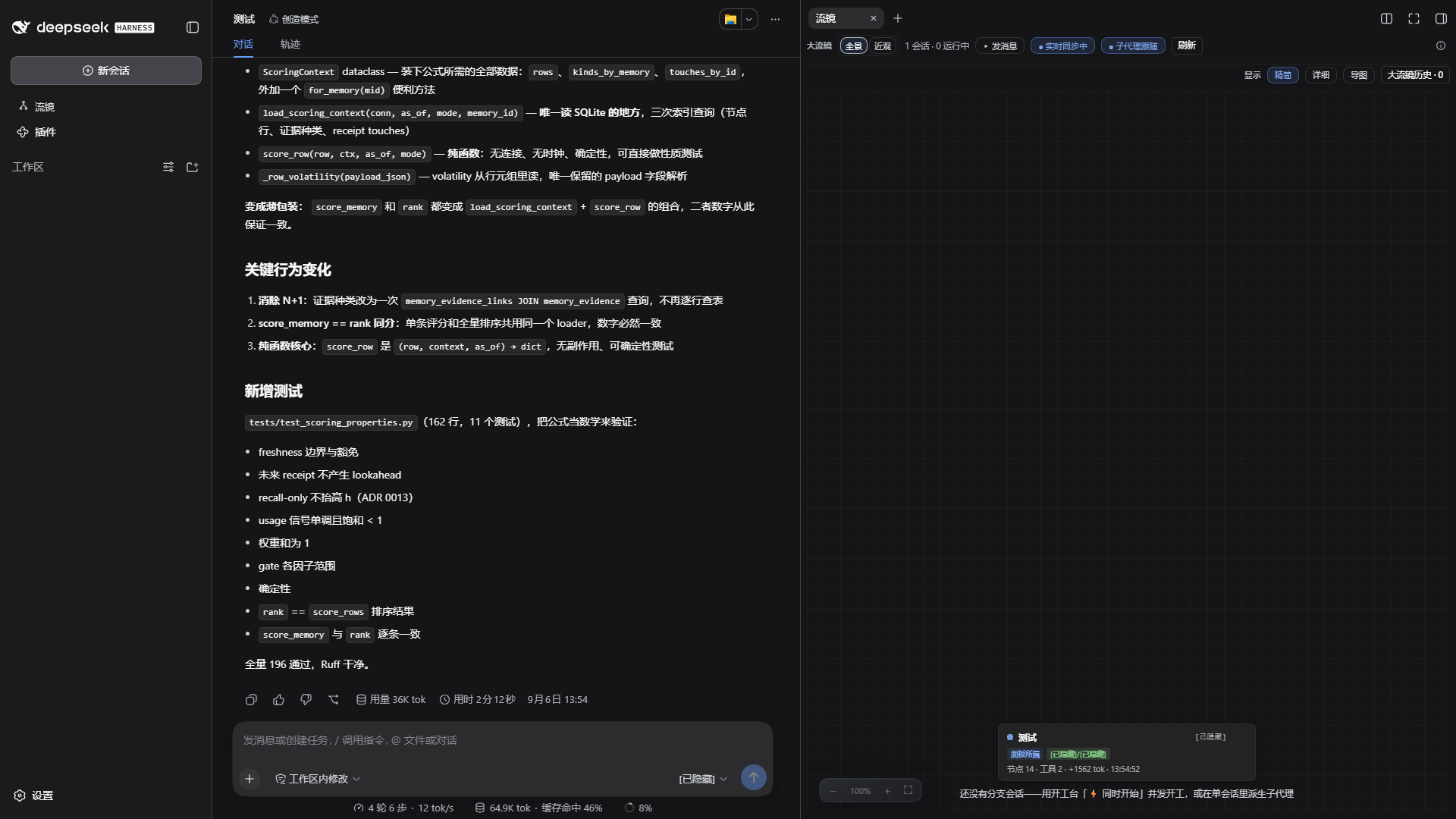
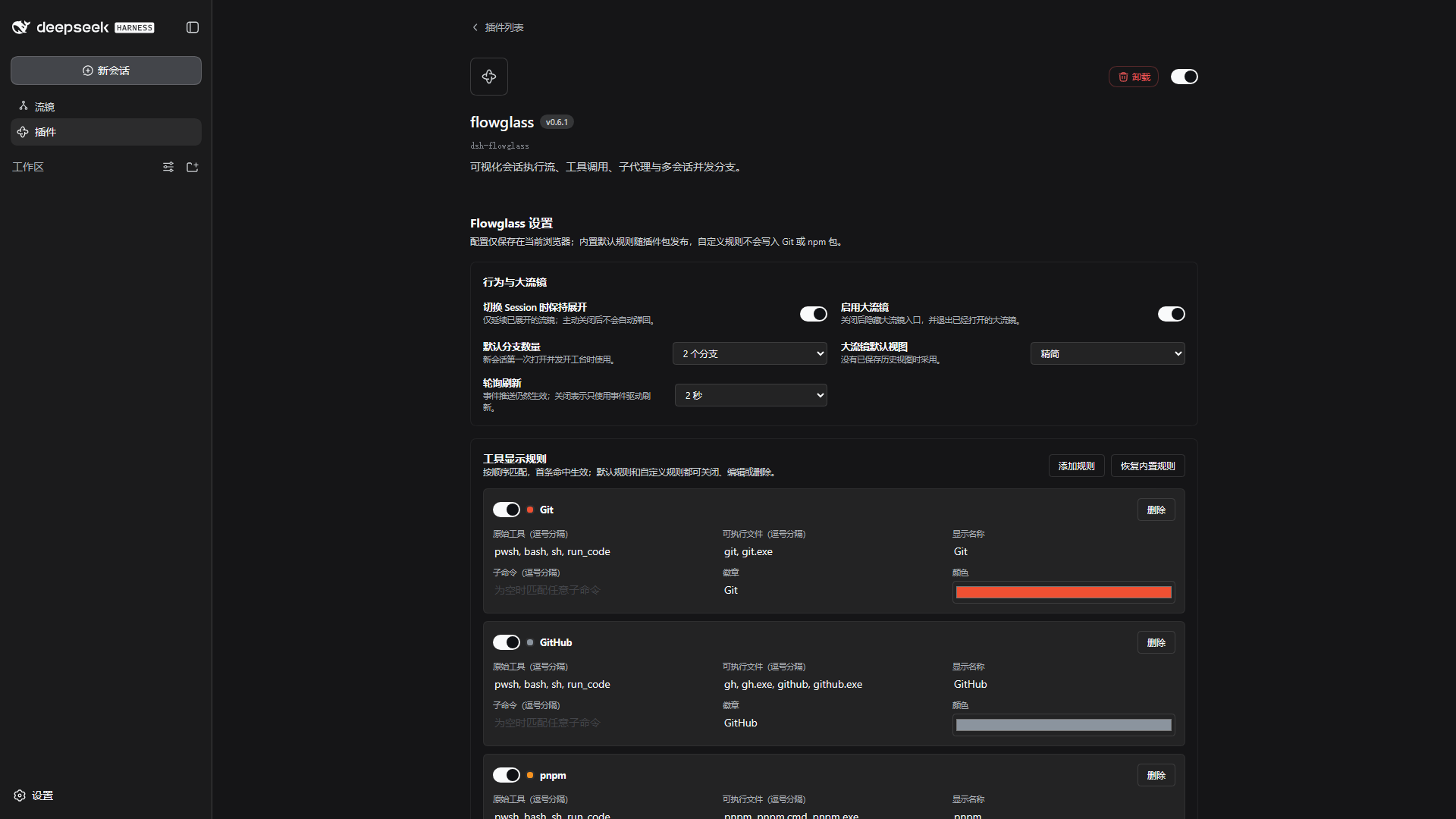
A DeepSeek Harness plugin: turn the current session into a live flowgraph — three lanes, subagent branches, parallel groups, drill-down — plus a hot-reloadable session toolbox in the same drawer. MIT License.
v2026.08.18 — DSH rc.7 lifecycle hardening: zero-model-call autoboot, canonical multi-workspace isolation, streaming Flow cards with live timers/interruption settlement, session-following drawer fixes, and lifecycle-safe Client timers.
中文文档见下方 中文文档。

Every plugin is mounted through a disk-loading stub: the payload is a ~0.9KB stub, the implementation lives on disk, so code edits take effect by simply re-running the plugin — no re-define, no re-approval.
The drawer's default tab turns the current session into a living flowgraph, silently auto-refreshing every 2s (pausable via the live toggle):
The same drawer hosts 21 hot-reloadable mini-tools on top of a shared framework (Host-side registry + RPC; Client-side drawer, tab bar and the tb- panel design system):
| Group | Tools |
|---|---|
| Project | jira (query/archive), git (history/diff), files (workspace tree) |
| Utilities | trace, http, ports, calc 5-in-1 (codec / regex / cron / text diff / generator), quota (API usage), flowedit (workflow docs) |
| Session insight | usage (token/context), prompt (system-prompt assembly), context (window), tools (schema list), search (full-text), lineage (tree) |
| AI | aiassist 7-in-1 (ask / translate / optimize / review / commit message / summary / compare) — routed through a shared makeLlmHelper |
| Self-inspection | selfview (screenshot / semantic snapshot / ui_* model tools) |
| Themes | theme-teal / theme-amber (mutually exclusive, opt-in) |
plugins.json on startup (idempotent, ~0.3s for all 22), honoring per-plugin enable memoryhost-bootstrap/ auto-starts the framework on session open — 0 model calls, 1 approval click, any modenode smoke.mjs runs 21 simulation suites, including real rc.7 Cordis composition and multi-workspace isolation coveragePrerequisites: DeepSeek Harness running with dynamic-plugin (Cordis) support; a workspace directory (repo root = workspace root, or the repo cloned as a subdirectory of it).
Path A · compiled bundle from npm (recommended)
dsh plugin --profile web add dsh-flowglass # Flow-only (framework is implicit)
dsh plugin --profile web add dsh-dynamic-toolbox # the full toolbox
# upgrade: dsh plugin --profile web add dsh-flowglass@<new-version> && restart DSH
Compiled bundles are native static Host/Client packages: no dynamic approval, no dyn/*, Services/RPC/Slots/DOM/storage/events namespaced by bundleId. They don't hot-reload from disk — upgrade = add the new version + restart DSH.
Path B · autoboot from source (your own machine, install once)
1. pwsh host-bootstrap/install.ps1 # idempotent; uninstall with -Uninstall
2. Restart DSH
3. Open any session in any mode → approve the Client card once
→ the framework auto-bootstraps all 22 plugins (selfview asks for one more approval)
Path C · zero-install (AI-driven, nothing persisted in DSH)
1. Switch the session to 「创造模式」(Creative mode — the only preset mounting cordis_define/cordis_run)
2. In the session: cordis_define ← plugins/toolbox/payload.json
3. cordis_run and approve once → the framework auto-bootstraps the rest
Either way: daily rebuild/rerun/toggle afterwards works in any mode — the drawer manage view and the Cordis panel drive the process-global runner directly. Credentials (e.g. Jira) live in the Harness credential store or environment variables — never in this repo. Full guide: REBUILD.md, plugin authoring: PLUGIN-DEV.md.
The same plugins/ sources can be compiled into installable npm packages:
node scripts/build-toolbox-bundle.mjs --flow # Flow-only (framework is implicit)
node scripts/build-toolbox-bundle.mjs --flow --jira # Flow + Jira
node scripts/build-toolbox-bundle.mjs --features flow,jira --version 0.1.0
cd dist/toolbox-bundles/flow-jira && npm pack # → installable tgz
dsh plugin --profile web add <tgz> # install/upgrade; remove to uninstall
--name sets the npm package name (publishable with npm publish); --version must be a valid semvernode scripts/verify-generated.mjs (dynamic-dev drift), node scripts/verify-bundle.mjs <dir> [--pack] (native static contract + tarball list), node smoke.mjs (21 suites)selfview still depends on the dynamic-only harness bridge and is rejected by the static compiler until its native Remote migration is implementedplugins.json in ~0.3s; the optional host-bootstrap/ trigger reduces that to "open a session, one click"cordis_define / cordis_run are model tools: an agent can build and mount a tool for itself at runtimeCoupling is deliberately narrow: a tool plugin only needs ctx.get('toolboxRegistry').register(desc, handler) plus the HTML panel protocol — three steps, a ~15-line skeleton, no client code for Host-only tools. Full guide: PLUGIN-DEV.md.
MIT © 2026 Iwctwbh
DeepSeek Harness 插件:把当前会话实时画成流程图——三列泳道、子代理分支、并行分组、逐层钻取;同一个抽屉里还挂着一组可热重载的会话小工具。MIT License。
v2026.08.18 — DSH rc.7 生命周期加固:零模型调用自举、canonical 多工作区隔离、Flow 流式助手卡/实时计时/中断收口、抽屉会话跟随修复,以及 Client Timer 生命周期化。

抽屉默认 Tab,把当前会话实时画成流程图,每 2s 静默自刷(live 开关可暂停):
流镜之外,同一个抽屉承载 21 个热重载小工具(由框架插件统一承载:Host 注册表 + RPC、Client 抽屉/Tab/通用 HTML 面板壳 + tb- 设计系统):
| 分组 | 工具 |
|---|---|
| 项目工具 | jira(查询/归档)、git(历史/diff)、files(工作区文件树) |
| 实用工具 | trace、http、ports、calc 5 合 1(编解码/正则/Cron/文本对比/生成器)、quota(API 配额)、flowedit(工作流文档) |
| 会话洞察 | usage(token/上下文)、prompt(系统提示词拼装)、context(上下文窗口)、tools(schema 清单)、search(全文搜索)、lineage(谱系树) |
| AI 工具 | aiassist 7 合 1(问答/翻译/优化/评审/提交信息/摘要/对比)——共用 makeLlmHelper 路由 |
| 界面自查 | selfview(截屏/语义快照/ui_* 模型工具) |
| 主题 | theme-teal / theme-amber(互斥,按需激活) |
host-bootstrap/ 开会话即自动启动框架——0 次模型调用、1 次批准点击、任何模式node smoke.mjs 运行 19 套模拟,含真实 rc.7 Cordis 组合与多工作区隔离覆盖前置:已安装并运行 DeepSeek Harness(支持动态 Cordis 插件);仓库根作为工作区打开(或 clone 为工作区的一级子目录)。
方式 A · npm 安装编译包(推荐)
dsh plugin --profile web add dsh-flowglass # 仅流镜(框架自动隐式加入)
dsh plugin --profile web add dsh-dynamic-toolbox # 完整工具箱
# 升级:dsh plugin --profile web add dsh-flowglass@<新版本> 然后重启 DSH
编译包是原生静态 Host/Client 包:无动态批准、无 dyn/*,Service/RPC/Slot/DOM/storage/事件按 bundleId 隔离;不热重载——升级 = add 新版本 + 重启 DSH。
方式 B · 源码自举(自己的机器,装一次)
1. pwsh host-bootstrap/install.ps1 # 幂等;卸载加 -Uninstall
2. 重启 DSH
3. 任何模式开新会话 → 批准卡点一次允许(不归属任何会话;同仓库并发会话 single-flight 只弹一份)
→ 框架自动补齐全部 22 个插件(selfview 会再弹一张批准卡)
(注册表按仓库分键:同一仓库已有框架实例时新会话跳过自举,直接共享;不同仓库各自自举并行共存)
4. 多工作区并存:同一 DSH 进程内多个工作区可并行(抽屉跟随当前工作区切换,v6.3 multiplex);
需要进程级隔离时再走「每项目一个独立 DSH 实例」——均见 `REBUILD.md` → **多工作区并存**小节。
方式 C · 零安装(AI 驱动,DSH 里不留任何东西)
1. 会话切到「创造模式」(唯一挂载 cordis_define/cordis_run 的 preset)
2. 会话中:cordis_define ← plugins/toolbox/payload.json
3. cordis_run,批准一次 → 框架自动补齐其余插件
两条路互不冲突、随时互切:bootstrapper 幂等跳过已定义,框架 doRebuild 幂等补齐缺失。跑起来之后,日常补齐/重跑/启停在任何模式都能进行——抽屉管理视图与 Cordis 面板直驱进程级全局 runner,不经过模型工具。凭据(Jira 等)走 Harness 凭据存储或环境变量,不写入本仓库任何文件。完整细节见 REBUILD.md,插件开发见 PLUGIN-DEV.md。
同一份 plugins/ 源码可编译成可安装的 npm 包:
# 查看所有可选功能和参数
node scripts/build-toolbox-bundle.mjs --help
# Flow-only → dist/toolbox-bundles/flow/
node scripts/build-toolbox-bundle.mjs --flow --version 0.1.0 --clean
# Flow + Jira → dist/toolbox-bundles/flow-jira/
node scripts/build-toolbox-bundle.mjs --flow --jira --version 0.1.0 --clean
# 等价的通用写法;发布 scoped 包时可指定 --name
node scripts/build-toolbox-bundle.mjs `
--features flow,jira `
--id flow-jira `
--name @your-scope/dsh-flow-jira-toolbox `
--label "Flow + Jira 工具箱" `
--version 0.1.0 `
--clean
--name 决定 npm 包名(npm publish 直接发布);--version 必须是合法 semver。验证与打包:
node scripts/verify-bundle.mjs dist/toolbox-bundles/flow --pack
Push-Location dist/toolbox-bundles/flow
npm pack
Pop-Location
npm pack 会在对应目录生成类似 dsh-flow-toolbox-0.1.0.tgz 的文件。升级:提高 --version,重新构建、验证、npm pack,再对新 tgz 执行同一个 dsh plugin ... add 命令并重启 DSH。卸载:
dsh plugin --profile web remove dsh-flow-toolbox
dsh plugin --profile web remove dsh-flow-jira-toolbox
编译合集自包含(不读本仓库 loader.js / plugins.json / payload.json),Service、Remote、Slot、DOM、storage、事件和 CSS 全部按 bundleId 隔离,可与动态模式及其他合集同进程共存。工具业务数据仍落工作区 .dsh-dynamic-toolbox/;静态合集没有动态管理/热重载,升级必须重新构建、安装并重启。selfview 仍依赖动态专用 harness bridge,迁移为原生 Remote 前静态编译器会明确拒绝它。
<工作区>/.dsh-dynamic-toolbox/toolbox-plugins.json 启停记忆;原生静态合集的功能集合由构建命令固定cordis_define / cordis_run 是模型工具,智能体能在运行时自己造工具装上用耦合面只有两条——ctx.get(TOOLBOX_RUNTIME.registryService).register(desc, handler)(经 shared/host.js 的 tryRegisterTool)和 HTML 面板协议。新插件三步:建 plugins/<key>/tool.js → build/plugin-catalog.mjs 的 PLUGINS 表加一行 → node make-payloads.mjs 后 define+run;骨架约 15 行,Host-only 不用写 Client 代码。完整指南(面板契约/踩坑/主题/冒烟):PLUGIN-DEV.md。
以下内容不入库(见 .gitignore):
| 路径 | 内容 |
|---|---|
.dsh-dynamic-toolbox/ |
运行状态与历史:Jira 查询记录、AI 台账、启停记忆、自举偏好、自动补齐报告 |
.dsh-dynamic-toolbox/data/ |
内容产物:Jira 工单归档(issue.md/json + 附件) |
.scratch/ |
开发草稿/一次性脚本 |
REBUILD.md — 目录结构、重建(含零模型调用自举)、迭代、数据与凭据PLUGIN-DEV.md — 新插件三步、impl 骨架、面板契约插件.md — 心智模型与真实坑清单MIT © 2026 Iwctwbh
CLASSIFICATION EVIDENCE
系统优先读取 GitHub Topics,再与站内分类词典和词根规则比对。当前命中: 无有效分类标签。