
模型与 MCP
待识别

rea
morluto
Reverse engineer anything with agents, from app behavior down to native binaries.
PROJECT TOPICS
INSTALL REFERENCE
dsh plugin --profile web add github:Islulua/dsh-code-navigator
该命令指向仓库当前默认分支;尚无绑定当前 commit 的完整验证结果。
PROJECT README
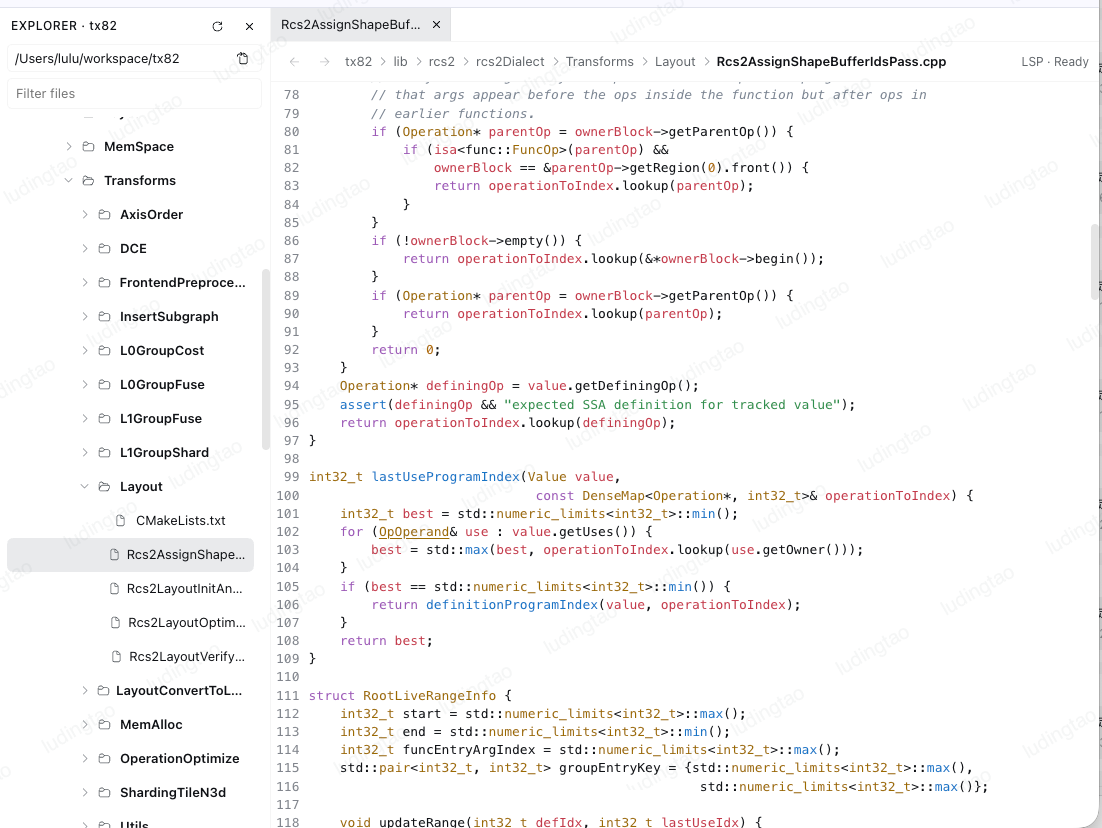
Persistent, VS Code-style source navigation for DeepSeek Harness. The plugin works with BetterSidebar when it is installed and provides its own Explorer, tabs, breadcrumb, editor, and Quick Open workbench when it is not.
Status: stable
0.1.0release for DSH0.1.2-alpha.3+.
The plugin itself works without an external language server. C/C++ definition navigation additionally requires clangd, which is not included because it is a native LLVM executable:
# Check first
clangd --version

# macOS with Homebrew
brew install llvm

# Debian / Ubuntu
sudo apt-get install clangd
On Windows, install an official LLVM release and ensure clangd.exe is in PATH. If Homebrew installs LLVM outside PATH, configure clangdCommand: /opt/homebrew/opt/llvm/bin/clangd in the plugin settings. See clangd's official installation guide for current platform packages and downloads.
Python and JavaScript/TypeScript navigation require no global installation: Pyright, TypeScript Language Server, and TypeScript are included in the npm package.
| Navigation | Workspace UI | Language services |
|---|---|---|
| Cmd/Ctrl-click definitions | Explorer tree and editable tabs | Persistent clangd for C/C++ |
| Back and forward history | Clickable path breadcrumb | Bundled Pyright for Python |
| Modifier-hover underline | Tab close/context menu | Bundled TypeScript Language Server |
| Cmd/Ctrl+P file search | LSP status and index warm-up | Automatic dependency detection |
Standalone workbench — Explorer, tabs, breadcrumb, editor, and LSP status
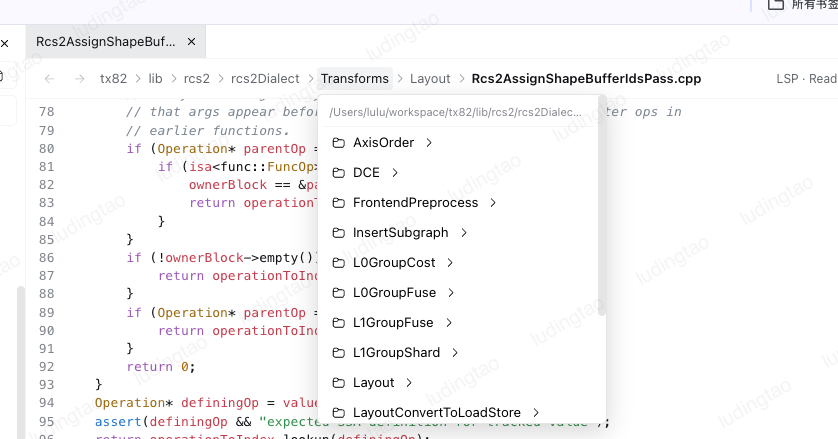
Clickable breadcrumb directory picker
Back and forward navigation controls

Language servers are detected during activation and the result is cached. Missing tools disable only their language feature:
flowchart LR
  Workspace[DSH workspace] --> Navigator[Code Navigator host]
  Navigator --> Detect{Server available?}
  Detect -->|yes| Persistent[Persistent LSP process]
  Detect -->|no| Viewer[File browser + editor]
  Persistent --> Sidebar[BetterSidebar adapter]
  Persistent --> Workbench[Standalone workbench]
  Viewer --> Sidebar
Viewer --> Workbenchpnpm install
pnpm --filter dsh-code-navigator check:release
pnpm --filter dsh-code-navigator pack
dsh plugin --profile web add file:./packages/code-navigator/dsh-code-navigator-0.1.0.tgz
dsh webSee the plugin README for configuration, dependency ownership, API integration, and release constraints.
packages/code-navigator/ — independently publishable plugin.packages/better-sidebar/ — upstream-based compatibility fixture; it is not a runtime dependency of the navigator.The sidebar source tracks omdsh-dev/DSH-better-sidebar through the upstream Git remote.
pnpm install
pnpm --filter dsh-code-navigator check:release
pnpm peers check
Licensed under MIT. See the package's third-party notices for bundled runtime components.
CLASSIFICATION EVIDENCE
系统优先读取 GitHub Topics,再与站内分类词典和词根规则比对。当前命中: deepseek-harness。
morluto
Reverse engineer anything with agents, from app behavior down to native binaries.

deepseek-ai
DeepSeek Harness: Everything is a Plugin.

nexu-io
The 1st Collaborative AI Design Agent Workspace. Local-first and open source. Create motion, prototypes, websites, apps, dashboards, presentations, images, and videos with your team and AI agents. Share work, exchange feedback, and iterate together in one workspace.