
模型与 MCP
待识别

rea
morluto
Reverse engineer anything with agents, from app behavior down to native binaries.
PROJECT TOPICS
INSTALL REFERENCE
dsh plugin --profile web add github:HimLeoing/dsh-progress
该命令指向仓库当前默认分支;尚无绑定当前 commit 的完整验证结果。
PROJECT README






Install · Assessment modes · Panel layout · 简体中文 · Releases
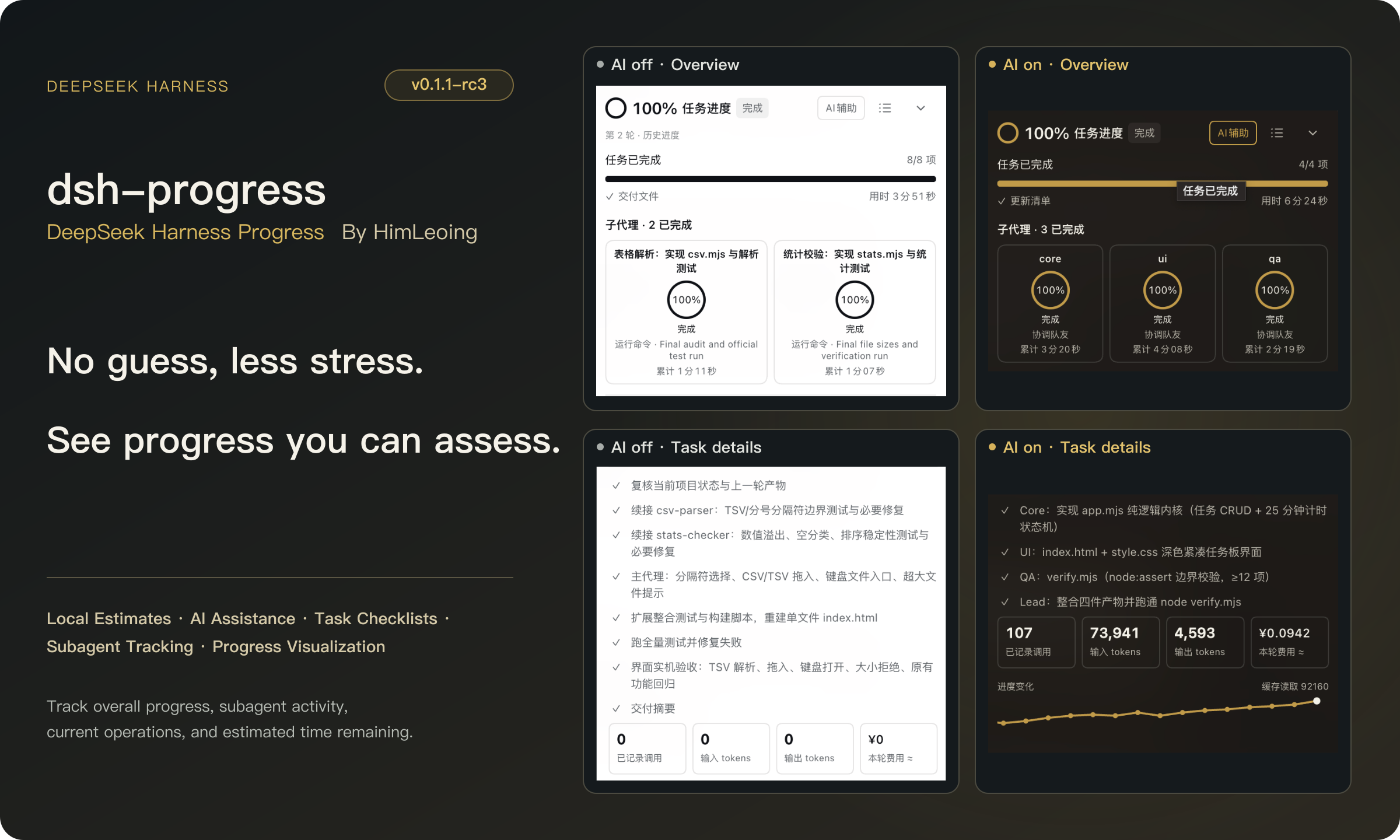
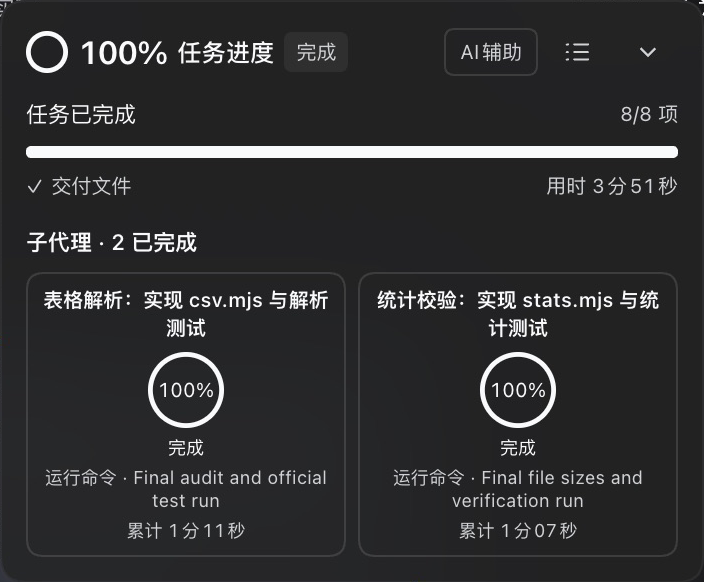
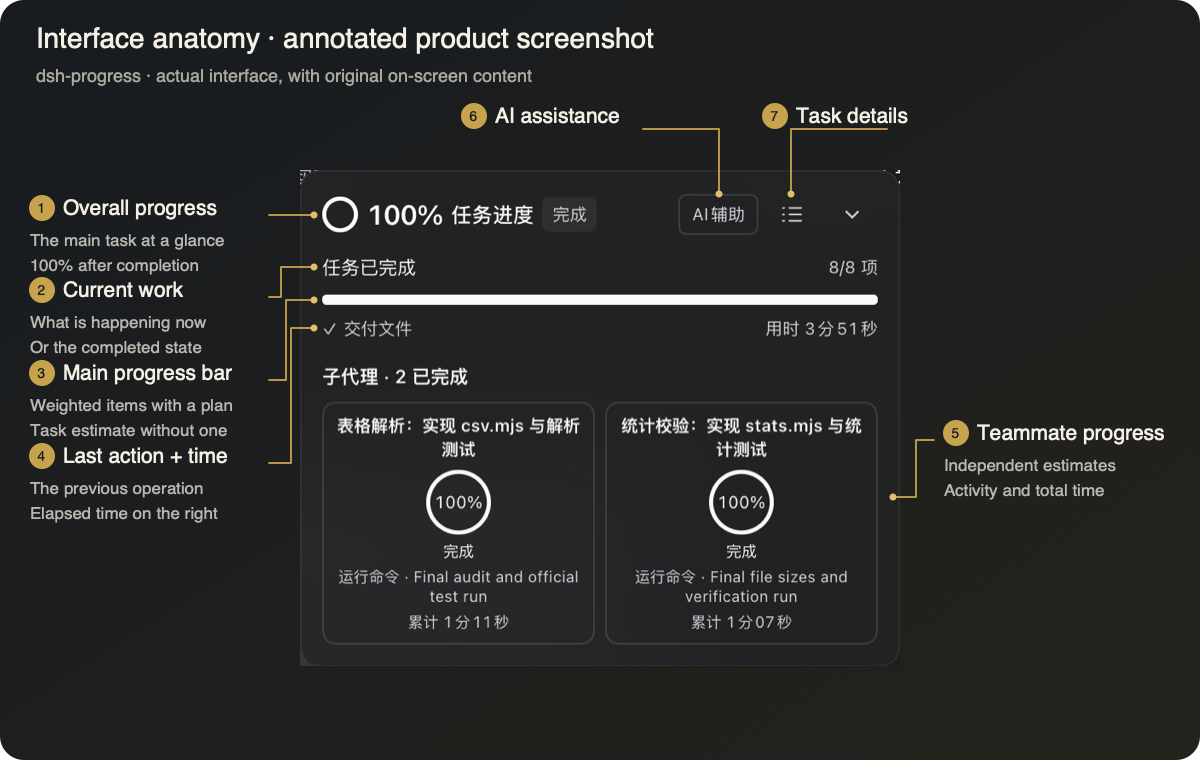
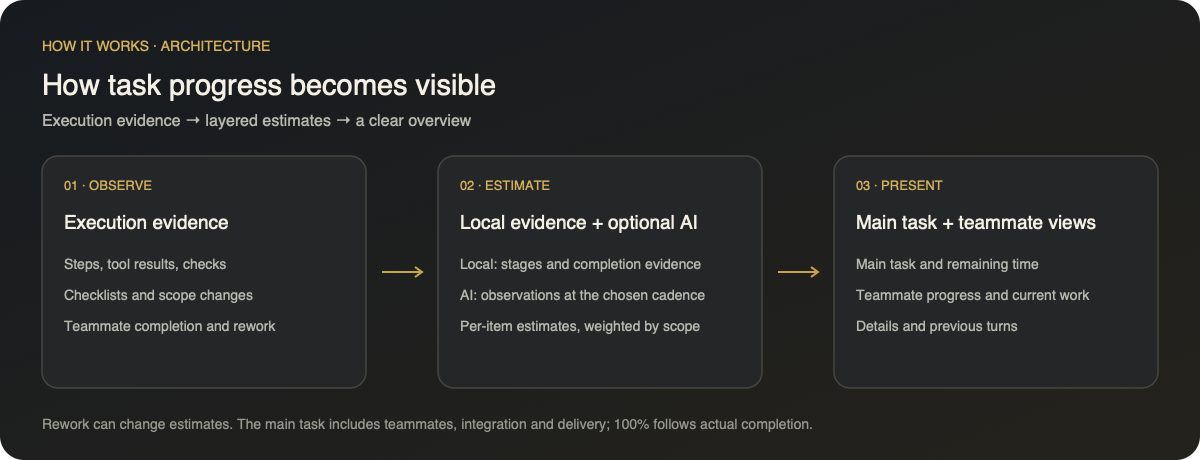
dsh-progress adds task progress to DeepSeek Harness Web and Desktop. See overall progress, current work, estimated remaining time, and each teammate's progress. Choose local estimation or AI assistance, and open details when needed.
| Local estimation | AI assistance |
|---|---|
 |  Assessment usage and trend after completion 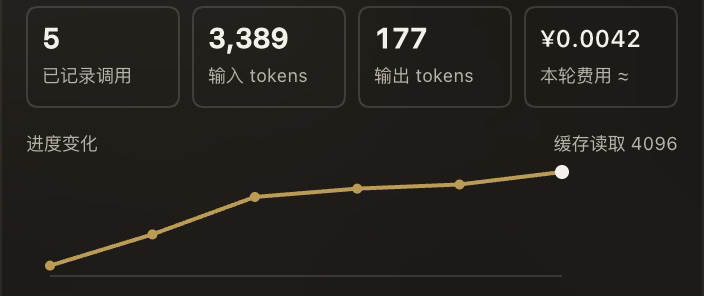 |
| Estimates informed by execution evidence, task stages, and checklist weights. Works without prior history. | Model assessments at execution boundaries, informed by checklist weights and teammate progress. |
| No additional model requests. Approximate percentages and remaining time shown in minutes. | Approximate percentages, remaining time counting in seconds, and combined lead/teammate probe cost estimates. |
Both modes support checklists, independent teammate progress, and switching during a run. AI assistance is off by default and can incur provider charges when enabled. Percentages and remaining time are estimates; rework can reduce progress. All product images below come from real task execution.
| Task details | Developer mode |
|---|---|
 |  |
| Open the checklist, progress trend, and probe usage together. Cost estimates are built in. | Record call times and full inputs and outputs while enabled. Logs stay on your machine and can be viewed or downloaded. |
Both screenshots come from one real verification run: three checklist items, 97 passing tests, and five assessments. Click an image for its original size. Developer mode is off by default.
| Start | In progress | Complete |
|---|---|---|
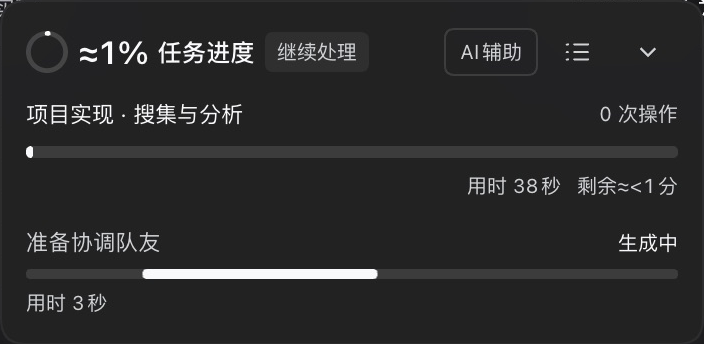 | 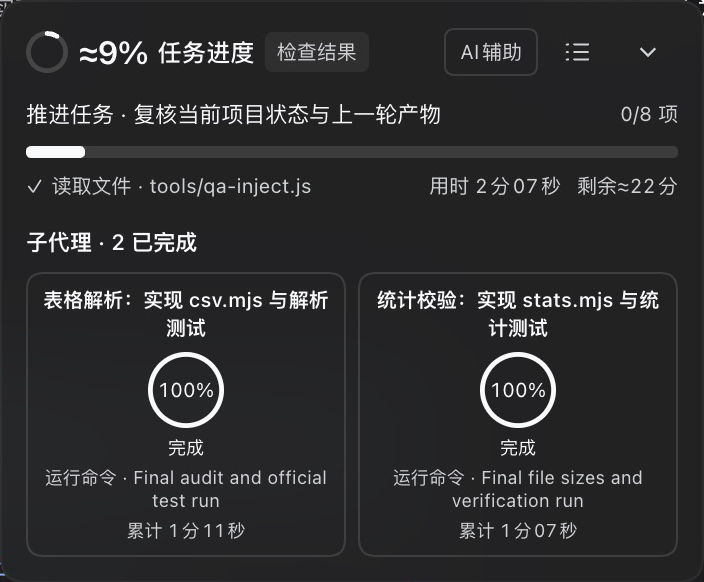 | 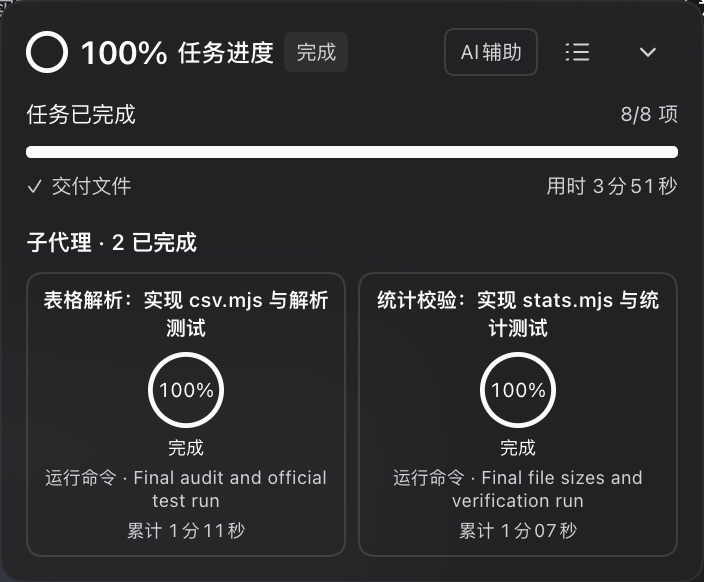 |
| Dark | Light |
|---|---|
| 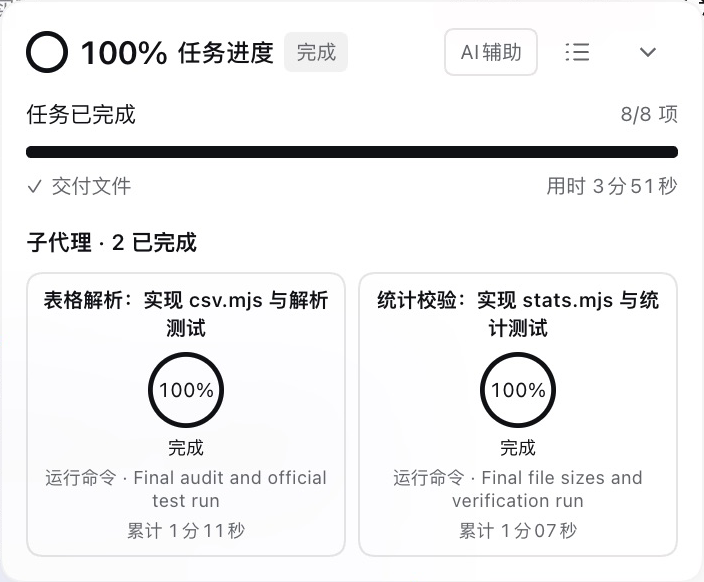 |
Requires DeepSeek Harness >=0.2.2-rc.1 (Web and Desktop) and Node.js >=24.9.0. Tested on Harness 0.2.2-rc.3.
Install from npm:
dsh plugin --profile web add "@himleoing/dsh-progress@0.1.1-rc3"Or install the same version from GitHub:
dsh plugin --profile web add "github:HimLeoing/dsh-progress#v0.1.1-rc3"Or download the .tgz archive from the release. Enable the bundle, restart Harness, and reload the Web UI. Eligible legacy data is copied when destination files are absent; originals remain intact.
Normal mode checks newer RC releases. Developer mode also checks newer Alpha releases. A circular update button appears beside the version in task details when an eligible release is available.
Usage and estimation guide · Changelog · Report an issue · Contribute
Task details include checklists, trends, and built-in probe pricing. Developer mode adds observations and logs. Only authoritative successful completion establishes 100%. The minimum host range permits later versions; future breaking APIs can still require adaptation.
| npm cumulative downloads | Star observations |
|---|---|
 |  |
Checked every 15 minutes; charts update when public API data changes. GitHub Actions scheduling and image caching can add a delay. The npm chart shows cumulative downloads of all versions of @himleoing/dsh-progress since publication: UTC date on the x-axis and total downloads on the y-axis. npm publishes statistics with a delay; the chart labels the data cutoff separately from its refresh date. Star history starts with the first observation; earlier values are not reconstructed.
CLASSIFICATION EVIDENCE
系统优先读取 GitHub Topics,再与站内分类词典和词根规则比对。当前命中: deepseek-harness。
morluto
Reverse engineer anything with agents, from app behavior down to native binaries.

deepseek-ai
DeepSeek Harness: Everything is a Plugin.

nexu-io
The 1st Collaborative AI Design Agent Workspace. Local-first and open source. Create motion, prototypes, websites, apps, dashboards, presentations, images, and videos with your team and AI agents. Share work, exchange feedback, and iterate together in one workspace.