
模型与 MCP
待识别

rea
morluto
Reverse engineer anything with agents, from app behavior down to native binaries.
PROJECT TOPICS
INSTALL REFERENCE
dsh plugin --profile web add github:HaoyanZhang123/dsh-plugin-control-your-capture
该命令指向仓库当前默认分支;尚无绑定当前 commit 的完整验证结果。
PROJECT README
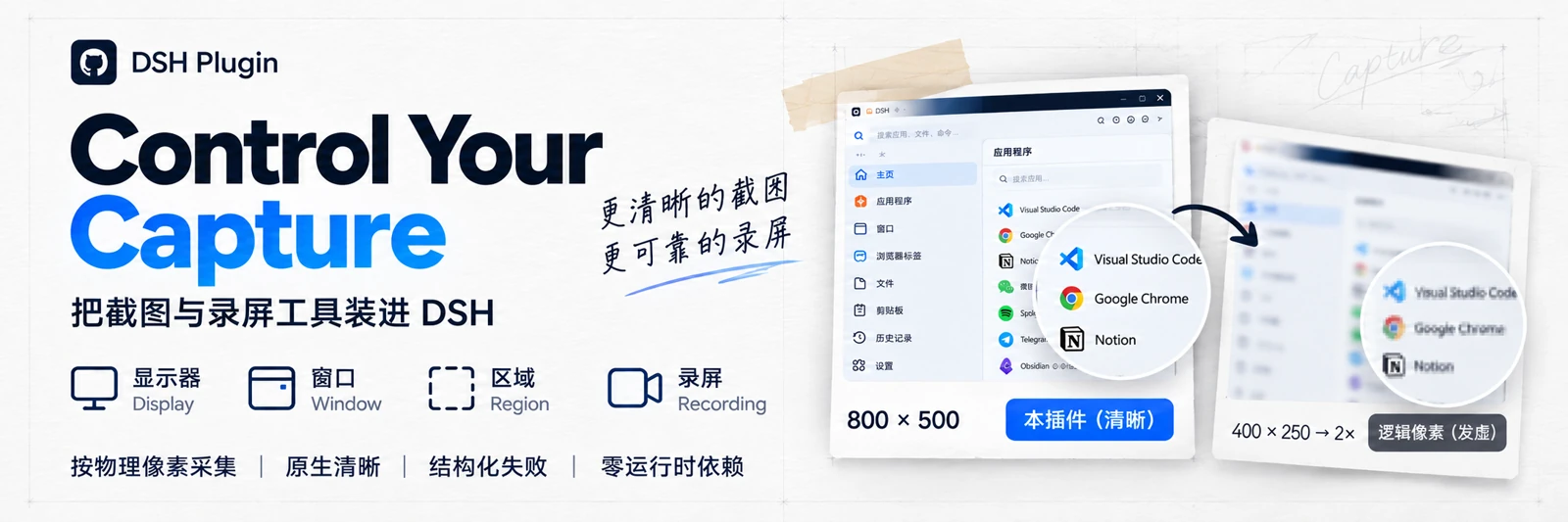
Screenshot and screen-recording tools for DSH: capture a display, a window or a region at physical pixels, and record a display or region to MP4 on a single-display Windows console session.
中文 · panel plugin v0.3.0 · skill v0.3.0




dsh-plugin-control-your-capture is a DSH host plugin. It hands two capture abilities directly to the agent: screenshots (display / window / region) and screen recording (a display or a physical-pixel region on a single-display Windows console session). Capture happens at physical pixels and never upscales.
It solves concrete "look at this / record this" problems: capturing at logical pixels on a high-DPI screen makes text soft, and post-processing cannot restore it; hand-written ffmpeg commands tend to pick up low-frame-rate fallbacks, overwrite files and leave stray processes. The plugin puts both paths behind controlled tool calls with structured failures.
Intended for agents and users who need reliable, sharp screen evidence inside DSH, or a decodable MP4 of a session. Not for: offscreen page rendering, video editing, or audio capture.
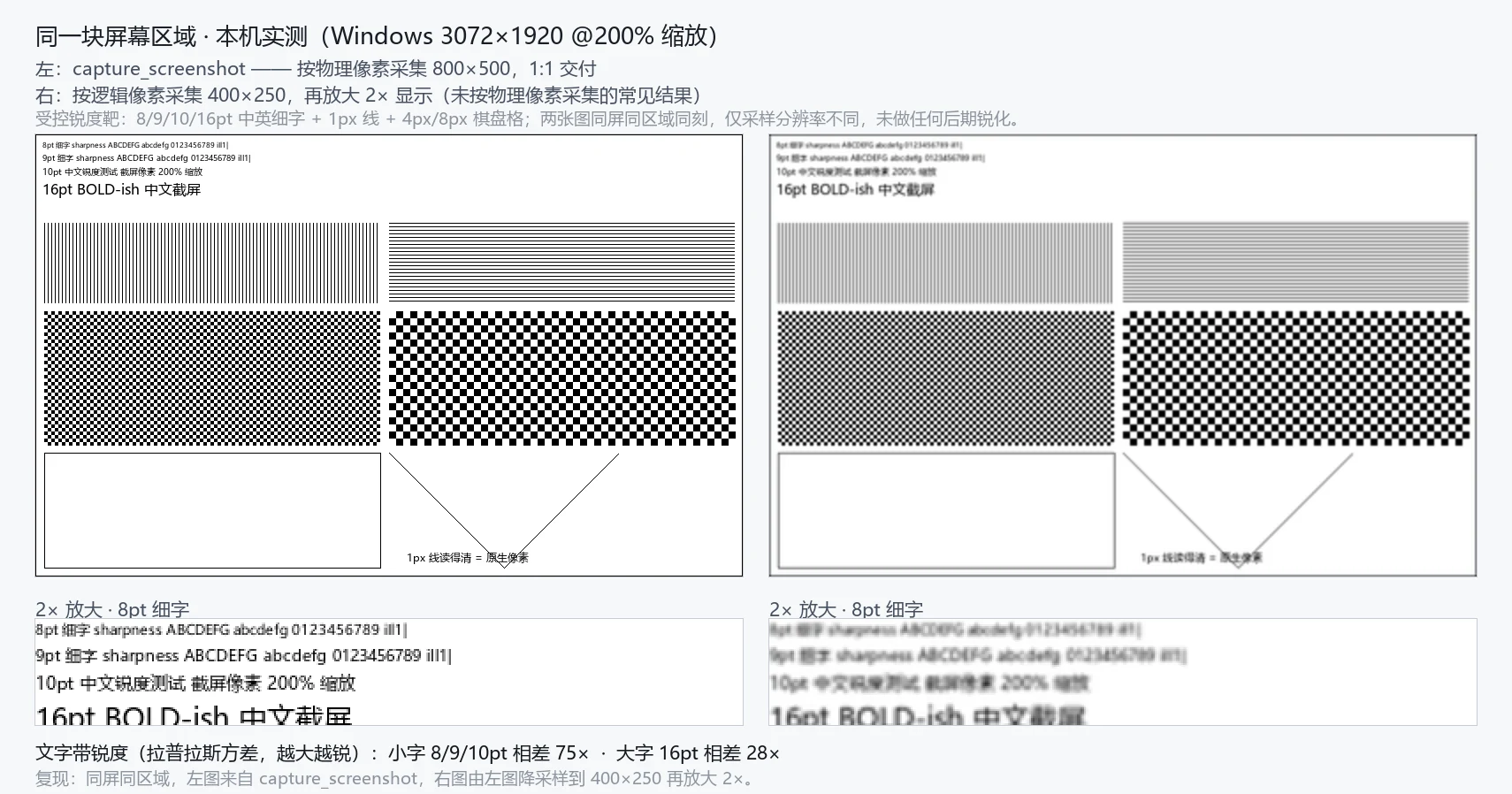
capture_screenshot, capture_probe, capture_recording; the skill contains no scripts and there is no second capture implementation.maxWidth may downscale exactly once and the tool never upscales. Measured here on a 3072x1920 display at 200% scaling.width / height are the file on disk, image.width / image.height are what the model sees; a downscale surfaces as model_image_downscaled.libx264 / veryfast / CRF 14 / yuv420p / +faststart, no audio; stop runs FFprobe (-count_frames) plus a full decode and refuses to publish on failure.out_renamed.code / message / details / hint; nothing degrades silently.The same screen region at the same moment, changing only the sampling resolution (left: physical pixels 800x500; right: logical pixels 400x250 upscaled 2x):
Grades: stable has real-machine evidence plus image review; beta is complete but only partly measured; experimental has no real-machine evidence; unsupported is rejected explicitly, never silently downgraded.
| Platform / session | Shot display | Shot window | Shot region | Rec display | Rec region |
|---|---|---|---|---|---|
| Windows 10/11 console (single display) | beta | beta | beta | beta | beta |
| Windows multi-display / mixed DPI / HDR | experimental | experimental | experimental | unsupported | unsupported |
| Windows RDP / session 0 / secure desktop | experimental | unsupported | experimental | unsupported | unsupported |
| macOS (Retina / non-Retina) | experimental | experimental | experimental | unsupported | unsupported |
| Linux X11 | experimental | experimental | experimental | unsupported | unsupported |
| Linux Wayland | experimental | unsupported | experimental | unsupported | unsupported |
| headless / CI | no_display |
— | — | no_display |
no_display |
target:"all" |
— | — | — | — | — |
capture_probe's targets / recording.targets; any mismatch is a defect.-xerror full decode exit 0, faststart effective; a 279.6s recording completed normally, beyond the old 120s timeout.Requirement: DSH installed. The plugin itself has no runtime dependency; recording additionally needs an external FFmpeg (with the ddagrab filter and libx264) and FFprobe — screenshots do not.
dsh plugin add dsh-plugin-control-your-capturecapture-sharp guidance skill into the global skill directory (default $DSH_HOME/skills).capture_probe and read targets, recording.missing and whether the output root is writable.| Parameter | Values | Notes |
|---|---|---|
target |
display / window / region |
Defaults to display; no all |
display |
opaque id from capture_probe |
Defaults to the display holding the active window |
window |
backend-resolvable window id | Only for window; a missing window fails with window_not_found |
region |
{x, y, width, height} |
Physical pixels relative to the display origin, never across displays |
out |
workspace-relative path | Defaults to output/capture/<uuid>.png; must stay inside the workspace |
maxWidth |
positive integer | Downscales at most once, never upscales |
Cropping a region to read fine text:
{ "target": "region", "region": { "x": 600, "y": 200, "width": 1600, "height": 900 } }| Parameter | Values | Notes |
|---|---|---|
action |
start / status / stop / cancel |
Required |
recordingId |
opaque id returned by start |
Required for status/stop/cancel; not allowed on start |
target |
display / region |
Defaults to display; window / all unsupported |
region |
{x, y, width, height} |
Physical pixels, display-relative, even width/height, fully on screen |
fps |
30 / 60 |
Defaults to 60 |
drawMouse |
boolean | Defaults to true |
out |
workspace-relative .mp4 |
Defaults to output/capture/<uuid>.mp4 |
{ "action": "start", "target": "display", "fps": 60, "drawMouse": true }start returns quickly with a recordingId; path appears only on completed — starting / recording / stopping carry no deliverable.recordingId; a different workspace gets recording_workspace_mismatch; ids do not survive a restart.stop waits for muxing, FFprobe and a full decode, so it is slower than ordinary calls; a failure throws and delivers nothing.This plugin captures what is really displayed on the desktop (physical pixels, never upscaled), so decide first:
deviceScaleFactor set to capture_probe's displays[].scaleFactor (2 on this machine), or Page.captureScreenshot with clip.scale; emit PNG and do not downscale afterwards.target:"window" or target:"display"; for fine text use target:"region" to crop a 1:1 area.model_image_downscaled); the file on disk stays sharp.Optional keys live under this plugin's config: line; all may be omitted:
| Key | Default | Notes |
|---|---|---|
skillRoot |
$DSH_HOME/skills |
Skill install root, must be an absolute path |
skillInstall |
true |
false skips skill installation; tools still work |
skillCleanupOnUnload |
false |
Only true removes the skill this plugin installed on unload/exit |
timeoutMs |
20000 |
Per-call timeout for screenshots/short commands; does not limit a whole recording |
maxWidth |
no scaling | Service-level default downscale width, overridable per call |
recordingMaxDurationSec |
3600 |
Maximum recording length, integer 1–86400; auto-finalizes at the limit |
An invalid config makes the plugin fail (fiber FAILED); defaults are never silently substituted.
lib/index.js                 host entry: config validation, tool registration, cleanup
lib/service.js               the only spawn/kill point: screenshots, short and managed processes
lib/recording-service.js     recording sessions: state machine, single active slot, validation, publishing
lib/recording/windows.js     Windows DDA argument plan, capability probing, FFprobe quality judgement
lib/tool.js                  schemas and rendering for capture_screenshot / capture_probe
lib/recording-tool.js        schema and rendering for capture_recording
lib/adapters/{windows,macos,linux}.js  platform backends: raw bytes only
lib/native/windows-shot.ps1  DPI-aware Windows native helper
lib/png.js / lib/paths.js    PNG validation, output root, unique naming and atomic writes
skill/capture-sharp/ thin guidance skill (no scripts; staged from the skill source by the gate)display / region on a single-display Windows console: no audio, no window / multi-display / HDR / RDP / session 0, and no recording on macOS or Linux; yuv420p is lossy and not pixel-identical to PNG, with no lossless mode.ddagrab + libx264): when missing the call fails with backend_unavailable and lists each item in missing; nothing is downloaded or bundled..tmp-*.mp4 files are not guaranteed to be cleaned (0.3.0 has no Job Object).start means "the process is alive and the temp file is non-empty (header)"; FFmpeg output buffering can keep video data off disk until stop, and delivery quality is enforced by the stop FFprobe + full-decode validation.target:"window" can return a blank image for some GPU-composited windows (PrintWindow cannot reach the compositor layer); the result then carries content_uniform — switch to display or region.experimental; Wayland may prompt for permission.MIT.
CLASSIFICATION EVIDENCE
系统优先读取 GitHub Topics,再与站内分类词典和词根规则比对。当前命中: deepseekharness、deepseekharness-plugin。
morluto
Reverse engineer anything with agents, from app behavior down to native binaries.

deepseek-ai
DeepSeek Harness: Everything is a Plugin.

nexu-io
The 1st Collaborative AI Design Agent Workspace. Local-first and open source. Create motion, prototypes, websites, apps, dashboards, presentations, images, and videos with your team and AI agents. Share work, exchange feedback, and iterate together in one workspace.