学习研究
插件

Study-Mate
Miaotofu01
你的AI学习搭档:定路线、讲知识、做项目,边学边做,学透一门科目

HaoKuo/DSH-Paper-DeepRead
DSH-Paper-DeepRead — DeepSeek Harness (dsh) plugin: bundle the 文献精读库 paper library + paper-deepread-html deep-read skill. Browse reports, upload PDFs to a managed library, let an agent deep-read them, then manage/rebuild the library in a sidebar panel. | 文献精读库与精读技能打包成 dsh 插件:浏览报告、上传 PDF、由 Agent 精读成稿、管理书库。
PROJECT TOPICS
INSTALL REFERENCE
dsh plugin --profile web add github:HaoKuo/DSH-Paper-DeepRead
该命令指向仓库当前默认分支;尚无绑定当前 commit 的完整验证结果。
PROJECT README
English | Chinese
A DeepSeek Harness (dsh) web plugin that bundles the Paper Deepread library site and the
paper-deepread-html deep-read skill. One install adds a sidebar entry that shows the
library - interactive reading reports with the original PDFs beside them - plus host-side
model tools for searching and reading papers and a management console for uploading PDFs
and maintaining reports.
/paper-deepread/index.html and shown from the Paper Deepread sidebar entry;
it ships with 4 sample reports, and libraryDir can serve an existing library instead.paper_deepread model tool - lists papers, searches titles / journals / tags /
summaries / full text, and returns a report to read locally or by Web URL.paper_deepread_uploads ingests PDFs into the managed
inbox; paper_deepread_reports builds, hides and deletes reports. The plugin never calls
a model itself.siteUrl set to a running Paper Deepread
site, that site becomes the preferred mobile-access target.paper-deepread-html is installed when missing and kept in sync.@deepseek-ai/dsh-tools peer; the browser half is a single dependency-free file.^0.2.0-rc.2 || ^0.2.1-rc.2 || ^0.2.1-rc.3 (the engines.dsh range).>= 24.web profile (the plugin needs the webServer and tools services).cloudflared for the external (temporary) quick tunnel.Install into the Web profile from the release tarball or straight from GitHub:
dsh plugin --profile web add ./dsh-paper-deepread-1.7.0.tgz
dsh plugin --profile web add "github:HaoKuo/DSH-Paper-DeepRead#v1.7.0"
Restart the Web UI and open http://127.0.0.1:3080:
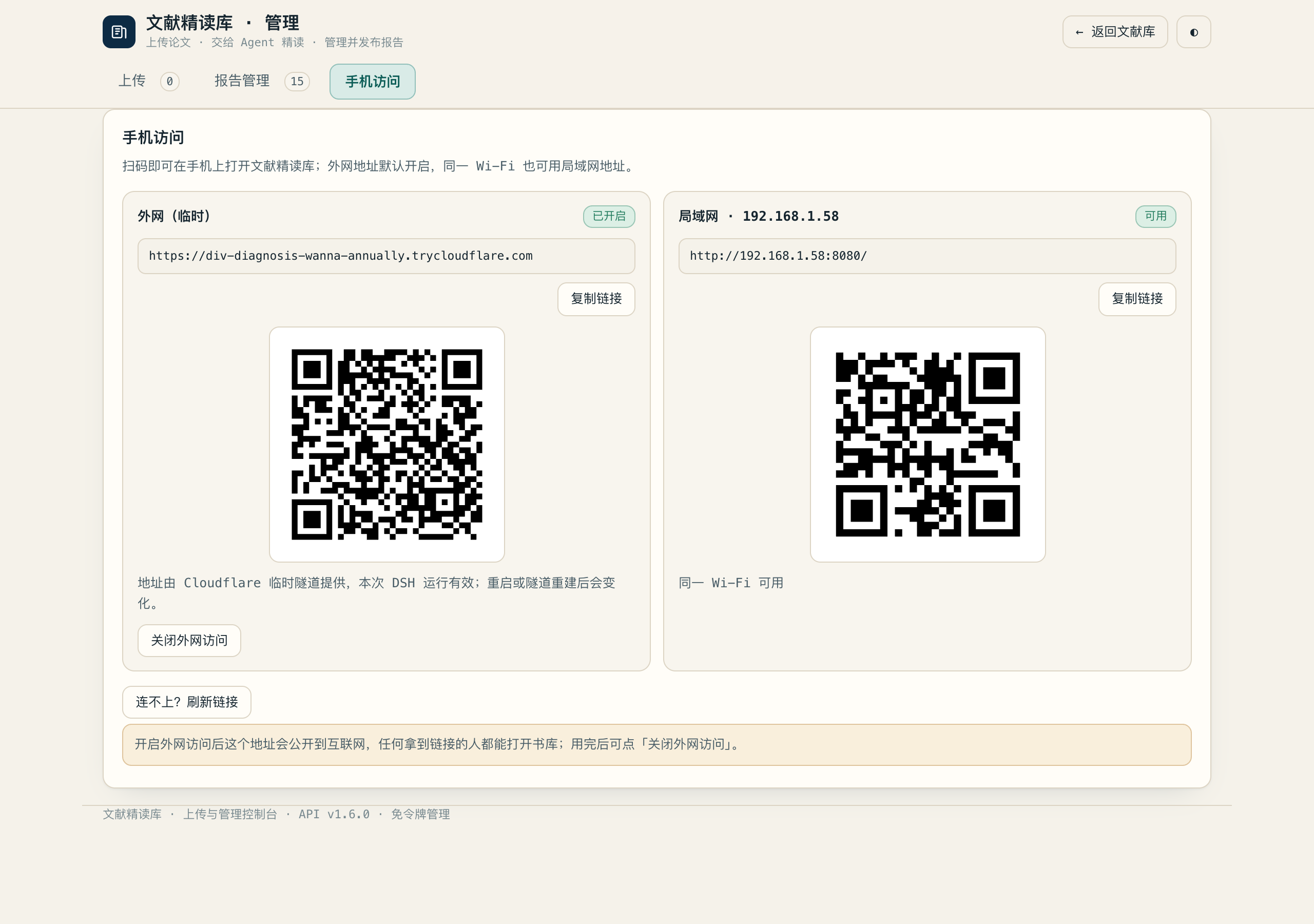
dsh webClick Paper Deepread in the left sidebar. The library is also served directly at http://127.0.0.1:3080/paper-deepread/index.html, the management console at http://127.0.0.1:3080/paper-deepread/manage.html.
dsh plugin --profile web add command with the new tarball or
GitHub tag, then restart dsh web.dsh plugin --profile web remove dsh-paper-deepread, then restart dsh web.
The copied skill and the managed data directory are left in place.%PDF- signature. Or ask the agent in chat and let it run the pipeline with
paper_deepread_uploads (list / ingest) and paper_deepread_reports (build).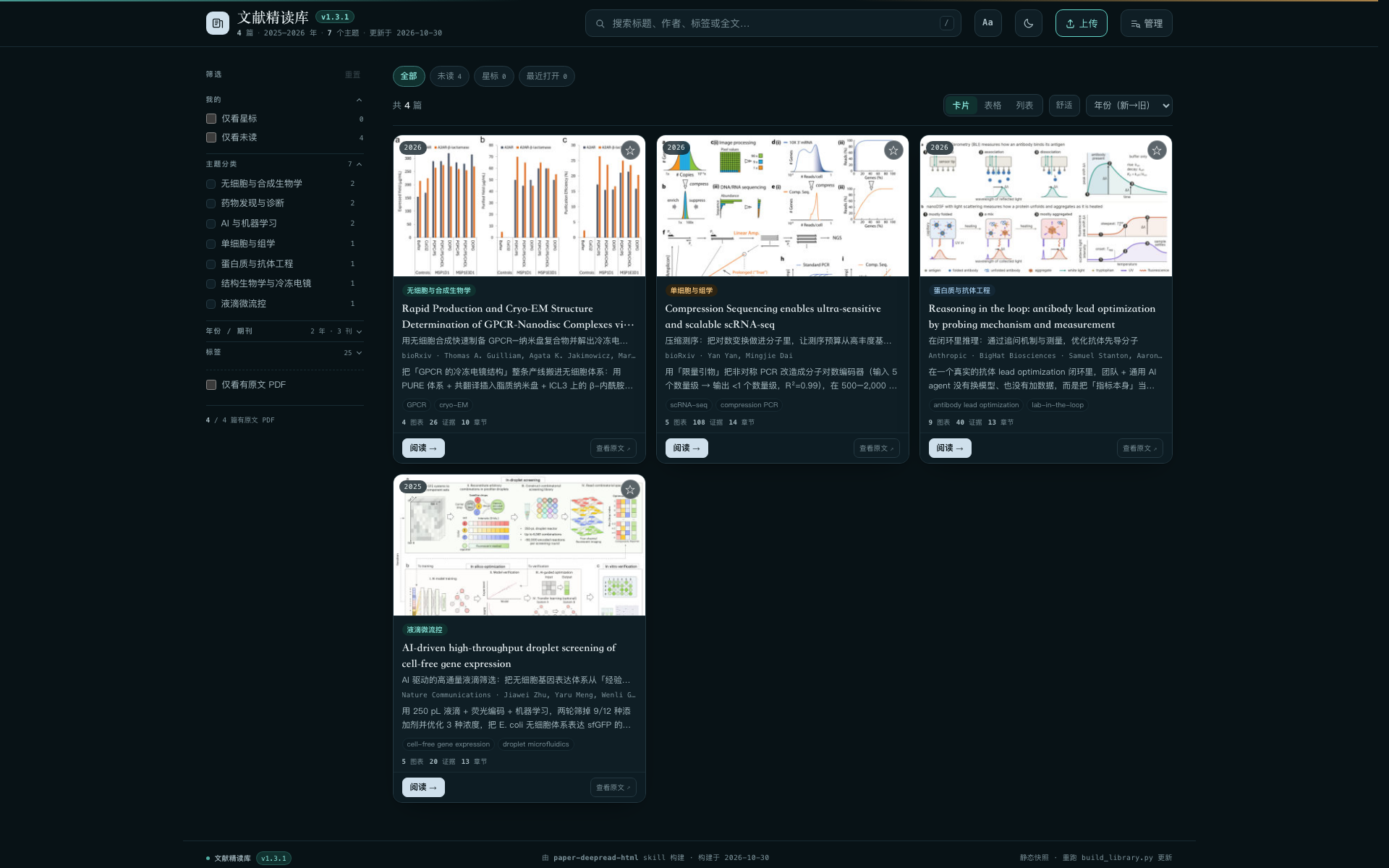
The plugin works with no configuration. Optional row config:
| Option | Default | Meaning |
|---|---|---|
dataDir |
$DSH_HOME/paper-deepread |
Managed library, uploads, work directory and state files. |
libraryDir |
unset (seeded dataDir/library) |
Serve an existing library root instead; skips seeding. |
siteUrl |
unset (feature off) | Base URL of a running standalone Paper Deepread site, for example http://127.0.0.1:8080; also the preferred mobile-access target. |
maxUploadBytes |
83886080 (80 MB) |
Per-file upload size limit. |
cloudflaredPath |
unset (auto-detect) | Explicit cloudflared binary for the quick tunnel. |
cloudflaredProxy |
unset (inherit environment) | Proxy handed to cloudflared as HTTPS_PROXY / HTTP_PROXY. |
lanPort |
0 (ephemeral) |
Preferred port for the read-only LAN fallback server. |
dsh web restarts. Enable it only
when needed and stop it when done.cloudflared (a Go program) ignores the system proxy; behind a proxy such as
ClashX set cloudflaredProxy, for example socks5://127.0.0.1:7890.npm run check # node --check on every shipped JavaScript file
npm test # node:test suites
npm run pack # dist/dsh-paper-deepread-1.7.0.tgz + dist/SHA256SUMSMIT © 2026 HaoKuo
CLASSIFICATION EVIDENCE
系统优先读取 GitHub Topics,再与站内分类词典和词根规则比对。当前命中: paper。
Miaotofu01
你的AI学习搭档:定路线、讲知识、做项目,边学边做,学透一门科目

1692775560
Mimir — 一站式科研工作台插件:LaTeX 论文边写边编译、arXiv 文献管理、实验追踪、指标图表、GPU 服务器 SSH 任务编排,管理科研全周期。An open-source research workbench plugin for the whole research cycle.

Li-Evan
Open-source AI tutor for personalized learning: Socratic, adaptive lessons to learn anything. Claude Code skill + self-hosted web app. Bloom 2 Sigma · 开源 AI 家教