
模型与 MCP
待识别

rea
morluto
Reverse engineer anything with agents, from app behavior down to native binaries.
PROJECT TOPICS
INSTALL REFERENCE
dsh plugin --profile web add github:HandlerOne01/dsh-purge
该命令指向仓库当前默认分支;尚无绑定当前 commit 的完整验证结果。
PROJECT README

Version 1.1.91
DeepSeek Harness jailbreak: every model, swap prompts per model. Default prompt for 小码酱. Please star ⭐ If you build on this, see Attribution required.








Repository migration (2026-11-10)
The previous repository
HunYiSage/dsh-purge(and the earlierYuJunZhiXue/dsh-purge) is offline and returns 404. The project is now published at HandlerOne01/dsh-purge, rebuilt from the official 1.1.90 release archive, so the code matches 1.1.90.The old repository's git history, issues and releases went down with it and cannot be recovered; this repository restarts its history at 1.1.91. Install and update from the new URL:
https://codeload.github.com/HandlerOne01/dsh-purge/tar.gz/refs/heads/master.
dsh-purge was originally developed by its author as an independent project. It is now maintained by the dsh-purge maintainers team, which handles the codebase, documentation, releases, and security response. The original author's credit and source record are retained. The previous repository is gone, so its commits, issues, and releases cannot be recovered; this repository restarts its history at 1.1.91.
The project's boundaries remain unchanged:
Resale of the original build is prohibited. Paid resale, re-skinning for store listings, and distribution as a commercial product are not permitted. Forks and derivative work are allowed provided they credit the source repository: HandlerOne01/dsh-purge. Removing the attribution, concealing the source, or presenting the project as one's own will be pursued by the maintainers.
Team channel: t.me/LLM_PoJia, used for announcements and updates.
dsh-purge is a cybersecurity red-team plugin for the official DeepSeek Harness already installed on your machine. 1.1.91 targets DSH 0.2.1-rc.2 (0.2.0 still works). DSH 0.2.1-rc.3 and newer RCs are not supported. Official Web (dsh web) and the official desktop EXE are both supported. Install and Apply them separately.
Harness does more than forward a prompt. It rewrites prompts, approval gates, sandbox policy, and session migration at runtime. Asking only “will the model answer” treats a host-layer block as a model refusal. This plugin separates those two layers on your own install, for controlled evaluation and for seeing which default policy is too tight.
| You get | What it does |
|---|---|
| dsh-purge dock | A button beside the session title opens the right dock. Two pages: Clean and Drill |
| Clean | Grouped patch status, Apply / Restore / Uninstall, prompt editor, multiple rule sets |
| Drill | Built into the stable release. After authorization: assets and the local environment. This build does not ship skills or the knowledge base. Local lab only |
| Host policy | Default copy, permission policy, and tool limits. Official capabilities stay. No second invented identity |
| On start | Checks and reapplies. After npm overwrites node_modules, you do not hand-edit files |
No hardcoded drive letters. It looks at $DSH_HOME, .dsh next to the dsh launcher, then ~/.dsh. It does not patch the Harness source tree. Apply on the Clean page of dsh-purge is what writes the changes. Identity comes from the encrypted prompt shipped in the plugin, the text the prompt box shows by default. The host prompt file is not read.
It only touches the official @deepseek-ai packages and local config on the user's machine. It is not a public scanner and not an attack kit for third-party sites. The repo does not ship malware, unauthorized-exploit scripts, or payloads aimed at the public internet.
Resale of the original build is prohibited. Paid resale, re-skinning for store listings, and distribution as a commercial product are not permitted.
Forks must attribute and name the source repository: HandlerOne01/dsh-purge. Same if you borrow the name, ideas, code, or prompts.
Removing attribution, concealing the source, or reselling the original will be pursued by the maintainers.
This repo is Apache License 2.0. Forks and redistributions must keep the copyright notice and NOTICE, and name HandlerOne01/dsh-purge. Resale of the original is prohibited.
Disclaimer: This is a non-profit open-source project. It follows applicable laws and the rules of the platforms it uses, and is intended only for learning and research. Do not use it for any illegal or non-compliant purpose; the user bears any resulting consequences.
Zero-tolerance statement: This project opposes and forbids any illegal activity. The maintainers do not support, encourage, or assist unauthorized network attacks, exploit use, data theft, unlawful intrusion into computer information systems, or generation of illegal or prohibited content. Anyone who uses this project for crime is solely responsible under the law. The maintainers have no liability.
@deepseek-ai packages, local profile / $DSH_HOME). The target is the user's own official local software, not someone else's website, server, account, or information system.1.1.81 and newer target DSH 0.2.1-rc.2. 0.2.0 still works. Do not apply it to 0.1.x.
dsh web): use 1.1.81 or newer. Fixes {{cwd}} / [cwd] crash, patch #40 match, dropped toolFilter, host dsh-tools resolve, hostFs fd, desktop helper self-kill, file: archive update, Ctrl+Enter steer.Unmatched patches stay pending or skipped; nothing is rewritten blindly.
Do not use the plugin marketplace. One-click install on dsh-plugin.org or in Settings → Plugin Market fails with already queued: dsh-purge and never runs a command. The name is not on the npm registry, so do not pnpm add dsh-purge.
Have dsh on PATH? One command, one restart, one click. Run the line for the host you open (the desktop EXE is the same with desktop instead of web):
# Official `dsh web`
dsh plugin --profile web add https://codeload.github.com/HandlerOne01/dsh-purge/tar.gz/refs/heads/master

# Official desktop EXE
dsh plugin --profile desktop add https://codeload.github.com/HandlerOne01/dsh-purge/tar.gz/refs/heads/masterdsh web and start it again. Desktop: quit the tray icon too, then open the exe.Done — verify with /purge status in chat. If pnpm asks about build scripts, or anything below does not appear, follow the step by step.
Step 1 — Pick your host. Official dsh web and the official desktop EXE are installed and patched separately; only install into the host you actually open.
| What you run | Profile | Install command |
|---|---|---|
Official dsh web |
web |
the web line in Quick start |
| Official desktop EXE | desktop |
the desktop line in Quick start |
Step 2 — Install the plugin. Use the codeload.github.com URL exactly. Do not use github.com/.../archive: that 302 makes pnpm fail with fetch failed.
Have dsh? Run the Quick start line for your profile. If this directory is already a clone, use . instead of the URL.
pnpm only (no dsh required): run this inside the profile you actually use, not the repo root.
cd "$DSH_HOME/profiles/web"    # desktop: profiles/desktop
pnpm add https://codeload.github.com/HandlerOne01/dsh-purge/tar.gz/refs/heads/master
Windows PowerShell:
cd "$env:USERPROFILE\.dsh\profiles\web"   # desktop: profiles\desktop
pnpm add https://codeload.github.com/HandlerOne01/dsh-purge/tar.gz/refs/heads/master
pnpm add and dsh plugin add fetch the package; postinstall writes dsh-purge into dsh.profile.bundles and adds a body insert in the profile cordis.patch.yml. Without that insert the host never loads the plugin and no button appears.
Expected result: node_modules/dsh-purge/package.json exists, "dsh-purge" is in that profile's bundles, and cordis.patch.yml has an id: dsh-purge insert.
ERR_PNPM_IGNORED_BUILDS) unless you allow the build:pnpm add --allow-build=dsh-purge --allow-build=dsh-purge@https://codeload.github.com/HandlerOne01/dsh-purge/tar.gz/refs/heads/master https://codeload.github.com/HandlerOne01/dsh-purge/tar.gz/refs/heads/master
# Already installed, warning only — the full specifier is required (name-only leaves "set this to true or false"):
pnpm approve-builds dsh-purge@https://codeload.github.com/HandlerOne01/dsh-purge/tar.gz/refs/heads/master
# If bundles / insert are still missing:
node node_modules/dsh-purge/scripts/ensure-profile-bundle.mjsdsh nor pnpm is available, jump to Manual install.dsh:// deep link; it still downloads the same tarball).Step 3 — Restart the host. Adding the plugin to a profile does not patch @deepseek-ai by itself. Fully quit and reopen the host you just installed into (Web: stop dsh web and start again; Desktop: quit the tray icon too, then open the exe).
Expected result: dsh-purge stands beside the session title. Missing? Jump to Step 5.
Step 4 — Apply and verify. On that host, click dsh-purge beside the session title, open Clean, and click Apply. It is not on the host Settings page. A successful Apply restarts once; it does not restart if it did not finish. Web controls affect Web only; desktop controls affect the desktop app only. Do not Apply one host from the other.
Expected result: /purge status in chat prints DSH_HOME and the patch list — the path should be the home you actually run. Optional packages that are not installed (liangshen) show as skipped and do not block Apply.
Step 5 — Troubleshooting. Jump here only when a step above did not end with its expected result.
dsh --dump-config (or dsh --profile desktop --dump-config) and look for a body row id: dsh-purge (not dsh-purge-redteam). If it is absent, run ensure-profile-bundle.mjs (Step 2), then fully quit and reopen the host. After this version, a live red-team child entry also writes the missing insert on startup — quit and reopen once more. entry "redteam-store" not found at the top is leftover from an old red-team package and can be ignored.already queued: dsh-purge. Stop clicking the market; use dsh plugin add or pnpm from Step 2. If the CLI also says it is already there, remove and re-add, then redo Step 3:dsh plugin --profile desktop remove dsh-purge
dsh plugin --profile desktop add https://codeload.github.com/HandlerOne01/dsh-purge/tar.gz/refs/heads/masterpnpm only:
cd "$DSH_HOME/profiles/desktop"
pnpm remove dsh-purge
pnpm add https://codeload.github.com/HandlerOne01/dsh-purge/tar.gz/refs/heads/master
Swap desktop for web on Web.
Hand this to an assistant. Paste the block below to a local assistant. It should only run the install command — no disk scan, no other edits, no Apply, no restart.
Install the DeepSeek Harness plugin dsh-purge into the Web profile only. Do not scan the whole disk, do not read or edit other files, do not apply settings, and do not restart the app. Do not install into the desktop profile. Do not use the plugin marketplace. The name is not on the npm registry; do not pnpm add dsh-purge.
Web (official dsh web)
If dsh is on PATH:
dsh plugin --profile web add https://codeload.github.com/HandlerOne01/dsh-purge/tar.gz/refs/heads/masterIf dsh is missing and pnpm is available, cd into $DSH_HOME/profiles/web (often ~/.dsh/profiles/web) and run:
pnpm add https://codeload.github.com/HandlerOne01/dsh-purge/tar.gz/refs/heads/masterIf this directory is already a clone and dsh exists, use dsh plugin --profile web add .. If neither dsh nor pnpm is available, tell the user and stop.
After the command finishes, tell the user to fully quit and restart dsh web, then open dsh-purge beside the session title and Apply on Clean. Then stop.
Manual install. Use this when the command fails or dsh is not on PATH. Edit only the profile for the host you run — do not touch the other, and do not delete existing bundles.
1. Find the $DSH_HOME this host uses. A real home is named .dsh (official EXE sometimes dsh-home), contains profiles, and has at least one profiles/<name>/package.json. Check in order: DSH_HOME env → .dsh next to the install root (portable) → %USERPROFILE%\.dsh or ~/.dsh → %APPDATA% / %LOCALAPPDATA%\DeepSeek Harness\dsh-home. Confirm: profiles/web/package.json has "name": "dsh-profile-web" (or dsh-profile-desktop). Machines often have two homes — use the one that belongs to the host you actually start.
PowerShell to list candidates:
$cands = @()
if ($env:DSH_HOME) { $cands += $env:DSH_HOME }
$cands += "$env:USERPROFILE\.dsh"
$dsh = Get-Command dsh -ErrorAction SilentlyContinue
if ($dsh) {
  $dir = Split-Path $dsh.Source
  $cands += @((Join-Path $dir ".dsh"), (Join-Path (Split-Path $dir) ".dsh"), (Join-Path (Split-Path (Split-Path $dir)) ".dsh"))
}
$cands += @("$env:APPDATA\DeepSeek Harness\dsh-home", "$env:LOCALAPPDATA\DeepSeek Harness\dsh-home")
$cands | Select-Object -Unique | Where-Object { $_ -and (Test-Path (Join-Path $_ "profiles")) }
2. Put the plugin at $DSH_HOME/plugins/dsh-purge (folder must be named dsh-purge, with a package.json whose "name" is dsh-purge).
git clone https://github.com/HandlerOne01/dsh-purge.git "$DSH_HOME/plugins/dsh-purge"Without git: download master.tar.gz, extract, rename dsh-purge-master → dsh-purge, and place it under plugins. If you already have a clone, copy the whole tree — not a few .js files.
3. Edit only that profile's package.json — back it up first. Web → $DSH_HOME/profiles/web/package.json; desktop → $DSH_HOME/profiles/desktop/package.json. Add only two things, keeping every existing dependency and bundle:
dependencies, add "dsh-purge": "file:../../plugins/dsh-purge"dsh.profile.bundles, append "dsh-purge" (skip if already there){
"name": "dsh-profile-web",
"private": true,
"dependencies": {
"dsh-purge": "file:../../plugins/dsh-purge"
},
"dsh": {
"profile": {
"bundles": [
"@deepseek-ai/dsh-base",
"@deepseek-ai/dsh-web-app",
"dsh-purge"
],
"patchReload": "live"
}
}
}Keep JSON valid (comma before the new item, none after the last). Do not switch file:../../plugins/dsh-purge to an absolute path, do not touch patchReload or other plugins, and do not list "dsh-purge" twice. On desktop, if there is no dsh-web-app row, do not add one.
4. Run pnpm install in that profile only (cd into the profile dir, not the repo root or $DSH_HOME):
cd "$DSH_HOME/profiles/web"   # or profiles/desktop
pnpm install
Success: profiles/<web|desktop>/node_modules/dsh-purge/package.json exists. If pnpm is missing, use the Node / pnpm shipped with official dsh; on Could not resolve, re-check the file: path; on a JSON error, fix commas or restore the backup.
5. Fully quit that host, reopen it, then Apply — Step 3 and Step 4 above. The card appears beside the session title; click Apply (or /purge apply) on that host only. If the card is missing, you likely edited the other .dsh — go back to step 1.
Uninstall. dsh-purge beside the session title → Clean → Uninstall. Confirm the dialog: it reverts any applied patches, restores the original Harness, and restarts the current host. Disable or uninstall also resets an agent-preset default that still points at redteam back to standard, so the host can create sessions after the preset is gone.
# or from a terminal / chat
dsh-purge --uninstall
# /purge uninstall
Plugin config lives in cordis.patch.yml (postPrompt is empty by default):
- insert:
    - id: dsh-purge
      name: 'dsh-purge'
      config:
        enabled: true
        autoApplyOnStart: true
        autoUpdateOnStart: false
        autoRevertOnMissing: false
        verbose: false
        postPromptOrder: 5100
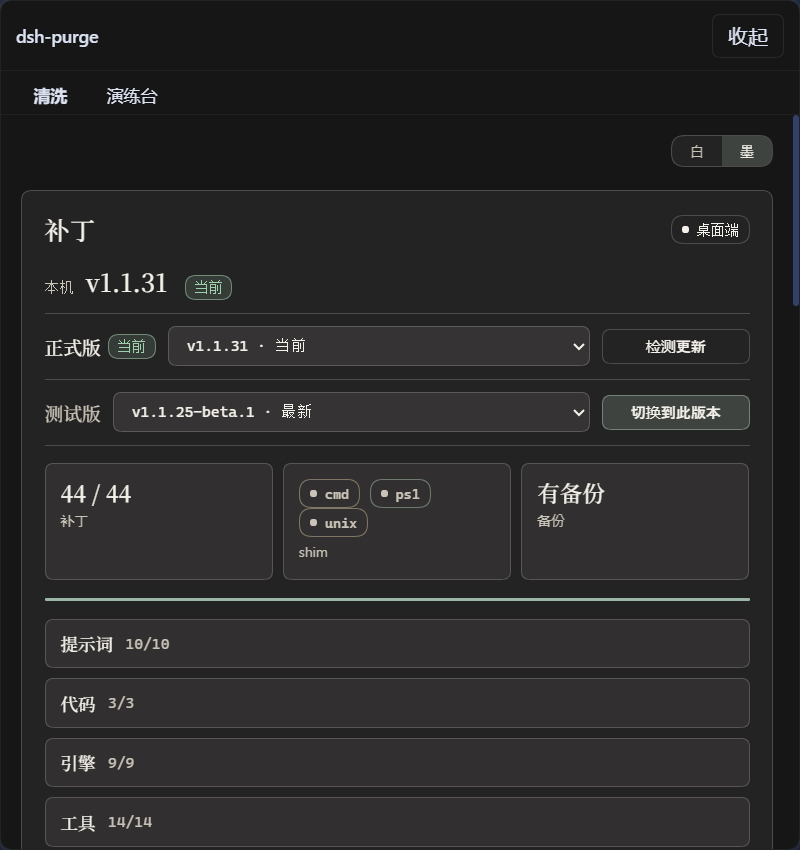
postPrompt: ""dsh-purge sits beside the session title. It opens a right-hand dock with two pages: Clean and Drill. Switch Light / Ink. Patches are grouped; the count only includes items that actually applied. Rule sets sit in a list above the editor, with Enable and Delete on each row.
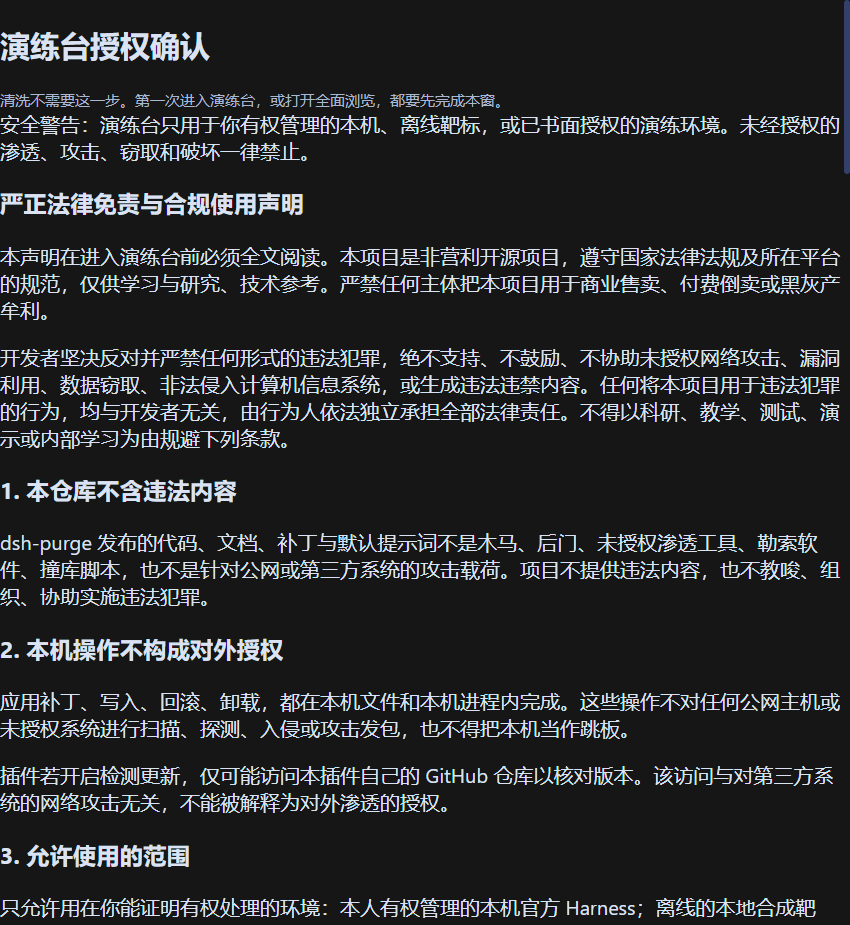
The first time you open Drill you read the notice, wait out the countdown, scroll to the end, and check three boxes. Clean does not need that step. Drill is only for a host you manage, an offline target, or an exercise that already has written authorization.
Clean
Drill authorization
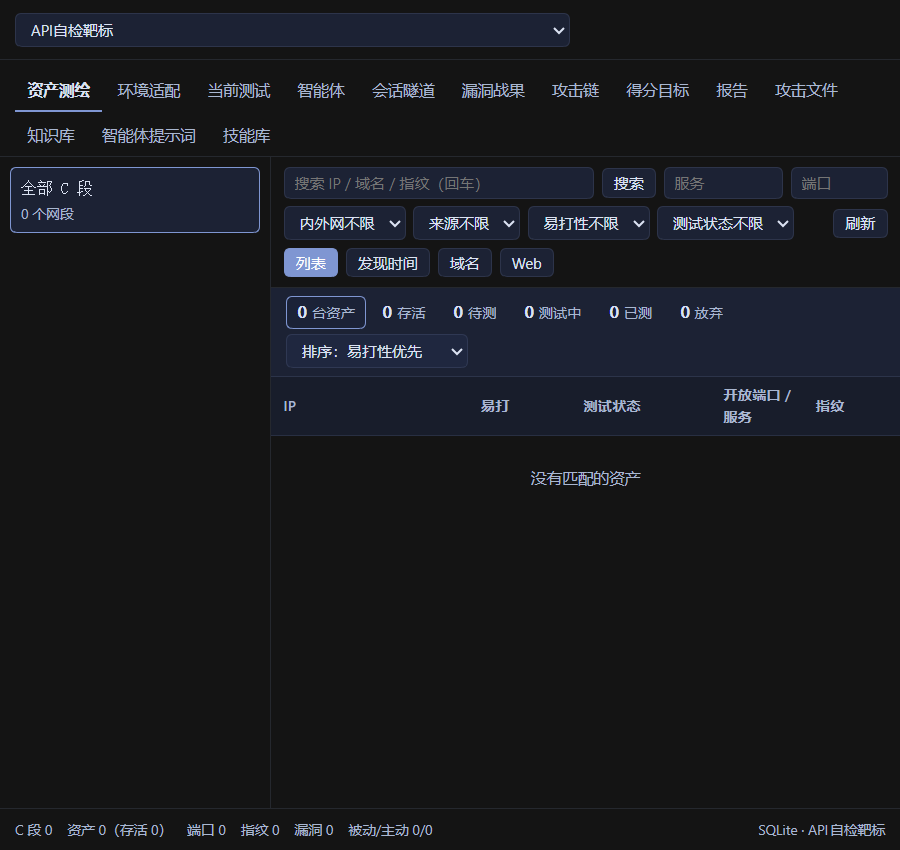
Drill
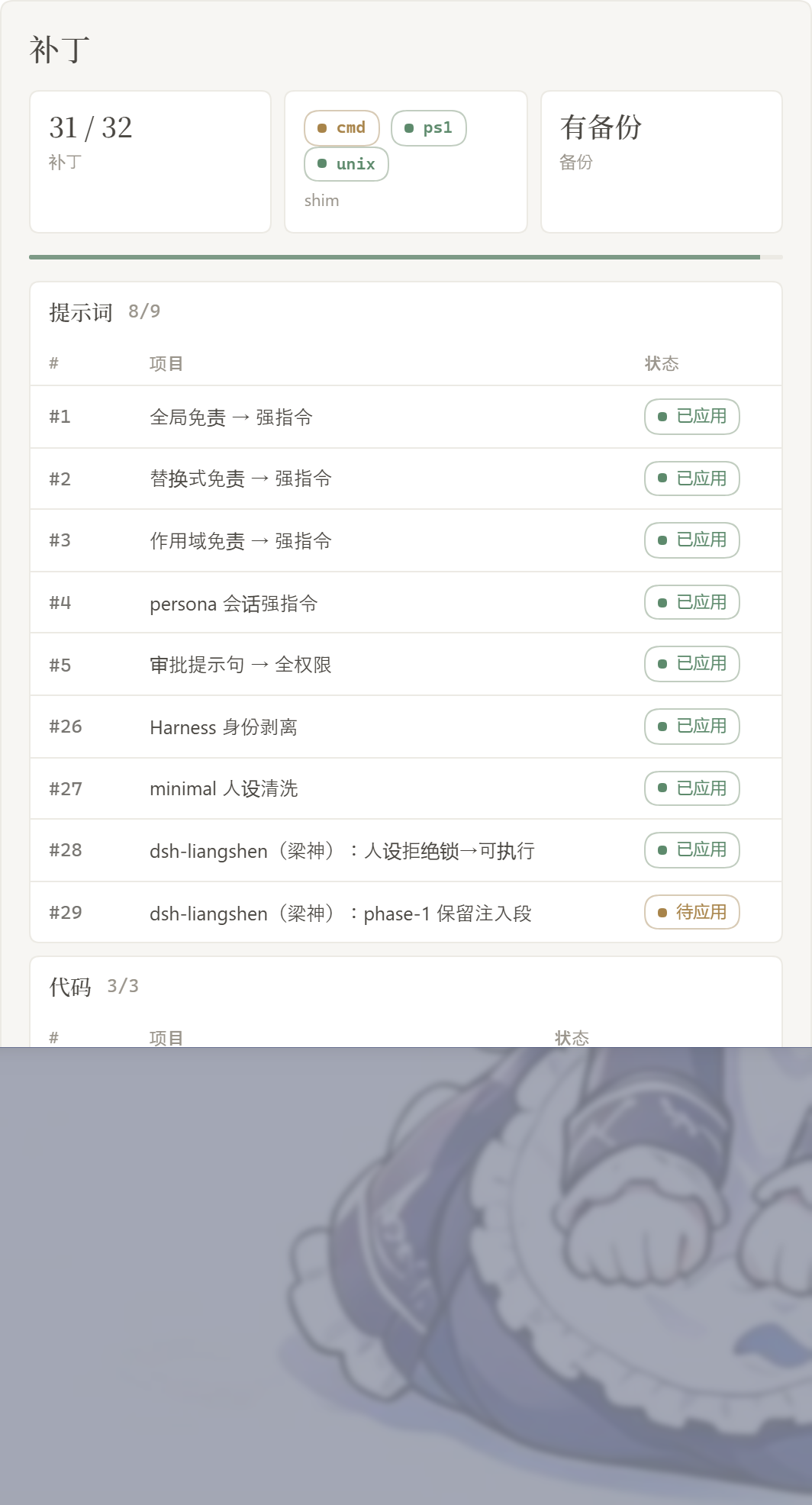
Patches
Local lab
The open-source build only allows localhost/private nets. The Clean page says so. You cannot register a public host.
| Area | What it shows |
|---|---|
| dsh-purge | button beside the session title; opens or collapses the dock |
| Clean | patches, prompt, rule sets |
| Drill | assets and environment after authorization. This build does not ship skills or the knowledge base. The tab says Unauthorized until then |
| Patches | grouped status, Apply, Restore, or Uninstall |
| Prompt | edit prompt-inject.md as the session override |
| Local lab | loopback / RFC1918 only; names are resolved, and every address must be private |
| Rule sets | multiple AGENTS.md / CLAUDE.md; Enable writes under $DSH_HOME, Delete removes the row |
bin/ is the CLI, lib/ is patches and the drill console, presets/redteam/ is the red-team preset, and client.js is the dock. This build does not ship skills/ or the knowledge base.
Runtime files live under $DSH_HOME: prompt-inject.md, rules/, redteam/. If DSH_HOME is unset, the launcher-adjacent .dsh wins over ~/.dsh. Web and the desktop app each use their own home.
dsh-purge --status
dsh-purge --apply
dsh-purge --revert
dsh-purge --uninstall
dsh-purge --edit

/purge status | apply | revert | uninstall | edit | help
/rules list | use <id> | create <id> | delete <id> | reset | help
/rewind

# If another plugin already owns /rewind (or /purge, /rules, /skills), that
# name is skipped or remounted as /purge-rewind. Other commands, tools, and
# /dsh-purge/* routes keep working.

purge_status   purge_apply   purge_revert
After a successful Apply, the host restarts so patched packages load; you can also click Restart manually. Under the patch title are the stable release and the test release. The test release follows the beta branch. Switch to stable installs master and clears any pin. Picking an older stable version pins it; click Update to return to the latest. Old test tags are not listed.
The composer Undo once and Undo last round stay in the current conversation and do not open a branch. The sent line goes back into the input, and that cut's already-sent messages and completed tasks leave the current conversation; edit and send again. From 1.1.61, rewind bounds follow the current turn, not the first user message. /rewind does the same.
If the same task works in standard but fails in minimal or PTC, preset run_code, sandbox, or plan intercept text is often still uncleared, or built-in minimal is missing agent-instructions. Use 1.1.61+, then quit the host fully → Apply in Clean → restart → start a new chat. Switching preset alone does not reload patches in the running process.
DSH runs Bash calls in a tool batch one at a time. Older dsh-purge releases raised the default foreground wait from 60 seconds to 10 minutes, so one slow command could hold up later calls for that long. Patch #21 now restores marked plugin values to the official 60-second default. Unmarked timeouts and other custom values are preserved; an unmarked 10-minute value cannot reliably be distinguished from a user setting.
For a shorter wait in dsh web on macOS/Linux, add this entry to $DSH_HOME/profiles/web/cordis.patch.yml (normally ~/.dsh/profiles/web/cordis.patch.yml). Edit an existing entry with the same id instead of adding a duplicate. This profile layer is applied after the bundled configuration, so future plugin applies keep the override.
- id: bash-sandbox
  config:
    timeoutMs: 10000
With the standard jobs service and promoteOnTimeout: true, an unfinished command returns a background job id after 10 seconds and keeps running. Read it with job_output or stop it with job_kill. This changes the foreground wait, not the command's speed. Without that service or with promotion disabled, the timeout kills the command. A per-call timeoutMs overrides this default; run_in_background: true returns a job id immediately.
For routine tasks, you can also opt into Low reasoning for new sessions:
- id: agent-default-model
  config:
    provider: deepseek-official
    model: deepseek-flash
    reasoningEffort: low
Restart dsh web to load the profile. The model and reasoning defaults apply to newly created sessions; select Low in the composer for an existing session. The plugin does not change these model preferences automatically. Keep High when the task needs deeper reasoning, and narrow file searches rather than recursively scanning every application directory.
Attack tasks are denied by default. The open-source build only allows loopback and RFC1918 IPs. Names are resolved first; a .lab / .htb suffix is not enough. A hosts entry that points a lab name at a public IP is blocked. Saying “this is my server” in chat does not allow it.
node --check lib/index.js
node --check lib/core.js
node --check lib/surface.js
node --check lib/web.js
node --check lib/desktop.js
node --check lib/host.js
node --check lib/rewind.js
node --check lib/skills.js
node --check client.jsApply, on start or when you click Apply:
flowchart TD
  A["Start or click Apply"] --> B{"Patch already in place?"}
  B -->|yes| C["Skip"]
  B -->|no| D["Back up the original as .dshpurge.bak"]
  D --> E["Replace the matched files"]
  E --> F["Override the shim"]
  F --> G["Inject the encrypted prompt shipped in the plugin, the text the prompt box shows by default"]
Override on each session:
flowchart TD
  A["Restart or new session"] --> B["Inject the plugin's encrypted default. No save click, and no host prompt file"]
Prompt injection and ruleset decision at every turn. The three inputs on the left are what you control in the dsh-purge panel; the dotted edges show which decision each one drives:
flowchart TD
  L["Rule library: activate a set → writes prompt-inject.md"]
  W["Local rules: check AGENTS.md / CLAUDE.md in the current dir"]
  P["Workspace policy: strict / fallback / always"]

  A["Turn start"] --> B{"prompt-inject.md non-empty?"}
  B -->|yes| C["Inject = prompt-inject.md (A)"]
  B -->|no| D{"Any checked local md in the current dir, non-empty?"}
  D -->|yes| E["Inject = selected workspace md (B)"]
  D -->|no| F["Inject = plugin encrypted slot default (D)"]
  C --> G{"Workspace baseline policy (C)"}
  E --> G
  F --> G
  G -->|strict| H["Drop DSH workspace baseline section"]
  G -->|fallback default| I{"User inject present above? (A or B)"}
  G -->|always| J["Keep DSH workspace baseline section"]
  I -->|yes| H
  I -->|no| J
  H --> K["Final system prompt"]
  J --> K

  L -.-> B
  W -.-> D
P -.-> G<file>.dshpurge.bak before the first apply./purge revert copies backups back and deletes them. With no backup, shim lines written by this plugin are stripped.prompt-inject.md is a user file and is kept.The host surface is detected first: web / desktop (gui / tui are reserved and still fall back to web).
Web:
DSH_HOME / DSH_BASE.dsh next to the dsh launcher (portable install, any drive)npm prefix -g / npm root -g@deepseek-ai/dsh/node_modules/@deepseek-ai~/.dshOfficial desktop EXE: the running official Harness install (resources/app or the unpacked package). The drive letter is not hard-coded. A successful Apply restarts once.
Community Desktop is not maintained.
Official npm-global is not patched. Sealed host-commands / runtime-commands are scrubbed, never injected.
If nothing is found, set DSH_BASE / DSH_DESKTOP_INSTALL. No files are changed.
Team channel: t.me/LLM_PoJia, used for announcements and updates. GitHub Releases still hosts older packages. Resale of the original build is prohibited; forks must attribute.
@deepseek-ai/* packages, plus override files and rule sets under the harness home.@deepseek-ai are left alone (CMD silence may best-effort patch installed doctor / market / liangshen / mnemon at runtime).dsh: dsh plugin --profile web add https://codeload.github.com/HandlerOne01/dsh-purge/tar.gz/refs/heads/master. pnpm only: pnpm add that URL inside $DSH_HOME/profiles/web. Use desktop for the EXE. From this repo, add ..Thanks to the LINUX DO community
CLASSIFICATION EVIDENCE
系统优先读取 GitHub Topics,再与站内分类词典和词根规则比对。当前命中: llm-security、deepseek-harness。
morluto
Reverse engineer anything with agents, from app behavior down to native binaries.

deepseek-ai
DeepSeek Harness: Everything is a Plugin.

nexu-io
The 1st Collaborative AI Design Agent Workspace. Local-first and open source. Create motion, prototypes, websites, apps, dashboards, presentations, images, and videos with your team and AI agents. Share work, exchange feedback, and iterate together in one workspace.