其他
完整应用

deepseek-harness
deepseek-ai
DeepSeek Harness: Everything is a Plugin.

Gru110110110/dsh-launcher
让 DeepSeek Harness 人人可用的桌面入口——不用 Node、不用命令行,双击即用,还无损跟随每次官方更新。支持MacOs和Windows。DeepSeek Harness, for everyone. No Node.js. No command line. Just double-click and go. Always in step with every official update. For macOS & Windows.
PROJECT TOPICS
PROJECT README
English | 中文
Want to use DeepSeek Harness without first wrestling with Node, npm, and launch commands? DSH Launcher is an unofficial desktop launcher built around the published @deepseek-ai/dsh package, with that setup handled inside the app. Install it once, then double-click to prepare a verified, isolated runtime, start the official dsh web, and open the original Harness Web UI in your chosen browser.
Launch management, updates, the plugin marketplace, remote access, and Desktop Pet all live in one window. The managed runtime stays separate from your existing Harness data, and a failed deployment preserves the working environment.
Download the macOS or Windows build from the DSH Launcher website. Questions, bug reports, and ideas are welcome in the QQ group 1121216833.
Technical architecture, data-safety guarantees, and release details live in docs/IMPLEMENTATION.md.
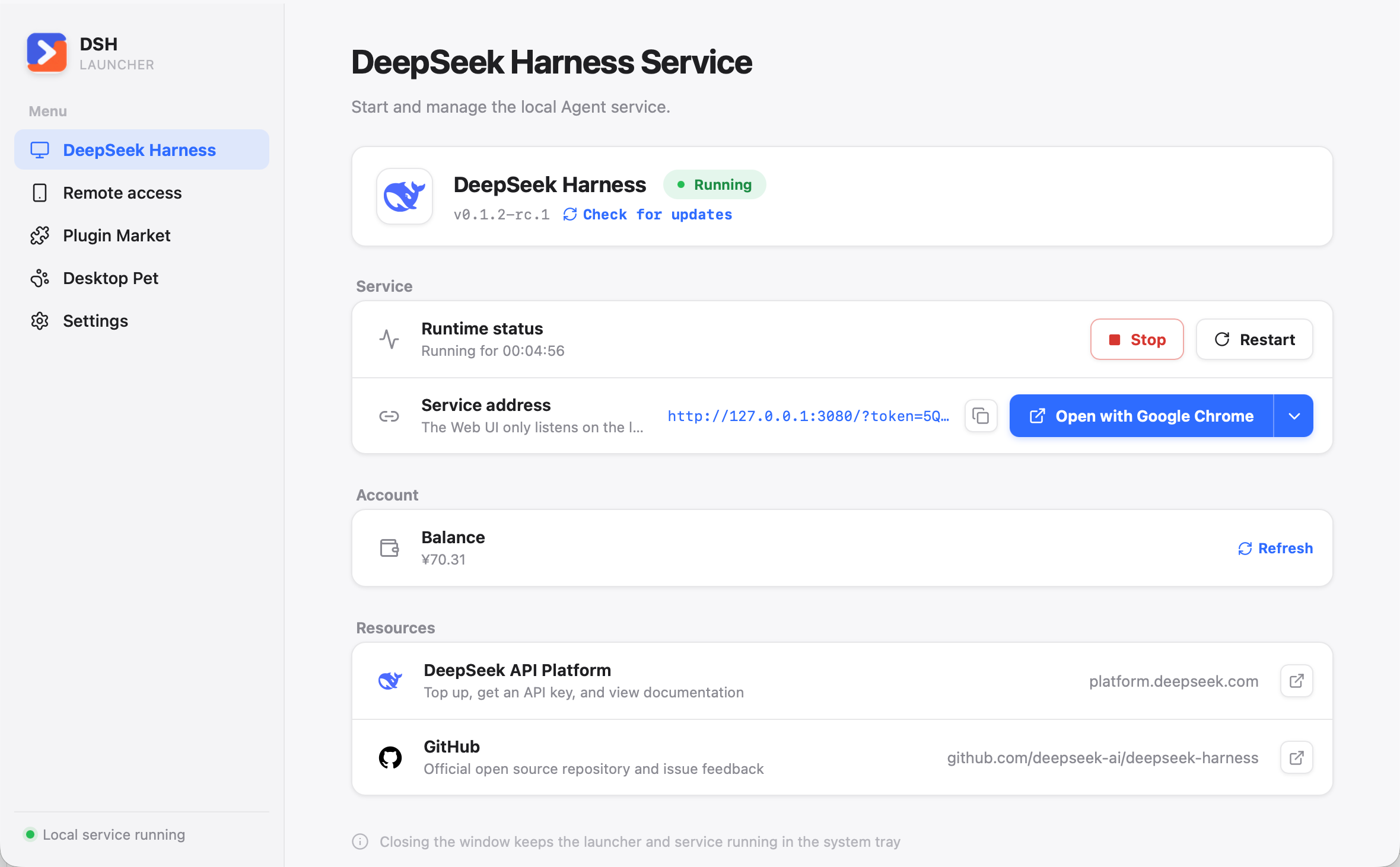
The home page prepares and verifies the private Node.js/Harness runtime, starts or stops the official service, shows its real address and uptime, and opens the official Web UI in the browser you choose. Harness and desktop updates are surfaced separately so you always know what is changing. If an update leaves an incompatible derived session index or third-party plugin, Repair and start rebuilds the index from retained session logs and removes only identified incompatible plugins through recoverable transactions. Finalized repair backups are automatically bounded by age, count, and total size and can be reviewed or cleaned in Settings.
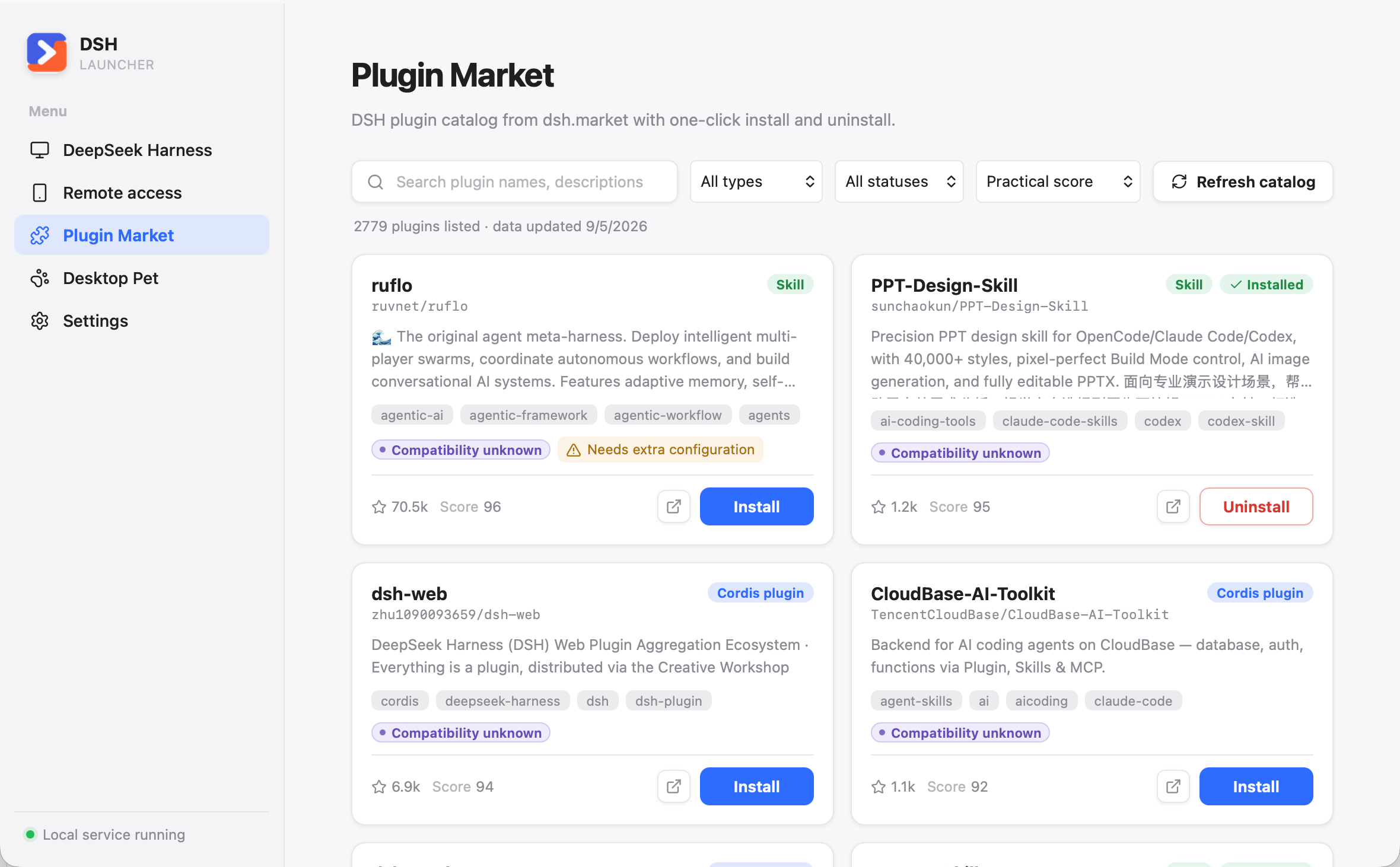
Search, filter, inspect, one-click install, and one-click uninstall Cordis and Skill plugins from a validated marketplace snapshot. With a verified source and compatible package, one click installs the whole package group into the Harness Web environment, restarts an idle Harness, and checks that its page responds; confirmation appears only for a real source or compatibility warning. Registry packages are pinned to exact versions, while valid GitHub-only Cordis bundles are pinned to immutable commits; ordinary repositories without a dsh.bundle manifest are blocked instead of being guessed as npm packages. Skills that declare extra Python or npm dependencies show the reviewed command separately after bundle installation: you can copy it, or explicitly approve a supported shell-free command for the launcher to run; scripts, pipes, redirects, and chained commands remain copy-only. Uninstall removes the recorded package group and its marketplace-recorded copies in older profiles, while preserving shared packages and existing configuration. Failed activation restores the previous environment. Older standalone copies offer a “Fix” action to install into Harness. When Harness has ongoing work or its activity cannot be verified, installation and removal finish without restarting it; changes remain pending until you manually restart. Existing pending changes also prevent later installs from triggering a restart. Otherwise, Harness opens the updated page once using its existing startup behavior. If a Harness update makes an installed plugin fail during startup, the launcher retries through a reversible uninstall and tells you exactly which plugin was removed.
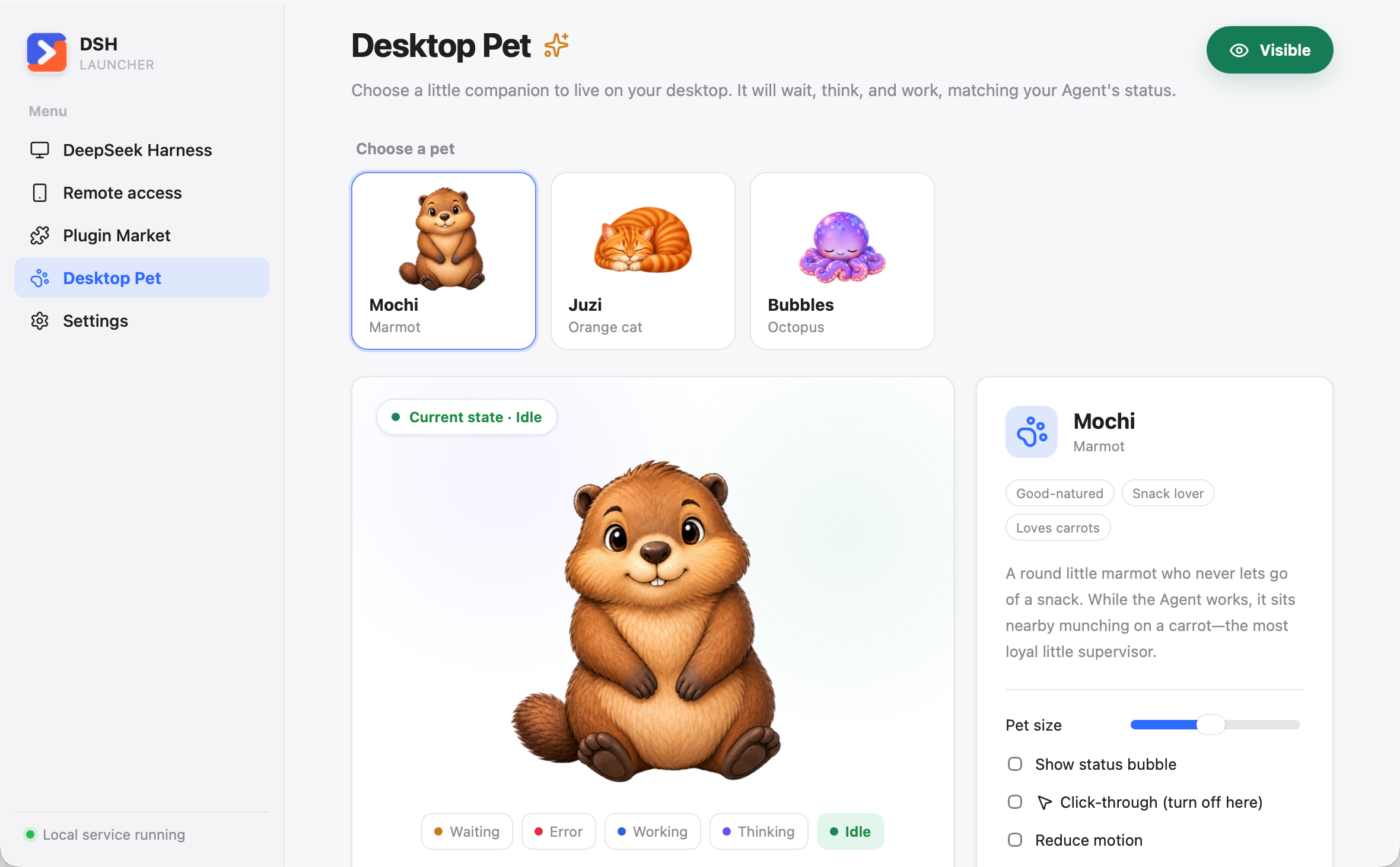
Choose Mochi the marmot, Juzi the orange cat, or Bubbles the octopus.
The first-class Desktop Pet page lets you choose a companion, preview its five states, and control its size, speech bubble, motion, and mouse click-through behavior. The separate transparent always-on-top pet window follows top-level Harness work in real time: idle, reasoning-only thinking, active work, waiting for you, or error. Rapid updates are coalesced and applied only between complete animation cycles, so state changes stay smooth without building a stale playback backlog. Its position and preferences persist across launches, and the tray menu can show or hide it without reopening the main window.
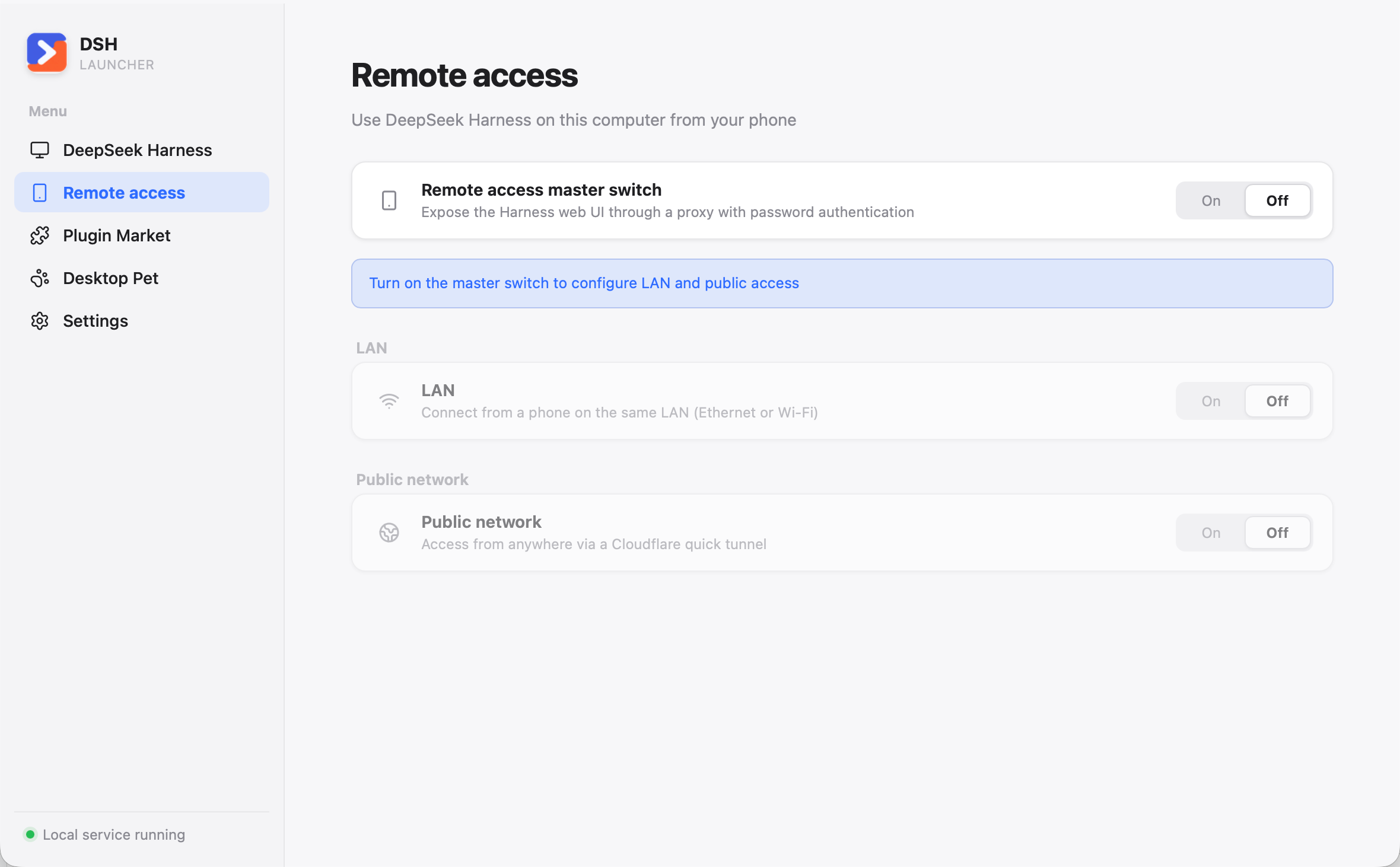
Remote access exposes the loopback-only Harness Web UI through the launcher's authenticated proxy. It supports both older bare dsh web URLs and newer launch-token URLs without putting Harness's private token into a remote link. Use a QR code and a rotatable 8-digit password on the same LAN (the computer may use Ethernet or Wi-Fi), or explicitly enable a temporary Cloudflare quick tunnel for public access; rotating the password immediately revokes existing sessions.
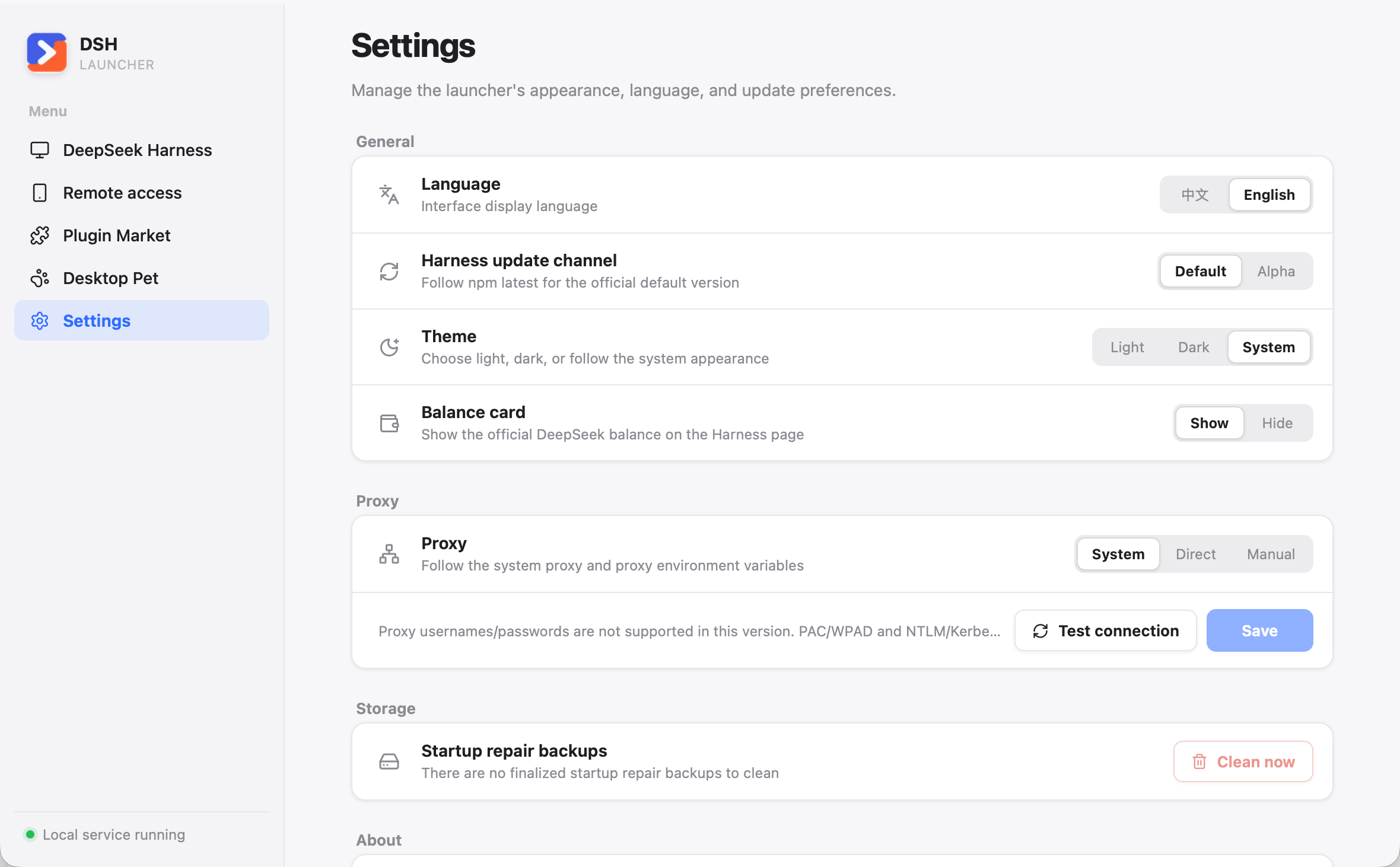
Settings keeps language, light/dark/system theme, the optional balance card, proxy mode and connectivity testing, desktop update checks, and project links together.
@deepseek-ai/dsh installation through the configured npm registriesdsh command backed by the launcher's private runtimeReact feature registry + HashRouter
└─ typed launcher API / revisioned state event
└─ Tauri command and lifecycle adapter
└─ dsh-core application services
├─ runtime deployment and rollback
├─ source/CC Switch import
├─ managed dsh web process tree
├─ plugin marketplace
├─ remote access proxies and cloudflared tunnel
├─ desktop pet state bridge and event service
└─ browser and preferences ports
└─ pinned Node.js → published @deepseek-ai/dshBusiness rules live in dsh-core, which has no Tauri dependency; Tauri owns only OS lifecycle, tray, clipboard, updater integration, and typed IPC. Process management, recovery, and data-safety behavior are detailed in docs/IMPLEMENTATION.md.
Prerequisites: Node.js 24+, pnpm 10.12.3, and Rust 1.96.
validation_root=$(mktemp -d /tmp/dsh-launcher-dev.XXXXXX)
export DSH_DESKTOP_HOME="$validation_root/desktop"
export DSH_HOME="$validation_root/dsh"
export DSH_DESKTOP_SOURCE_HOME="$validation_root/source"
export DSH_DESKTOP_CC_SWITCH_HOME="$validation_root/cc-switch"

pnpm install --frozen-lockfile
pnpm bindings
pnpm lint
pnpm test
pnpm deadcode
pnpm build
cargo test --workspace --all-targets
cargo clippy --workspace --all-targets -- -D warnings
pnpm tauri dev
pnpm bindings generates bindings.ts from the Rust domain types; commit the result and verify that regenerating it produces no diff. The product website and the release/signing workflow are documented in docs/IMPLEMENTATION.md.
| Variable | Meaning |
|---|---|
DSH_DESKTOP_HOME |
Launcher/runtime home; defaults to ~/.dsh-desktop |
DSH_HOME |
Explicit external Harness home; bypasses the isolated desktop dsh-home and disables all imports. Set it only deliberately. |
DSH_DESKTOP_SOURCE_HOME |
Optional source-home import; defaults to ~/.dsh |
DSH_DESKTOP_CC_SWITCH_HOME |
Optional read-only CC Switch source; defaults to CC Switch's active Windows data directory (including its Store override and legacy HOME fallback) or ~/.cc-switch on other platforms |
DSH_DESKTOP_NODE_VERSION |
Exact Node override; requires DSH_DESKTOP_NODE_SHA256 |
DSH_DESKTOP_NODE_SHA256 |
SHA-256 trust root for an overridden Node archive |
DSH_DESKTOP_NODE_BASES |
Comma-separated Node mirrors; explicit values suppress defaults |
DSH_DESKTOP_NPM_REGISTRIES |
Comma-separated npm registries; the first is the version authority and later entries are exact-version install mirrors; explicit values suppress defaults |
The launcher source is MIT-licensed except where a more specific notice applies. Desktop pet visual assets are copyright Gru and licensed for non-commercial use only under pets/ASSET-LICENSE.md. @deepseek-ai/dsh, Node.js, Tauri, React, and other dependencies retain their own licenses and terms.
CLASSIFICATION EVIDENCE
系统优先读取 GitHub Topics,再与站内分类词典和词根规则比对。当前命中: desktop-app、dsh-skill。
deepseek-ai
DeepSeek Harness: Everything is a Plugin.

anywhere-labs
为 DeepSeek Harness (DSH) 插件生态打造的现代化桌面端解决方案。万物皆「插件」,桌面本身也是「插件」。

awesome-dsh-plugin
A curated list of plugins for DeepSeek Harness (dsh) · DeepSeek Harness 插件精选列表