
模型与 MCP
待识别

rea
morluto
Reverse engineer anything with agents, from app behavior down to native binaries.
PROJECT TOPICS
INSTALL REFERENCE
dsh plugin --profile web add github:Fallen0543/dsh-sidebar-files
该命令指向仓库当前默认分支;尚无绑定当前 commit 的完整验证结果。
PROJECT README
English | 中文


A sidebar file tree for DeepSeek Harness. Adds a Sessions / Files tab strip to the left sidebar and an inline, lazy-loaded file tree over the active workspace — with per-extension brand icons, copy-path, and send-to-agent actions.
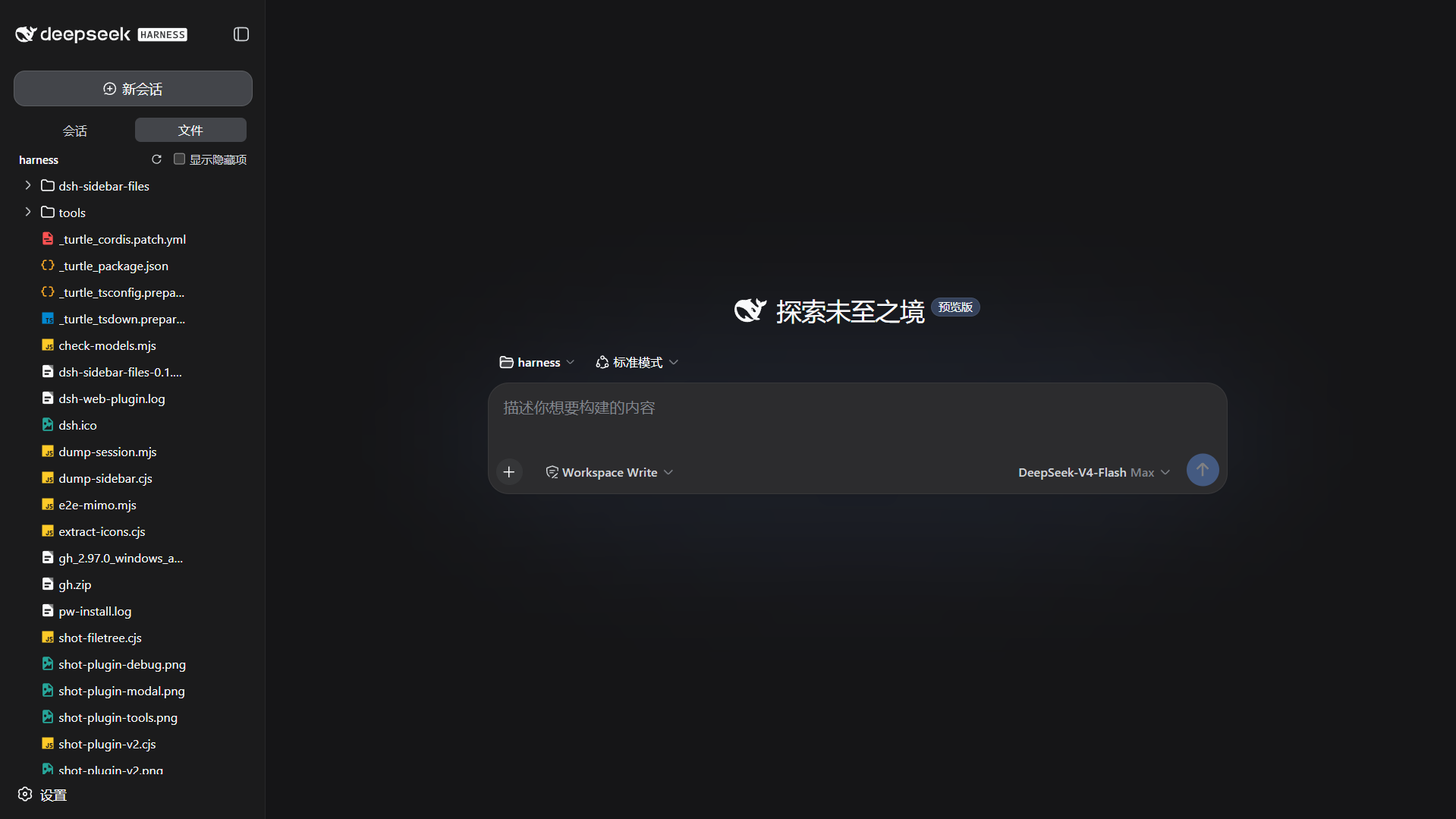
Hover a file row for two actions — copy path and send to agent:
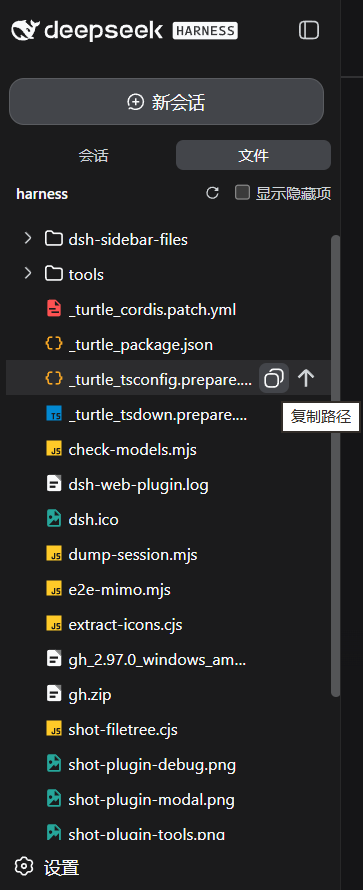 Copy path |
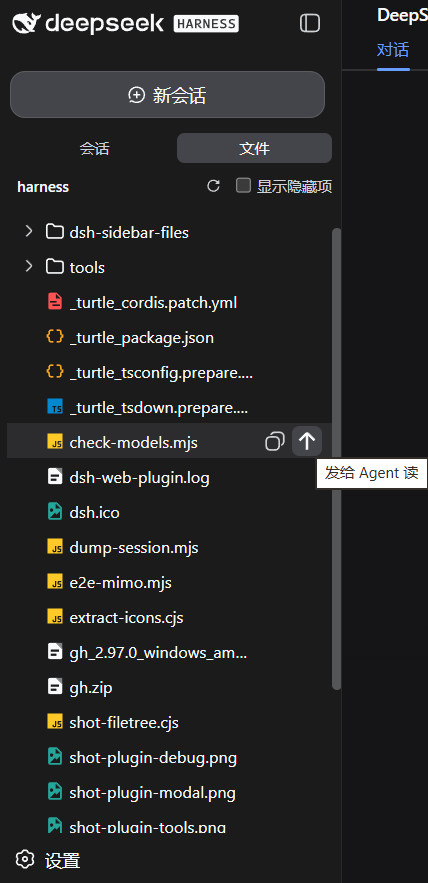 Send to agent |
Plugin status. Built and verified against the published harness (
0.1.0-rc.6, thewebprofile). It runs entirely as an out-of-tree bundle: the node half serves directory listings through its own HTTP route, the browser half renders the tree. No core changes required.
GET /dsh-sidebar-files/list?path=… route. Wire cost follows what you actually open.node_modules, and .git are filtered out; the 显示隐藏项 toggle reveals them. node_modules/.git stay hidden until the toggle is on.Requires the dsh CLI (npm i -g @deepseek-ai/dsh) and pnpm.
What is a profile? A profile is one runnable composition of the harness — a named instance with its own set of plugins. Profiles live under $DSH_HOME/profiles/<name> (e.g. ~/.dsh/profiles/web). --profile <name> tells the dsh CLI which instance to operate on; replace <name> with your own (the classic example is web).
# from any directory — installs the published package from npm
dsh plugin --profile web add dsh-sidebar-files
If a profile with that name does not exist yet, the command initializes it on first use. Restart the harness with the same profile name and the 会话 / 文件 tabs appear in the sidebar:
dsh --profile webIf the profile is a fresh one, also add the web app bundle first:
dsh plugin --profile web add @deepseek-ai/dsh-web-app@0.1.0-rc.6(or use the built-inwebprofile template that ships with the CLI).
Local checkout or prebuilt tarball (no registry needed):
dsh plugin --profile web add ./dsh-sidebar-files           # local checkout (uses prepare)
dsh plugin --profile web add ./dsh-sidebar-files-0.1.0.tgz # prebuilt tarball
From GitHub (github:Fallen0543/dsh-sidebar-files) — fetches sources; the package's prepare script then builds lib/ from source, self-contained (no monorepo checkout needed). pnpm ≥10 refuses to run a git dependency's prepare script until you allowlist it — copy the exact package key pnpm printed into the profile's pnpm-workspace.yaml:
allowBuilds:
  dsh-sidebar-files: true
and re-run the add. Only allow packages whose source you trust, and prefer pinning a commit (github:Fallen0543/dsh-sidebar-files#<sha>). Installing from npm or a tarball needs no build permission.
pnpm install
pnpm test        # unit tests: listing logic, sidebar-host probing/injection, panel behavior
pnpm run typecheck
pnpm run build   # lib/index.js (node) + lib/client.js (browser bundle)
The browser bundle is a CommonJS closure-factory artifact (window.__ModuleLoader__.load({…})) with the harness's platform modules external, so it loads through the web shell's module table; CSS modules are compiled in with lightningcss.
cordis.patch.yml inserts one host row (id: sidebar-files) that mounts the node half.src/index.ts) registers a web-server route prefix /dsh-sidebar-files; GET /list?path= lists one directory level (directories first, then files; bounded to the first 1000 entries) and returns { path, entries, truncated } — errors are 400 with a machine-readable code.dsh.client declaration, ./client export) registers into the harness's sidebar.footer.action slot, then locates the sidebar column at runtime from its own trigger button and injects the Sessions/Files tab strip and the inline tree region (see src/client/sidebar-host.ts). When the shell structure is unrecognizable, the footer button + modal fallback takes over.MIT — see LICENSE. File-type icon glyphs are derived from Material Icon Theme (MIT, © Material Extensions 2025); the attribution and copyright notice are preserved in src/client/file-type-icons.tsx.
CLASSIFICATION EVIDENCE
系统优先读取 GitHub Topics,再与站内分类词典和词根规则比对。当前命中: deepseek、deepseek-ai、deepseek-harness、deepseek-harness-plugin、deepseek-harness-plugins。
morluto
Reverse engineer anything with agents, from app behavior down to native binaries.

deepseek-ai
DeepSeek Harness: Everything is a Plugin.

nexu-io
The 1st Collaborative AI Design Agent Workspace. Local-first and open source. Create motion, prototypes, websites, apps, dashboards, presentations, images, and videos with your team and AI agents. Share work, exchange feedback, and iterate together in one workspace.