
模型与 MCP
待识别

rea
morluto
Reverse engineer anything with agents, from app behavior down to native binaries.
PROJECT TOPICS
INSTALL REFERENCE
dsh plugin --profile web add github:Faide-cyber/dsh-workbuddy
该命令指向仓库当前默认分支;尚无绑定当前 commit 的完整验证结果。
PROJECT README
Bring WorkBuddy's free and paid models (domestic and international) into DeepSeek Harness — no WorkBuddy desktop app required.




English · 中文
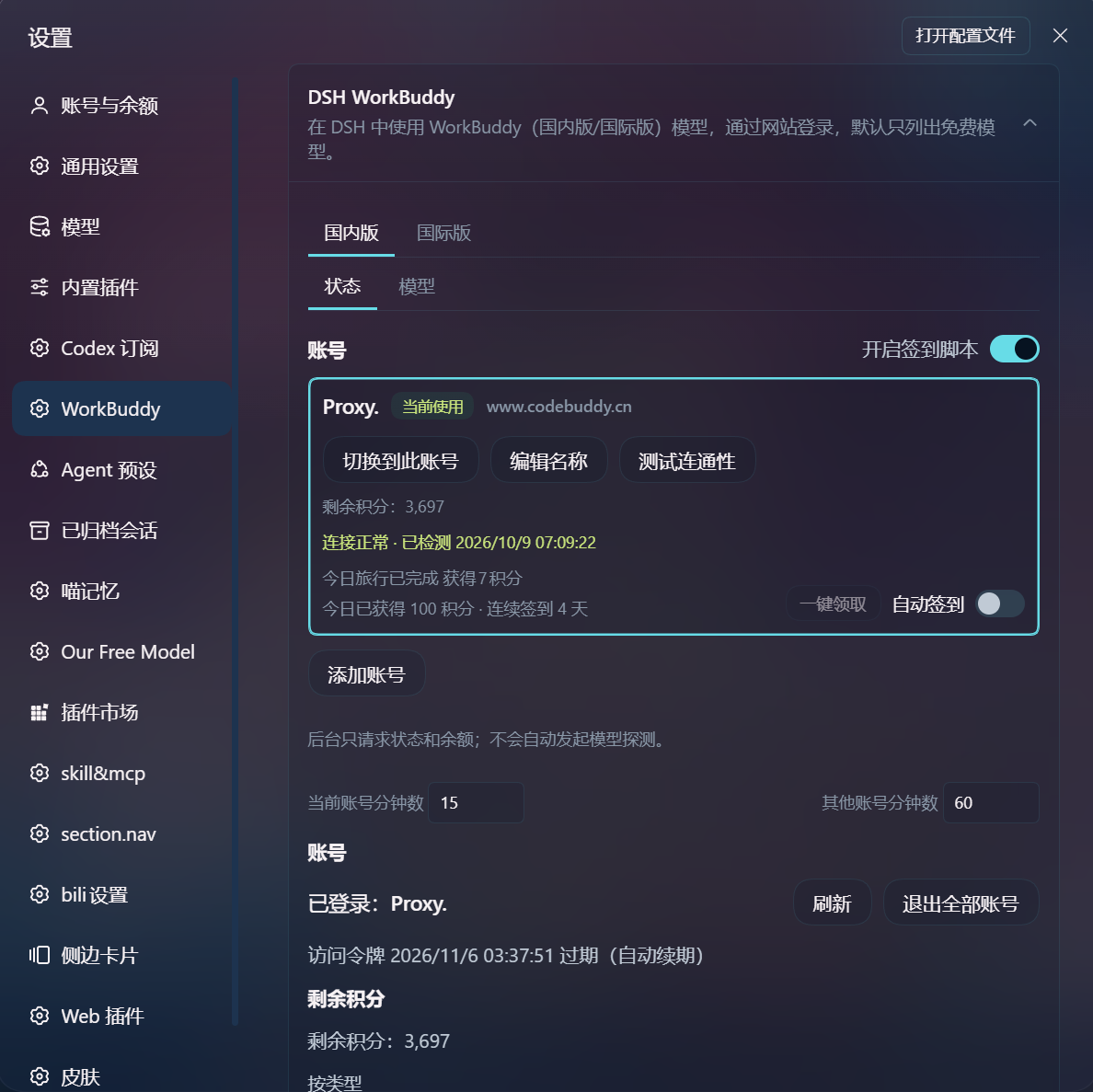
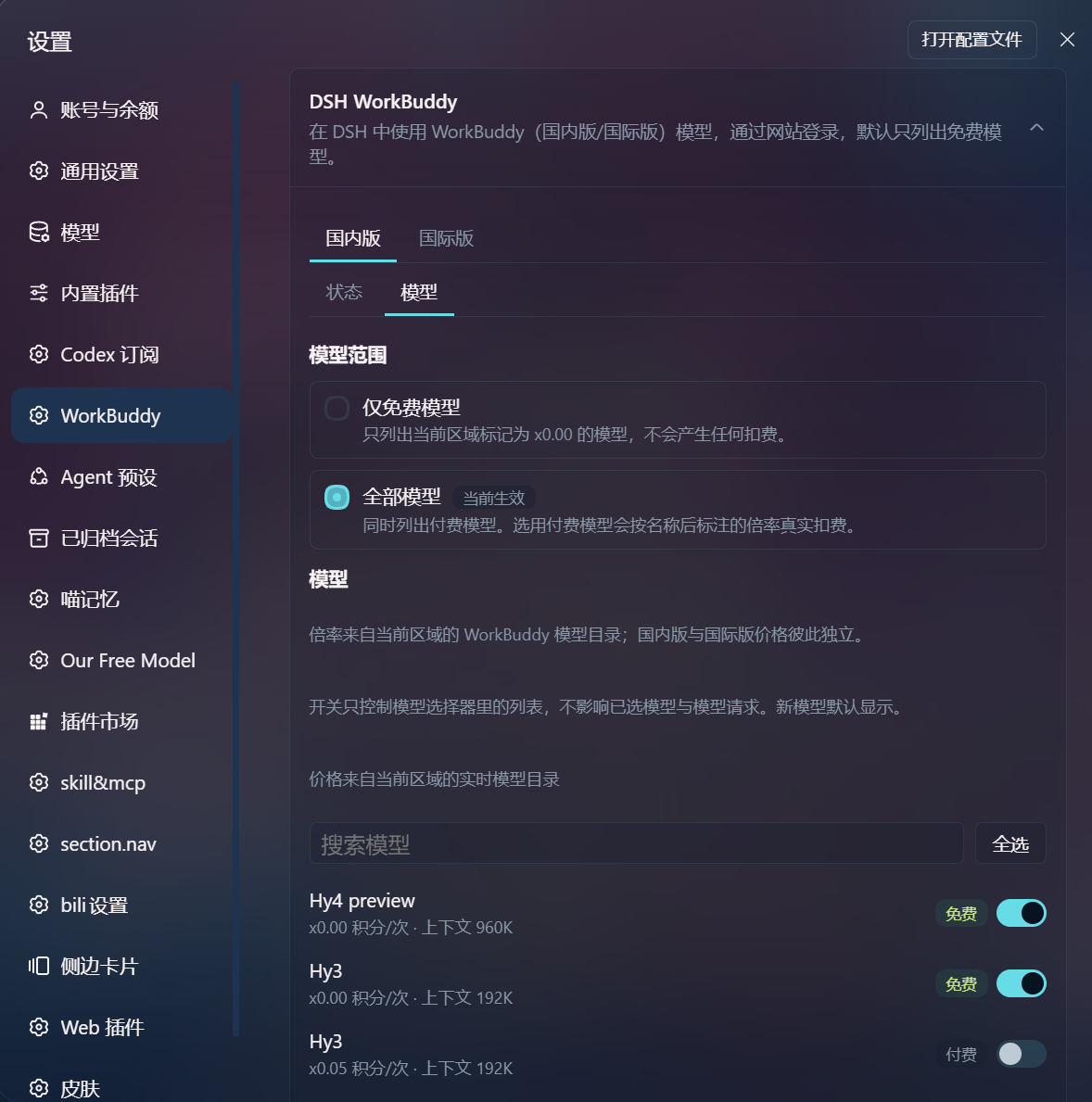
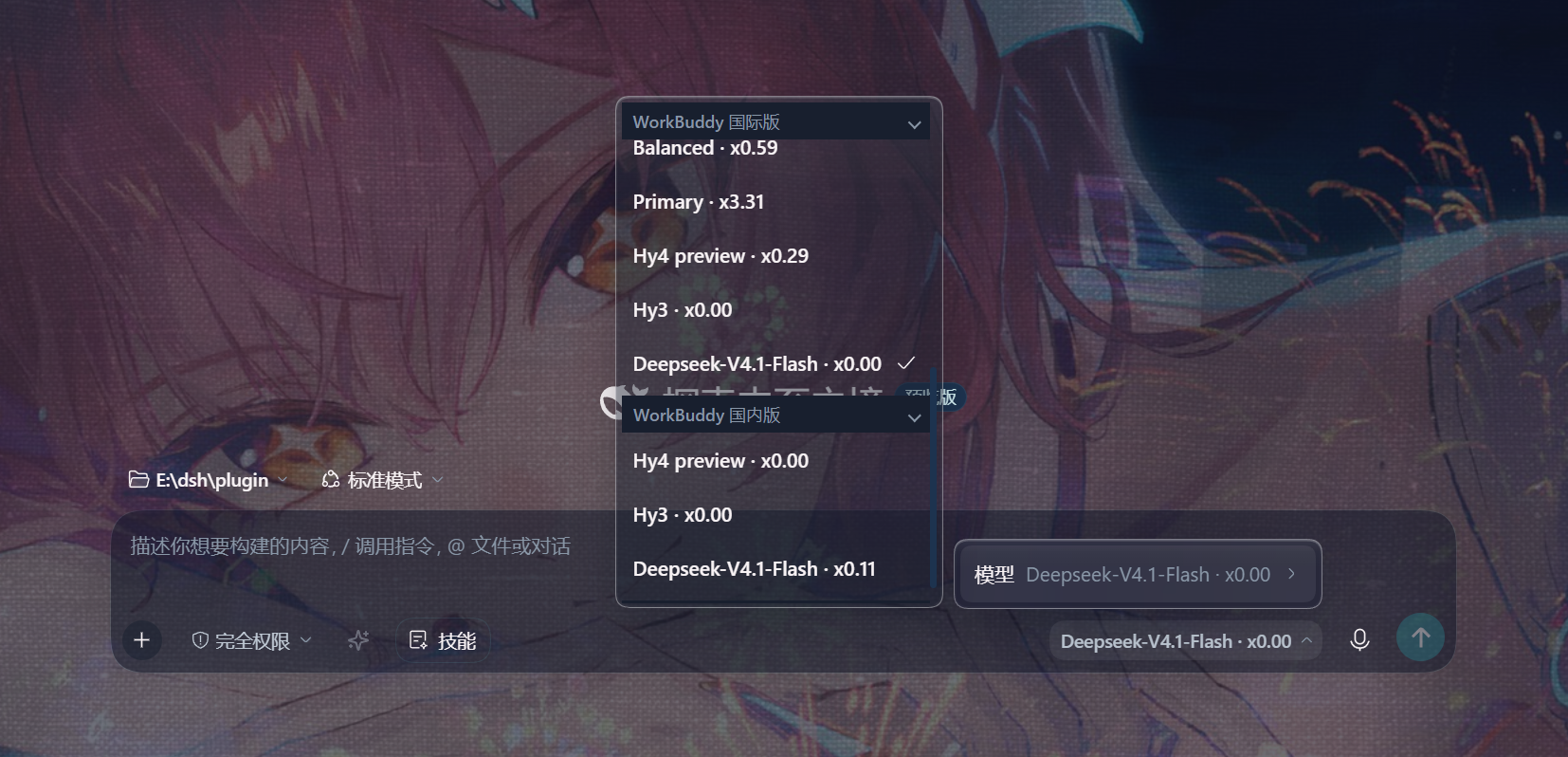
dsh plugin --profile web add github:Faide-cyber/dsh-workbuddy
dsh webx0.00 right now.You can also sign in from a terminal:
dsh plugin --profile web exec dsh-workbuddy loginRestart dsh web after installing, updating, or signing in. Refreshing the browser is not enough — Node modules stay in memory.
The default model can be set in ~/.dsh/settings.yaml:
agent-default-model:
  provider: workbuddy-ai
  model: hy3
  reasoningEffort: high
Use an id the region actually lists: the model list is whatever that region's live catalog returns, so a pinned default can become stale. hy3 is free in both regions at the time of writing.
Each region uses the official CLI auth endpoints independently:
POST /v2/plugin/auth/state?platform=CLI&nonce= (international www.workbuddy.ai, domestic copilot.tencent.com)authUrlGET /v2/plugin/auth/token?state= (upstream returns 11217 while still pending)$DSH_HOME/.workbuddy-ai-auth.json, domestic $DSH_HOME/.workbuddy-cn-auth.jsonThe desktop app's workbuddy-desktop-ai.info (international) and workbuddy-desktop.info (domestic) are read-only — the plugin never writes them. It only stores its own per-region credential copies obtained through OAuth.
The settings card lists every imported account. Switching only affects subsequent requests; in-flight requests keep using the original account, and bulk credit/check-in operations do not change the current selection.
Disconnect / logout only deletes that region's own plugin credentials; the desktop app is untouched.
Settings → Plugins → DSH WorkBuddy:
Or configure it in the profile's cordis.patch.yml:
- id: llm-workbuddy
  config:
    modelScope: free          # international: or all
    cnModelScope: free        # domestic: or all
    probeConsent: false       # real model probing off by default
    autoCheckin: false        # domestic auto check-in off by default
    refreshActiveMinutes: 15
    refreshInactiveMinutes: 60
    # Hosts used to reach DSH Web over the LAN (do not add these to LOOPBACK)
    # allowedHosts: ["192.168.1.10"]
    # authFile / cnAuthFile: rarely needed; only for a non-default desktop credential path
Environment variables:
| Variable | Effect |
|---|---|
DSH_WORKBUDDY_AUTH_FILE |
Override the international desktop credential path (OAuth credentials still go to the plugin's own file) |
DSH_WORKBUDDY_CN_AUTH_FILE |
Override the domestic desktop credential path |
dsh plugin --profile web exec dsh-workbuddy login
dsh plugin --profile web exec dsh-workbuddy status
dsh plugin --profile web exec dsh-workbuddy doctor
dsh plugin --profile web exec dsh-workbuddy logout
status / doctor accept --json. logout only deletes $DSH_HOME/.workbuddy-ai-auth.json.
| Symptom | Fix |
|---|---|
| No card in settings / no WorkBuddy in the model list | Restart dsh web; refreshing the browser is not enough |
dsh web exits after clicking Connect |
On headless Linux without xdg-open, update to a build with spawn error handling; use the sign-in link on the card |
403 request-not-trusted when opening the card over a LAN IP |
Add that IP/hostname to allowedHosts; do not put it in the loopback list |
| Signed in but no models | The region's catalog request failed or returned nothing — check connectivity and whether the token is still valid; the list stays empty rather than borrowing the other region's models |
doctor says signed-out |
Run login first, or confirm the international desktop app is signed in |
| Want paid models | Switch the scope to "All models" on the settings card — credits will be burned |
| 400 code 11128 on every request (domestic region) | The domestic gateway matches literal character runs taken from DSH's own prompt text: first the DeepSeek Harness identity banner, then (from 2026-10-27) other paragraphs — the smallest run found so far is the 112-character, order-sensitive, deterministic Tokens prefixed with @ are paths the user explicitly referenced. Relative paths resolve to the workspace root (from @deepseek-ai/dsh-file-reference). Before forwarding, the plugin applies two layers, neither needing setup: a semantic layer that rewords registered phrases into equivalents (active in both regions; byte-identical when nothing matches, so the prefix cache survives), and a structural layer that runs in both regions and breaks long stretches with line feeds — a space becomes a line feed, and Chinese text gets a line feed inserted at a word boundary, never in front of punctuation. No whitespace-bearing stretch of 40 or more characters survives that; space-free long ASCII runs (URLs, base64, a/b/c-style paths) cannot be broken, which is the known ceiling. The gateway scans system and assistant only, not user/tool, so those are left untouched. If you bypass the plugin or the gateway narrows further, set includeHarnessIdentity: false on @deepseek-ai/dsh-system-prompt in cordis.patch.yml instead. |
| 400 code 11128 on every request (international region) | Two causes, distinguished by msg: request illegal means the X-Conversation-ID, X-Conversation-Request-ID and X-Conversation-Message-ID trio is missing (supplied automatically since 1.0.15); Illegal API invocation from an unapproved channel is the content-level literal fingerprint (enabled on the international gateway on 2026-10-30), and since 1.0.23 it gets the same two layers as the domestic region with no setup. |
| 400 code 11133 on a model's default thinking level (every request, or every context compaction) | The row declares contradictory flags upstream: onlyReasoning: true (only ever thinks) together with canDisableThinking: true. Until 1.0.23 the plugin trusted the second and handed pi-ai the string off for the "off" level; a request that selected no level then emitted reasoning_effort: "off", which the provider rejects with this code. Compaction hit it every time because dsh-compaction-basic assembles its summarisation call without a reasoningEffort. Since 1.0.24 onlyReasoning wins: the "off" level is no longer exposed, the default request carries no reasoning_effort, and the plugin supplies high. Affected rows: deepseek-v4.1-flash, kimi-k2.8-preview (domestic); glm-5.3, glm-5.3-flash, gpt-6-astra (international). Upgrade the plugin and restart DSH; no config change. |
Plugin does not load after a DSH upgrade / incompatible-version |
Declared support is DSH >=0.2.0-rc.2 <0.2.1-0 || >=0.2.1-rc.1 <0.3.0-0 (in engines.dsh since 1.0.20). An older plugin version needs dsh plugin --profile desktop allow-version dsh-workbuddy@<version> --dsh-version <running version> --accept-risk. |
dsh plugin --profile web exec dsh-workbuddy doctorFor personal learning and research only, driving your own WorkBuddy account on your own machine. Follow the WorkBuddy terms of service. This project is not affiliated with Tencent, WorkBuddy, or DeepSeek.
CLASSIFICATION EVIDENCE
系统优先读取 GitHub Topics,再与站内分类词典和词根规则比对。当前命中: deepseek-harness。
morluto
Reverse engineer anything with agents, from app behavior down to native binaries.

deepseek-ai
DeepSeek Harness: Everything is a Plugin.

nexu-io
The 1st Collaborative AI Design Agent Workspace. Local-first and open source. Create motion, prototypes, websites, apps, dashboards, presentations, images, and videos with your team and AI agents. Share work, exchange feedback, and iterate together in one workspace.