
模型与 MCP
待识别

rea
morluto
Reverse engineer anything with agents, from app behavior down to native binaries.
PROJECT TOPICS
INSTALL REFERENCE
dsh plugin --profile web add github:Ewigkeit1203/dsh-whale-pet
该命令指向仓库当前默认分支;尚无绑定当前 commit 的完整验证结果。
PROJECT README
中文说明 | English | 操作说明 | User guide | 使用截图 / Screenshots | Releases / 下载 | 更新日志 / Changelog | 文档 / Docs
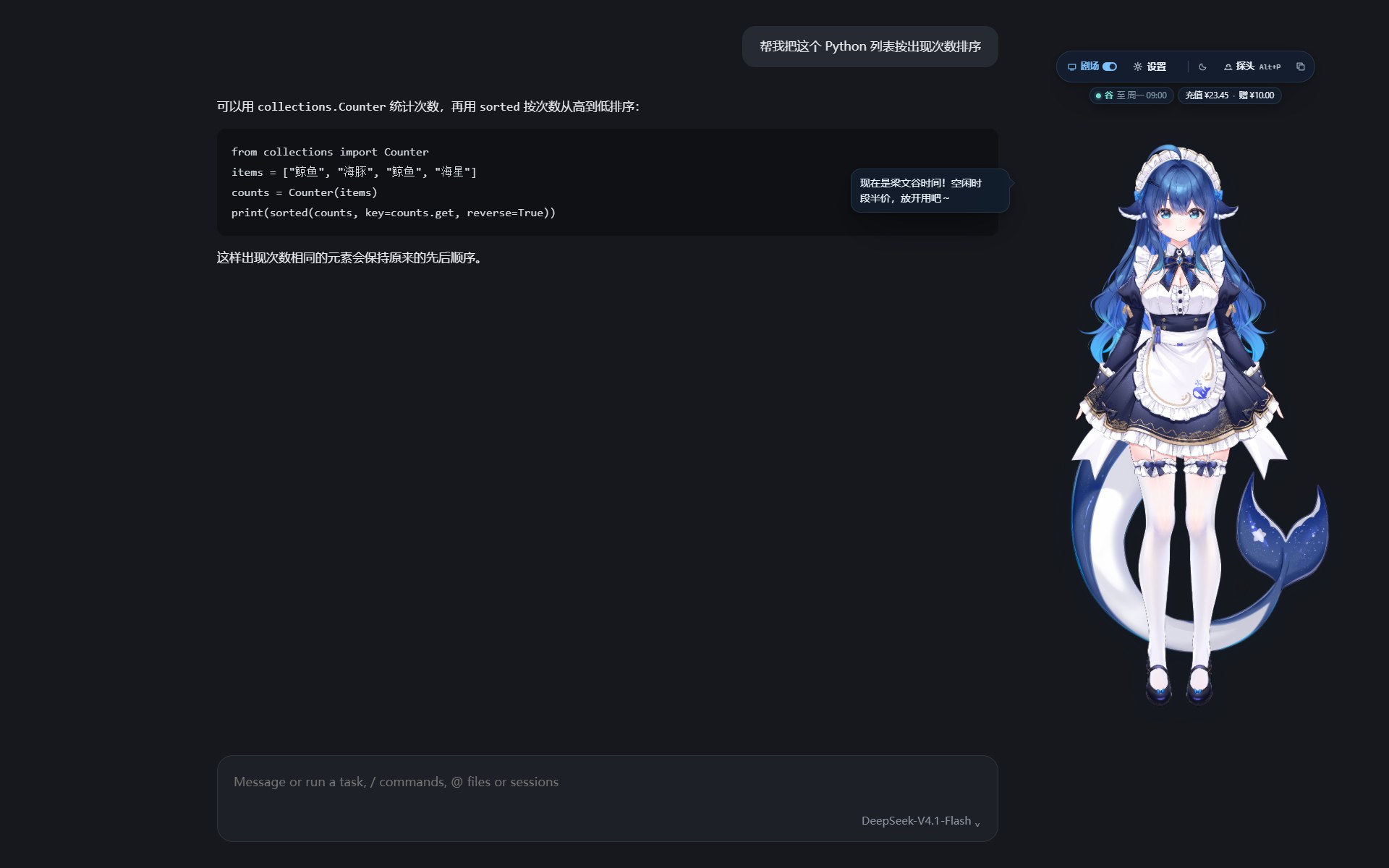
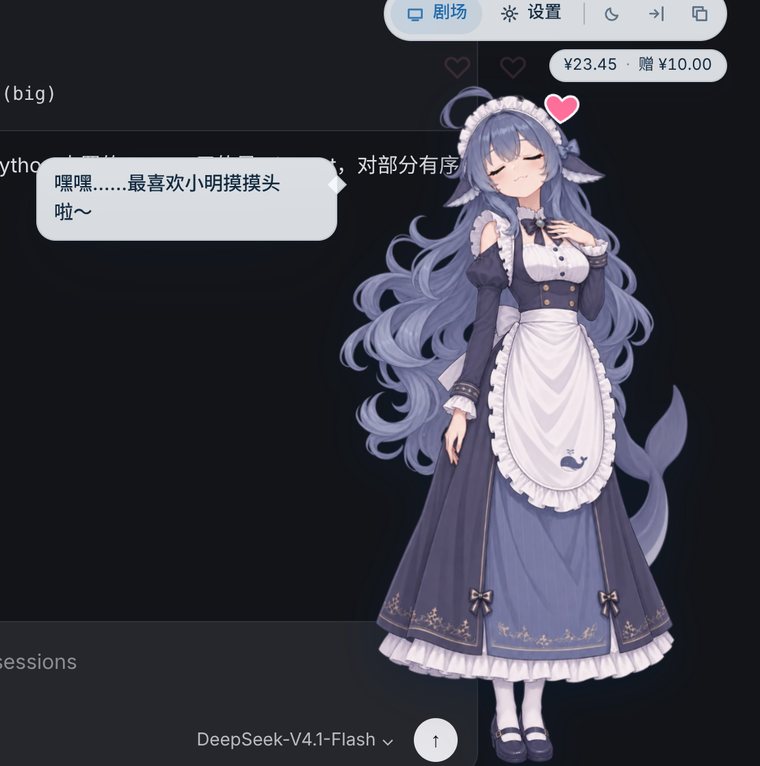
她就住在 DSH 里。 导入可选的 Live2D 模型后,她会用眼睛和头跟着鼠标看,呼吸、发呆、自己找点事做。头顶常显梁文峰 / 梁文谷时段和账户余额,时段切换时她会换个表情告诉你;鼠标移到她身上,上方弹出剧场开关、设置、安静模式、探头等快捷操作。没有模型时显示原版插图。
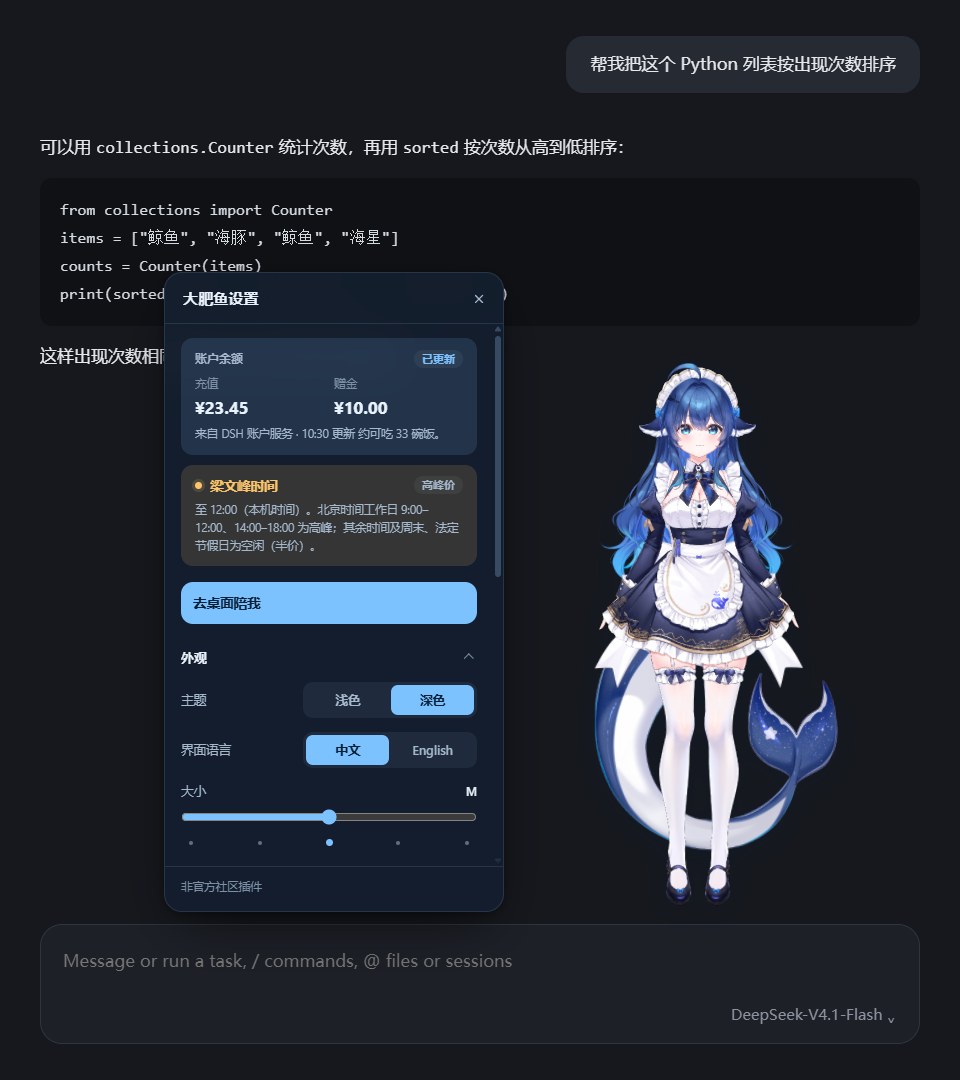
She lives inside DSH. With the optional Live2D model imported she follows the pointer with her eyes and head, breathes, idles and keeps herself busy. Chips above her head always show the DeepSeek pricing period (Peak / Off-peak) and your balance, and she announces each period switch with a new expression; hover over her for quick actions (the Theatre switch, Settings, Quiet mode, Peek). Without the model, the original illustrations are shown.
 |
 |
| 设置面板贴在她身旁,不会挡住她:最上面是余额、计费时段和到几点结束,接着是“去桌面陪我”。 Settings sit beside her, never on top: your balance, the pricing period and when it ends, then “Keep me company on the desktop”. |
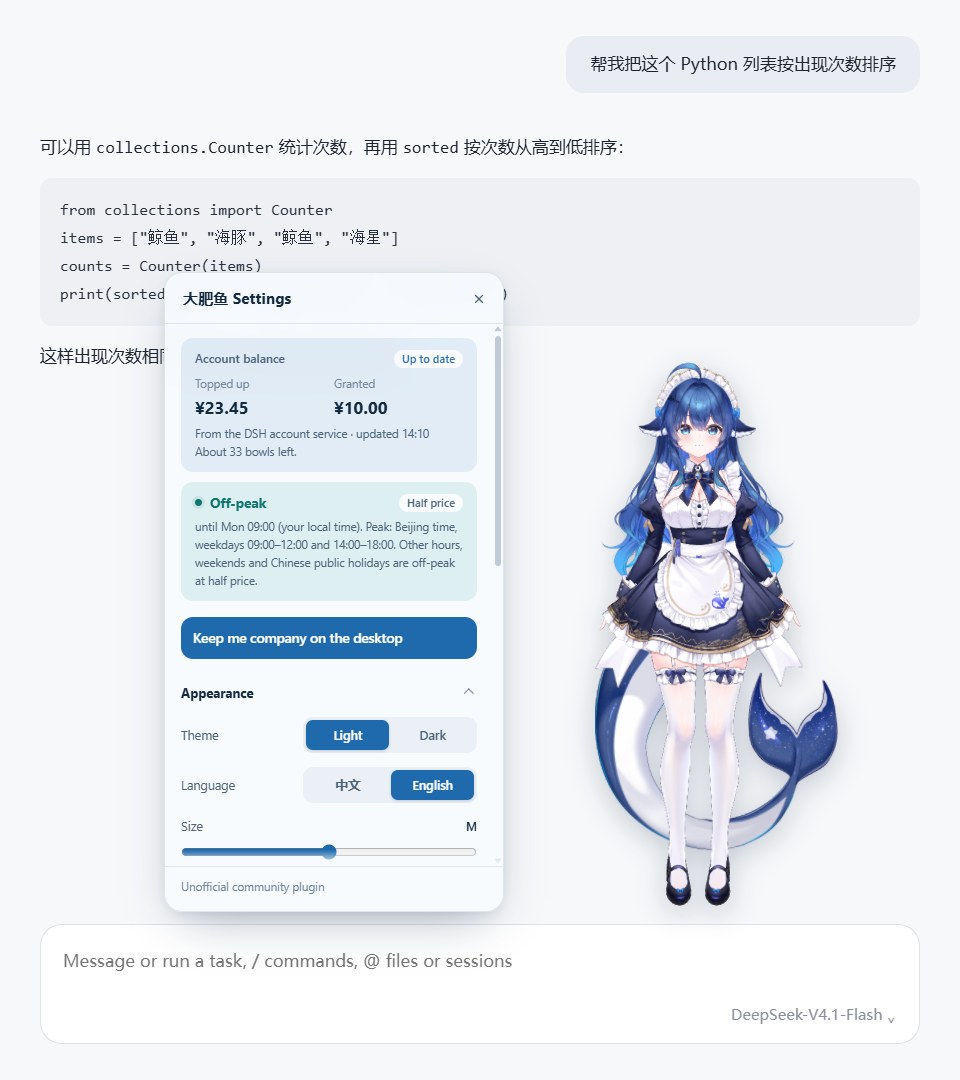
浅色主题和英文界面,周末全天梁文谷(Off-peak,半价)。主题只影响插件本身。 Light theme in English; weekends are Off-peak all day. Themes affect only the companion. |
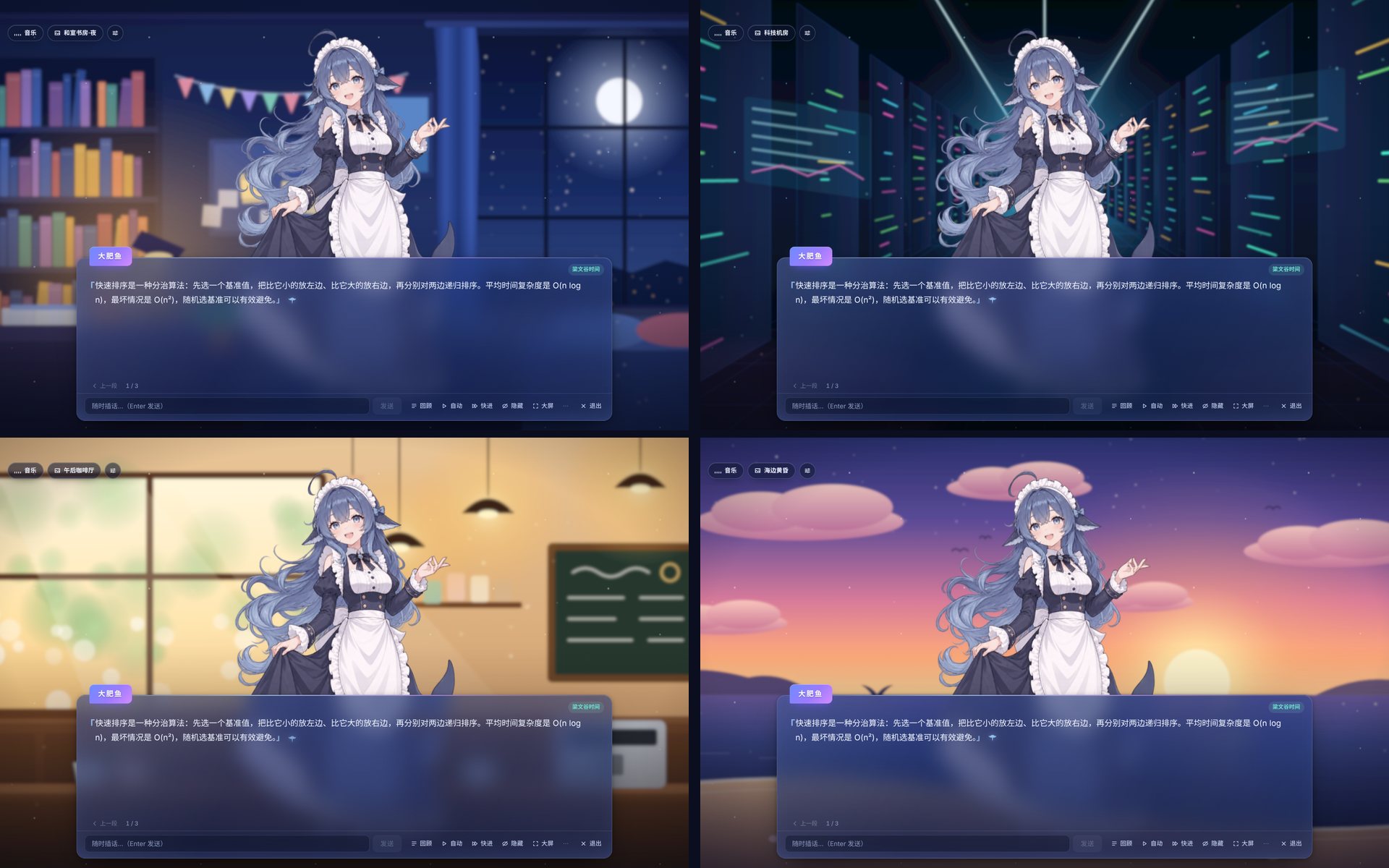
GalGame 对话剧场: 悬停菜单里的“剧场”开关打开时,点击输入框即可进入;随时也可以按 Alt+T。全屏场景、居中的立绘、深蓝毛玻璃对话框和名字标签;她的表情会随每一页台词变化,头顶冒出情绪符号;文字逐字淡入,可以快进,代码有专门的卡片。
Visual-novel theatre: with the Theatre switch in the hover menu on, click the chat box to enter; Alt+T works any time. A full-screen scene, a centred portrait and a deep-blue glass dialogue box with a name tag; her expression changes with each page, with a mood mark above her head; text fades in character by character, with Skip, and code gets copyable cards.
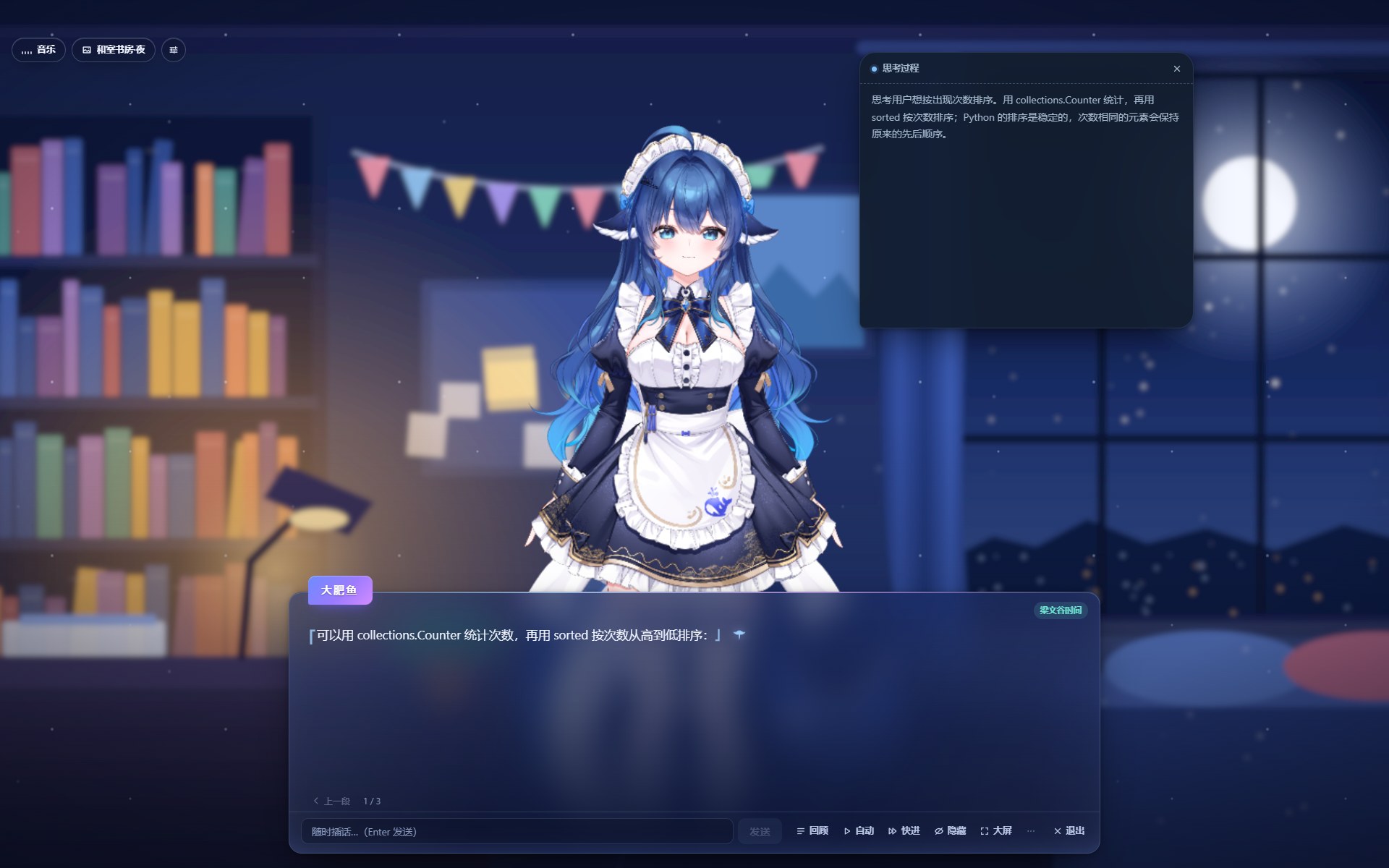
四套背景,也能用你自己的图: 和室书房·夜、科技机房、午后咖啡厅、海边黄昏,默认跟随时间切换,切换时 0.7 秒交叉淡入;也可以保留「透明」显示 DSH。
Four backgrounds, or your own picture: a study at night, a server room, an afternoon café and a seaside dusk, following the time of day by default, with a 0.7 s crossfade; “Transparent” keeps DSH visible.
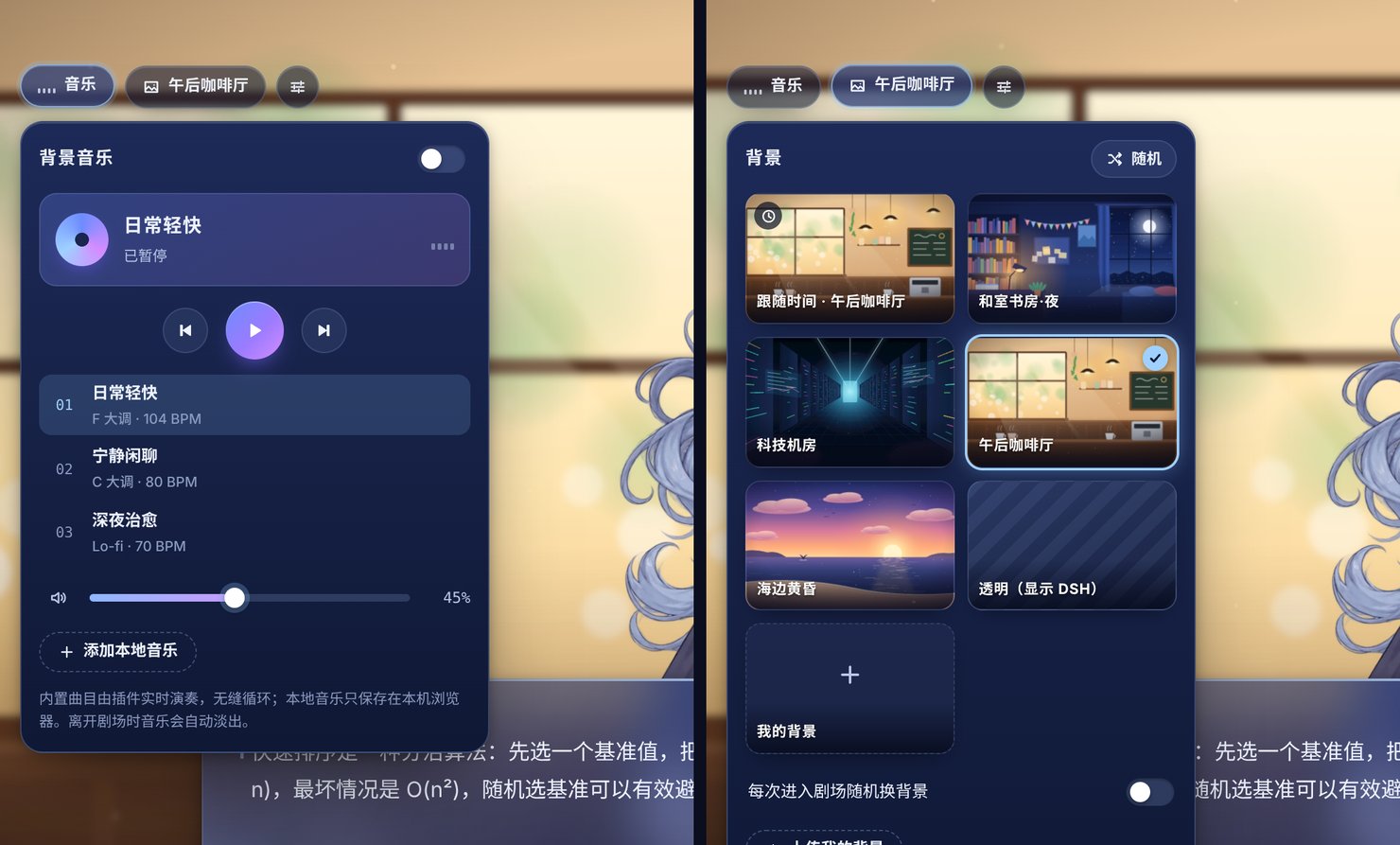
背景音乐与背景切换: 左上角的小按钮打开音乐、背景和剧场设置。三首内置曲目「日常轻快 / 宁静闲聊 / 深夜治愈」由插件实时演奏、无缝循环,也可以添加本地音乐;音量和选择会自动记住。
Music and backgrounds: the chips at the top left open music, backgrounds and theatre settings. Three built-in tracks (Everyday Breeze, Quiet Chat, Late-night Comfort) are performed live and loop seamlessly, or add your own file; volume and choices are remembered.
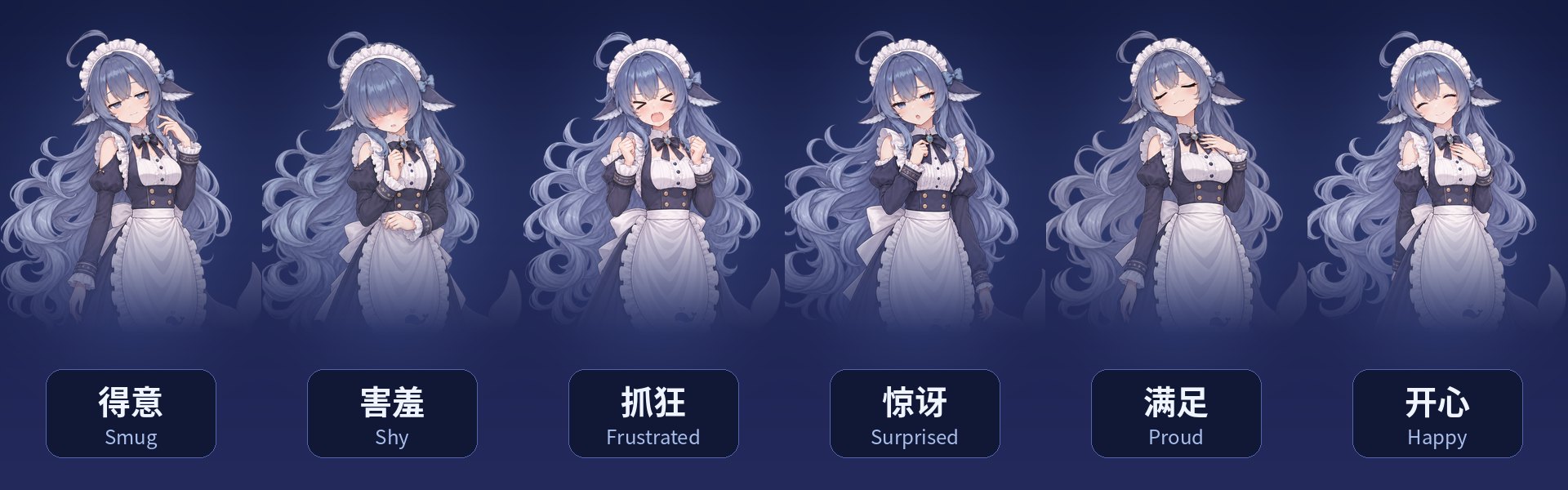
六个新表情: 得意、害羞、抓狂、惊讶、满足、开心,剧场和日常互动都会用到。
Six new expressions: smug, shy, frustrated, surprised, proud and happy, used in the theatre and in everyday moments.
 |
 |
 |
| 在她头上来回移动鼠标:摸摸头,她会一脸满足或害羞,并叫出你设置的称呼。 Move the pointer over her head for a head pat; she looks content or shy and uses the name you set. |
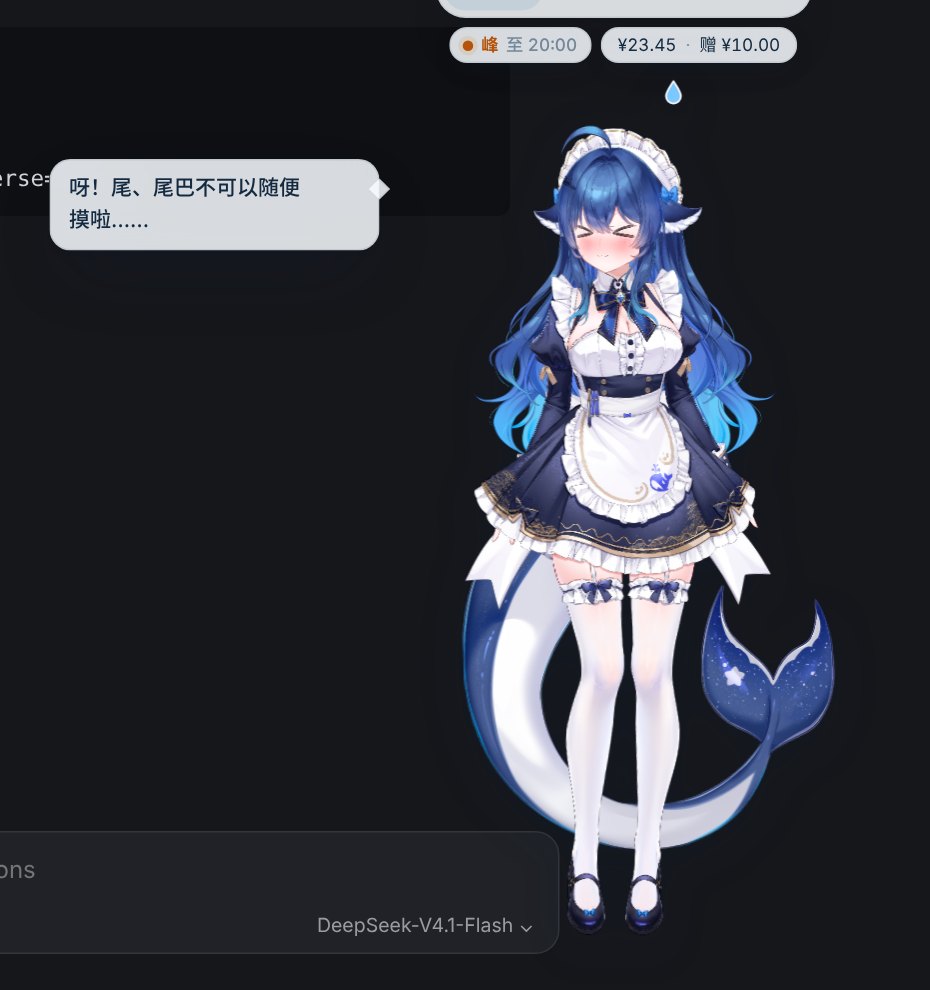
Live2D:在尾巴上来回摸,她会害羞地躲开;一直摸会生气。 Live2D: stroke her tail and she blushes and dodges; keep at it and she gets cross. |
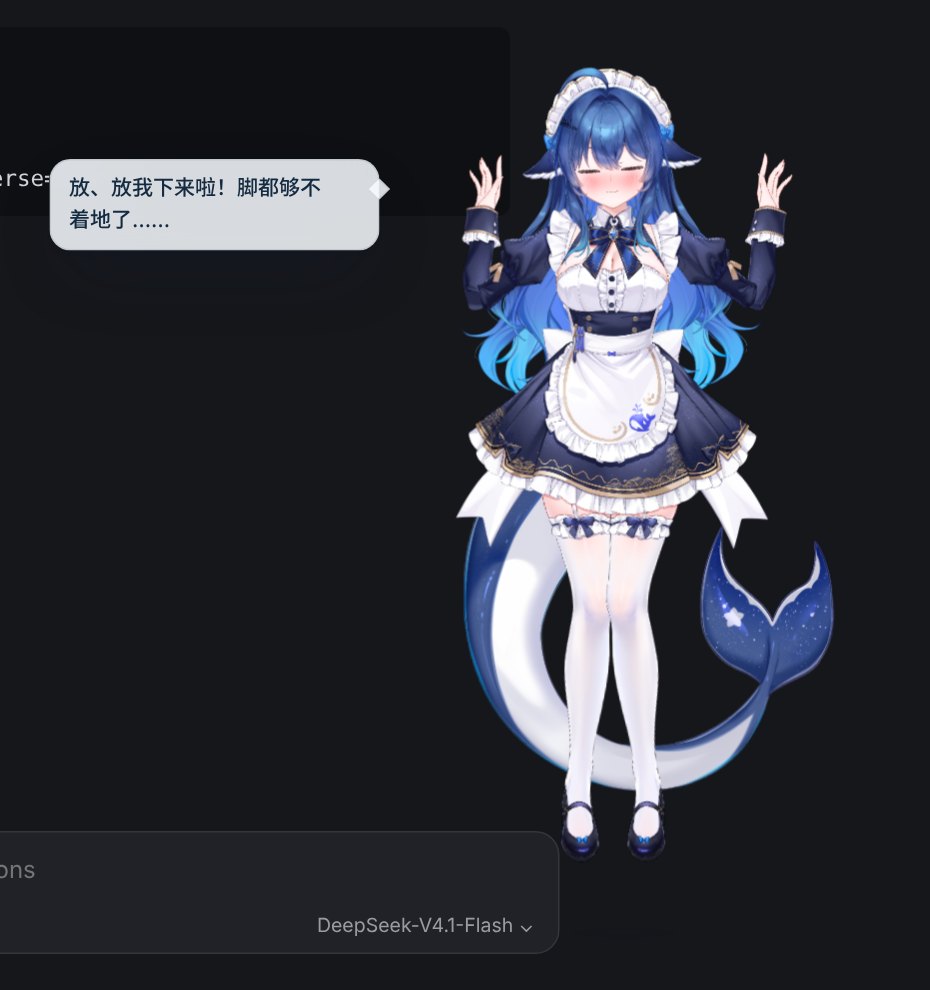
拖动她就被拎起来:先扑腾,再垂下来跟着手摆,松手落地。拖着快速晃会头晕;一直戳她是小彩蛋。 Dragging picks her up: she struggles, then dangles and swings; let go and she lands. Shake her and she gets dizzy; keep poking her for an easter egg. |
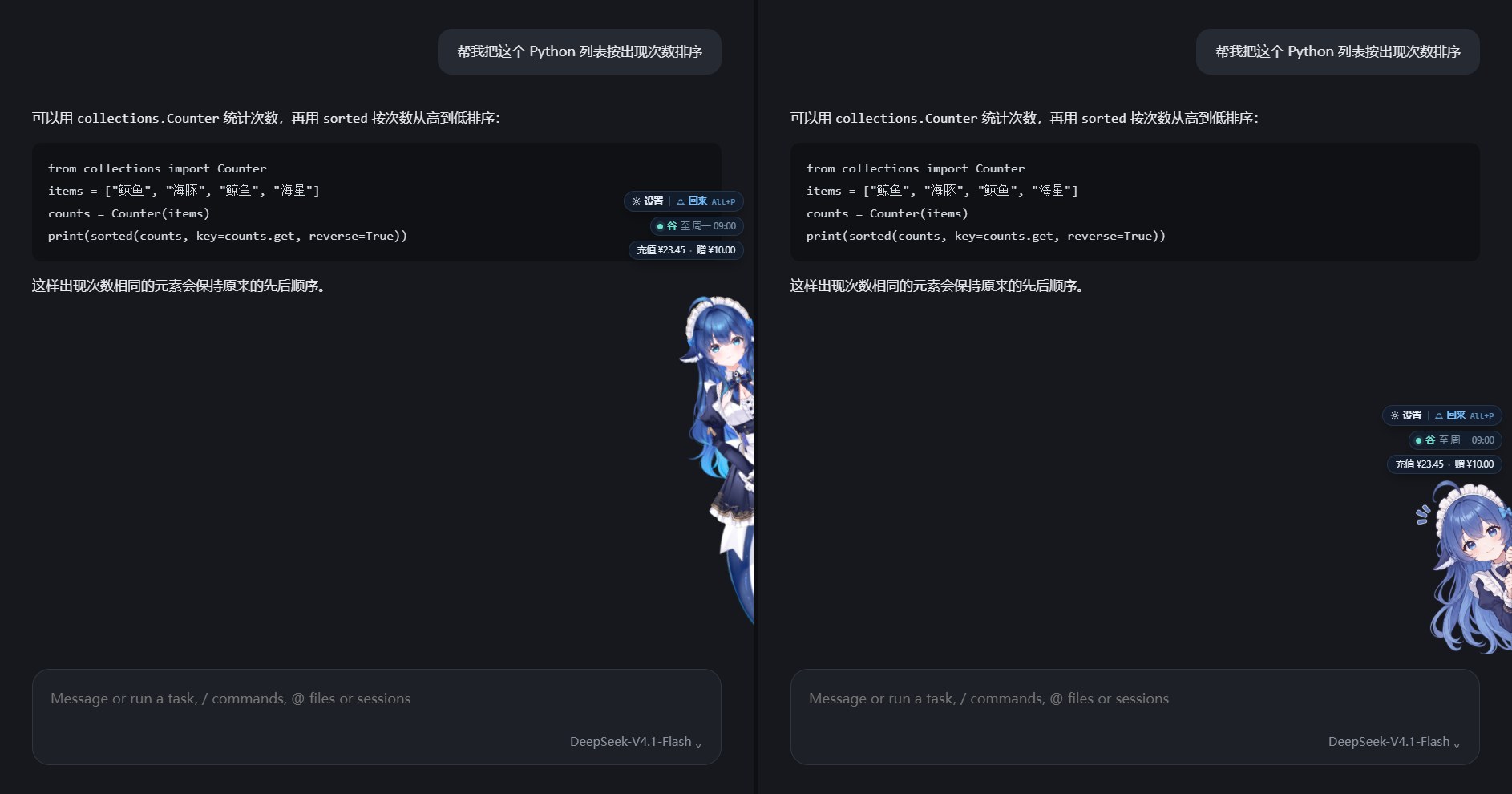
从右边探头陪你: 点悬停菜单里的「探头」或按 Alt+P(可在设置里改),她会躲到窗口右边,只探出半个身子,不挡住对话;再按一次就回到原来的位置。Live2D 模型会斜着探出来、一只手拉住边框;没有模型时有专门的探头插图。
Peeking from the right edge: choose Peek in the hover menu or press Alt+P (change it in Settings) and she hides behind the right edge of the window, half out of sight and clear of the conversation; press again to bring her back to her spot. The Live2D model leans out holding the edge; without the model a dedicated peeking illustration is used.
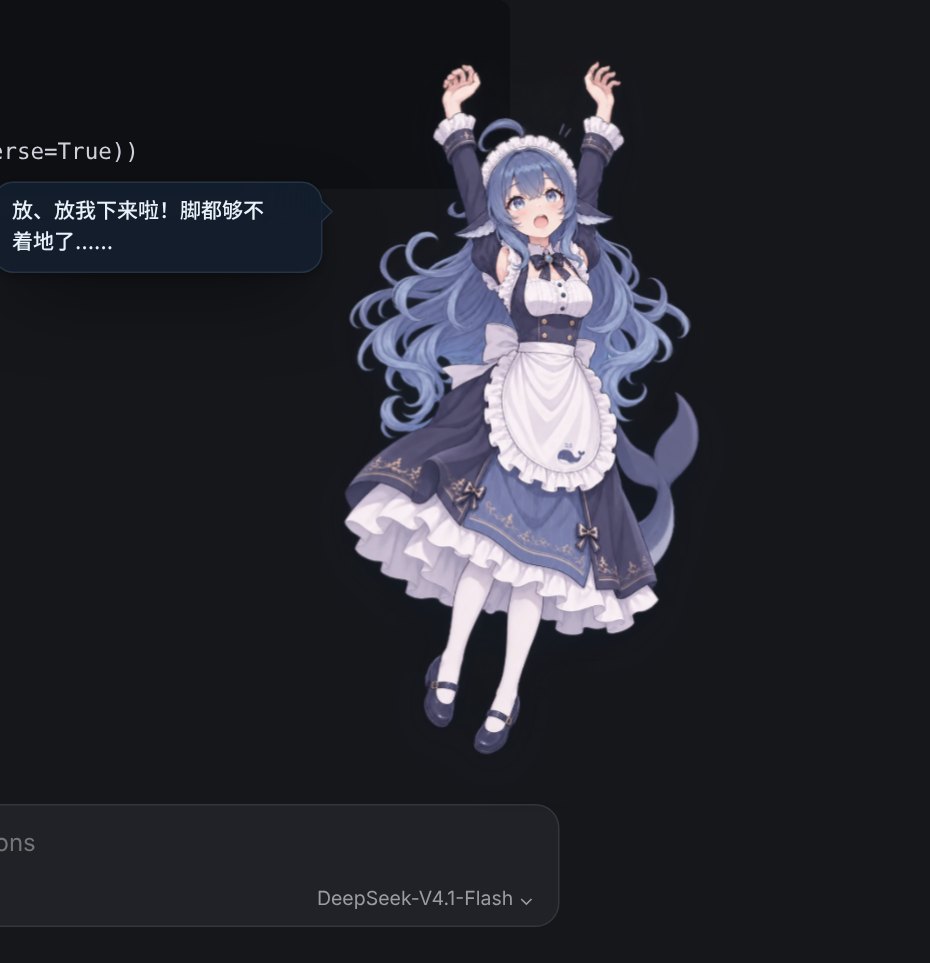 |
没有 Live2D 模型时,拎起来也有专门的插图:双手举高、脚够不着地。 Without the Live2D model, being picked up has its own illustration too: arms up, feet off the ground. |
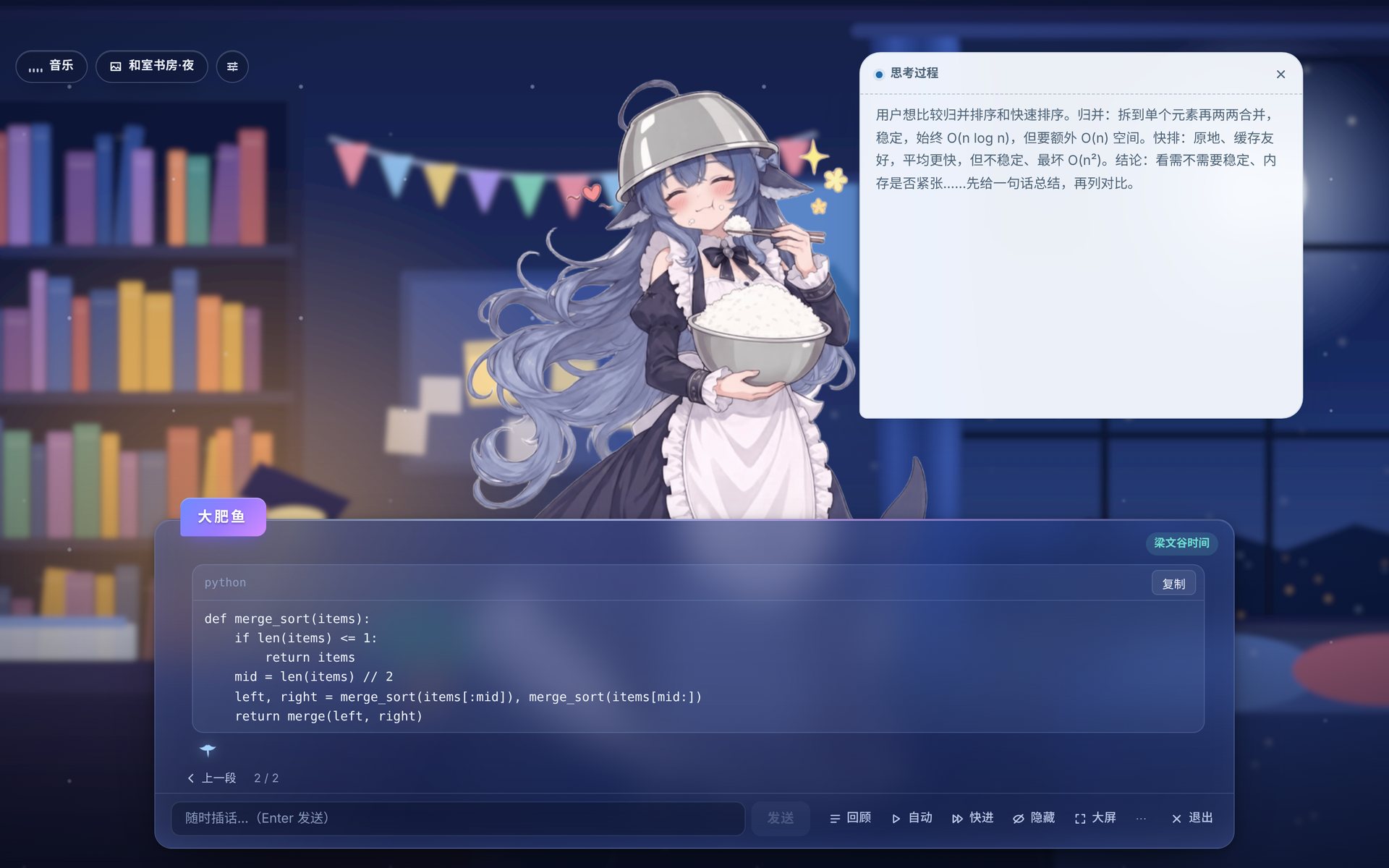
截图使用模拟的 DSH 页面和演示余额,首图、设置、探头和剧场首图来自 v0.8.5 的真实界面,其余为 v0.8.0;人物为可选导入的 DeepSeek-chan(大肥鱼)Live2D 模型(原画及拆分 神宫凉子,Live2D 建模 霓虹猫_NeonNeko),模型不随插件提供。表情、场景与代码页截图来自 v0.6.0 的插图模式。 / Screenshots use a simulated DSH page and sample balance; the first picture, settings, peeking and the first theatre picture show the actual v0.8.5 build; the rest are v0.8.0. The character is the optionally imported DeepSeek-chan (大肥鱼) Live2D model (art and parts by 神宫凉子, rigging by 霓虹猫_NeonNeko), which is not included with the plugin. The expression, scene and code-page screenshots come from v0.6.0 with illustrations.
非官方社区插件,与 DeepSeek 官方无隶属或背书关系。
大肥鱼是专为官方 DeepSeek Harness (DSH) 开发的桌宠与 GalGame 对话剧场。她生活在 DSH 界面内,会随着思考与回答切换动作,陪你一起工作。
中英文统一使用产品名 大肥鱼;仓库与包标识继续使用 dsh-whale-pet。
👉 操作说明:安装、互动、探头、剧场、Live2D 导入、设置和快捷键都在这里。
桌面模式(预览):她可以待在系统桌面上,透明置顶、不挡点击,DSH 开着时自动联动;Releases 里有点击即可运行的 Windows 版 DaFeiYu.exe,Alt+Shift+T 打开桌面剧场直接提问。
完整说明见 v0.8.5 发布说明。更早版本的更新内容请看更新日志。
D:\dsh-whale-pet。install.bat,再打开 DSH,或在已打开的窗口中按 Ctrl + R 刷新。卸载时运行 uninstall.bat 并刷新 DSH,已保存的本地偏好会保留。React 与 Cordis 由 DSH 提供,普通用户无需 Node.js、npm 或额外素材。旧版 v0.1.0–v0.6.0 的安装脚本在 Windows 上可能失败,见安装问题与旧版本修复。
在 ~/.dsh/profiles/desktop/cordis.patch.yml 追加以下内容,替换为实际路径:
- insert:
    - id: dsh-whale-pet
name: "file:///D:/dsh-whale-pet/lib/index.js"更多操作见 操作说明。
偏好、你添加的剧场图片和音乐、导入的 Live2D 模型都只保存在本机,不会上传。聊天记录不会被保存,也不会发送给任何额外服务。余额通过 DSH 自带的账户服务读取,需要登录 DeepSeek 账号,插件不接触任何凭据。计费时段按 DeepSeek 官方规则,节假日表目前覆盖 2026 年。回答识别依赖 DSH 页面结构。
运行 TypeScript 测试建议使用 Node.js 22.18+ 或 24+。通过 pnpm install 安装开发依赖,然后执行:
npm run build
npm run typecheck
npm test
node --check lib/client.js
构建会把界面、状态机、宿主适配器、CSS 和 20 张插画编入 DSH __ModuleLoader__ 使用的 lib/client.js。请修改源码后重新构建,不要手动编辑 lib/client.js。当前共有 236 项自动测试。
欢迎阅读贡献指南:代码经 PR 审查与测试后才可合并,发布须由项目负责人确认;接受形象统一、来源与授权清楚的 AI 美术。欢迎通过 Issues 和 Pull Request 反馈问题或贡献代码。请提供 DSH 版本和复现步骤,避免上传私人对话与账户凭据。
代码采用 MIT License。美术权限见授权说明,投稿见贡献指南。内嵌的 Live2D Cubism Core 与 Framework 适用各自的许可,见第三方声明。
Unofficial community plugin. Not affiliated with or endorsed by DeepSeek.
An interactive companion and visual-novel (GalGame) conversation theatre for the official DeepSeek Harness (DSH). 大肥鱼 lives inside DSH, reacts to reasoning and answers, and keeps you company while you work.
The product name is 大肥鱼 in both languages; dsh-whale-pet remains the repository and package identifier.
👉 User guide: installing, playing with her, peeking, the theatre, importing the Live2D model, settings and shortcuts.
Desktop mode (preview): she can live on your desktop, transparent and always on top without blocking clicks, following DSH automatically; Releases include a click-to-run Windows app, DaFeiYu.exe, and Alt+Shift+T opens her theatre there to ask directly.
Full notes: v0.8.5. Earlier versions are in the changelog.
D:\dsh-whale-pet.install.bat, then open DSH or press Ctrl + R in its window.Run uninstall.bat and refresh DSH to remove the plugin; saved preferences are retained. DSH supplies React and Cordis, so you do not need Node.js, npm or extra assets. Installers from v0.1.0–v0.6.0 may fail on Windows; see installation recovery.
Append the following to ~/.dsh/profiles/desktop/cordis.patch.yml, replacing the example path:
- insert:
    - id: dsh-whale-pet
name: "file:///D:/dsh-whale-pet/lib/index.js"Everything else is in the user guide.
Preferences, theatre pictures and music you add, and an imported Live2D model stay on this device and are never uploaded. Chat history is never stored or sent to any extra service. The balance is read through DSH's own account service and needs a signed-in DeepSeek account; the plugin never touches credentials. The pricing period follows DeepSeek's official rule; the holiday table covers 2026. Response detection depends on DSH's page structure.
Use Node.js 22.18+ or 24+ for the TypeScript test runner. Install dependencies with pnpm install, then run:
npm run build
npm run typecheck
npm test
node --check lib/client.js
The build compiles the views, state, host adapter, CSS and all 20 illustrations into lib/client.js for DSH's __ModuleLoader__. Edit the source and rebuild; do not edit lib/client.js by hand. Current automated suite: 236 tests.
See the contribution guide for PR review, release approval and AI-art requirements. Contributions and reports are welcome through Issues and pull requests. Include your DSH version and reproduction steps; omit private conversations and credentials.
MIT for code. See artwork permissions and contribution rules. The embedded Live2D Cubism Core and Framework have their own licenses; see third-party notices.
CLASSIFICATION EVIDENCE
系统优先读取 GitHub Topics,再与站内分类词典和词根规则比对。当前命中: deepseek-harness、deepseek-harness-plugin、deepseek-harness-plugins。
morluto
Reverse engineer anything with agents, from app behavior down to native binaries.

deepseek-ai
DeepSeek Harness: Everything is a Plugin.

nexu-io
The 1st Collaborative AI Design Agent Workspace. Local-first and open source. Create motion, prototypes, websites, apps, dashboards, presentations, images, and videos with your team and AI agents. Share work, exchange feedback, and iterate together in one workspace.