
其他
完整应用

deepseek-harness
deepseek-ai
DeepSeek Harness: Everything is a Plugin.
PROJECT TOPICS
INSTALL REFERENCE
dsh plugin --profile web add github:Elave-66/dsh-blue-sea-launcher
该命令指向仓库当前默认分支;尚无绑定当前 commit 的完整验证结果。
PROJECT README
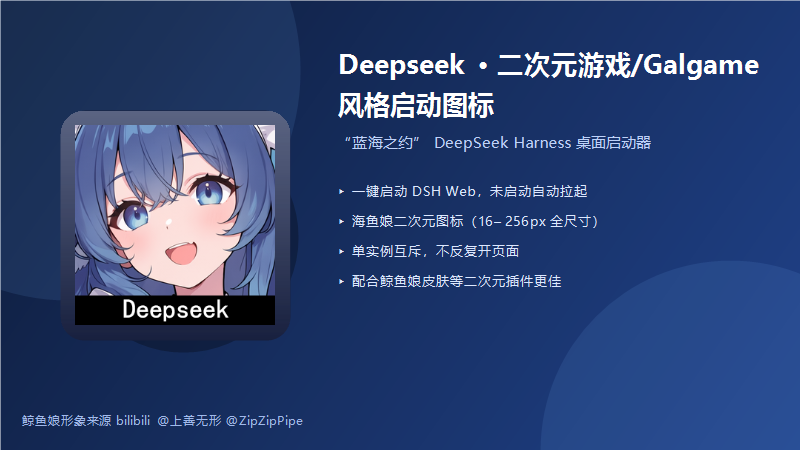
鲸鱼娘形象来源 bilibili @上善无形 @ZipZipPipe,适合重度二次元使用,配合鲸鱼娘皮肤等二次元插件使用更佳!
一款 DeepSeek Harness(DSH)桌面启动器插件:装载后在桌面生成 「蓝海之约」 快捷方式, 一键启动/打开 DeepSeek Harness Web,图标为鲸鱼娘二次元立绘(16–256px 全尺寸透明底图标)。
npx --verbose @deepseek-ai/dsh web 拉起(带 --no-open);
已运行 → 直接打开浏览器,绝不重复开页# 本地安装(仓库根目录执行)
dsh plugin --profile web add link:.\dsh-blue-sea-launcher
# 或直接使用 Releases 中的安装包 zip
dsh plugin --profile web add link:<解压后的 dsh-blue-sea-launcher 目录>安装后重启 dsh web,桌面即出现「蓝海之约」。
| 效果图 | 桌面快捷方式 |
|---|---|
|
带鲸鱼娘图标的一键启动入口 |
在 profile 的 cordis.patch.yml 中覆盖默认值:
- insert:
    - id: dsh-blue-sea-launcher
      name: dsh-blue-sea-launcher
      config:
        shortcutName: 蓝海之约        # 快捷方式名
        url: http://127.0.0.1:3080     # 打开地址
port: 3080 # 检活端口dsh plugin --profile web remove dsh-blue-sea-launcher卸载不会删除已生成的桌面快捷方式(它先于 DSH 启动,是入口),手动删除即可。
--no-open,
只由启动器打开一次。注意:若你自己在终端运行 npx --verbose @deepseek-ai/dsh web
(不带 --no-open),DSH 会按原生行为自动开一次浏览器。dsh --profile web --dump-config | Select-String blue-sea 应能看到该层;
确认重启过 dsh web。MIT
CLASSIFICATION EVIDENCE
系统优先读取 GitHub Topics,再与站内分类词典和词根规则比对。当前命中: 无有效分类标签。
deepseek-ai
DeepSeek Harness: Everything is a Plugin.

anywhere-labs
为 DeepSeek Harness (DSH) 插件生态打造的现代化桌面端解决方案。万物皆「插件」,桌面本身也是「插件」。

awesome-dsh-plugin
A curated list of plugins for DeepSeek Harness (dsh) · DeepSeek Harness 插件精选列表