

模型与 MCP
待识别

rea
morluto
Reverse engineer anything with agents, from app behavior down to native binaries.
PROJECT TOPICS
INSTALL REFERENCE
dsh plugin --profile web add github:DewFill/dsh-favorite-models
该命令指向仓库当前默认分支;尚无绑定当前 commit 的完整验证结果。
PROJECT README


English | Русский | 中文 | 日本語 | Español | Français | Deutsch | Português
A plugin for the DeepSeek Harness web UI that adds stars to the built-in model picker: star any model, and a Favourites block appears in the selector's root menu, where that model is one click away. Models stay in their provider groups.
| Model list with stars | The Favourites block |
|---|---|
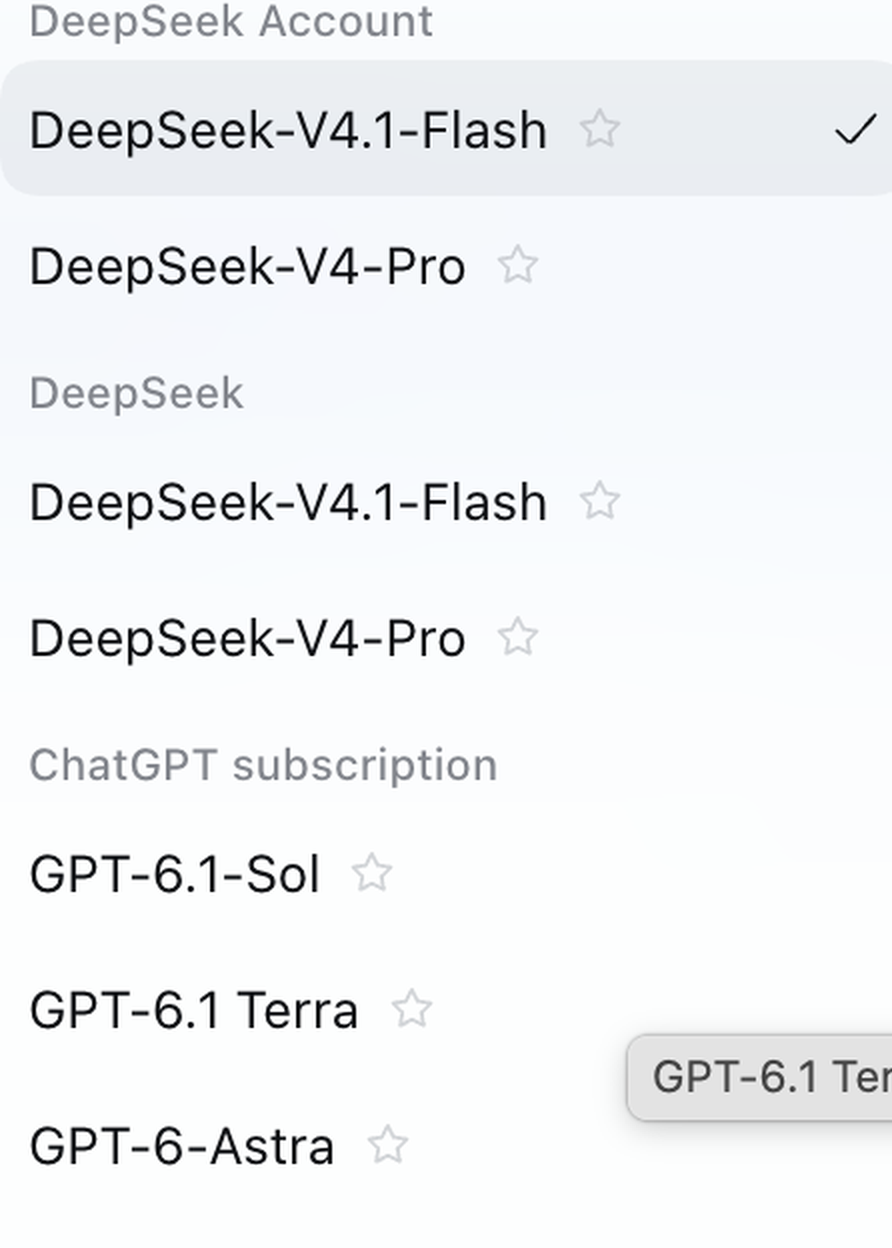 |
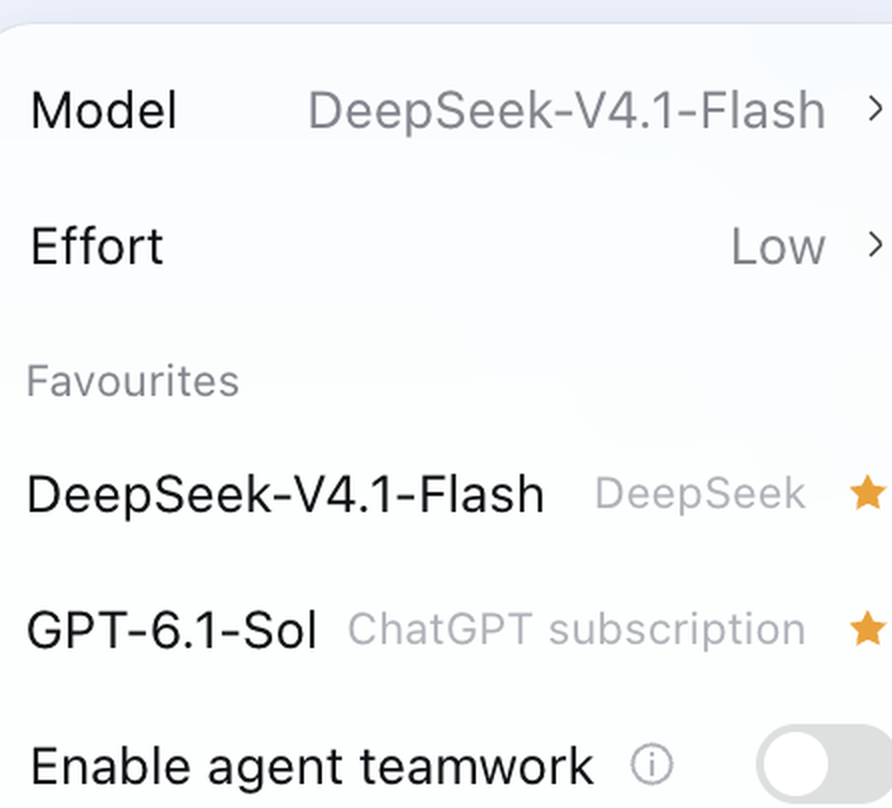 |
localStorage).Requirements: DeepSeek Harness 0.2.2-rc.3 or newer and the web UI (Desktop or
dsh --profile web).
Open Plugins → Discover.
Click Add index source and add the index URL:
https://raw.githubusercontent.com/DewFill/dsh-favorite-models/main/index.jsonFind Favourite models in the list and click Install (confirm the bundle installation).
Updates from this installation arrive through the same Discover tab.
git clone https://github.com/DewFill/dsh-favorite-models.gitOpen Plugins → Installed → Add plugin and pick the dsh-favorite-models
folder. The plugin activates immediately; if the window was already open and no
stars appear, reload the page.
Open Plugins → Installed → Add plugin, enter dsh-favorite-models, review
the preview and confirm. The package is published to the npm registry with
provenance, so the installed code is traceable to this repository.
Updates arrive through Plugins → Installed → Update on the plugin card.
Plugin strings and its card in Plugins are localized for English, Russian, Chinese, Japanese, Spanish, French, German and Portuguese. The language comes from DSH settings (Settings → General → Language) and applies on the fly. Other languages fall back to English. This README is available in every supported language — see the links at the top.
The plugin does not copy or replace the DSH interface — it uses two documented
slots of the shipped model selector
(@deepseek-ai/dsh-client-ui-model-selection):
conversation.input.model.label — appends the star to the model name in every
list row;conversation.input.model.options — adds the Favourites block to the root
menu, next to the rows contributed by other plugins.DSH design updates therefore do not break the plugin: in the worst case only the star and the favourites block stop rendering.
localStorage, key
dsh.favorite-models.v1) and do not sync between browsers or devices.git pull.localStorage and come back if you install the plugin again..
├── client.js # browser half: slots, stars, favourites block
├── index.js # host half (empty: everything lives in the client)
├── cordis.patch.yml # bundle row for the profile
├── package.json # bundle and client-module manifest
├── index.json # Plugin Market index for GitHub installs
├── locale/*.json # title, description and the docs/DETAIL.md link per language
├── docs/DETAIL.md # detailed plugin page description
├── docs/screenshots/ # README screenshots
└── icon.svg # plugin iconSyntax checks and local installation:
node --check client.js
node --check index.js
Then Plugins → Installed → Add plugin with this folder. Changes to
client.js are picked up after a page reload (or through HMR when
pnpm run dev:web is running).
MIT © Artemy Fedorchenko
CLASSIFICATION EVIDENCE
系统优先读取 GitHub Topics,再与站内分类词典和词根规则比对。当前命中: deepseek-harness。
morluto
Reverse engineer anything with agents, from app behavior down to native binaries.

deepseek-ai
DeepSeek Harness: Everything is a Plugin.

nexu-io
The 1st Collaborative AI Design Agent Workspace. Local-first and open source. Create motion, prototypes, websites, apps, dashboards, presentations, images, and videos with your team and AI agents. Share work, exchange feedback, and iterate together in one workspace.