
其他
完整应用

deepseek-harness
deepseek-ai
DeepSeek Harness: Everything is a Plugin.
PROJECT TOPICS
PROJECT README

Git workspace panel for DSH Web: discover Git repositories under the current workspace, stage & commit like VS Code Source Control, and generate commit messages with LLM under configurable rules.
管理当前工作空间下的所有 Git 仓库,提供类 VS Code Source Control 的暂存/提交体验,并通过可配置的提交规则系统增强「AI 生成提交信息」能力。
前置要求:npx @deepseek-ai/dsh web 可运行;git 在 PATH 中;建议 Windows(Windows 专用探测在其他平台自动降级)。
dsh plugin(推荐;需要 pnpm 在 PATH)命令以
npx @deepseek-ai/dsh形式给出,无需全局安装 dsh。
git clone https://github.com/DashingMonkey/dsh-git-panel.git
cd dsh-git-panel
npm run build                                # 本地目录安装需先构建
npx @deepseek-ai/dsh plugin --profile web add .
# 重启 dsh web,侧栏底部出现 Git Panel 按钮卸载:npx @deepseek-ai/dsh plugin --profile web remove @dsh-local/git-panel。
./install.sh # Windows 请用 Git Bash 或 WSL;等价于 node scripts/install.mjsgit 仓库 / tarball / 手动安装及迁移到另一台机器,见安装详解。
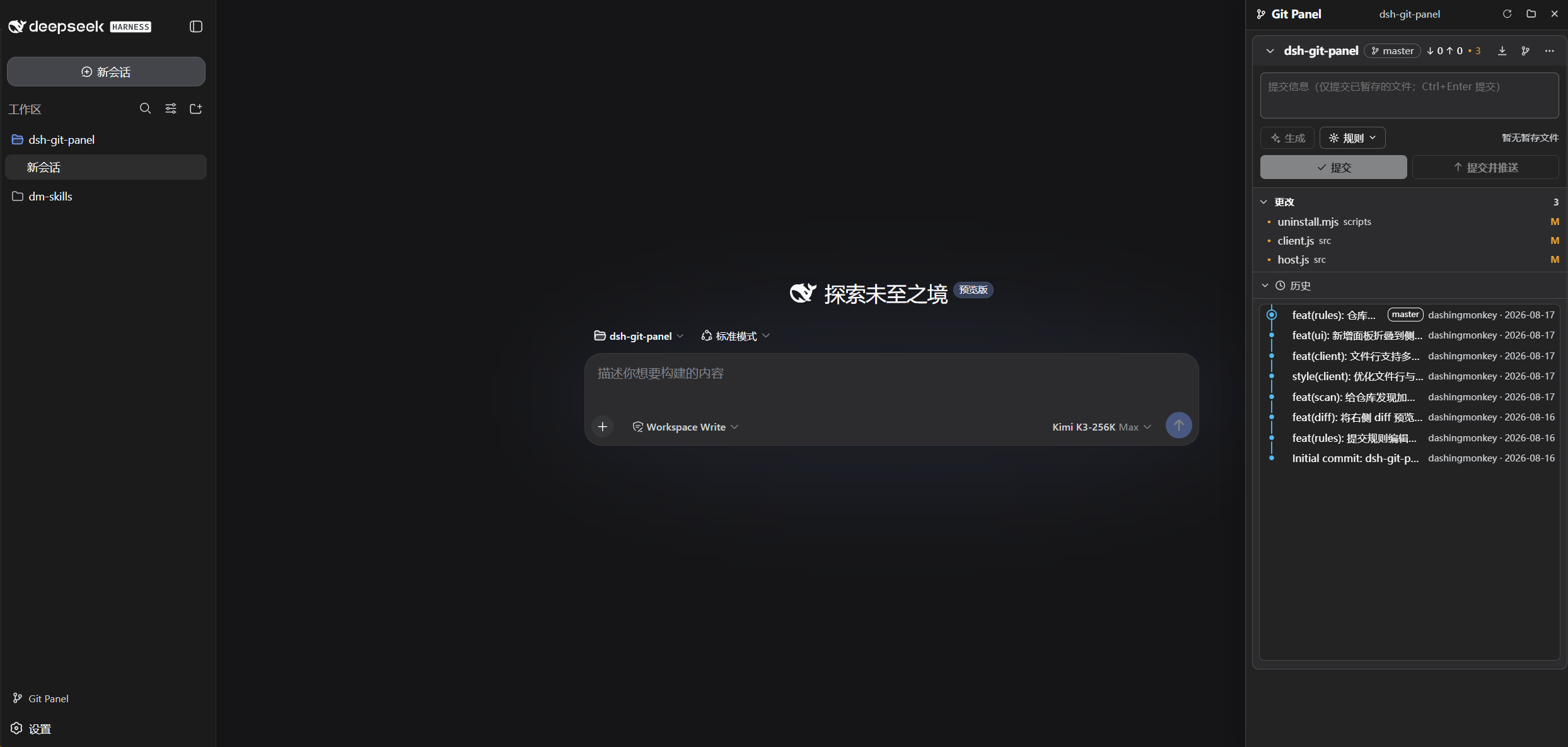
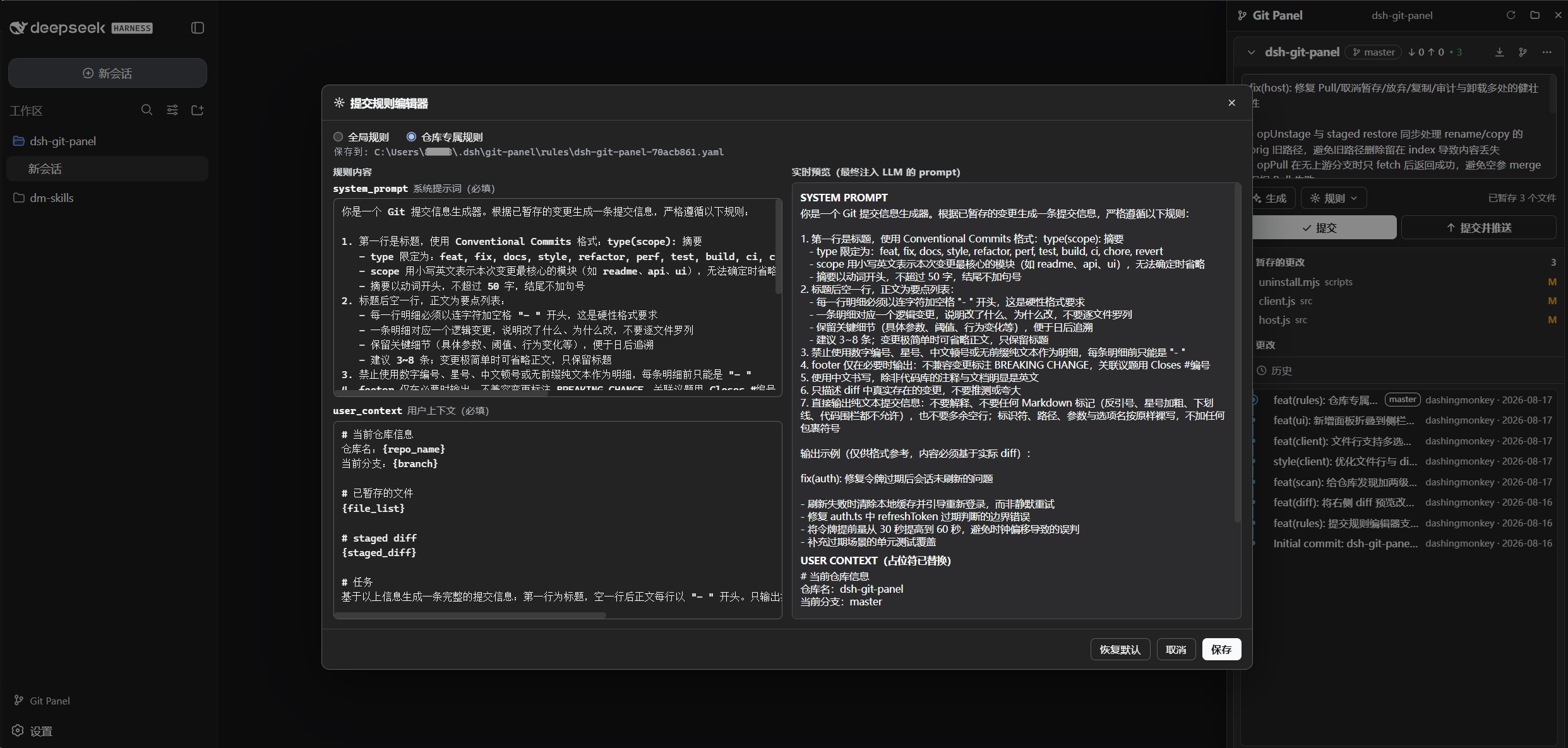
重启 dsh web 后,侧栏底部出现 Git Panel 按钮。面板自动跟随当前工作空间发现仓库;顶部提交区支持按生效规则生成 commit message(只填入不提交)。
面板总览:
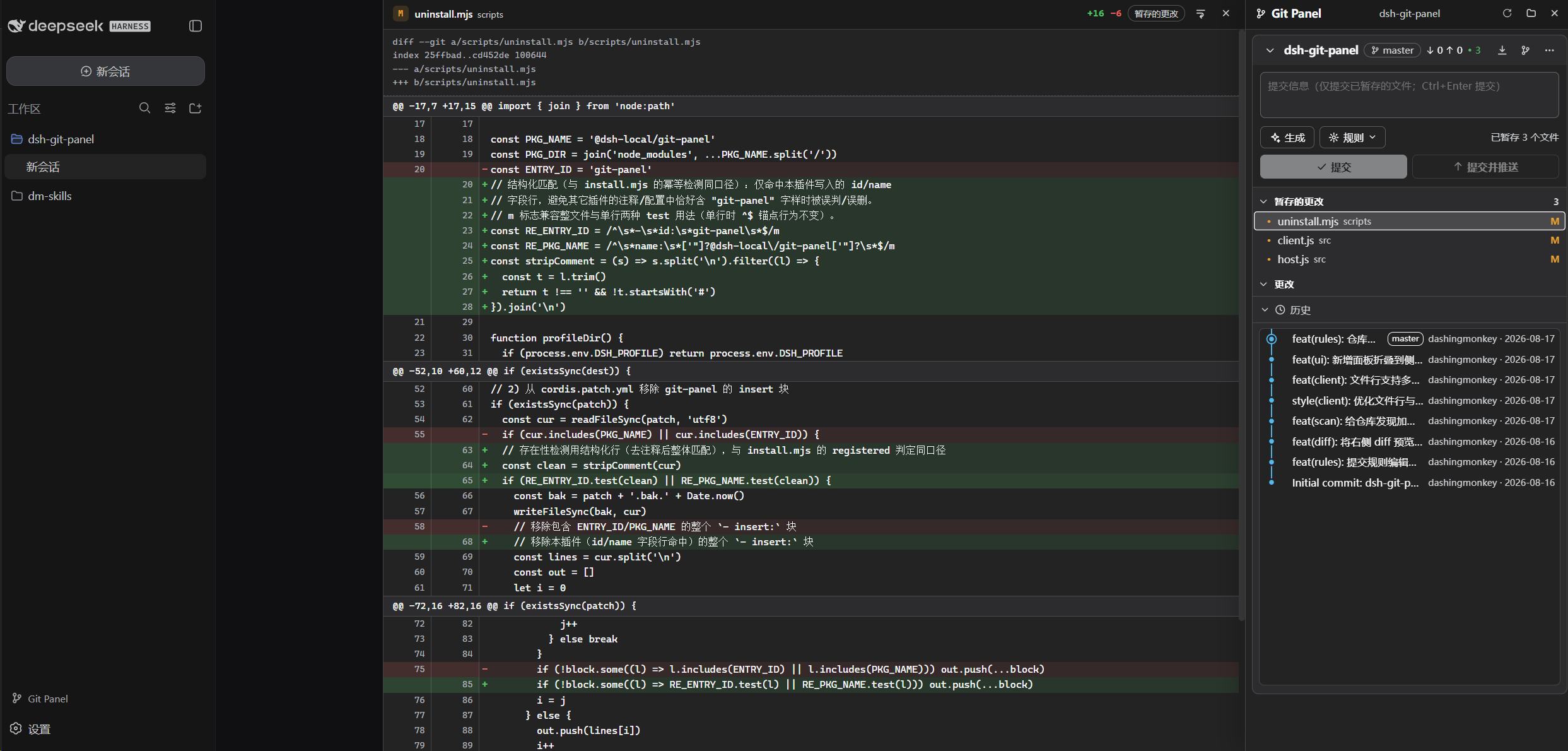
Diff 窗口:
提交规则编辑器:
行为对齐 VS Code Source Control,仅以下不同:
MIT © 2026 DashingMonkey
CLASSIFICATION EVIDENCE
系统优先读取 GitHub Topics,再与站内分类词典和词根规则比对。当前命中: 无有效分类标签。
deepseek-ai
DeepSeek Harness: Everything is a Plugin.

walkinglabs
Harness engineering beginner tutorial, from 0 to 1

anywhere-labs
为 DeepSeek Harness (DSH) 插件生态打造的现代化桌面端解决方案。万物皆「插件」,桌面本身也是「插件」。