
Agent 与会话
插件

nuwa-skill
alchaincyf
你想蒸馏的下一个员工,何必是同事。蒸馏任何人的思维方式——心智模型、决策启发式、表达DNA。Distill how anyone thinks.
PROJECT TOPICS
INSTALL REFERENCE
dsh plugin --profile web add github:CyberFox-lab/dsh-rss
该命令指向仓库当前默认分支;尚无绑定当前 commit 的完整验证结果。
PROJECT README
English | 中文
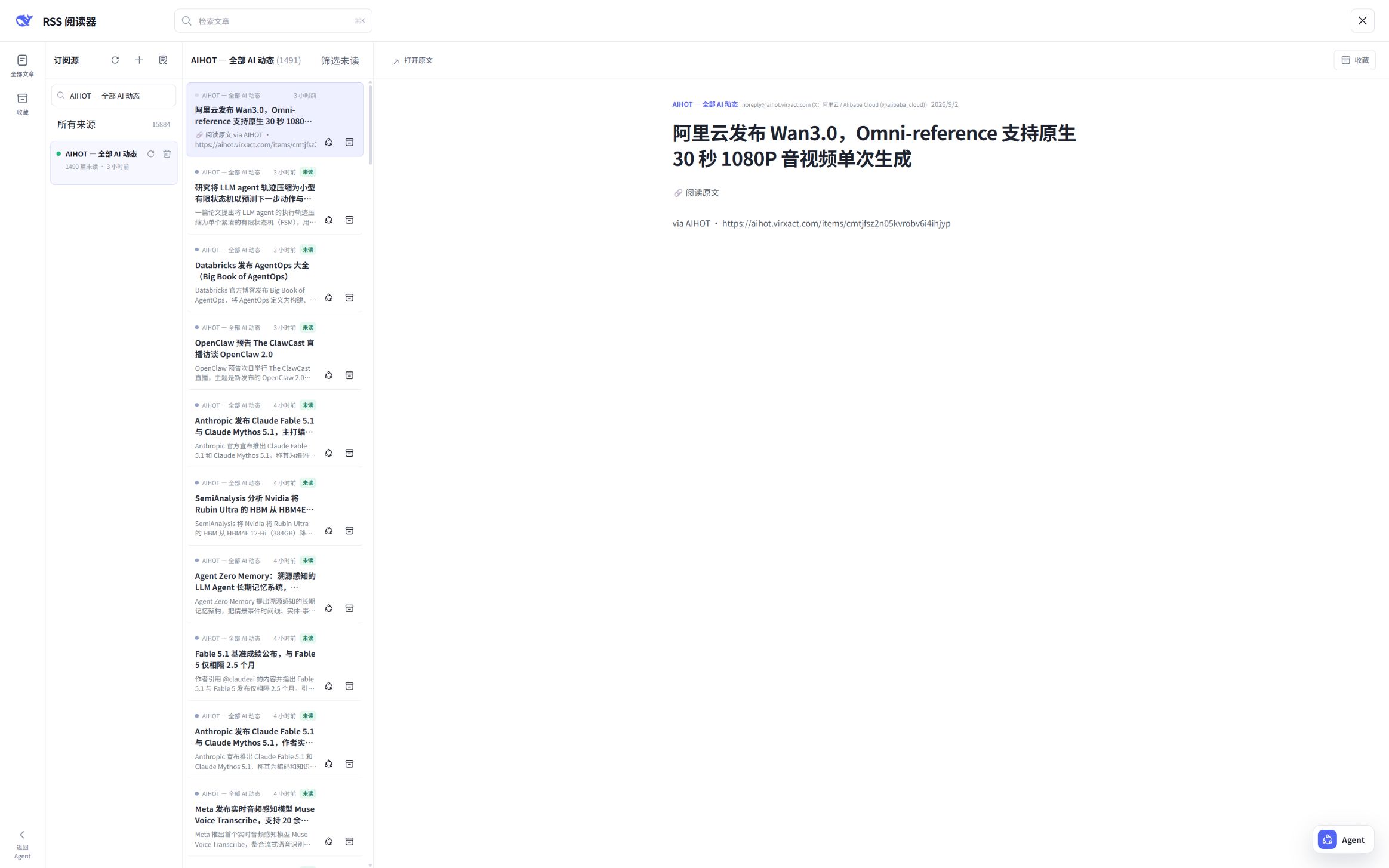
DSH RSS is an RSS/Atom reader plugin for DeepSeek Harness. It adds a full-screen reading workspace, local SQLite storage, automatic feed refresh, and read-only RSS tools for the current Harness Agent.
The plugin uses the Agent, model, Workspace, Session, and Memory capabilities already provided by DeepSeek Harness. It does not create a separate Agent or conversation system.
0.1.1-rc.2.PATH when installing plugins through the dsh CLI.web profile, because the plugin includes a Web UI.dsh plugin --profile web add github:CyberFox-lab/dsh-rss
dsh webGit installations build the plugin from source through its prepare script. With pnpm 10 or later, the first installation may ask you to allow that build. Add the package to the Web profile's pnpm-workspace.yaml, then run the installation command again:
allowBuilds:
  '@deepseek-ai/dsh-rss': true
Only grant install-time build permission to source you trust. You can pin a release tag or commit when installing:
dsh plugin --profile web add github:CyberFox-lab/dsh-rss#<tag-or-commit>Run this command from the directory containing the dsh-rss folder:
dsh plugin --profile web add ./dsh-rss
dsh web
When running DeepSeek Harness from its source repository, replace dsh with pnpm dsh:
pnpm dsh plugin --profile web add ../dsh-rss
pnpm dsh web
The Web UI starts at http://127.0.0.1:3080 by default.
Open RSS Reader from the DeepSeek Harness sidebar.
.opml or .xml file. Nested OPML groups are supported.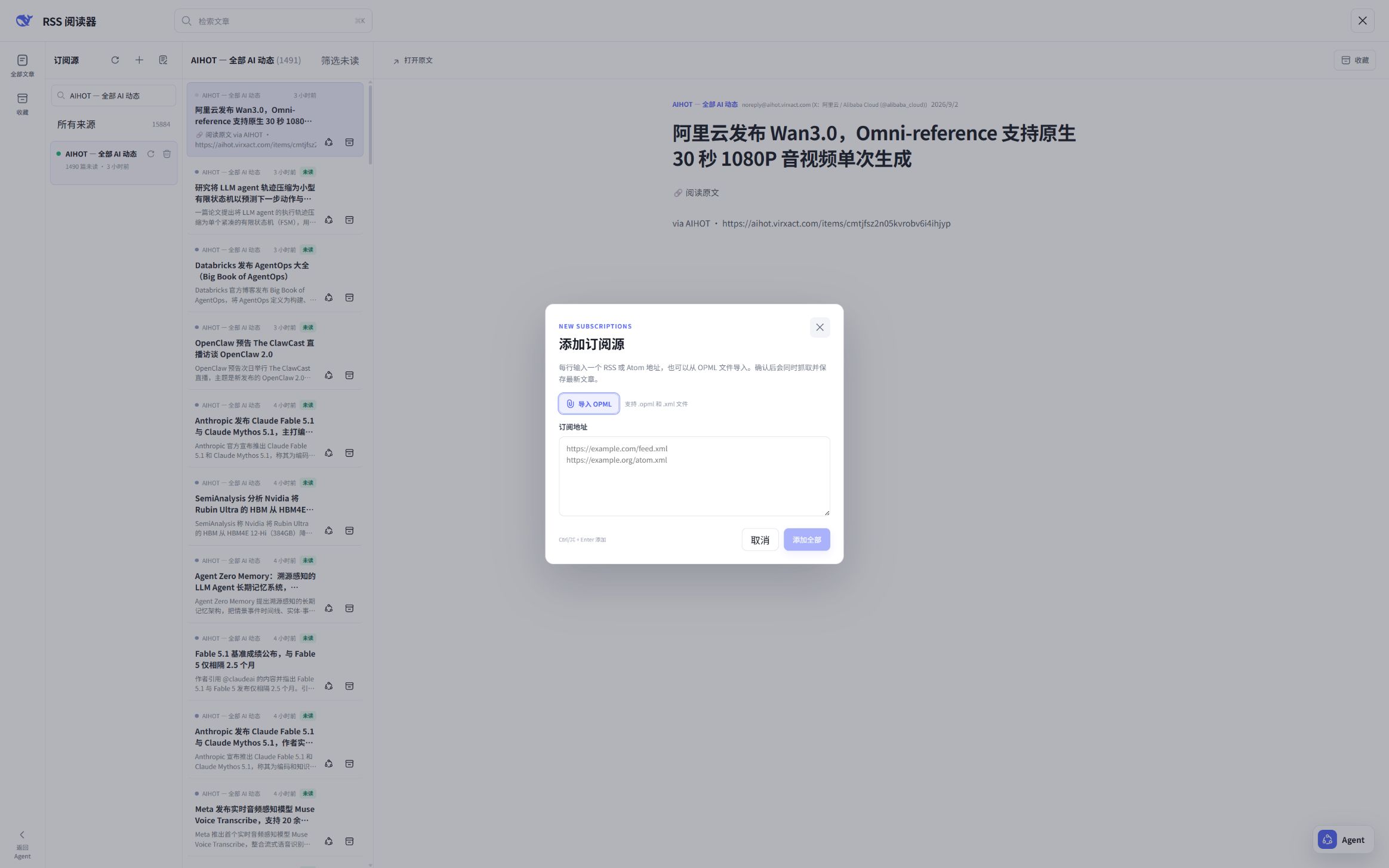
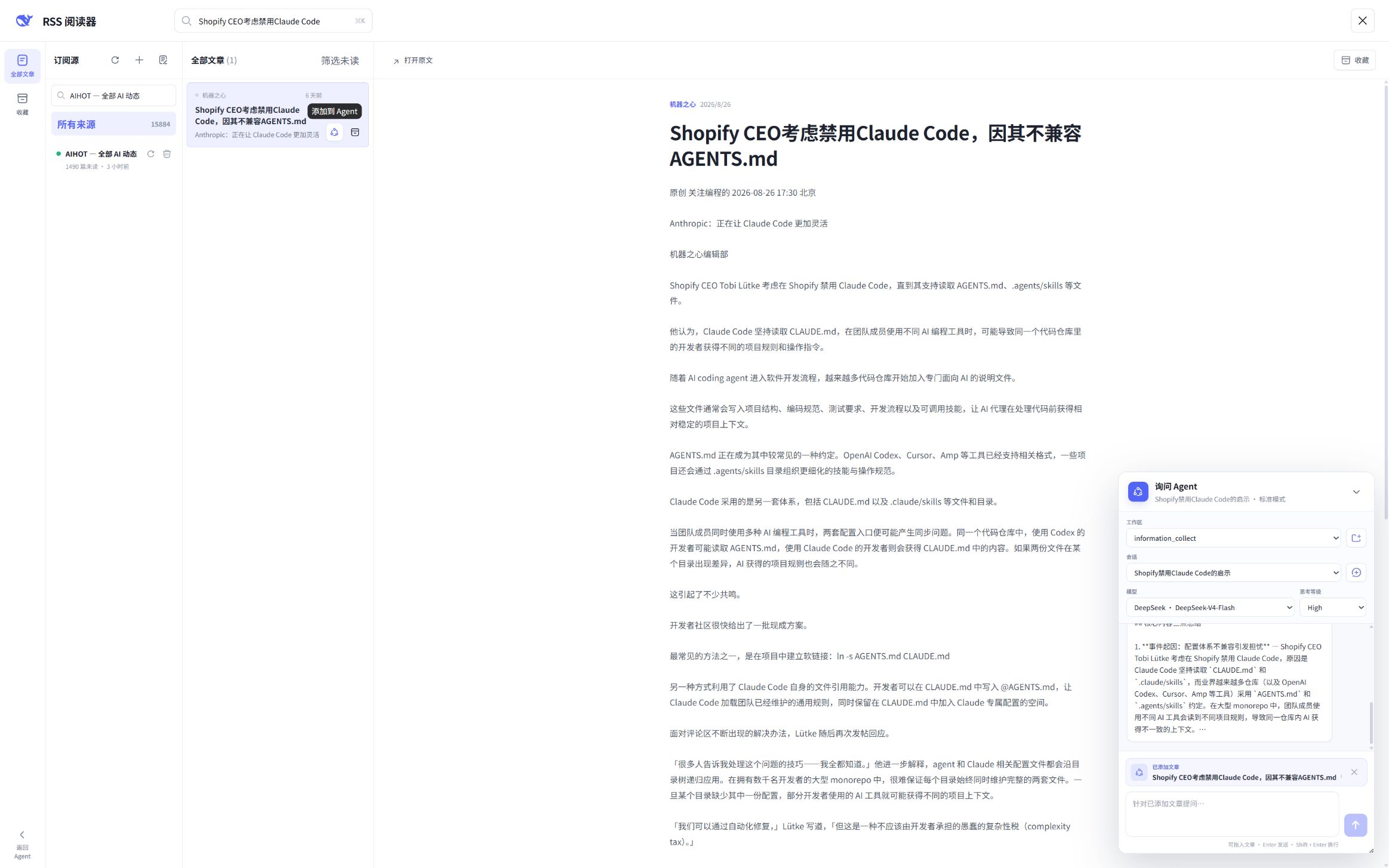
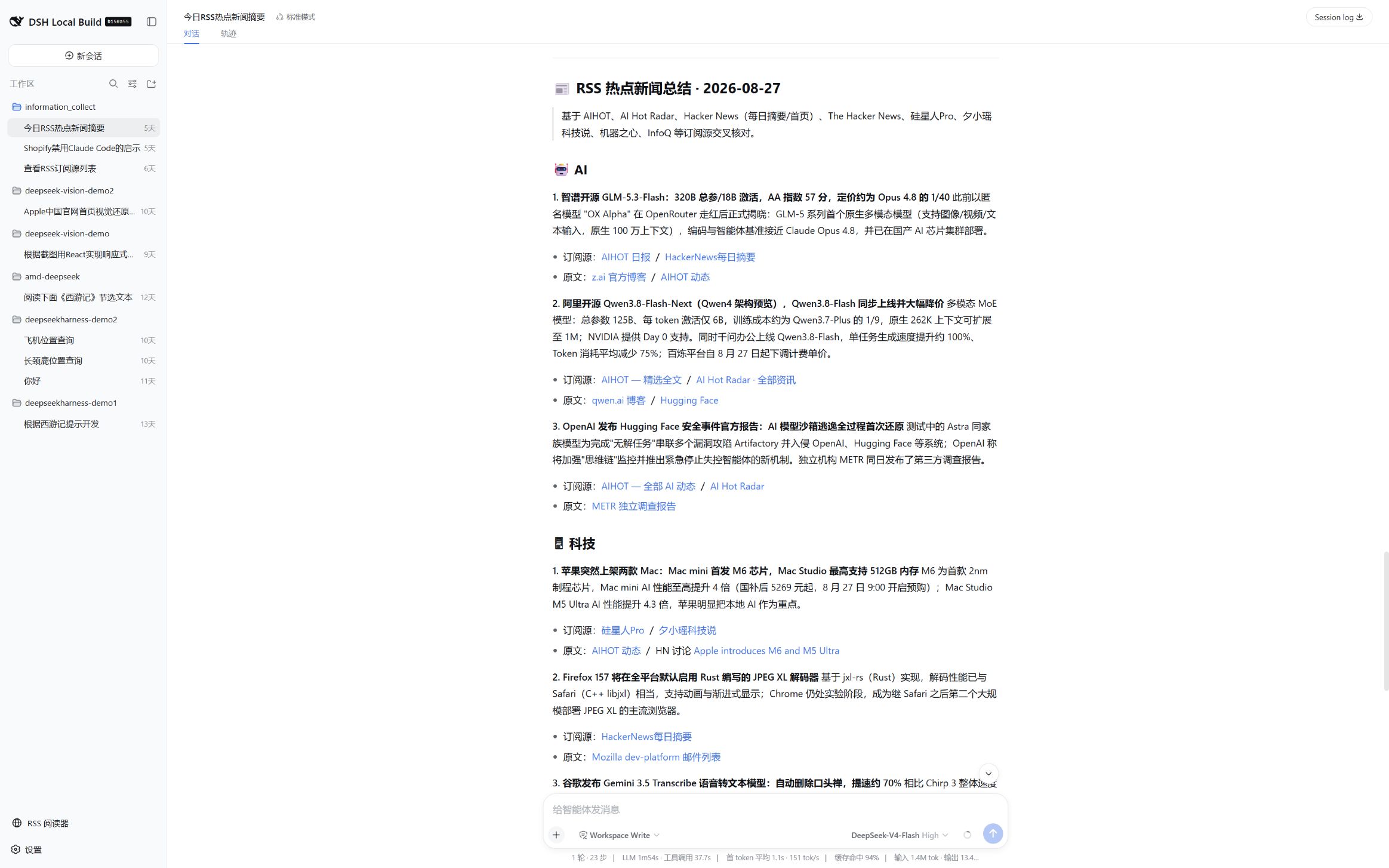
Expand the floating Agent control in the reader to use the current Harness conversation. The window supports Workspace, Session, model, and reasoning-level selection. It can be moved by dragging its header and resized from its lower-right corner.
Selecting or opening an article does not automatically place it in model context. To ask about an article, use its Agent action or drag the article into the Agent composer. The submitted question includes the article ID and source URL, and the Agent can retrieve the content through the RSS tools.
All model-facing RSS tools are read-only.
| Tool | Purpose |
|---|---|
rss_list_feeds |
List subscriptions and unread counts. |
rss_list_articles |
List newest-first articles by feed, inclusive ISO date range, read/favorite state, and limit/offset. The default limit is 30 and the maximum is 50. Optional article text is limited to 5,000 characters per item. |
rss_search_articles |
Search titles, summaries, and feed-provided article text. |
rss_read_article |
Read article text from a character cursor, up to 25,000 characters per call. |
Tool results include source URLs. The Agent is instructed to treat feed content as untrusted input and cite the original link when using article content. Subscription, deletion, refresh, read, and favorite mutations are not exposed as model tools.
The plugin works without additional configuration. Its default profile layer enables an hourly automatic refresh.
To customize it, replace the full config for the rss row in the Web profile's cordis.patch.yml:
- override:
    id: rss
    config:
      databasePath: 'D:/data/dsh-rss/rss.sqlite'
      requestTimeoutMs: 20000
      maxFeedBytes: 5242880
      maxRedirects: 5
      articleLimit: 2000
      toolTimeoutMs: 15000
autoRefreshIntervalMs: 3600000| Option | Default | Description |
|---|---|---|
databasePath |
$DSH_HOME/rss/rss.sqlite |
SQLite database file. |
requestTimeoutMs |
20000 |
Feed request timeout in milliseconds. |
maxFeedBytes |
5242880 |
Maximum downloaded feed size in bytes. |
maxRedirects |
5 |
Maximum redirects per feed request. |
articleLimit |
2000 |
Maximum retained non-favorite articles per subscription. |
toolTimeoutMs |
15000 |
Timeout for an RSS Agent tool call in milliseconds. |
autoRefreshIntervalMs |
3600000 |
Delay between automatic refresh runs; minimum 60 seconds. |
Automatic refresh runs while the RSS page is closed and stops when the plugin unloads. Favorite articles are excluded from retention pruning.
dsh plugin --profile web remove @deepseek-ai/dsh-rssUninstalling removes the plugin from the Web profile but does not delete its SQLite database. Delete the configured database file separately if you also want to remove stored subscriptions and articles.
CLASSIFICATION EVIDENCE
系统优先读取 GitHub Topics,再与站内分类词典和词根规则比对。当前命中: agent。
alchaincyf
你想蒸馏的下一个员工,何必是同事。蒸馏任何人的思维方式——心智模型、决策启发式、表达DNA。Distill how anyone thinks.

freestylefly
Prompt as Code | GPT Image 2 / 2.5 提示词与案例库,530+ 个案例、20+ 套工业级模板与可复用 Skills,新增 2.5 同提示词对比专区,附完整提示词与生成记录,持续更新。

titanwings
Distilly — Distill how they think into reusable Skills for any Agent or Bot. Formerly Colleague Skill(原同事 Skill).