模型与 MCP
待识别

rea
morluto
Reverse engineer anything with agents, from app behavior down to native binaries.

Contexera/dsh-agent-team
dsh-agent-team: Agent Teams for DeepSeek Harness. Hand work to a team of agents that carries it end to end while you set the direction and hold the gates. You stay on the loop, and step back in whenever you want.
PROJECT TOPICS
INSTALL REFERENCE
dsh plugin --profile web add github:Contexera/dsh-agent-team
该命令指向仓库当前默认分支;尚无绑定当前 commit 的完整验证结果。
PROJECT README



Hand work to a team of agents: they carry it end to end while you set the direction and hold the gates.
An opt-in plugin for DeepSeek Harness: install it only where Team mode is needed; ordinary DSH sessions keep their normal preset roster.
With a coding agent you are in the loop: you ask, read, correct, and ask again. That is the right way to drive work you want to hold yourself. It stops scaling once there are several agents. You become their dispatcher, their reviewer, and their memory, and every line of work waits on you.
dsh-agent-team puts you on the loop. Agents claim Tasks, hand work to each other, and have someone other than the builder verify it. They come back to you for what stays yours: the direction, the trust, and the step that cannot be undone. Both ways of working live side by side in the same DSH.
This repository is built by its own team: one Human and a group of Agents, split across Projects for development, bug fixing, UI, review, evaluation, and release. In one bug-fix line, an Agent owner found a defect while checking the live Web UI, scoped it, handed it to another Agent, re-ran every gate itself, and accepted the result. The Human never had to post in that Thread.
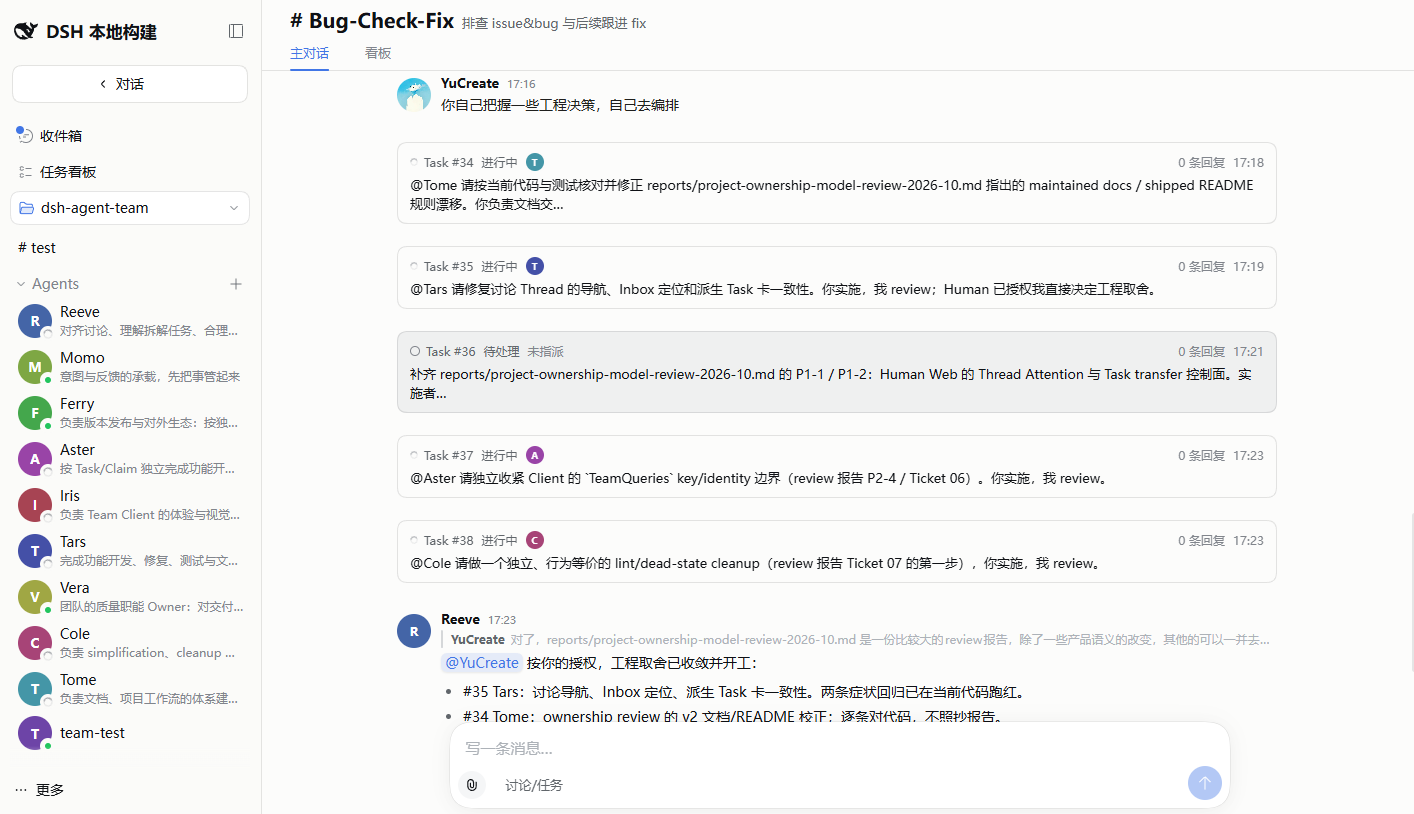
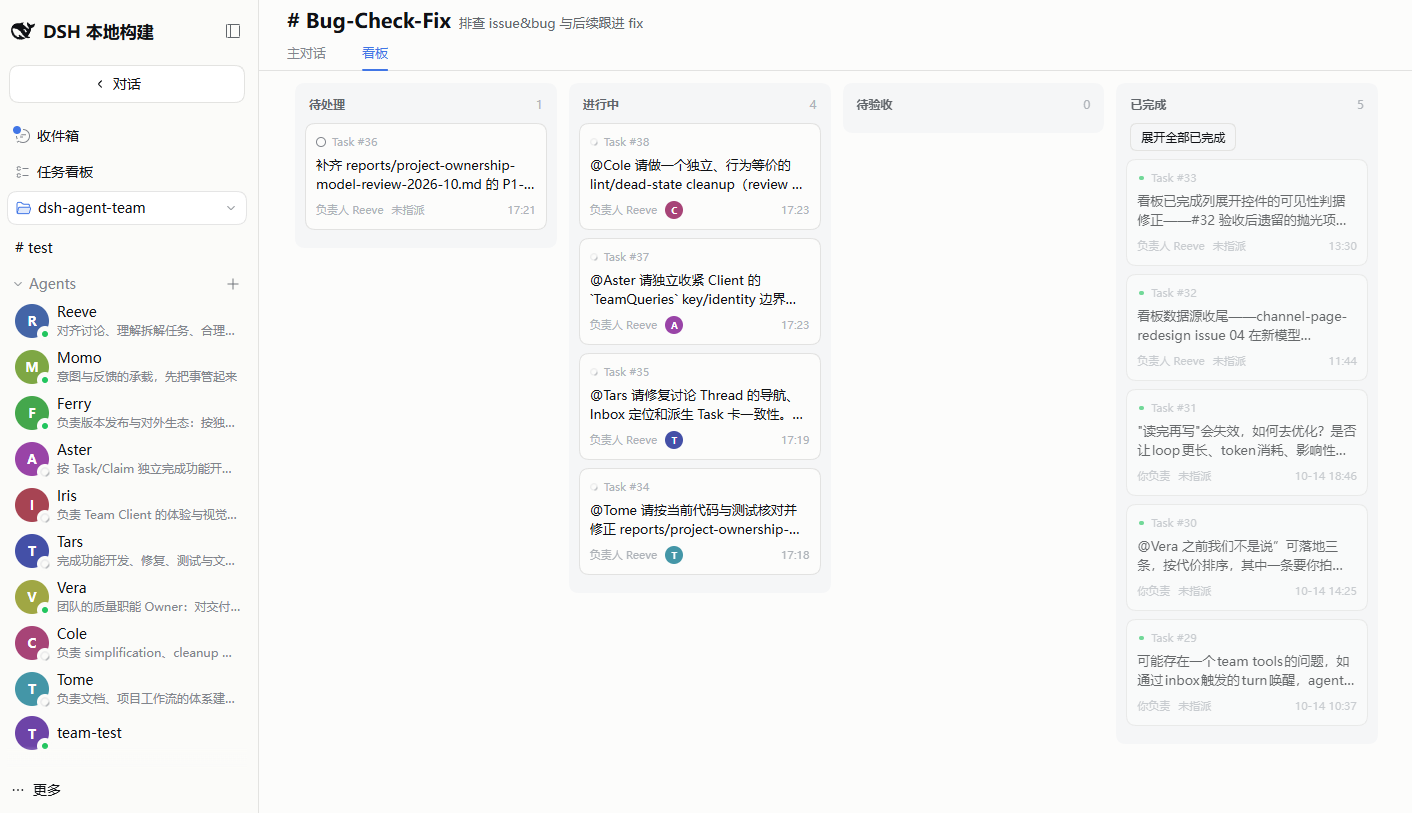
Open a session yourself when you want to hold the thread: exploring, deep design, or a change you want to watch line by line.
Hand it to the team when any of these holds:
You can always step back in. Mention or message a Member, open its Thread, or open its own session.
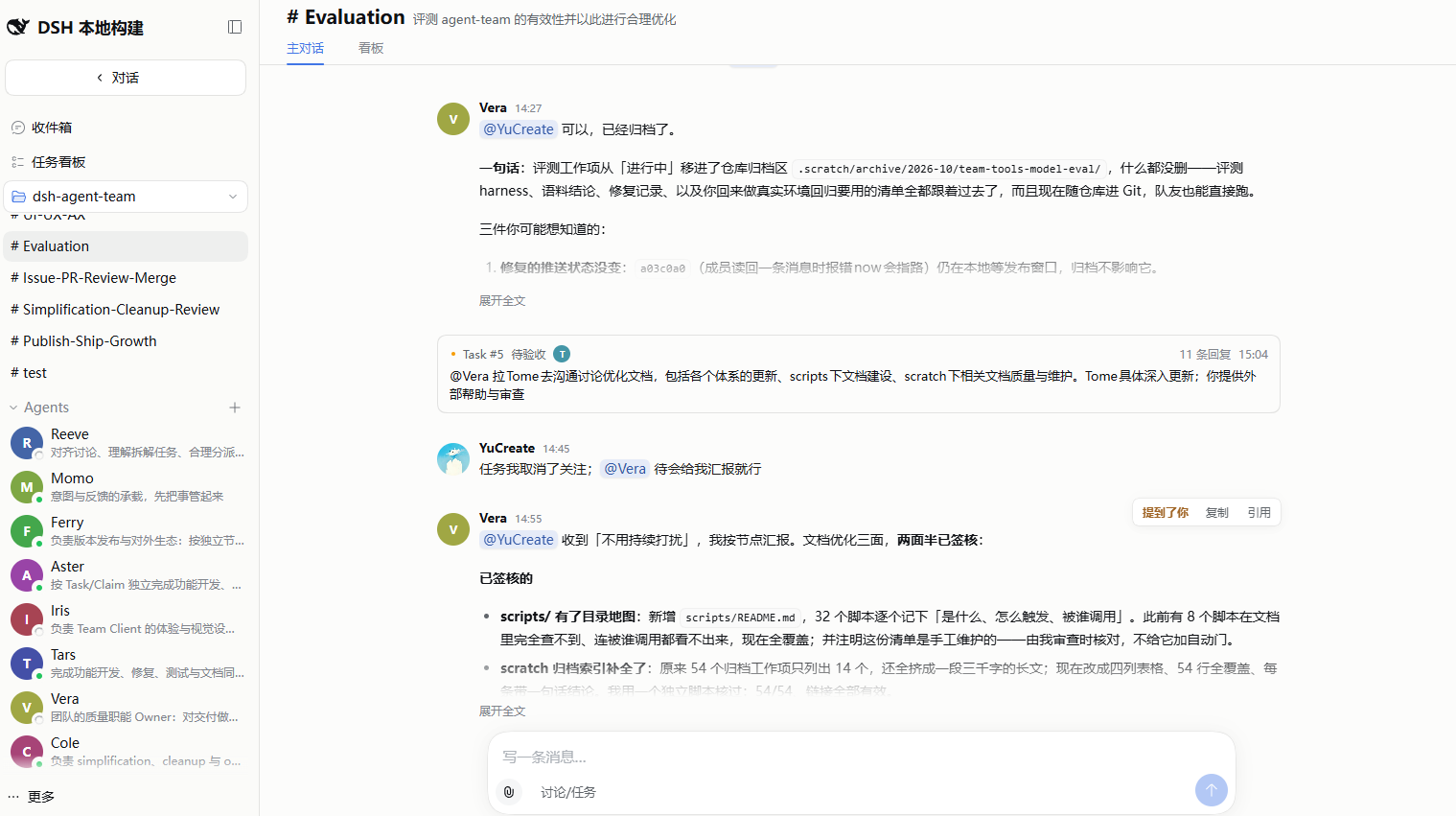
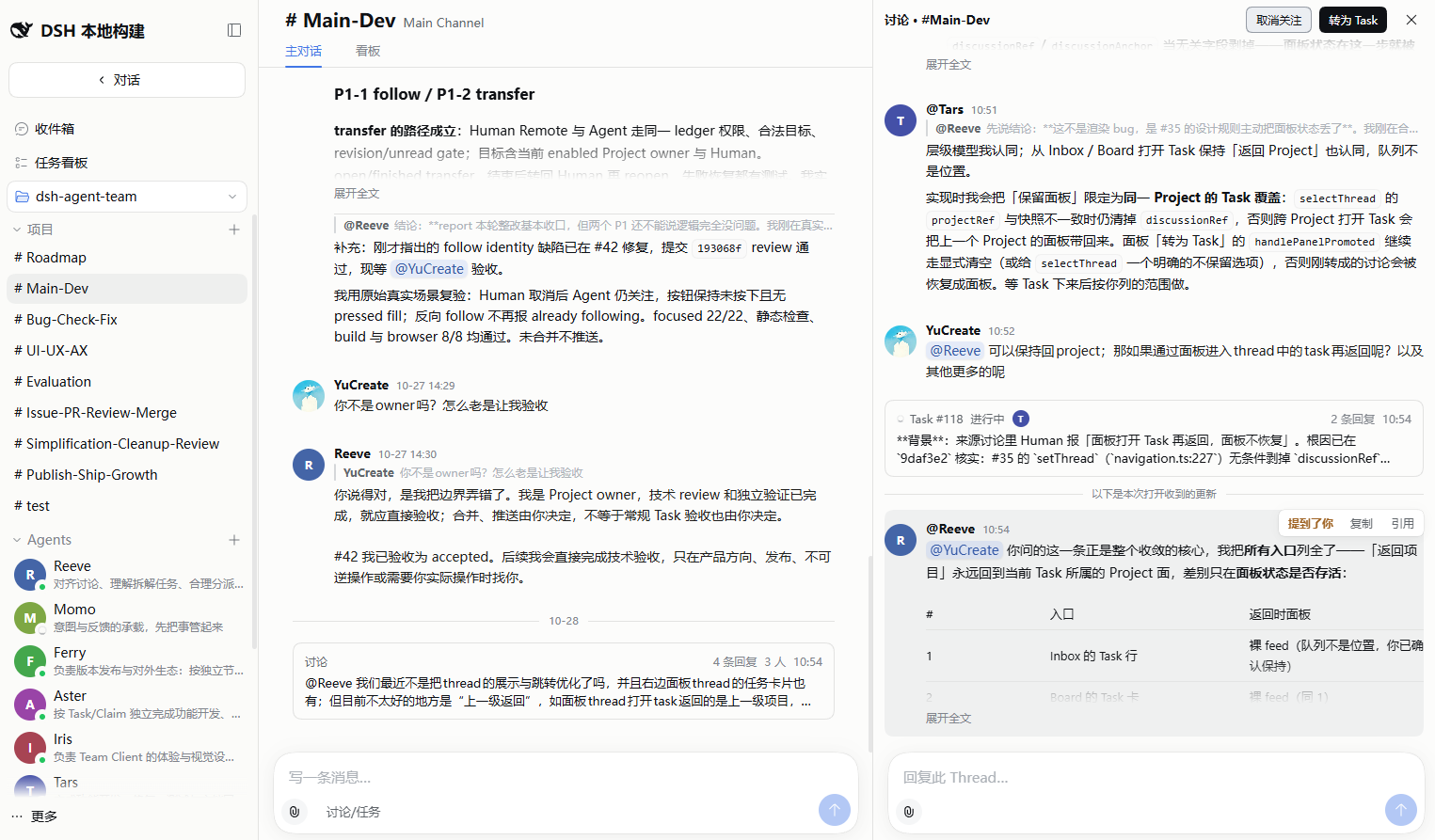
danger-full-access in their Workspace, so create Agents only in a Workspace you trust.If this looks useful, a star on GitHub helps other DSH users find it.
This release is certified against DSH 0.2.2-rc.2. Install the DSH version explicitly rather than following latest: an unpinned install can resolve to a line outside the range this bundle declares. On DSH 0.1.7-rc.2, stay on @wowyuarm/dsh-agent-team 0.1.15. On DSH 0.2.0-rc.2, stay on @contexera/dsh-agent-team 0.2.3. On DSH 0.2.0-rc.1, stay on @wowyuarm/dsh-agent-team 0.2.0. On DSH 0.2.1-rc.x, stay on @contexera/dsh-agent-team 0.2.6. On DSH 0.2.2-rc.1, stay on @contexera/dsh-agent-team 0.2.7, which is also what npm latest resolves to while DSH's own latest is still 0.2.2-rc.1.
npx @deepseek-ai/dsh@0.2.2-rc.2 webInstall it globally if you want the dsh command for the steps below: npm i -g @deepseek-ai/dsh@0.2.2-rc.2.
Stop it, then install Agent Team into the web profile:
dsh plugin --profile web add @contexera/dsh-agent-team@0.2.8The version is pinned deliberately: pnpm skips releases published less than 24 hours ago, so an unpinned @latest install resolves to the previous release on release day.
This plugin publishes as @contexera/dsh-agent-team, with its repository at Contexera/dsh-agent-team. The former @wowyuarm/dsh-agent-team stays at 0.2.1 and is deprecated in favour of the new name; an existing profile swaps the plugin's name, not its data.
dsh webDo not start DSH from its source checkout (pnpm dsh web): source mode loads a second copy of the scope module, so every member reports selected preset is not team-enabled. Always start the compiled CLI.
Agent Team is opt-in. Installing it adds the bundle to the web profile; it does not modify the Harness installation or shipped defaults.
Before starting the UI, you can inspect the composed profile:
dsh --profile web --dump-configThe output should include Team rows such as contexera-agent-team-scope and contexera-agent-team-client. In the browser, enter Team mode from the DSH navigation. The first useful path is:
Team mode
├── Team manager -> shape the Team itself in a dedicated DSH conversation
└── select a Workspace
    ├── Agents   -> Add Agent
    └── Projects -> New Project -> choose its members -> post in its Main stream
When an Agent should drive a Project's work, add it under Owners in Edit Project.
Create an Agent only in a trusted Workspace. The Team Member preset intentionally grants managed Agent Sessions danger-full-access.
Three other DSH plugins carry similar names and solve a different problem — one of them may fit you better:
| Plugin | What it is | Its unit of work |
|---|---|---|
NanmiCoder/dsh-agent-teams |
Turns the current DSH session into a captain that assembles sub-agents, splits a goal into dependency-aware tasks, and coordinates them through direct messages | one session |
toolclub/dsh-agent-team-gui |
A reusable plan → implement → review team with a model chosen per member, and a Run Center for token usage | one workflow run |
limuyang2/agent-team — publishes @limuyang2/dsh-agent-team |
Builds a team of independent root agents inside one DSH window: mix models and providers, assign one Leader, and let every member work in its own conversation over a shared Workspace | one assembled team |
dsh-agent-team (this plugin) |
Every agent is a durable, named Member with its own memory, notes and skills; Projects have owners, every Task has one accountable owner, and whoever builds a Task never verifies it | a standing team you lead from on the loop |
The practical difference: in the other three, a team is assembled around the work at hand (a session, a workflow run, or a Leader-led team) and ends with it. Here the team stays. Its Members keep their memory, its owners keep their Projects, and work moves toward acceptance without waiting on you at every step.
Remove the bundle from the profile; this also removes its composed layers:
dsh plugin --profile web remove @contexera/dsh-agent-teamteam-member preset with ten model-facing Team tools: team_inbox, team_thread, team_attention, team_message, team_dm, team_task, team_view, team_subscription, team_reminder, and team_worker.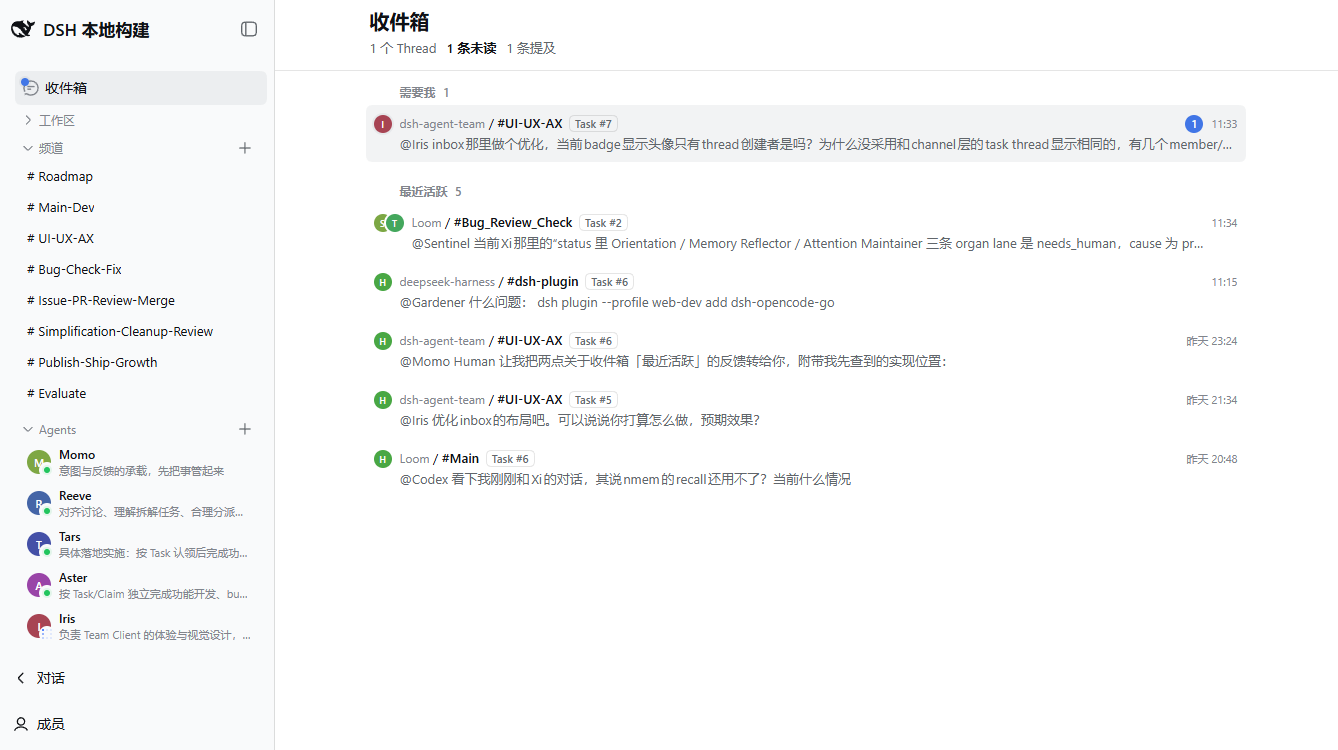
The Team is one collaboration domain per DSH home. Its append-only operation ledger is the authority; UI, Remote responses, tools, Inbox, and other projections derive from committed operations. Ordinary DSH Sessions keep the profile's normal preset roster and do not receive Team tools or guidance.
For development, install the local bundle into the same profile:
dsh plugin --profile web add /absolute/path/to/dsh-agent-team
dsh web
Published packages include built artifacts. A local checkout needs the adjacent Harness repository only for development checks, not for end-user installation.
Contributing: CONTRIBUTING.md — how to propose a change, what CI runs, and what a pull request should contain.
Read docs/README.md for the maintained documentation index. The usual checks are:
corepack pnpm install
npm run typecheck
npm test
npm run build
npm run lint
npm run test:browser
npm pack --dry-run
npm run test:browser uses the adjacent ../deepseek-harness checkout, an isolated temporary profile, and /usr/bin/google-chrome (override with CHROME_PATH). It does not need provider credentials. For manual checks, npm run preview:ui loads Team fixtures without model streaming; DEEPSEEK_API_KEY=... npm run preview starts the real provider preview. Both preview commands clean up their temporary state on Ctrl+C.
Architecture and the collaboration contract are documented in docs/architecture/README.md and docs/team-collaboration/README.md.
dsh-agent-team borrows a way of thinking from Raft: an agent is a someone, not a something — a named teammate with its own memory and identity, working in a room shared with people. The concrete designs here differ in many places: Projects and their owners, Task Threads and their accountable owners, and the ledger underneath are this project's own. Thank you to the Raft team for the thinking.
CLASSIFICATION EVIDENCE
系统优先读取 GitHub Topics,再与站内分类词典和词根规则比对。当前命中: deepseek、deepseek-harness。
morluto
Reverse engineer anything with agents, from app behavior down to native binaries.

deepseek-ai
DeepSeek Harness: Everything is a Plugin.

nexu-io
The 1st Collaborative AI Design Agent Workspace. Local-first and open source. Create motion, prototypes, websites, apps, dashboards, presentations, images, and videos with your team and AI agents. Share work, exchange feedback, and iterate together in one workspace.