
Agent 与会话
插件

nuwa-skill
alchaincyf
你想蒸馏的下一个员工,何必是同事。蒸馏任何人的思维方式——心智模型、决策启发式、表达DNA。Distill how anyone thinks.
PROJECT TOPICS
INSTALL REFERENCE
dsh plugin --profile web add github:Cnily03/dsh-session-tags
该命令指向仓库当前默认分支;尚无绑定当前 commit 的完整验证结果。
PROJECT README
English | 简体中文
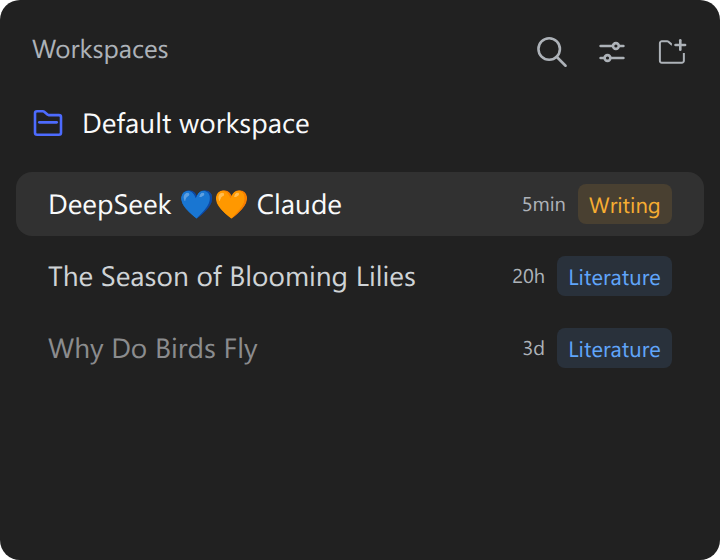
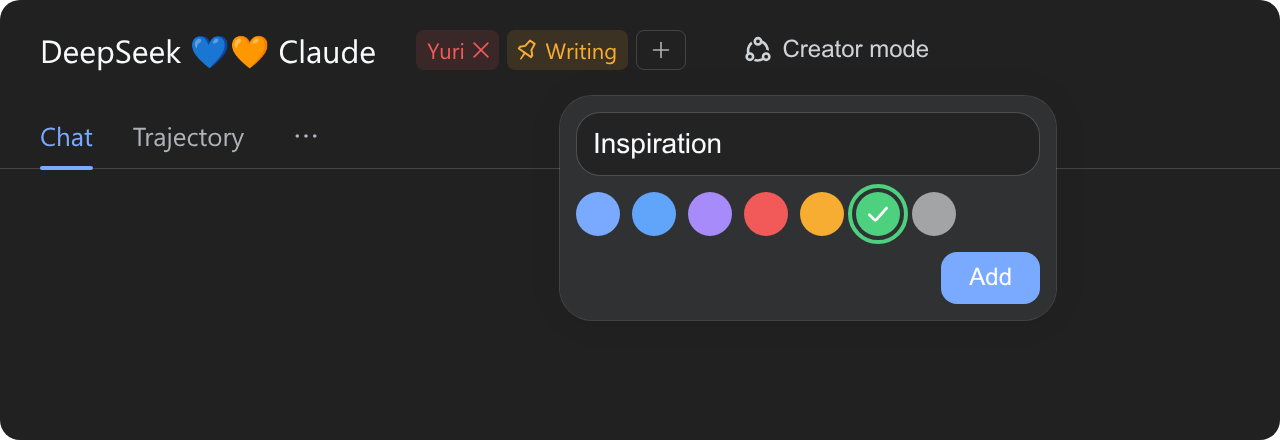
A DeepSeek Harness (dsh) plugin that adds colored tags to sessions, shown in the session list and next to the title of the session detail. Add, remove, and reorder tags, and click a tag to pin it to the sidebar.
| Session list | Session detail |
|---|---|
 |
 |
Use --profile web for a dsh web server or --profile desktop for the desktop app, then restart the Harness.
# npm
dsh plugin --profile web add dsh-session-tags
# GitHub (latest)
dsh plugin --profile web add github:Cnily03/dsh-session-tags
The desktop app can also install it from its built-in plugin market.
Tags render in two places, both reading the same shared store:
Both surfaces reuse the shipped Tooltip and Input primitives and the theme's static color tokens, so the chips match the native controls and read correctly in light and dark themes.
Tags persist on the Host side in a session_tags storage domain. It is a schema-validated, durable JSON unit that the Harness keeps under its configured storage root, so tags survive restarts and follow the profile. Each Session's list is capped at 32 tags with 1–32 character labels. When a Session is deleted (its log and live Agent are both gone), a startup sweep removes its record, so deleted Sessions leave no tags behind.
Edits sync live within one client. The Harness's Host-to-client push channel is closed to plugins, so a second browser tab sees new tags after a refresh.
pnpm install
pnpm build        # tsup -> dist/
pnpm typecheck    # tsc --noEmit
pnpm lint         # biome lint
pnpm format # biome check --write| Path | Purpose |
|---|---|
src/index.ts |
Host half: session_tags storage domain, list/set routes, startup sweep. |
src/client.ts |
Client half: row and header tag clusters, add popover, drag reorder, optimistic saves. |
src/tag-store.ts |
The shared observable tag map both surfaces subscribe to. |
src/styles.ts |
The chip, popover, and drag-marker stylesheet over theme tokens. |
src/schema.ts |
The zod-shaped record validator the storage domain reads. |
src/locale.ts |
Namespace, routes, palette, limits, and message dictionaries. |
cordis.patch.yml |
Bundle patch that inserts the Host row. |
Copyright (c) Cnily03. All rights reserved.
Licensed under the MIT License.
CLASSIFICATION EVIDENCE
系统优先读取 GitHub Topics,再与站内分类词典和词根规则比对。当前命中: session、session-management。
alchaincyf
你想蒸馏的下一个员工,何必是同事。蒸馏任何人的思维方式——心智模型、决策启发式、表达DNA。Distill how anyone thinks.

freestylefly
Prompt as Code | GPT Image 2 / 2.5 提示词与案例库,530+ 个案例、20+ 套工业级模板与可复用 Skills,新增 2.5 同提示词对比专区,附完整提示词与生成记录,持续更新。

titanwings
Distilly — Distill how they think into reusable Skills for any Agent or Bot. Formerly Colleague Skill(原同事 Skill).