
学习研究
插件

Study-Mate
Miaotofu01
你的AI学习搭档:定路线、讲知识、做项目,边学边做,学透一门科目
PROJECT TOPICS
INSTALL REFERENCE
dsh plugin --profile web add github:Ch1Ems/dsh-printer-chat
该命令指向仓库当前默认分支;尚无绑定当前 commit 的完整验证结果。
PROJECT README

Printer Chat turns the conversation into paper.
While the plugin is enabled, every finished turn of a main DSH session is laid out as one small page — your message and the assistant's reply — and sent to a print queue. The desktop keeps working normally; the sheet is a second copy of what already happened on screen.
Printer Chat is a DSH bundle: a folder with a package.json, a
cordis.patch.yml and a host plugin.
dsh plugin --profile <profile> add <absolute-path-to-this-folder>.printer_chat_config).To print the turn you are reading, do nothing: the page is submitted when the turn ends.
| Platform | Printing | Preview | Queue list | Font / size / margins |
|---|---|---|---|---|
| Windows 10/11 | Windows spooler via System.Drawing.Printing |
PNG page image | Get-Printer, registry fallback |
Yes |
| macOS | CUPS lp (text filter) |
— | lpstat |
Queue defaults |
| Linux | CUPS lp (text filter) |
— | lpstat |
Queue defaults |
lp, lpstat); they ship with
macOS and with cups-client on most distributions. On that path the text is
printed by the CUPS text filter at the queue's defaults, so fontName,
fontSize and marginMm are ignored, and preview reports that it needs the
Windows renderer.System.Drawing are part of the OS.node:* builtins,
because third-party plugins cannot import @deepseek-ai/* (those packages live
inside app.asar).turn/end event arrives, so a turn with several
model steps and tool calls does not produce one page per step.offline, so you know the paper comes
out when the printer is back.maxChars, and
nothing is printed while DSH is closed — the plugin reacts to live session
events.Settings live in $DSH_HOME/printer-chat.json (by default
~/.dsh/printer-chat.json) and change without a restart through
printer_chat_config. The plugin also appends to printer-chat.log next to it;
the file is truncated once it outgrows 256 KiB.
| Tool | Purpose |
|---|---|
printer_print |
Print arbitrary text now. Optional title, printer (exact queue name) and preview (render a PNG page image instead of using paper; Windows only). |
printer_chat_config |
Read or patch the settings, and list the installed queues with their live status. |
Fields available in printer_chat_config:
| Field | Default | Meaning |
|---|---|---|
enabled |
true |
Print finished turns automatically. |
printer |
"" |
Exact queue name; empty uses the system default queue. |
fontName |
Microsoft YaHei |
Font used for the page (Windows renderer). |
fontSize |
10.5 |
Point size, 6–30 (Windows renderer). |
marginMm |
12 |
Margin on every edge, 5–40 mm (Windows renderer). |
includeUser |
true |
Print your side of the turn. |
includeAssistant |
true |
Print the assistant's side of the turn. |
maxChars |
8000 |
Characters per print job; longer text becomes several sheets. |
title |
DSH 对话打印 |
Document title on each page. |
debugEvents |
false |
Append every received session event to printer-chat-events.log, for diagnosing why a turn did not print. |
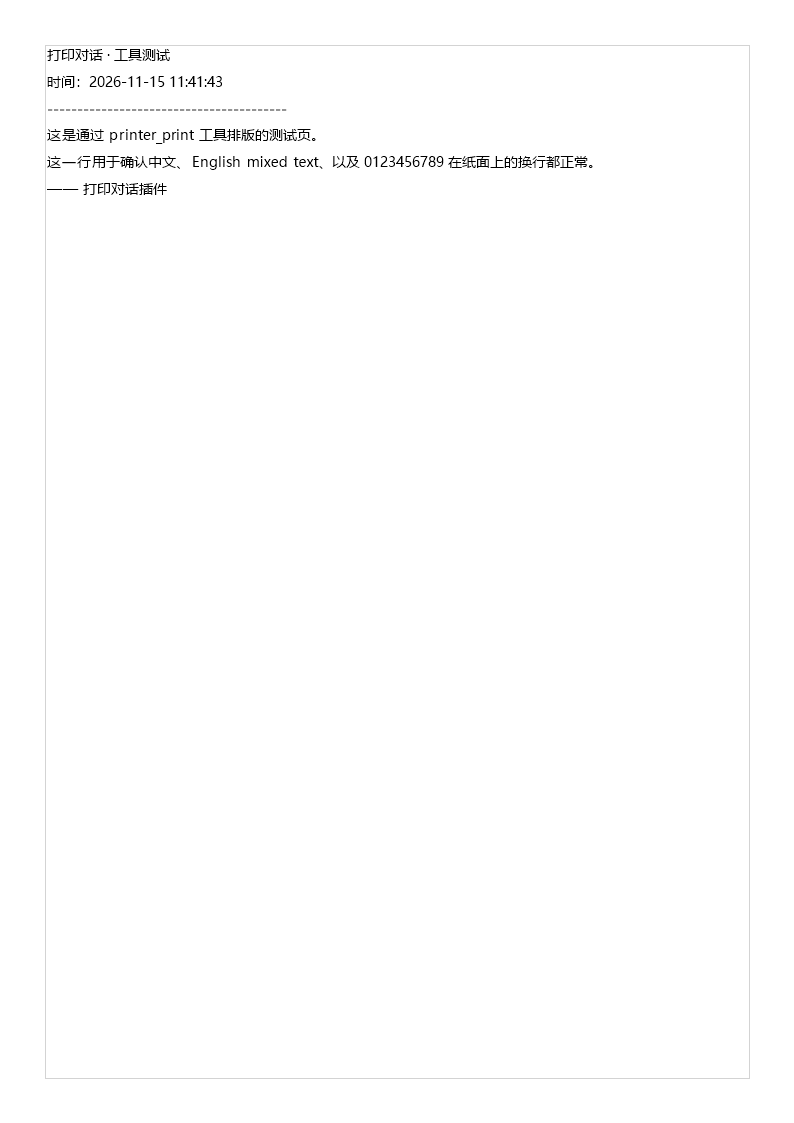
On Windows, printer_print with preview: true renders the exact page layout to
a PNG in $DSH_HOME/printer-chat-preview/ and returns the path. The same
renderer draws the print pages, so the preview is the real wrap: same font, same
size, same margins, same line breaking.
$DSH_HOME/printer-chat.log for turn print failed, and turn on debugEvents with printer_chat_config to log every
session event; subagent sessions and turns without any text are skipped by
design.printer_chat_config lists queues with their live status; the
* marks the default. Pass the exact name.lp: command not found (macOS / Linux). Install the CUPS client tools
(cups-client on Debian/Ubuntu, cups on Fedora).preview is rejected. Previews need the Windows renderer; on the CUPS path
the queue decides the layout.npm test # 15 unit tests + 3 CUPS integration tests
npm run validate # manifest, exports, locales, icons, imports
npm pack # build the installable tarball into dist/The integration tests stub lp and lpstat on PATH and force the CUPS branch
with the DSH_PRINTER_CHAT_PLATFORM=posix seam, so the macOS/Linux code path is
exercised on Linux CI; on Windows they are skipped. node --check lib/index.js
guards the syntax of the host entry.
Layout:
lib/index.js      host plugin: event wiring, tools, settings
lib/text.js       pure helpers: sanitize, splitForPrint, messageText, isMainSession
lib/posix.js      pure helpers: lpstat parsing, lp arguments
lib/print.ps1     Windows renderer: wrap, draw, spool, PNG preview
lib/printers.ps1  Windows queue enumeration (Get-Printer + registry fallback)
test/*.test.mjs   unit tests and the CUPS integration test
scripts/validate.mjs  bundle manifest checks
locale/*.json     UI names and descriptions (en, zh)
detail/*.md       the detail page shown in the app
.github/workflows/ci.yml  ubuntu/windows/macos × Node 20/22
A local reload after editing lib/*.js means toggling the plugin off and on in
the Plugins page; the .ps1 helpers are read fresh on every call.
MIT — see LICENSE.
CLASSIFICATION EVIDENCE
系统优先读取 GitHub Topics,再与站内分类词典和词根规则比对。当前命中: paper。
Miaotofu01
你的AI学习搭档:定路线、讲知识、做项目,边学边做,学透一门科目

1692775560
Mimir — 一站式科研工作台插件:LaTeX 论文边写边编译、arXiv 文献管理、实验追踪、指标图表、GPU 服务器 SSH 任务编排,管理科研全周期。An open-source research workbench plugin for the whole research cycle.

Li-Evan
Open-source AI tutor for personalized learning: Socratic, adaptive lessons to learn anything. Claude Code skill + self-hosted web app. Bloom 2 Sigma · 开源 AI 家教