
模型与 MCP
待识别

rea
morluto
Reverse engineer anything with agents, from app behavior down to native binaries.
PROJECT TOPICS
INSTALL REFERENCE
dsh plugin --profile web add github:CN-PA/dsh-jianying-plugin
该命令指向仓库当前默认分支;尚无绑定当前 commit 的完整验证结果。
PROJECT README

字幕 · 音频 · 转场 · 导出 · 回读 · 编辑回执



项目主页 · 快速安装 · 工具矩阵 · 安全机制 · English · 最新版本
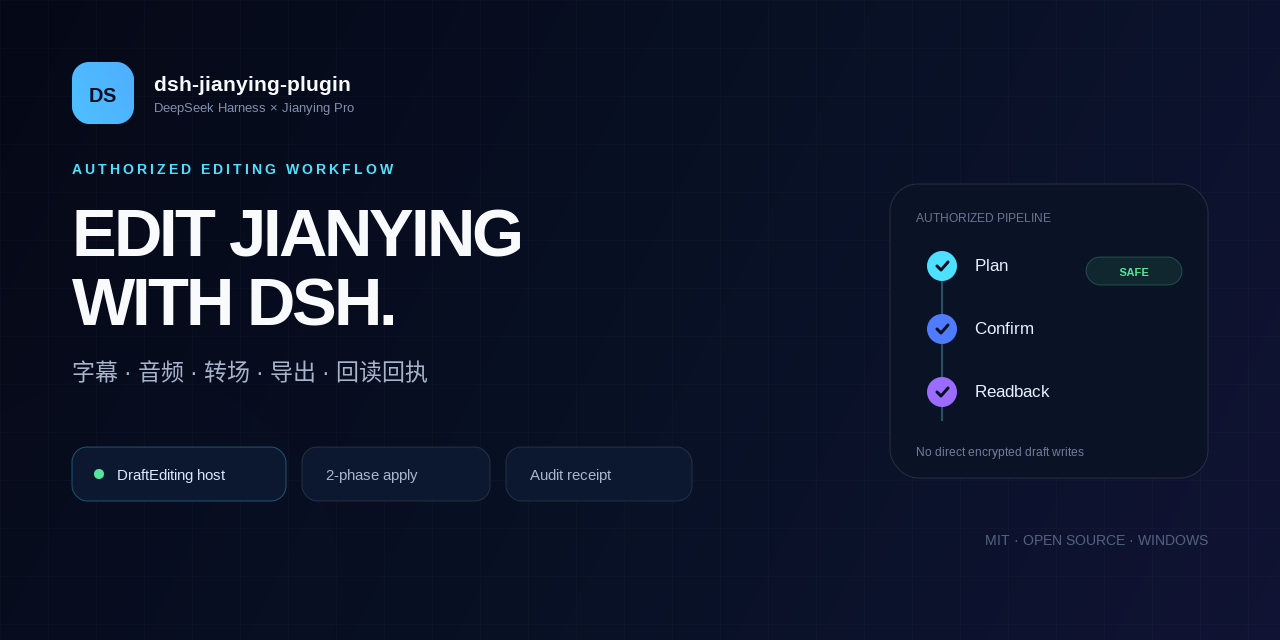
这是一个能让 DSH 操作真实剪映草稿的开源插件。
它不直接修改加密的
draft_content.json,而是连接剪映正在运行的授权 Custom Agent host,通过官方 DraftEditing 链路完成编辑,并在写入后回读草稿、生成可审计回执。
🎬 真的编辑草稿不是生成一段剪辑建议,也不是做一个看起来像剪映的预览。插件直接操作用户正在使用的剪映草稿。 |
🛡️ 两阶段写入先读取,再规划;只有用户明确确认后才执行。计划成功不等于草稿已修改。 |
🔎 可回读、可追溯写入前后采集草稿哈希,读取 canonical 状态,并生成 JSON / Markdown 编辑回执。 |
🩺 一键诊断
|
| 项目 | 要求 |
|---|---|
| 系统 | Windows 10 / 11 x64 |
| DSH | DSH Desktop |
| 剪映 | 剪映专业版,已安装并至少启动或登录过一次 |
| 剪映能力 | Custom Agent host 可用 |
| 开发环境 | Node.js 22+ |
打开 PowerShell:
irm https://raw.githubusercontent.com/CN-PA/dsh-jianying-plugin/main/scripts/install.ps1 | iex安装脚本会:
desktop profile。.\scripts\install.ps1 `
-Profile github-test `
-DshCommand 'F:\dsh\resources\runtime\cli\bin\dsh.cmd'从 Releases 下载 .tgz:
dsh plugin --profile desktop add file:F:/Downloads/dsh-jianying-plugin-0.3.0.tgz或者直接从仓库安装:
dsh plugin --profile desktop add github:CN-PA/dsh-jianying-pluginjianying_doctor列出我的剪映草稿,检查最新草稿,并只读回读。flowchart LR
A[DSH Tool] --> B[授权 Custom Agent host]
B --> C[Director / Editing Agent]
C --> D[DraftQuery]
D --> E[生成可审阅计划]
E --> F{用户确认}
F -->|plan 阶段| G[不写入]
F -->|apply + confirm| H[DraftEditing]
H --> I[canonical 回读]
I --> J[备份 / 哈希 / 回执]不碰加密草稿内部格式,不跳过剪映授权边界。
mode=plan 只创建计划,不写入草稿。mode=apply 必须显式传入 confirm=true。读取草稿
→ 规划最小范围修改
→ 用户确认
→ 授权 DraftEditing 应用
→ 回读核对
→ JSON + Markdown 回执| 工具 | 能做什么 |
|---|---|
jianying_doctor |
一次检查完整环境,返回逐项状态与修复建议。 |
jianying_status |
查看剪映版本、CLI、草稿注册表、进程和能力。 |
jianying_drafts |
列出、检查或启动剪映草稿。 |
jianying_host |
查看 host、会话、草稿回读、run 状态,取消任务。 |
jianying_edit |
通用高级编辑:计划或应用。 |
jianying_subtitle |
添加、更新、删除字幕。 |
jianying_audio |
音量、裁切、淡入淡出。 |
jianying_transition |
添加、更新、删除转场。 |
jianying_export |
导出草稿,默认不覆盖已有文件。 |
jianying_receipt |
列出或读取编辑回执。 |
jianying_cli |
官方 Agent CLI 的查询、规划、校验和受保护 apply。 |
时间单位统一为毫秒。音频音量使用剪映范围 0..1000,100 表示原始幅度。
| 类型 | 操作 |
|---|---|
| 字幕 | subtitle.add、subtitle.update、subtitle.remove |
| 音频 | audio.set_volume、audio.trim、audio.fade |
| 转场 | transition.add、transition.update、transition.remove |
| 导出 | export |
[
  {
    "kind": "subtitle.add",
    "text": "欢迎观看",
    "start_ms": 0,
    "duration_ms": 2000
  },
  {
    "kind": "audio.set_volume",
    "segment_id": "audio-segment-id",
    "volume": 65
  },
  {
    "kind": "transition.add",
    "segment_id": "video-segment-id",
    "transition_name": "叠化",
    "duration_ms": 500
  }
]{
"draft_id": "DRAFT-ID",
"mode": "plan",
"operations": [
{
"kind": "subtitle.add",
"text": "测试字幕",
"start_ms": 0,
"duration_ms": 1500
}
]
}{
"draft_id": "DRAFT-ID",
"mode": "apply",
"confirm": true,
"operations": [
{
"kind": "subtitle.add",
"text": "测试字幕",
"start_ms": 0,
"duration_ms": 1500
}
]
}更完整的字幕、音频、转场、导出和回执示例见 中文详细文档。
默认保存在:
F:/Codex/.dsh-jianying-plugin/
├── backups/       # 写入前草稿 JSON 备份
└── receipts/      # JSON + Markdown 编辑证据
每次 apply 会记录:
installDirs:
  - E:/JianyingPro
  - F:/JianyingPro
tempRoot: F:/Codex/.dsh-jianying-plugin
allowApply: false
allowHostApply: true
createBackup: true
hostPollIntervalMs: 2000
hostWorkflowTimeoutMs: 300000allowApply:只控制旧版 jianying_cli apply-patch。allowHostApply:控制新版高级编辑和导出。createBackup:是否在 apply 前备份草稿 JSON。hostWorkflowTimeoutMs:默认等待时间。也可以手动指定 instanceId 和 sessionId,通常不需要。
已验证:
| 环境 | 版本 |
|---|---|
| 系统 | Windows 11 x64 |
| DSH Desktop | 26.1111.2228.0 |
| 剪映专业版 | 11.7.0.14652 |
| 剪映专业版 | 11.8.0.14778 |
| Node CI | 22 / 24 |
| CI 平台 | Windows / Linux |
剪映 Custom Agent host 是否可用会受到版本、账号和灰度发布影响。提交兼容性问题前,请先运行 jianying_doctor。
[!NOTE] 独立运行
lyra-cli.exe会被剪映以unauthorized host process拒绝。这是上游安全限制,插件不会绕过它。
npm.cmd test
npm.cmd run check
npm.cmd run validate:manifest
npm.cmd run smoke
npm.cmd run smoke:host
npm.cmd run pack:release
当前覆盖:
更多文档:
如果这个插件节省了你的时间:
Built with care for DSH × 剪映专业版
MIT License · Windows only
CLASSIFICATION EVIDENCE
系统优先读取 GitHub Topics,再与站内分类词典和词根规则比对。当前命中: deepseek、deepseek-harness。
morluto
Reverse engineer anything with agents, from app behavior down to native binaries.

deepseek-ai
DeepSeek Harness: Everything is a Plugin.

nexu-io
The 1st Collaborative AI Design Agent Workspace. Local-first and open source. Create motion, prototypes, websites, apps, dashboards, presentations, images, and videos with your team and AI agents. Share work, exchange feedback, and iterate together in one workspace.